
0:59
Explore
00:00:00 / 01:10:08
- Length
- 1:10
- Scenes
- 32 · 2.2 s avg
- Product on screen
- 0:00
- Features shown
- 2
- Voiceover
- Yes
- Views
- 535 on YouTube
as of November 25, 2026
TinyFish’s 1:10 launch film runs 32 scenes, about 2.2 s each. The product is on screen from the first frame and 2 features are revealed. There is no explicit call to action; a voiceover carries the film. The video is built as a rapid alternation between a locked-off live-action founder shot, flat UI mockups, and playful fish graphics, cutting about 21 times a minute to keep the launch story moving. Its signature moves are the orange fish mascot bursts, hand-drawn arrows on cream slides, and the giant orange MAKO wordmark stamped over the presenter.
Footage neededEstimated needs: 2 capture groups — your screens or recordings · 11 filmed passages — shoot, supply or replace · 12 graphic passages — draw or supply
Is this your launch? to your site or press kit.
More like this

2:17

New Apple child safety features help parents keep kids safe online
Apple · Hardware · Sep 2026
3:02
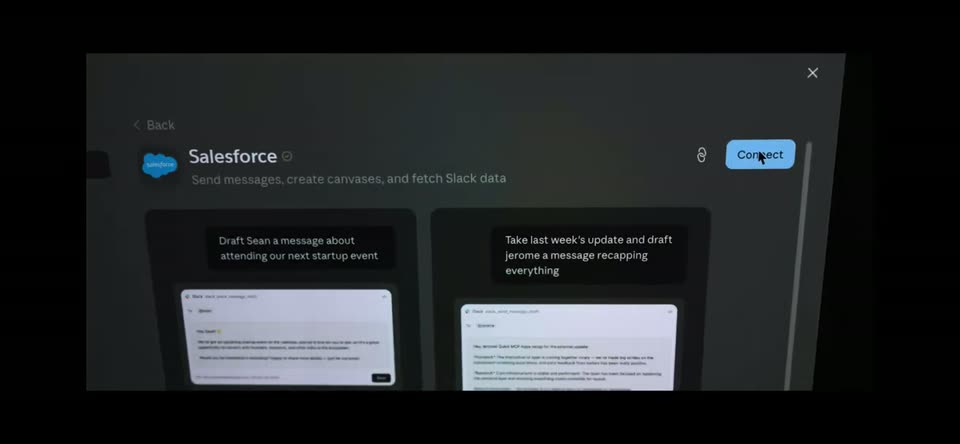
Marc Benioff - Welcome Claudeforce. ❤️
Salesforce · Aug 2026
Similar soundtrack
Films whose music sounds like this one, voice left out
4:11
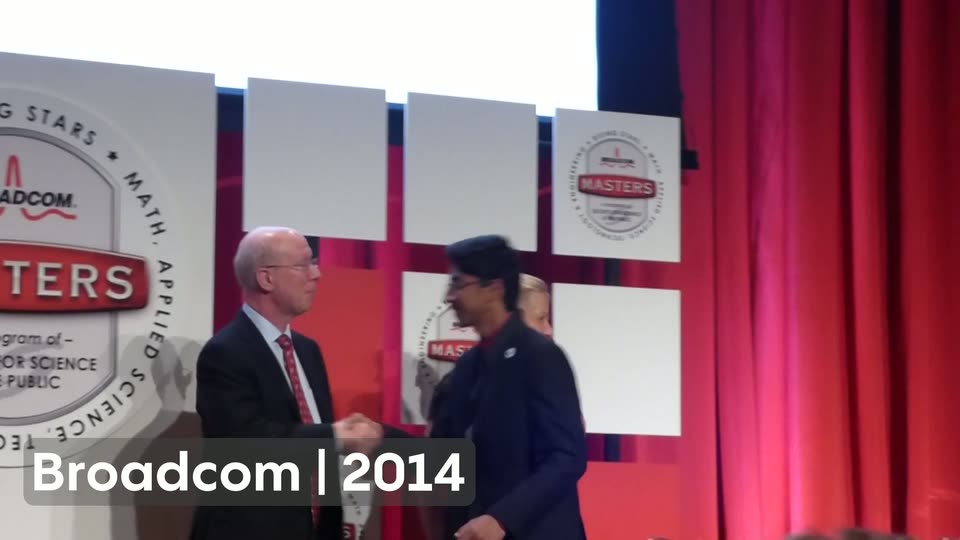

Rishab Jain - AI systems are already superhuman at playing games: Chess, Go, Starcr
Prescience, Inc. · Cinematic ambient electronic
1:18

Vorelios (YC F26) Launch Video
Vorelios · Cinematic, Orchestral, Electronic
1:12
Atlia YC Launch
Atlia · Corporate tech promo with a voice-over montage
Mako by TinyFish | The First AI Model Built to Operate the Web, scene by scene
· 32 scenes as text
01 · Product intro · 0:00–0:04
A man in a gray T-shirt stands at a small table before a sunlit window, speaking to camera. Huge orange letters pop in one by one to spell MAKO across the top of the frame. A white name caption sits at right, white subtitles run along the bottom.
On-screen text: “today we are launching Mako”, “Shuhao Zhang”, “CO-FOUNDER @ TINYFISH”, “MAKO”, “the first model built to operate the web”
Techniques: Kinetic type
Camera: Static
02 · Problem · 0:04–0:06
A man in a gray t-shirt stands at a wooden table before a window of green trees, gesturing while speaking. Near the end, a swarm of cartoon orange fish stickers flies across the frame, covering him.
On-screen text: “Today's frontier models are incredible”
Techniques: Particles
Camera: Pull out
03 · Problem · 0:06–0:09
Three interface cards float over a faded shot of a person typing at a laptop: a code line gets fixed, a legal document types itself, a green card fills in a protein folding explanation beside a DNA helix, while a bottom caption swaps mid-scene.
On-screen text: “they will draft your doc fix your bug”, “explain how a protein folds”
Techniques: Split screen
Camera: Static
04 · Problem · 0:09–0:11
A man in a gray T-shirt stands at a desk before a sunlit window. Three white prompt cards (code, legal document, protein folding) float over the shot and fade out, leaving the plain live-action frame. A white caption sits at the bottom.
On-screen text: “explain how our protein folds”
Camera: Static
05 · Problem · 0:11–0:15
A man in a gray t-shirt and glasses stands behind a wooden table in front of floor-to-ceiling windows showing sunlit trees. He faces the camera, speaking with small hand gestures, while white subtitles at the bottom swap between two lines. The frame stays locked off.
On-screen text: “every frontier model is built to reason”, “to think through problems”
Camera: Static
06 · Problem · 0:15–0:16
A man in a gray t-shirt stands before a floor-to-ceiling window filled with green trees, gesturing with both hands as he speaks. A white caption with a dark outline sits centered at the bottom of the locked-off frame.
On-screen text: “to think through problems”
Camera: Static
07 · Problem · 0:16–0:20
A flat browser mockup fills a quote form: a cursor labeled TF Agent types values into Business, State, Employees and Revenue fields while a STEPS list on the right checks off each item, then the page switches to a results view showing an AGENT EXTRACTING box.
On-screen text: “but actually doing things on the web”, “to navigate pages”
Techniques: Cursor demo
Camera: Static
08 · Problem · 0:20–0:22
A mock browser window opens on a Get a Free Quote form after a data-extracted card fades out. A cursor tagged TF Agent moves down the fields, filling Business with Consulting LLC, while a steps checklist on the right updates. A white caption sits along the bottom.
On-screen text: “clicking through a real workflow is a different job”
Techniques: Cursor demo
Camera: Static
09 · Problem · 0:22–0:23
A flat browser mockup with a beige page and a dark teal Book appointment button scales into the center of a cream background. The bottom caption settles on and nobody built a model for it as the previous line fades out.
On-screen text: “and nobody built a model for it”
Camera: Static
10 · Problem · 0:23–0:25
A flat browser window mockup shows a cream page with a dark teal “Book appointment” button. An orange hand-drawn arrow labels it “the task” while a black cursor hovers at the button, and a bottom caption swaps from one line to another.
On-screen text: “the task”, “and nobody built a model for it”, “so we DID”
Techniques: Cursor demo
Camera: Static
11 · Problem · 0:25–0:26
A man in a gray t-shirt and glasses stands at a table before a large sunlit window, green trees filling the background. He speaks to camera with hands resting on the table, a gray mug beside him, while the caption “so we DID” sits at the bottom.
On-screen text: “the task”, “bayhealth-clinic.org”, “so we DID”
Camera: Static
12 · Product intro · 0:26–0:32
A man in a gray T-shirt stands at a wooden table before a window. An orange fish mascot and the word MAKO pop in over his chest, then a swarm of cartoon fish streams in from the left, filling the frame as he fades to a ghosted backdrop.
On-screen text: “so we DID”, “introducing Mako”, “MAKO”, “the world's first model built to operate the web”, “frontier models run trillions of parameters”
Techniques: Particles
Camera: Pull out
13 · Feature reveal · 0:32–0:32
A beige chart card fades in over a blurry shot of cartoon fish and a man behind glass. A dark teal headline types out top left, a PARAMETERS axis label slides in on the left, and a white caption sits at the bottom.
On-screen text: “frontier models run trillions of parameters”, “Same Task : bo”
Techniques: Kinetic type
Camera: Static
14 · Feature reveal · 0:32–0:40
On a cream slide, a green bar for frontier models stretches right, a small orange dot for Mako pops in below, and a hand-drawn arrow points to it. A second section slides in with two bars and checks, then the slide crossfades to a man at a window.
On-screen text: “Same Task : book the appointment”, “frontier models run trillions of parameters”, “Mako runs 35 billion with 3 billion active at any time”, “TOKENS FOR THE TASK”, “so it's faster cheaper”, “and built specifically for the work”
Camera: Static
15 · Feature reveal · 0:40–0:42
A man in a gray t-shirt stands centered before floor-to-ceiling windows filled with green foliage, hands gesturing near his waist. A mug rests on a wooden ledge in front of him. The locked-off shot holds steady as a caption sits at the bottom.
On-screen text: “and built specifically for the work”
Camera: Static
16 · Demo · 0:42–0:43
A light product interface card cuts from the agent prompt step to a generated report with stats and a JSON block. A black step pill swaps its number and label at the top. A bold white lower-third caption cross-fades over the bottom while the previous gray line fades out.
On-screen text: “and built specifically for the work”, “Mako powers the workflows you already run on TinyFish”
Camera: Static
17 · Demo · 0:43–0:45
A flat browser window shows a report screen as a white prompt card slides up over it, blurring the report behind. A black step badge crossfades to “Deploy agents concurrently,” then the UI dissolves into a grid of small fish icons while colored dots pop in above them.
On-screen text: “Mako powers the workflows you already run on TinyFish”, “Define your agent goal”, “Deploy agents concurrently”
Camera: Static
18 · Demo · 0:45–0:47
A locked-off browser window fills the frame, its 5-by-4 grid of domain cards flipping from orange fish icons labeled Initializing to green checkmarks labeled Complete. A dark step pill at top swaps its label, the counter ticks from 2/4 to 3/4, and the bottom caption changes.
On-screen text: “Mako powers the workflows you already run on TinyFish”, “the same goals the same URLs”
Camera: Static
19 · Demo · 0:47–0:48
A tablet-framed interface shows a generated report with stats and JSON code. The step pill switches to “Define your agent goal” and the panel cuts to an agent prompt card while the bottom caption changes.
On-screen text: “the same goals the same URLs”, “Mako reads each page decide the next move”
Camera: Static
20 · Demo · 0:48–0:53
A flat illustration stacks three clinic-booking pages on the left while a large booking window opens on the right. A small orange fish moves through the form; fields and a time slot fill in, then a checkmark and a booked tag appear as the scene fades to a man at a desk.
On-screen text: “Mako reads each page decide the next move”, “and gets there quicker getting things right more often”
Techniques: Cursor demo
Camera: Static
21 · Feature reveal · 0:53–0:57
A man in a gray t-shirt and glasses stands behind a wooden desk before a sunlit window of green trees, hands clasped, speaking to camera as the shot fades in from white. White subtitles with a black outline sit at the bottom.
On-screen text: “and gets there quicker getting things right more often”, “and it keeps improving”
Camera: Static
22 · Feature reveal · 0:57–0:58
A pixel-art orange fish with a smiling face sits centered on black. White bubble dots drift outward beneath it as orange EXP+ labels pop in at the top and sides. A white pixel caption below reads and it keeps improving, then switches to Mako is actively trained.
On-screen text: “and it keeps improving”, “EXP+”, “Mako is actively trained”, “XP+”
Techniques: Particles
Camera: Static
23 · Feature reveal · 0:58–0:58
On a black background, a pixel-art orange mascot with a face sits centered as white pixel squares burst outward around it. Orange EXP+ labels pop in at the left and right edges, while a white caption reads Mako is actively trained along the bottom.
On-screen text: “EXP+”, “Mako is actively trained”
Techniques: Particles
Camera: Static
24 · Feature reveal · 0:58–0:58
A pixel-art fish creature with a face sits in the center of a dark blue glow, white plus-shaped sparkles and square pixels rising around it. The creature flashes to a white silhouette as the caption below switches lines.
On-screen text: “Mako is actively trained”, “from the real workflows running in production”, “EXP+”
Techniques: Particles
Camera: Static
25 · Feature reveal · 0:58–1:00
A pixelated white shape morphs through a fish, a bell and a balloon over a rippling wavy background that shifts from blue to olive. A white caption with a black outline stays locked at the bottom.
On-screen text: “from the real workflows running in production”
Techniques: Morph
Camera: Static
26 · Feature reveal · 1:00–1:00
A pixelated white shark silhouette faces right against a dark background that flashes to light blue mid-clip. A single caption line stays locked at the bottom throughout the short scene.
On-screen text: “from the real workflows running in production”
Camera: Static
27 · Feature reveal · 1:00–1:01
A pixelated white fish holds center frame on a dark blue field that lightens to a brighter blue. Small white and orange pixel fragments drift around it. A white caption with black outline sits along the bottom edge, static throughout.
On-screen text: “from the real workflows running in production”
Techniques: Particles
Camera: Static
28 · Feature reveal · 1:01–1:02
A pixel-art orange shark with a white outline and a smiling face sits centered on a dark background. White subtitle captions appear at the bottom, switching from one line to the next over the clip.
On-screen text: “from the real workflows running in production”, “so it compounds the more it's used”
Camera: Static
29 · Feature reveal · 1:02–1:03
A pixel-art orange shark with a smiling face hovers on a dark field of drifting white pixel snowflakes. A hard cut lands on a static pixel-text layout reading MAKO at the top, quicker left, *stronge right.
On-screen text: “so it compounds the more it's used”, “MAKO”, “quicker”, “*stronge”
Techniques: Particles
Camera: Pull out
30 · Feature reveal · 1:03–1:04
A pixelated orange shark is centered on a black background scattered with white stars and dots, surrounded by pixelated text.
On-screen text: “MAKO”, “quicker”, “*stronge”, “so it compounds the more it's used”
Camera: Static
31 · Feature reveal · 1:04–1:05
A man in a gray t-shirt stands behind a wooden desk in front of a large window with green trees outside. He faces the camera, hands flat on the desk, a gray goldfish mug at his left. The caption 'the better it gets' holds at the bottom center.
On-screen text: “the better it gets”
Camera: Static
32 · Outro · 1:05–1:10
A man in a gray t-shirt stands behind a small table in front of a window with green trees, speaking to camera. White subtitles sit at the bottom, then a huge orange MAKO word stamps across the frame over his face, then cut to black.
On-screen text: “the better it gets”, “this is the model the web has been missing”, “MAKO”
Techniques: Kinetic type
Camera: Static