0:36
Explore
Submagic - Meet AI Caption Translation. What if your best video could reach mil
Submagic · Jun 2025 · 0:30 · AI-annotated
- Length
- 0:30
- Scenes
- 13 · 2.3 s avg
- Product on screen
- 0:11
- Features shown
- 1
- Voiceover
- Yes
00:00:00 / 00:30:08
Submagic’s 0:30 launch film runs 13 scenes, about 2.3 s each. The product shows up at 0:11 and 1 feature is revealed. There is no explicit call to action; a voiceover carries the film. The video runs a tight problem-to-feature arc: a short-form clip and multilingual comments expose the language barrier, then the Submagic interface walks through the new Subtitle Translation setting with a 3D language list and multilingual captions, closing on a title card and logo. Pacing is quick at about 100 BPM, built from card-based UI mockups, soft colored glows and 3D-tilted panels on a pale gray field with orange as the single accent color.
Footage neededEstimated needs: 2 capture groups — your screens or recordings · 1 official logo — reused across the film · 1 filmed passage — shoot, supply or replace · 1 graphic passage — draw or supply · 2 3D passages — build or supply
Is this your launch? to your site or press kit.
More like this

Submagic - Meet AI Caption Translation. What if your best video could reach mil, scene by scene
· 13 scenes as text
01 · Problem · 0:00–0:02
A phone mockup on a light gray background plays a clip of a man speaking into a microphone. White outlined captions pop in word by word over him, with a submagic.co watermark at bottom left. A white comment sheet slides up, revealing a comment and a row of flag emojis.
On-screen text: “IF YOU”, “MAKE AMAZING”, “SHORT FORM”, “VIDEOS IN”, “submagic.co”
Techniques: Kinetic type
Camera: Pull out
02 · Problem · 0:02–0:07
A white comment panel scrolls upward, revealing user comments in Spanish, French, Arabic, Turkish and Japanese, each with a profile photo and a heart counter that ticks up. The scroll stops on a row of five waving flag emojis above a 'Your' input field.
Camera: Pan
03 · Problem · 0:07–0:09
A comment card on a light gray background: a Japanese caption and five waving flag emojis sit above an input field typing 'Your videos are great, but...' as the heart count ticks 16 to 18. The card slides up, revealing a Turkish comment from ayaka.wk typing 'not everyone'.
Techniques: Kinetic type
Camera: Static
04 · Problem · 0:09–0:11
On a pale gray field, an orange bold sentence, not everyone UNDERSTANDS them, slides into the center. Faint gray language names in native scripts, such as русский, Deutsch, español and हिंदी, fade and scale in at the corners and edges around it.
On-screen text: “not everyone UNDERSTANDS them”, “русский”, “Deutsch”, “español”, “हिंदी”
Techniques: Kinetic type
Camera: Static
05 · Feature reveal · 0:11–0:12
The orange app icon with a white wand-and-star mark glows at center, then slides left as two chat cards, Alexa Support and Google Assistant, fade in on the right. A headline slides in over the cards with Deutsch and español labels.
On-screen text: “not everyone UNDERSTANDS them”, “Deutsch”, “español”
Techniques: Kinetic type
Camera: Static
06 · Feature reveal · 0:12–0:17
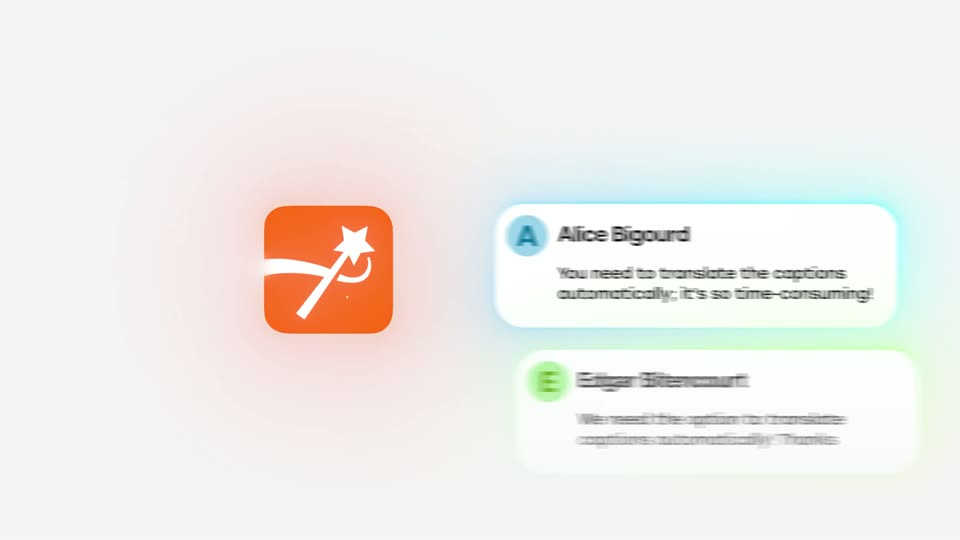
An orange app icon with a magic-wand mark sits left of a vertical list of comment cards that scrolls upward, each card showing a user name and a request to auto-translate captions, with soft colored glows behind the cards.
Camera: Pan
07 · Feature reveal · 0:17–0:18
Testimonial cards with colored avatars and short quotes slide across a pale background. The top card then expands and centers into a full modal panel marked with a back arrow and close button, a small image emerging at its lower edge.
Techniques: UI zoom
Camera: Static
08 · Feature reveal · 0:18–0:19
A white settings card floats on a pale background with a soft orange glow. A vertical clip of a man at a microphone shrinks to a centered thumbnail. Two rows below read Language and Translate Captions with English flags. An orange Generate Captions button scales in at the bottom.
Camera: Static
09 · Feature reveal · 0:19–0:22
A dark language dropdown with small country flags scrolls down a 3D-tilted panel, set against a blurred white interface. A large orange “100+ LANGUAGES” headline fades in on the right as the list cycles through the languages.
On-screen text: “100+ LANGUAGES”
Techniques: 3D mockup
Camera: Static
10 · Feature reveal · 0:22–0:25
A vertical clip on a pale background shows a man in a cream sweater speaking into a desktop microphone. Bold captions swap languages over an orange highlight bar, French, Russian, Arabic, then English, ending with a small yellow star icon.
On-screen text: “VOULEZ CRÉER”, “ПОТЕНЦИАЛ”, “رئيس”, “YOUR CHANCE”
Techniques: Kinetic type
Camera: Static
11 · Feature reveal · 0:25–0:26
A white background holds the dark-green headline “Subtitle Translation” scaling in at center. Around it, a ring of blurred video clips showing a speaker at a microphone and small national flags orbits slowly, tilted in 3D perspective.
On-screen text: “Subtitle Translation”
Techniques: Kinetic type, 3D mockup
Camera: Push in
12 · Feature reveal · 0:26–0:28
National flags and small video thumbnails blur across a light gray field as “Subtitle Translation” scales in over a yellow highlight. The text switches to “Is Now Live” in dark teal, then an orange rounded-square app icon slides in from the left and the words fade out.
On-screen text: “Subtitle Translation”, “Is Now Live”
Techniques: Kinetic type
Camera: Static
13 · Outro · 0:28–0:30
The submagic logo, an orange rounded square with a white wand and sparkle glyph beside a bold dark lowercase wordmark, holds centered on a pale gray field. The static tagline Is Now Live accompanies it without motion.
On-screen text: “Is Now Live”
Camera: Static