2:46


Your Favourite Artists reveal Spotify 2025 Wrapped
Spotify · Consumer · Dec 2025
Stripe · May 2025 · 0:42 · AI-annotated
Stripe’s 0:42 launch film runs 10 scenes, about 4.2 s each. The product is on screen from the first frame and 1 feature is revealed, with social proof. There is no explicit call to action. The video is built as a 3D interface tour: tilted white UI cards rotate into frame, push into buttons and side panels, and flatten as forms open, with a blue-to-purple gradient outline marking the active control. Cuts track a steady mid-tempo pulse while backdrops alternate between near-white and deep purple, and the piece closes on a dotted globe claim card.
Is this your launch? to your site or press kit.
Spotify · Consumer · Dec 2025
Zapier · Productivity · Jan 2025
Higgsfield AI · Sep 2026
A pale interface screen shows the heading Balances above the label Digital dollars and an info icon. The balance figure changes from 3,967.95 to 18,858.71, with the old digits blurring as the new digits settle.
Camera: Static
A tilted 3D view of the Balances screen, showing a transaction list, rotates to face the camera as the dark backdrop turns white. The view then zooms into the action buttons, and the Add funds button lights up with a gradient outline.
Techniques: 3D mockup, UI zoom
Camera: Push in
A tilted Stripe dashboard in 3D perspective opens an Add money panel showing a crypto QR code, then switches to the bank transfer tab. The view zooms in as the routing and account numbers highlight and copy in sequence.
Techniques: 3D mockup, UI zoom
Camera: Push in
A transactions table crossfades into view, its first row highlighted in purple. The highlight fades, then the view scrolls up to reveal Send, Transfer and Add buttons above the list.
Camera: Push in
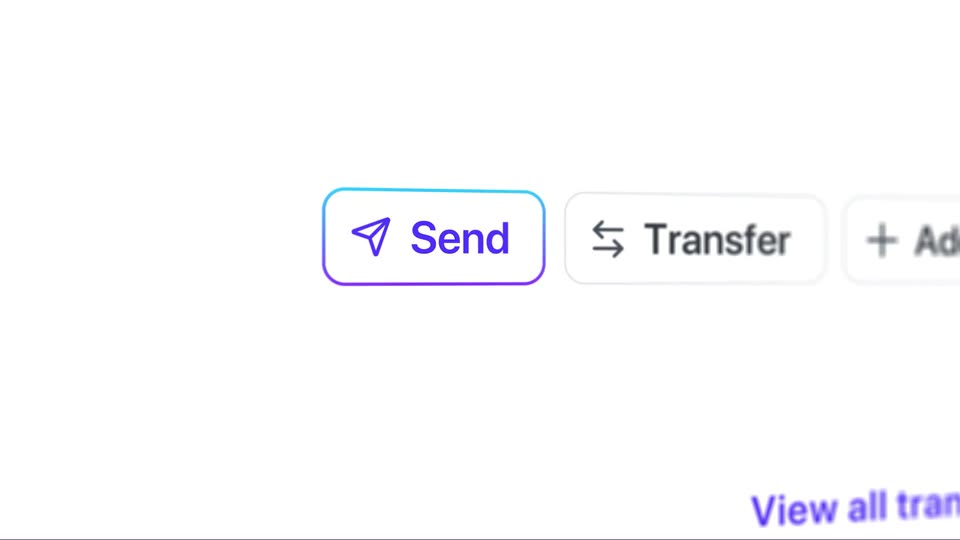
A close-up of a payment interface begins out of focus and zoomed in, then the camera pulls back and the image sharpens. A Send button with a paper-plane icon and a blue-to-purple gradient outline sits left of a Transfer button and a partially visible Add button.
Techniques: UI zoom
Camera: Static
A white money-transfer form floats in 3D perspective on a dark purple background, tilting as it rotates. A dropdown expands from the recipient field to list bank and crypto accounts, then closes after a selection updates the field, and the card flattens.
Techniques: 3D mockup
Camera: Pull out
A tilted white payment form floats on dark purple. A close-up on the Method field shows a dropdown expanding to ACH and SEPA, then collapsing. The view pulls back to the full card; focus outlines trace the From and Amount fields before a fast push-in blurs into the Send button.
Techniques: 3D mockup, UI zoom
Camera: Push in
A purple rounded Send button, tilted in 3D perspective on a white panel, zooms in from a small blurred position to fill the center of the frame. A dark purple device edge runs along the right side. The motion settles to a static hold.
Techniques: UI zoom, 3D mockup
Camera: Push in
A dotted purple globe turns slowly behind a centered white headline that wipes in from left to right on a dark purple field. Near the end, a white diagonal bar wipes in from the right edge.
On-screen text: “Accessible from 100+ countries”
Techniques: Masking
Camera: Static
A dark purple angled panel slides left to reveal white text on a white background.
On-screen text: “Accessible from 100+ countries”
Techniques: Masking
Camera: Static