1:13

StoreTrack – Simplify Store Discovery & Location Management
StoreTrack · Jun 2026
Sero’s 1:47 launch film runs 30 scenes, about 3.6 s each. The product shows up at 0:12 and 7 features are revealed. The call to action lands at 1:35 (89% in), over a voiceover. Tone: confident, friendly, explanatory. Background: live action on a warm brown wood wall, then flat UI cards on solid pastel fields (purple, blue, coral, green, yellow, gray) with a faint dotted grid. Fonts: a rounded geometric sans-serif for the wordmark and UI labels, paired with a clean neutral sans for body copy and lower thirds. Music mood: light, upbeat, steady electronic pulse. The video opens with a founder interview that states the problem and names the product, then walks through a串 (
Is this your launch? to your site or press kit.
StoreTrack · Jun 2026
Notion · Productivity · Feb 2026
A man with round glasses and a dark zip-up sweater speaks to camera against a brown wood-paneled wall, a dried branch at the right edge. A white lower-third caption names him in the bottom left. The frame is locked off and static.
On-screen text: “Jai Thirani,”, “Co-Founder & CEO”
Camera: Static
A man with round glasses and a dark zip-up sweater speaks to an off-camera interviewer, framed from the chest up against a warm brown wall with blurred dry branches. A white lower-third caption in the bottom left identifies him, and the camera stays locked off.
On-screen text: “Jai Thirani,”, “Co-Founder & CEO”
Camera: Static
A man in a dark zip-up sweater and round glasses speaks to camera in a centered medium shot against a brown wood-paneled wall, dried branches at right. A static lower-third caption names him at bottom left. The frame is locked off throughout.
On-screen text: “Jai Thirani,”, “Co-Founder & CEO”
Camera: Static
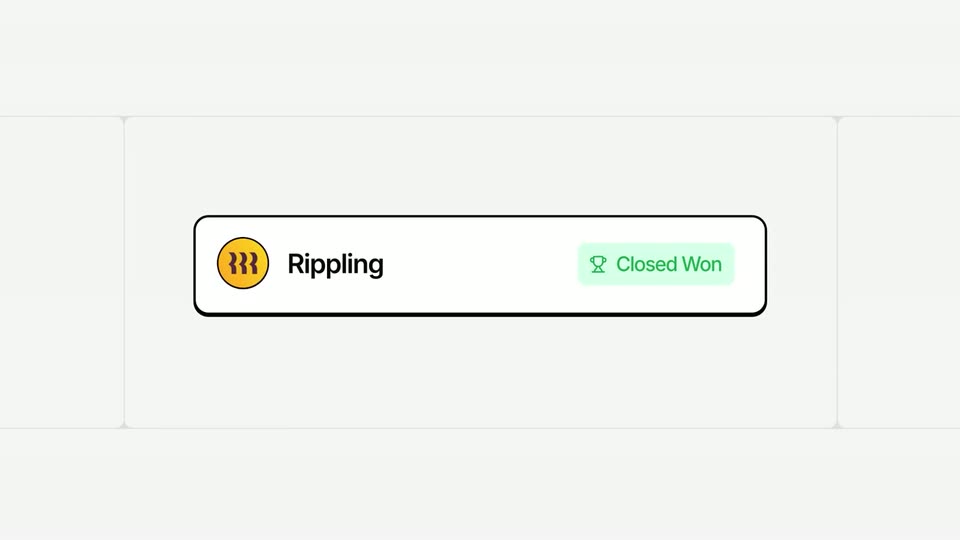
A white Rippling card with a green Closed Won pill sharpens on a plain gray field, then tilts into a 3D perspective with an offset shadow. It shrinks inside a dashed outline as a small four-dot grid tab slides in at its lower left.
Techniques: 3D mockup
Camera: Static
A dashed panel on a light gray field holds a white Rippling deal card with a green Closed Won badge. Four round logos separate into a row above it as the card scales up and the Products, Integrations and Training pills rotate and settle into place.
Camera: Static
A flat vector diagram on a purple gradient scrolls down. It starts on a Rippling CRM card with a Closed Won badge and four partner logos, passes a dashed box holding Products, Integrations and Training pills, then lands on the sero logo card above an Implementation Scope card listing modules.
On-screen text: “Rippling”, “Closed Won”, “Products”, “Integrations”, “Training”, “sero”, “Implementation Scope”, “Expense Management”, “Procurement”, “Vendor Portal”
Camera: Static
A white rounded card titled Implementation Scope hangs from a dashed line on a purple dotted background and slides down into frame. Its three rows, Products, Integrations and Training, fill with green and white checkmark tags that pop in one by one.
Camera: Static
A white project plan card fades in at the center of a purple dotted background as the previous scope card slides up and out, leaving a dashed line. Colored task bars for Kickoff, Data Migration, Configuration and UAT fill the June-to-September timeline in sequence.
Camera: Push in
A close-up of a chat thread and project board pulls back to reveal a full Kickoff Call card with the conversation. A cursor arrow and an Agent button sit at the bottom right as the gradient background lightens from purple to blue.
Techniques: UI zoom
Camera: Static
A flat white notetaker card on a blue background holds a Kickoff Call chat. Two Agent pills on the right collapse into one and drift into the card. A cursor glides over the messages while the first line tints purple.
Techniques: Cursor demo
Camera: Static
A white chat window titled Kickoff Call sits on a light blue field, a cursor resting on an Agent pill. The window slides left and shrinks as two task cards, Setup integration and Add, scale in on the right.
Camera: Static
A chat transcript card sits left while two task cards stack right on a patterned blue field. The right cards tilt into 3D and pile up as a hand cursor grabs the top one, and the Agent pill drifts to center.
Techniques: Split screen, 3D mockup, Cursor demo
Camera: Static
A white task card, 'Set up integration call with IT', pops right and tilts over a blue project board, trailing stacked card shadows. A hand cursor and an Agent chip with a 'Hi!' bubble ride its lower corner.
Camera: Static
A flat blue kanban board fills the frame. The left column of task cards starts tilted with an Agent badge floating over it, then the column rotates upright and the badge slides to the top edge.
Camera: Static
A Kanban board with task cards fills the frame, then the view clears to a plain light-blue field where the words Sero drafts scale in at center.
On-screen text: “Sero drafts”
Techniques: Kinetic type
Camera: Static
Centered black text on a plain light background. “Sero drafts” scales in, then gives way to “recap emails”, which holds still. The frame stays locked off throughout the short clip.
On-screen text: “Sero drafts”, “recap emails”
Techniques: Kinetic type
Camera: Static
A solid coral-orange background holds the black lowercase wordmark centered, with a white lightning bolt outlined in black to its right. The bolt fills with white, then shifts and tilts with a small yellow spark at its base, flickering like a strike while the wordmark stays still.
On-screen text: “instantly”
Techniques: Light sweep
Camera: Static
A white email card titled Recap Email sits centered on a coral background, its body text typing out. The card then scales up, reframing onto the lower half so the purple Go to your portal button and the signature fill the frame.
Techniques: UI zoom
Camera: Push in
A white dashboard card on a purple gradient zooms in, moving from the full view with heading and four-phase timeline to the “Next up” task card. The interface then blurs as a white list and clock icon appear in the center.
Techniques: UI zoom
Camera: Push in
A blurred project timeline with a white line-and-clock icon centered on it comes into sharp focus as the icon fades out, then the view steadily zooms in on the highlighted Next up task card with its Overdue badge.
Techniques: UI zoom
Camera: Static
A white email card on a purple dotted background types out a follow-up message to Mark about data migration files, then a cursor hovers the Send button as an Agent badge slides in, and the card shifts up.
Techniques: Kinetic type, Cursor demo
Camera: Static
Two white email cards on a purple gradient background pan upward. The top card, an email to Mark about data migration files with a Send button, slides up to reveal a second card beginning with Hey Sarah.
Camera: Push in
A purple dotted background holds two white email cards with black borders; the lower card shows a short message with a green highlighted sentence and an On Track badge, while colorful confetti stars and shapes burst and fall across the frame.
Techniques: Particles
Camera: Pull out
A white three-row project table on a green background. The Rippling row highlights as the others fade; its health badge turns amber 6.2 and the date slides to a red Oct 2, then a cursor and an Agent chip pop in below.
Techniques: UI zoom, Cursor demo
Camera: Static
A white account card on a bright green background grows taller as the AI Diagnosis text types itself out, then a Recommended action row with a purple Draft Email button appears and completes the sentence.
Techniques: Kinetic type
Camera: Static
Two white metric cards sit under the heading Enterprise Onboardings on a light blue field. The values count up, 10 to 67 days and +2 to +8, as the view pans right across the cards, then pulls back to reveal a phase duration table below.
Techniques: UI zoom
Camera: Pull out
A dashboard table zooms in as the Data migration row lifts out with a bold black outline, its 26d and 27d values in yellow pills and 33d in a red pill, while the rest of the table fades behind it.
Techniques: UI zoom
Camera: Push in
A white chart card slides in on a yellow dotted background. Purple capacity bars grow for May, Jun and Jul, then blue allocation bars rise beside them. The frame zooms onto Jul as a Staffing Gap tooltip pops in, while the earlier months fade out.
On-screen text: “Capacity Forecaster”
Techniques: UI zoom
Camera: Push in
A 2x3 grid of white cards displays six partner logos on a light gray dotted background. The grid dissolves to a second set of six logos, then collapses to one card showing the Sero mark and its URL.
On-screen text: “www.sero.so”
Camera: Static
A white panel holds the sero logo lockup, a purple circle with a green check beside the lowercase wordmark, with the URL centered below. Columns of small multicolored dots drift across the dotted grid on the left and right edges.
On-screen text: “www.sero.so”
Techniques: Particles
Camera: Static