0:54

Lemlist | Find Your Next Customers | Motion Design Video
Lemlist · Oct 2026
PhoneUse · Oct 2026 · 0:46 · AI-annotated
PhoneUse’s 0:46 launch film runs 26 scenes, about 1.8 s each. The product shows up at 0:16. The call to action lands at 0:40 (88% in), over a voiceover. The video alternates live-action presenter shots against a night city with clean 3D phone mockups on light gray fields, cutting on the beat at about 21 cuts per minute. Signature moves include word-by-word caption builds flanking the presenter, a checklist that ticks along with the agent's cursor, and a recurring focal dot that blooms through abstract transitions into the product title.
Is this your launch? to your site or press kit.
Lemlist · Oct 2026
Miro · Productivity · Mar 2019
A presenter in a white flag sweater gestures behind eight phones on stands, each tied by a dotted line to a floating app icon. White captions “All these phones are” and “being controlled by AI” appear on either side of him.
On-screen text: “All these phones are”, “being controlled by AI”
Techniques: Kinetic type
Camera: Pull out
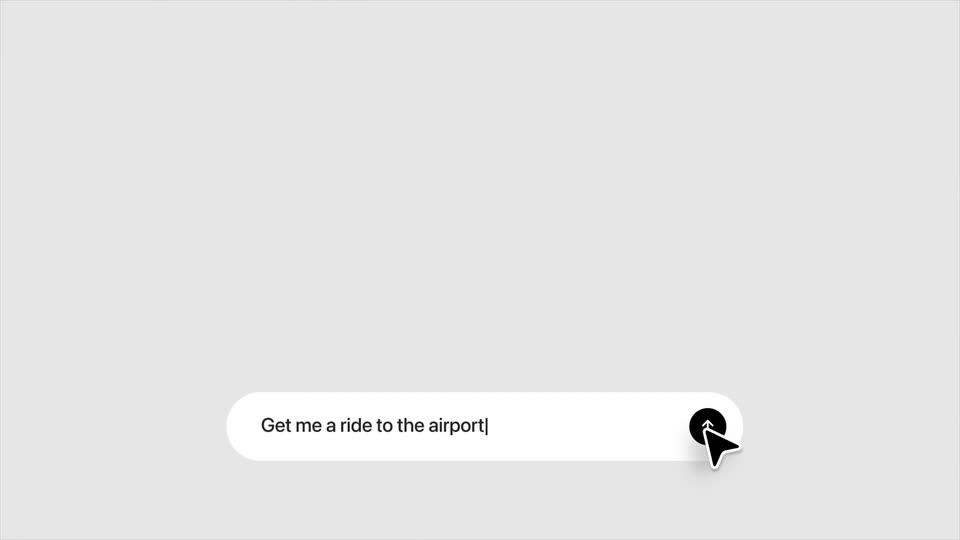
A prompt pill types out “Get me a ride to the airport” under a search field, a cursor clicks the send button, and a checkmark with “Opening the app” appears. A 3D iPhone home screen then rises into frame behind the pill, with a caption noting the phones are controlled by AI.
On-screen text: “Opening the app”, “All these phones are being controlled by AI”, “Ride”
Techniques: Cursor demo, 3D mockup, Masking
Camera: Static
A 3D iPhone on a gray field shows the home screen with a prompt bar reading Get me a ride to the airport and a cursor at the edge. The view zooms into the Uber app as the left caption swaps from Opening the app to Phonouse agent.
On-screen text: “Opening the app”, “Phonouse agent”
Techniques: 3D mockup, UI zoom, Cursor demo
Camera: Static
A flat iPhone mockup shows the Uber app; the screen switches to a Plan your ride view as a keyboard slides up, a cursor hovers over the drop-off field, and a Phoneuse agent label marks it. On the left, captions Opening the app and Selecting location appear with checkmarks.
On-screen text: “Opening the app”, “Phoneuse agent”, “Selecting location”
Techniques: Cursor demo
Camera: Pull out
A tilted phone mockup on a light gray background shows a ride app with a scrolling location list. A cursor moves through the screen while a black 'Phoneuse agent' tag trails it. Two checklist items, 'Opening the app' and 'Selecting location', sit at left with checkmarks.
On-screen text: “Opening the app”, “Selecting location”, “Phoneuse agent”
Techniques: 3D mockup, Cursor demo
Camera: Pull out
A flat phone mockup on a light gray field runs a ride-hailing app, switching from a ride list to a map confirmation. A black cursor clicks through the steps as a three-item checklist fills in on the left and a black Phoneuse agent pill tracks the cursor on the right.
On-screen text: “Opening the app”, “Selecting location”, “Confirming payment”, “Phoneuse agent”
Techniques: Cursor demo
Camera: Static
A man in a white flag sweater stands before a dusk skyline as a phone screen showing a map and ride steps overlays him, then fades out. The words AI agents can already and use computers appear on either side. A cut to night shows him raising a fist.
On-screen text: “AI agents can already”, “use computers”
Camera: Pull out
A man in a white sweater with a flag patch stands on a rooftop at night, lit city towers behind him, gesturing to camera. White text flanks him; the right line types out word by word while the left line stays fixed.
On-screen text: “But the world”, “still runs on phones”
Techniques: Kinetic type
Camera: Static
A rounded-rectangle frame on a light background holds black-and-white footage of people holding a color iPhone, cutting from a man in an airport to a woman on a night street, with two lines of text on the background.
On-screen text: “But the world”, “still runs on phones”
Camera: Pull out
A rounded-rectangle screen showing a dark stage, the white iPhone title and a tiny presenter morphs into a 3D globe, and the presenter emerges from a circular cutout at the globe's center with arms spread wide.
On-screen text: “iPhone”
Techniques: Morph, Masking
Camera: Static
A grayscale sagittal brain MRI scan sits centered on a black background. A flat blue circle fades in and expands at the center of the brain, marking a focal point.
Camera: Static
A pale cream field holds a macro ink texture: blue veins and speckles drift across the surface while a curved amber arc runs down the left edge, capped by a dark rayed sun. A small black dot sits at the center, nearly still.
Camera: Static
On a pale lavender field, a small black dot sits left of the word “introducing.” A soft ring of fine dots blooms around the dot as “PhoneUse” fades in beside it in gray, completing the title line.
On-screen text: “introducing PhoneUse”
Techniques: Kinetic type, Particles
Camera: Static
A 3D Earth globe drifts in a starfield, its surface mapped with a grid of small white dots, a few enlarged to mark points. The white text introducing PhoneUse holds to the right of the globe while the sphere turns slowly.
On-screen text: “introducing PhoneUse”
Camera: Static
A man in a white American-flag sweater sits behind a table of eight phones on stands, gesturing as he speaks. White captions flank his head: “We are finally” left, “giving phones to agents” right. The phones show live app screens.
On-screen text: “introducing PhoneUse”, “We are finally”, “giving phones to agents”
Techniques: Kinetic type
Camera: Push in
A man in a white flag sweater stands on a night rooftop, gesturing as caption words appear on either side of him. A frosted notification card and a row of app icons overlay his chest, the card swapping from a flight alert to a wallet alert.
On-screen text: “They can see notifications”, “understand what's happening across your apps”, “and act proactively”
Techniques: Kinetic type
Camera: Static
A 3D iPhone mockup on a light gray background steps through the Uber app, booking a ride. The caption booking an uber fades in at right, then researching trends drops below as two more phones slide up, showing a woman on TikTok and a hand holding a camera.
On-screen text: “booking an uber”, “researching trends”
Techniques: 3D mockup
Camera: Pan
Four angled phone mockups display TikTok feeds in 3D perspective, two on each side, as centered gray text builds line by line to read “researching trends on Tiktok,”. The devices sharpen into focus.
On-screen text: “researching trends on Tiktok,”
Techniques: 3D mockup, Kinetic type
Camera: Pan
Two angled smartphone mockups sit at the edges of a light gray frame, each showing a TikTok video feed, while the headline holds the center. The composition blurs and pushes outward as the phones slide toward the camera.
On-screen text: “researching trends on TikTok,”
Techniques: 3D mockup
Camera: Push in
On a plain white background, a phone mockup on the right shows the GEICO app, switching from a welcome screen to a quote screen, while gray caption text builds in on the left.
On-screen text: “navigating a legacy insurance app”
Techniques: Kinetic type
Camera: Static
A 3D iPhone mockup on the right displays a blue insurance app, while a gray two-line headline sits on the left. Focus racks between the sharp phone and the sharp text as the phone drifts upward off the top edge.
On-screen text: “navigating a legacy insurance app”
Techniques: 3D mockup
Camera: Pan
Four phone mockups with app screens stand in a row, softly blurred. The view zooms onto one phone showing a dialer keypad, and the caption words fade in on the right.
On-screen text: “and even”, “complete”
Techniques: 3D mockup, UI zoom
Camera: Pan
A smartphone mockup turns from a side angle to face the camera on a light background, its screen showing a number-confirmation keypad with digits entering. A two-line caption fades in on the right as the phone settles front-on.
On-screen text: “and even complete two step verifications”
Techniques: 3D mockup
Camera: Pull out
A man in a white flag sweater speaks on a night rooftop as frosted pill labels for Marketing, App automation and App testing drift around him at different depths. A white light bloom wipes the frame, then the words the possibilities and are endless scale in on either side.
On-screen text: “Marketing”, “App automation”, “App testing”, “the possibilities”, “are endless”
Techniques: Kinetic type, Parallax, Light sweep
Camera: Static
A presenter in a white flag sweater stands behind a row of eight phones on a table, gesturing as the headline builds word by word on either side of him, then a giant URL line scales in across the frame.
On-screen text: “Give your”, “agent”, “a phone”, “at phoneuse.com”
Techniques: Kinetic type
Camera: Static
A front-facing phone mockup slides up from the bottom on a white background, under the centered URL phoneuse.com. Start today appears below the URL, then the frame locks.
On-screen text: “phoneuse.com”, “Start today”
Techniques: Kinetic type
Camera: Static