1:02
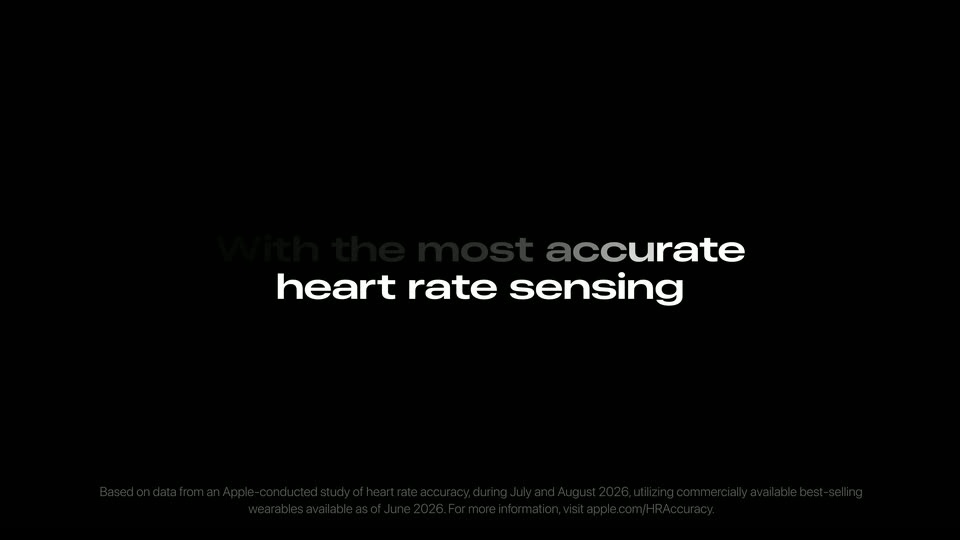

New Apple Watch Series 12: The most accurate heart rate sensing in a wearable
Apple · Hardware · Sep 2026
Perplexity · Mar 2026 · 1:27 · AI-annotated
Perplexity’s 1:27 launch film runs 25 scenes, about 3.5 s each. The product shows up at 0:03 and 5 features are revealed. There is no explicit call to action; a voiceover carries the film. The video opens with a hardware reveal, then runs as a chain of feature demos where typed prompts and morphing notification pills carry the story, each block entered through a blur or white flare. Signature moves for a motion designer: the diagonal light-streak wallpaper, parallax scrolling UI panels, status pills that cycle text in place, and the serif word-morph tagline that resolves into the Perplexity lockup.
Is this your launch? to your site or press kit.
Apple · Hardware · Sep 2026
Neuron Industries · Oct 2026
Apple · Hardware · Sep 2026
The shot opens on black and fades in to a top-down view of a silver Mac mini centered on a warm wooden desk. The camera holds still on the device.
Camera: Static
A white square Mac Studio with a gray Apple logo lies on a wooden desk, seen from above. The camera tilts down to an angled view, revealing the front edge with two USB-C ports and two small holes.
Techniques: 3D mockup
Camera: Pull out
The back of a white Mac mini, black Apple logo centered on its top face, holds still in the middle of the frame. A blurred warm-toned desk behind it dissolves to black, isolating the device.
Camera: Static
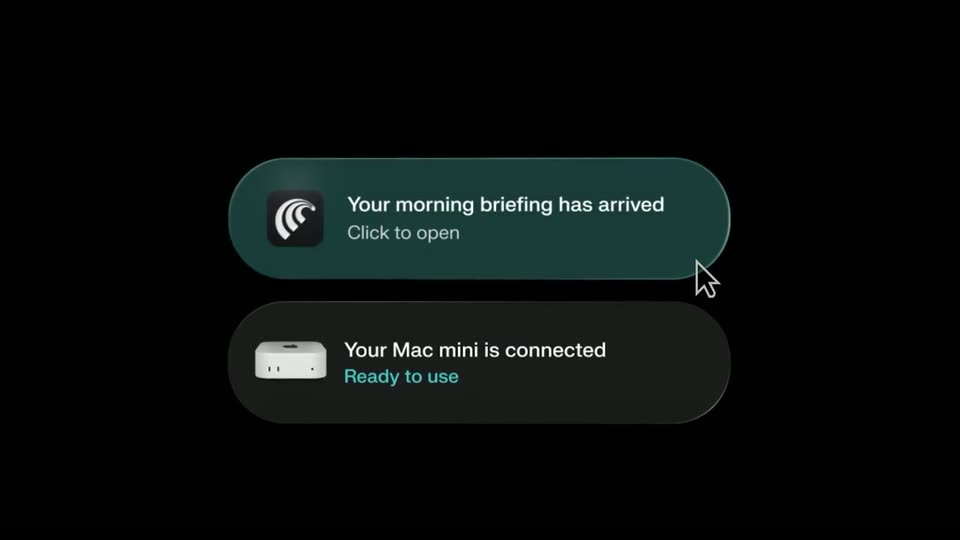
A white Mac mini shrinks into the icon of a teal pill reading “Mac mini discovered, Connecting...”, then “Syncing...”. A second pill slides in above with “Your morning briefing has arrived”, and the first updates to “Your Mac mini is connected, Ready to use”. A cursor hovers near the top banner.
Techniques: Cursor demo
Camera: Static
Two macOS notification banners slide in from the right on a dark background, then the view opens to the desktop showing the app window and the Dock.
Camera: Static
A flat task-management window fills a dark macOS desktop, listing running tasks, a connected device and file thumbnails. A cursor glides in and hovers over a task card while the window scales up slightly.
Techniques: Cursor demo
Camera: Push in
A dark dashboard interface resolves from a soft blur into sharp focus. The left sidebar lists tabs and apps; the main panel shows a Start a task field, Running Tasks cards, a connected Mac mini, and a Files row, with a cursor hovering over the first card.
Camera: Static
A dark productivity app interface scrolls vertically through a weekend work summary, the left sidebar drifting slower than the main panel. A cursor glides from the body text to a sidebar entry, highlighting it.
Techniques: Parallax, Cursor demo
Camera: Push in
A dark app interface fills the frame. A left sidebar lists tasks and contacts, with a cursor resting on the highlighted Research Brief row. The right panel shows a chat prompt and a generated Bitcoin treasury brief with Market Landscape and Strategic Rationale sections. The view holds static.
Camera: Static
A teal macOS desktop with diagonal light streaks fills the frame. A bright white flare covers the right half and recedes, leaving the dock of app icons visible along the bottom edge.
Techniques: Light sweep
Camera: Static
A dark macOS desktop with diagonal light streaks; a centered search field types out a recruiting query, then resets to its placeholder as a Recruiting search chip slides in at the top right. App thumbnails sit in a row along the bottom.
Camera: Push in
On a dark desktop with diagonal light streaks, a cursor clicks a teal menu bar icon and a stack of three dark notification cards expands in the top right. Each card pairs a teal icon with a task title and a status line that shifts from 'Compiling sources' to 'Thinking'.
Techniques: Cursor demo
Camera: Push in
A dark wallpaper shows a diagonal grainy streak of blue and gold light. A rounded-square 'fn' serif logo holds center, still. Top right, a faint notification list gives way to a brown 'Listening...' pill with a mic and dotted waveform; the status-bar laptop icon turns orange.
Camera: Static
A dark desktop with diagonal gold and blue light streaks. A voice pill in the upper right reads “Listening...”, then turns teal with “Hold fn to talk” as the assistant's reply types out below. A faint fn logo pulses mid-screen, and a Mail inbox fades in behind the pill.
Techniques: Kinetic type
Camera: Static
A Mail compose window settles into focus over two dimmed panels on a dark desktop; the email body types itself line by line with a blue link, then the whole window dissolves to the empty desktop.
Camera: Pull out
A PDF revenue report window on a macOS desktop brightens, then zooms into its executive summary metric cards. The view pulls back into a Mission Control row of app thumbnails with a central search field.
Techniques: UI zoom
Camera: Push in
A white Executive Summary document with a row of large figures sits behind a line of app windows (Slack, Notes, Linear). A dark command bar overlays the center as a typed prompt fills it word by word, then the bar slides down to the bottom edge.
Techniques: Kinetic type
Camera: Pan
A Mac desktop shows a PDF viewer with a revenue report. A top-right notification cycles through status lines, pauses to ask a question with selectable chips, and a cursor clicks one. The view then pulls back to reveal the full window, menu bar and dock.
Techniques: Cursor demo, UI zoom
Camera: Pull out
A dark presentation window displays a slide titled 'Q4 2025 Board Update' on a Mac desktop. The window is centered over a dark, abstract background with green and blue light streaks. A sidebar on the left shows slide thumbnails.
Techniques: UI zoom
Camera: Static
A green depth-scan view of a plant fills a rounded phone frame, a cloud of white particles clusters into a leaf shape, and a flashlight and camera icon sit in the bottom corners.
Techniques: Particles
Camera: Static
Locked-off close-up of the lower half of a dark phone lock screen. A Perplexity notification banner fades in at the top, reading 3 SwiftUI candidates ready for review at 9:41 AM. Flashlight and camera buttons sit at the bottom over a green flower wallpaper with a teal dot pattern.
Camera: Static
The shot opens tight on a dark task list, then pulls back to frame a phone in 3D perspective on black. The screen stacks rounded cards with teal outlines above a bottom input bar.
Techniques: UI zoom, 3D mockup
Camera: Pull out
On a black background, a centered serif line holds the word Personal while the second word morphs from Assistant to Researcher to Conductor, ending on Computer with a soft white glow.
On-screen text: “Personal Assistant”, “Personal Researcher”, “Personal Conductor”, “Personal Computer”
Techniques: Kinetic type, Morph
Camera: Static
On a black field, a white line-art star mark and the lowercase wordmark 'perplexity' resolve from horizontal motion blur into a sharp centered lockup, hold briefly, then defocus and fade to black.
On-screen text: “perplexity”
Techniques: Kinetic type
Camera: Static
A solid black screen holds static for the full duration of the clip. No elements, motion, or text appear; the frame remains uniformly dark from start to finish.
Camera: Static