0:56

Kimi.ai - Meet Kimi K3
Moonshot AI · Jul 2026
Pangram · Nov 2026 · 0:45 · AI-annotated
Pangram’s 0:45 launch film runs 25 scenes, about 1.8 s each. The product shows up at 0:15 and 2 features are revealed. The call to action lands at 0:40 (88% in). The video runs as a three-act flow: a slow editorial montage of tumbling photo cards that zooms into a vintage horse print, a clean UI walkthrough on a flat pale stage, and a closing 3D horse run past tagged thumbnails. Its signature moves are 3D photo cards drifting on a light-gray void, the recurring galloping horse, and the orange chevron that punctuates every transition.
Is this your launch? to your site or press kit.
Moonshot AI · Jul 2026
LangEase · Sep 2025
Doe · B2B · Oct 2026
A locked-off light gray frame builds the line “A picture is worth a thousand words.” word by word in dark serif, with “thousand” in orange italic. The text clears and a tilted rectangular astronaut photo appears in 3D with a soft shadow.
On-screen text: “A picture is worth a thousand words.”
Techniques: Kinetic type, 3D mockup
Camera: Static
A black-and-white photo of an astronaut on the moon appears as a tilted card on a light gray background, then rotates and scales to settle flat and centered with a soft drop shadow.
Techniques: 3D mockup
Camera: Pull out
A black-and-white photo of an astronaut standing on the lunar surface is shown as a tilted print on a pale gray field. The print holds a slight 3D angle and drifts gently, its edges casting a soft shadow.
Techniques: 3D mockup
Camera: Push in
A collage of framed classical paintings tumbles on a pale gray field, each card tilted in 3D perspective. The Vermeer portrait scales up from a small card into a larger frame while a green landscape and an orange still life drift and rotate around it.
Techniques: 3D mockup, Parallax
Camera: Static
The camera glides across a white surface scattered with overlapping photographs and art prints, moving from famous paintings like the wave and a pearl earring portrait to vintage snapshots, a child portrait, and a matchbox.
Camera: Push in
A flat lay of scattered photographs fills the frame. The central sepia card, a dark silhouette of a rider on a galloping horse, sharpens and levels as the surrounding color and vintage photos settle into a collage.
Camera: Static
A flat collage of overlapping photographs fills the frame, locked off. A sepia card in the center shows a silhouetted horse and rider mid-gallop, ringed by color snapshots of a street, a garden, and a person on a horse.
Camera: Static
A collage of scattered photographs fills the frame, a sepia image of a horse and rider silhouette centered. The central photo sharpens into focus as the surrounding photos drift sideways, the right edge sliding out of view.
Techniques: Parallax
Camera: Static
A sepia photo of a horse and rider in motion holds the center of a scattered collage of printed photographs and a cypress painting on a wooden surface. The collage drifts slowly while the central image floats above the rest with a soft glowing halo.
Techniques: Parallax
Camera: Static
A flat-lay collage of sepia vintage photographs rotates slightly as the camera zooms into the central print, a silhouette of a horse and rider against a grid. The print fills the frame, then its border turns into a film strip with sprocket holes.
Techniques: Morph
Camera: Pull out
A vertical film strip with brown horse-and-rider silhouettes scrolls down on a plain white background. Near the end, a burst of colorful image fragments explodes outward from behind the strip as a transition.
Camera: Pan
A sharp film-strip frame of a horse silhouette sits over a blurred desk, then the camera pulls back to a 3D perspective wall of scattered photo thumbnails receding on a white background.
Techniques: 3D mockup
Camera: Push in
A swarm of small photo and video thumbnails floats in 3D space on a white background, rushing toward the camera. Centered serif text reads “Pangram now detects images and videos.”, then gives way to the orange Pangram mark and wordmark as the thumbnails scatter outward.
On-screen text: “Pangram now”, “detects”, “images and videos.”, “Pangram.”
Techniques: Particles, Parallax, Kinetic type
Camera: Push in
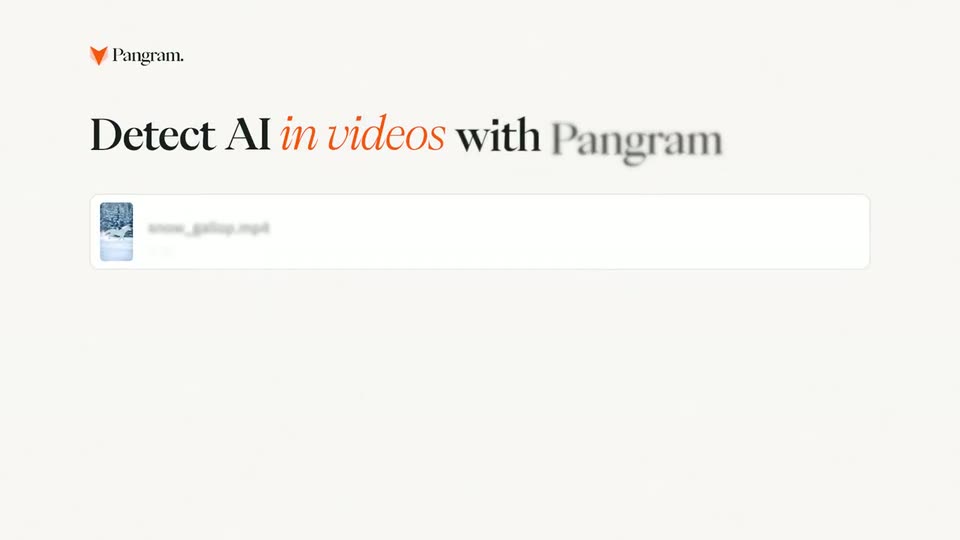
The Pangram logo sits centered over a blurred interface, then shrinks and slides to the top-left corner as the headline and a video file card sharpen into focus on a pale background.
On-screen text: “Detect AI in videos with Pangram”
Camera: Static
A serif headline “Detect AI in videos with Pangram” sits above a white upload card fading in. The frame reframes to a centered headline as a cursor drags video thumbnails into the card; two rows appear, the cursor clicks the orange button, and the view scrolls to a Results list.
On-screen text: “Detect AI in videos with Pangram.”
Techniques: Cursor demo
Camera: Pan
The upload screen with two analyzing clips transitions to an analysis detail view: a rural-road video player on the left and a results card on the right showing AI Detected, 97% no AI. A cursor glides over the controls.
Techniques: Cursor demo
Camera: Pull out
A two-panel product interface fills the frame. The left shows horses in a field with a dashed AI box and Partly AI tag; the right lists an AI Detected result with percentages and segments. A cursor switches the Original, Heatmap and Annotations tabs, then the UI blurs out horizontally.
Techniques: Cursor demo
Camera: Static
A cursor clicks the next arrow in an AI-detection interface, swapping the horse-race photo for a second image. The left panel flips to a green heatmap, then the intensity slider is dragged to 100%, drawing black radial lines from the center.
Techniques: Cursor demo
Camera: Static
In a product interface, a horse photo sits under a green heatmap overlay in the left panel while the right panel reads an Unsure result. The overlay bursts into yellow and green particles that fly apart, clearing to reveal the running horse.
Techniques: Particles
Camera: Static
A chestnut horse with a black mane gallops left to right across a plain cream field, kicking up a burst of yellow leaves at its hooves. A mosaic of small photo thumbnails drifts and fades in the background at a slower pace.
Techniques: 3D mockup, Particles, Parallax
Camera: Static
A brown horse gallops right across a white field of faded photo tiles. A top filmstrip swaps a red car for a track runner while an orange chevron slides left.
Camera: Pan
A brown 3D horse gallops rightward across a pale stage while a strip of video clips slides left behind it and an orange chevron mark drifts down; a red-bordered frame carrying an AI detected tag passes at the left edge.
Techniques: Parallax
Camera: Push in
A 3D brown horse trots left to right across a plain white space while a field of blurred grayscale thumbnails drifts behind it at varying depths. The orange chevron logo floats and image cards pop up, each tagged with a green No AI or pink AI Detected badge.
On-screen text: “No AI”, “AI Detected”, “AI detected”
Techniques: 3D mockup, Parallax
Camera: Pull out
A 3D brown horse gallops right across a plain white void and exits frame. Center, an orange V mark holds still as the wordmark Pangram appears beside it. A small grayscale card tagged No AI and scattered gray tiles drift on the left.
On-screen text: “No AI”, “Pangram.”
Camera: Static
On a cream background, the Pangram logo and wordmark sit centered above a serif tagline that sharpens from a blur. An orange pill button labeled Try Pangram fades in below and holds for the close.
On-screen text: “Detect AI in images and videos today.”, “Try Pangram”
Camera: Static