0:30
Introducing Skills: Teach the Framer Agent to design more like you and your team
Framer · Design · Sep 2026
Open · Nov 2026 · 1:57 · AI-annotated
Open’s 1:57 launch film runs 26 scenes, about 4.5 s each. The product shows up at 0:02 and 2 features are revealed. There is no explicit call to action; a voiceover carries the film. The video alternates a live-action presenter in front of blurred cypress trees with flat light-gray title cards and 3D-tilted browser mockups, cutting at a measured pace of about three cuts per minute. Its signature moves are the glossy black cursor arrow carrying a blue blob mascot, prompt bars that type out commands, and dashboards that scale from blurred thumbnails into sharp tables.
Is this your launch? to your site or press kit.
Framer · Design · Sep 2026
Pitch · Productivity · Mar 2020
Capto · B2B · Aug 2026
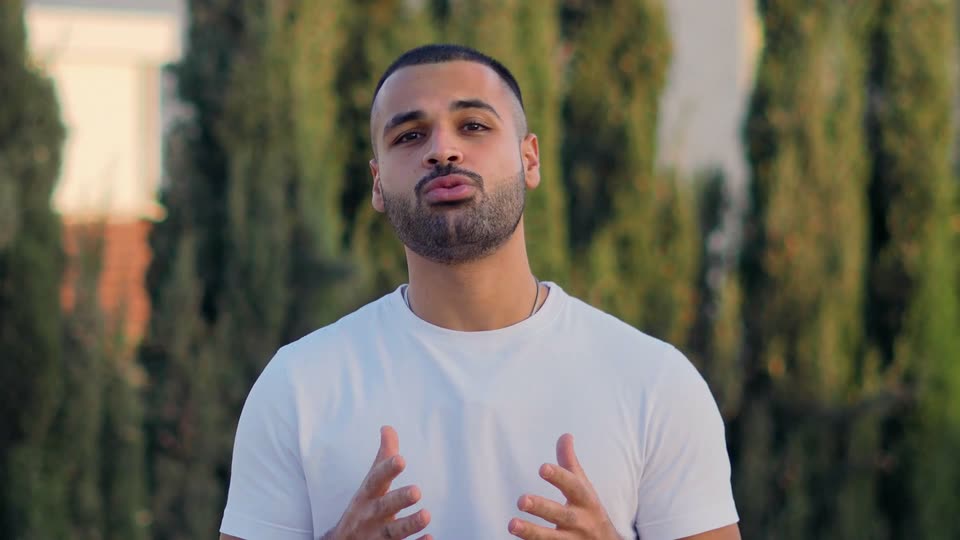
A man in a white t-shirt stands centered before a row of tall cypress trees, speaking to the camera. He gestures with both hands at chest level. The background stays softly blurred throughout the static medium shot.
Camera: Pull out
On a light gray field, “Introducing” sharpens from a blur, then “Sidekick” appears behind a light blue highlight. A glossy black 3D cursor arrow carrying a small blue blob mascot slides in from the right and stops at the end of the line; the mascot blinks and waves.
On-screen text: “Introducing Sidekick”
Techniques: Kinetic type
Camera: Static
A man in a white tee stands before a row of tall cypress trees, talking to camera and gesturing with both hands. White text lines build one by one on the right, 'With a Click of a Button', ending with a dark circle holding an up arrow.
On-screen text: “Introducing Sidekick”, “WIth a”, “Click”, “of a”, “Button”
Techniques: Kinetic type
Camera: Static
A man in a white t-shirt talks and gestures outdoors against a pale sky and blurred cypress trees. The Cude wordmark, white text with an orange starburst, appears large across the frame, partly behind his head.
On-screen text: “Cude”
Camera: Static
A centered prompt bar on a pale gray field types out the query, ending with a dark round send button. As the text completes, three small result cards with icons and spinning loaders fade in above and below the bar.
Camera: Static
A white interface keeps a central prompt box with a black arrow button fixed in frame while a scattered grid of task cards behind it scales up from blurred thumbnails into sharp labels. A results panel slides in at the lower left.
Techniques: Parallax
Camera: Static
A cluster of white report cards floats in 3D perspective on a pale background. The Pricing report card swings to the front as its bar chart fills in with a tall black bar, then the whole set drifts sideways in depth. The cards stay tilted and softly shadowed.
Techniques: 3D mockup, Parallax
Camera: Pan
A light product dashboard appears faded, then the view transitions to a shift planner table. The left sidebar highlights the new Shift planner entry and adds an Expenses row, while a Built with Sidekick badge sits top right.
Camera: Push in
A flat expense-claims dashboard mockup fills in: the sidebar and header settle, then table rows and the Pending, Approved, Flagged figures update from a short three-row list to a full eight-row list. A small 'Built with Sidekick' badge sits top right.
Camera: Static
A light product dashboard titled Training tracker fills the frame, with a left navigation sidebar and a table listing employees, courses and progress bars. The progress bars grow and their percentages count up as the view reframes slightly to reveal the window top.
Camera: Static
A product interface, a training-tracker table, slides up out of the top of the frame as the headline 'Let me show you how all of that works' slides in from the right with motion blur, then holds centered on a plain light-gray background.
On-screen text: “Let me show you how all of that works”
Techniques: Kinetic type
Camera: Static
A man in a white t-shirt stands centered in a static medium shot in front of a blurred row of cypress trees, speaking to camera and gesturing with both hands in warm daylight.
On-screen text: “Let me show you how all of that works”
Camera: Static
A presenter in a white tee stands right of frame before a blurred hedge, gesturing, beside a floating browser window showing an HR dashboard with stats and an employee list. A dark caption 'This is Halden' sits at the bottom. At the end the window scales up over his face.
On-screen text: “This is Halden”, “SaaS demo”
Camera: Push in
A browser mockup of an HR dashboard floats in 3D perspective over a blurred outdoor backdrop. A cursor clicks employee rows, dropping numbered badges. The window shrinks left as a man in a white t-shirt appears right, talking and gesturing.
On-screen text: “SaaS demo”
Techniques: 3D mockup, Cursor demo
Camera: Push in
A flat browser window presents the Halden HR dashboard on a dark gray field. A prompt is typed into the bottom bar, the screen dims, and a centered chat panel opens, typing an approval step and a result table.
Techniques: Cursor demo
Camera: Static
A browser window of the Halden HR dashboard floats in 3D perspective over a blurred background, then flattens. PDF chips fly in and dock in the chat bar as the prompt is typed, and the view zooms into the input field.
Techniques: 3D mockup, UI zoom, Cursor demo
Camera: Push in
A flat browser window of the Halden HR app sits left over a blurred dark background, its chat panel filling with the onboarding response. Three white cards slide in from the right in sequence: profile created, salary copied, contract generated.
Camera: Pull out
A flat browser mockup of the Halden attendance app shows a typed prompt opening an AI chat panel that lists overtime owed, then a payment table after a second prompt. The panel zooms in, then cuts to a presenter outdoors, captioned “Control your UI”.
On-screen text: “Control your UI”
Techniques: UI zoom
Camera: Push in
A centered white prompt bar types 'Take me to the pending requests tab' over a blurred man outdoors, then dissolves into a 3D browser window of the Attendance page, the bar now docked at the bottom.
Techniques: 3D mockup
Camera: Static
A browser window shows the Halden app on the Attendance page. The cursor glides to the Time off item in the left sidebar, and the main panel crossfades from the timesheets table to the pending requests table. A caption at the bottom repeats the voiceover command.
On-screen text: “Take me to the pending requests tab”
Techniques: Cursor demo
Camera: Static
A flat browser window showing a time-off request table sits on a blurred background. A cursor hovers the Time off sidebar item beside a black Sidekick callout, while a command bar at the bottom reads Take me to the pending requests tab with a blinking caret.
On-screen text: “Sidekick”
Techniques: Cursor demo
Camera: Static
A small dark circle at center expands into the Sidekick search bar, gaining an MCP compatible badge. White app tiles for Email, Chat, Calendar, Docs, Database, Payment and Your MCP pop in around it, joined by thin lines that draw in, then everything but the bar fades out.
On-screen text: “Sidekick”, “MCP compatible”
Camera: Static
A man in a white t-shirt stands centered in a medium shot before blurred cypress trees. He talks to the camera, opening both palms outward, then drawing his hands together in front of his chest. The frame stays locked off.
On-screen text: “K”
Camera: Pull out
A blurred, fog-covered shot of a man with his eyes closed and mouth open dissolves into a plain light-gray card. A centered black lowercase headline then builds word by word.
On-screen text: “give your customers an unmatched experience.”
Techniques: Kinetic type
Camera: Static
A centered sentence types in on a light gray background, then a small blue 3D mascot with eyes pops in above it, perched on a dark angular shape, while the first words fade to gray and the last words turn bold black.
On-screen text: “give your customers an unmatched experience.”
Techniques: Kinetic type
Camera: Static
A blue 3D mascot rides a black cursor arrow beside the Sidekick wordmark on a light gray screen. Below, a search field with a dark up-arrow button fades in, the mascot waves, and a Powered by open caption appears beneath the field.
On-screen text: “Sidekick”, “Powered by open”, “give your customers an unmatched experience.”
Techniques: 3D mockup
Camera: Static