1:31


Introducing Personal Finance in Claude
Anthropic · AI · Nov 2026
Monzo · Aug 2024 · 0:26 · AI-annotated
Monzo’s 0:26 launch film runs 11 scenes, about 2.4 s each. The product shows up at 0:21 and 3 features are revealed. There is no explicit call to action. The video opens on a masked red headline, then runs a menu-driven tour where each security check follows the same rhythm: a highlighted row in the corner list, a demo card sliding in, and a green ring or sparkle confirming success. Signature moves are the vertical mask text reveals, the stacked sliding cards, and the hand-drawn loops and four-point stars that punctuate every confirmation.
Is this your launch? to your site or press kit.
Anthropic · AI · Nov 2026
Noodle Seed · Oct 2026
Eye Candy Robotics · Sep 2026
A white card with red rounded corners holds a bold red sans-serif headline. The four left-aligned lines clear through a vertical mask, the top of each line revealing last, until the full message sits solid and holds.
On-screen text: “A trio of industry-first security controls”
Techniques: Masking
Camera: Static
A red headline reads at the top while a flat payment card, showing an amount, two labeled avatars and a confirm button, slides up and out. A second card with a red shield icon and a trusted contacts row slides in from below to take its place.
On-screen text: “A trio of”, “industry-first”, “security”
Techniques: Parallax
Camera: Static
A pale green payment card settles into frame with a red shield and padlock icon above a three-row security list, green and blue sparkles at the shield's sides. The card then tilts in 3D as a second card edge slides in behind it on the right.
Techniques: 3D mockup
Camera: Static
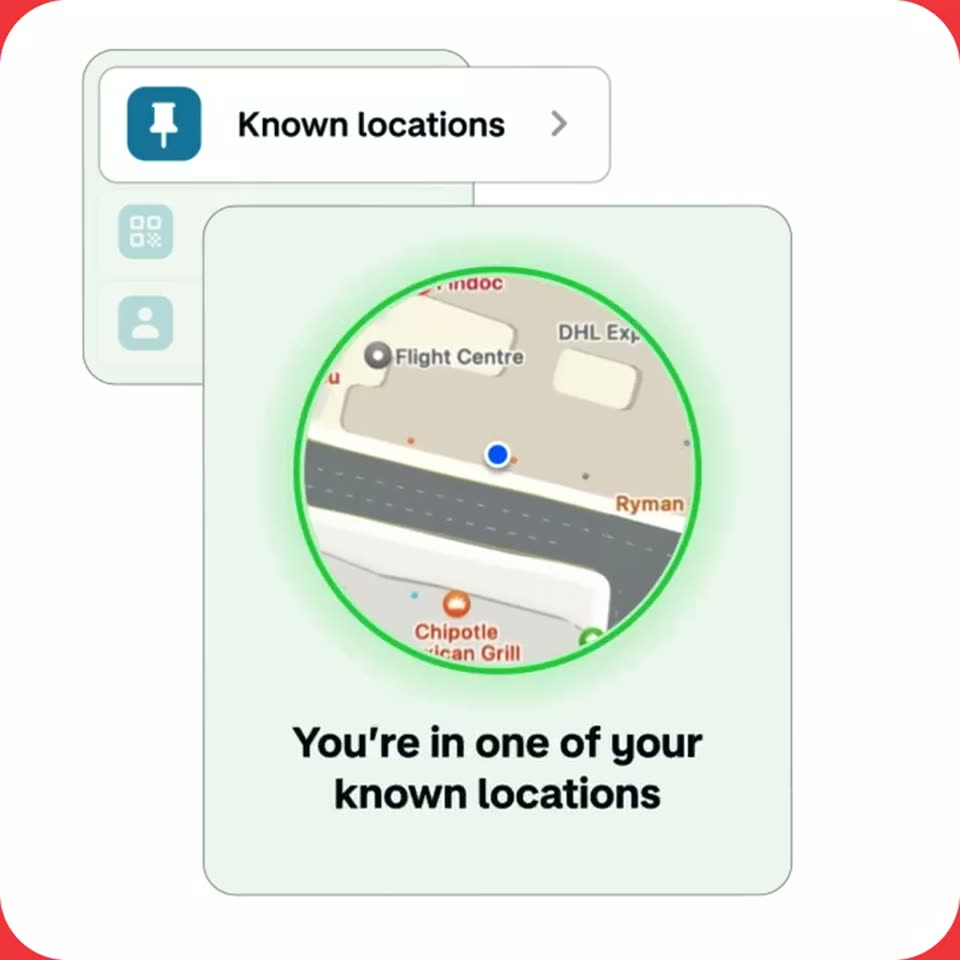
A light green card frames a circular map that zooms from a regional view to street level, with a white 'Known locations' row behind it. A green ring outlines the map as the caption changes from 'Checking your location' to 'You're in one of your known locations'.
On-screen text: “Checking your location”, “You're in one of your known locations”
Techniques: UI zoom
Camera: Static
A settings panel in the top-left swaps its highlighted row from Known locations to Secret QR code as a white detail card slides in from the right, the top of a teal phone emerging at its base.
Camera: Static
A flat UI mockup on a light background: a 'Secret QR code' menu row sits above a card showing a stylized phone scanning a paper QR code. A red sparkle pulses and a red loop line draws itself beside the phone, while the caption 'Let's scan it' stays at the card's bottom.
On-screen text: “Let's scan it”
Camera: Static
A flat product interface mockup shows a menu row reading 'Secret QR code' above a scanning card. Inside the card, the line 'Centre the QR code inside the square' sits over a QR code that snaps from blur to sharp focus while a green square outline draws itself around it.
Camera: Static
A pale green card with a mint 3D QR tile, a red four-point sparkle and a pink squiggle reads “Correct QR code scanned” over the app list; the card then fades away, revealing the “Secret QR code,” “Known locations” and “Trusted contacts” rows.
On-screen text: “Correct QR code scanned”
Camera: Static
A small rounded list card sits in the top-left on a white background. Its rows shift upward so Trusted contacts becomes the active row, then a second white card slides in below with the caption Send a request to a trusted contact.
On-screen text: “Send a request to a trusted contact”
Camera: Static
Two stacked rounded cards on a white background. The front card lists two contacts; the radio button beside Richard fills blue, then the list is replaced by a teal paper airplane illustration and the words Request sent. A red four-point star pulses at the lower left.
Camera: Static
A pale green notification card with a dark M icon and the text 'Payment reviewed' sits centered on an off-white field; a hand-drawn blue loop is drawn beneath it and a red four-pointed sparkle marks its right edge. The card cuts to a large red 'Introducing:' headline that wipes in through a mask.
On-screen text: “Introducing:”
Techniques: Masking, Kinetic type
Camera: Static