1:16

BabyLoveGrowth | Grow Your Traffic with AI | Motion Design Video
BabyLoveGrowth · Oct 2026
monday.com · Jul 2026 · 0:40 · AI-annotated
monday.com’s 0:40 launch film runs 26 scenes, about 1.6 s each. The product is on screen from the first frame and 1 feature is revealed. The call to action lands at 0:36 (90% in), over a voiceover. Tone is upbeat and confident, built on bright live-action office footage intercut with flat UI and 3D character motion graphics over a white, pastel grid. Pacing is quick at roughly 100 bpm with a hard cut every couple of seconds, using a recurring empty-chair-to-filled-seat metaphor, popping 3D agent avatars, and bold centered headline cards to land each beat, closing on a black logo card with a free-trial call to action.
Is this your launch? to your site or press kit.
BabyLoveGrowth · Oct 2026
monday.com · Jul 2026
Films whose music sounds like this one, voice left out
Lovable · Electronic
Delhivery · Modern electronic
ClickUp · Cinematic electronic
Two brief live-action shots cut between open-plan offices. Each frames an empty rolling chair dead center, tan leather in the first, black mesh in the second, while motion-blurred workers walk and sit at surrounding desks.
Camera: Static
A wide, static shot of a sunlit loft office with a skylight and terrazzo floor. A tan leather lounge chair sits centered in the foreground, sharply in focus, while motion-blurred workers move at desks and a drafting table behind it.
Camera: Static
A woman with an afro and glasses sits centered in a bright plant-filled studio. A team of seven stands behind her in a V shape as rounded app icons with stylized avatars pop in around them, each tagged with a small arrow pointer.
Camera: Push in
A white project table titled Summer marketing campaign forms as a live-action office clip fades out behind it. Circular team avatars and colored app icons slide from a scattered overlay into the Owner, Status, Priority and Market columns, while a cursor hovers at the top right.
Camera: Pull out
Hands type on a laptop balanced on a wooden stool in a bright office. The screen shows a project board with colorful task cards and avatars filling in as the hands work, while teammates sit blurred at desks behind.
Camera: Static
A plain white card holds the black headline “Imagine that” centered in frame. The type scales up from a smaller size to fill the width as the clip runs, with a voiceover reading the same line.
On-screen text: “Imagine that”
Techniques: Kinetic type
Camera: Static
A man in a patterned shirt holds a laptop toward the camera in a bright open office, pointing at its screen, which shows a Claude agent card with a robot avatar on a pink square. A large headline, “Imagine that,” scales up over the frame.
On-screen text: “Imagine that”
Techniques: Kinetic type
Camera: Static
A smiling man holds a laptop toward the camera in a sunlit, plant-filled office, its screen showing an agent card with a robot illustration and title text. He raises a peace sign with his other hand as colleagues walk and sit blurred in the background.
Camera: Static
A smiling woman in a white shirt hugs an open laptop to her chest in a sunlit, plant-filled office. The laptop screen shows an agent card with a teal robot icon and the label Demo Video Creator. Other people work at desks in the soft background. The frame stays static.
Camera: Static
A flat task table for a summer marketing campaign holds still while three small 3D robot avatars, badged with Claude, ChatGPT and Copilot logos, glide to different rows; a yellow-ringed person avatar jumps along too, implying agents working in parallel.
Camera: Push in
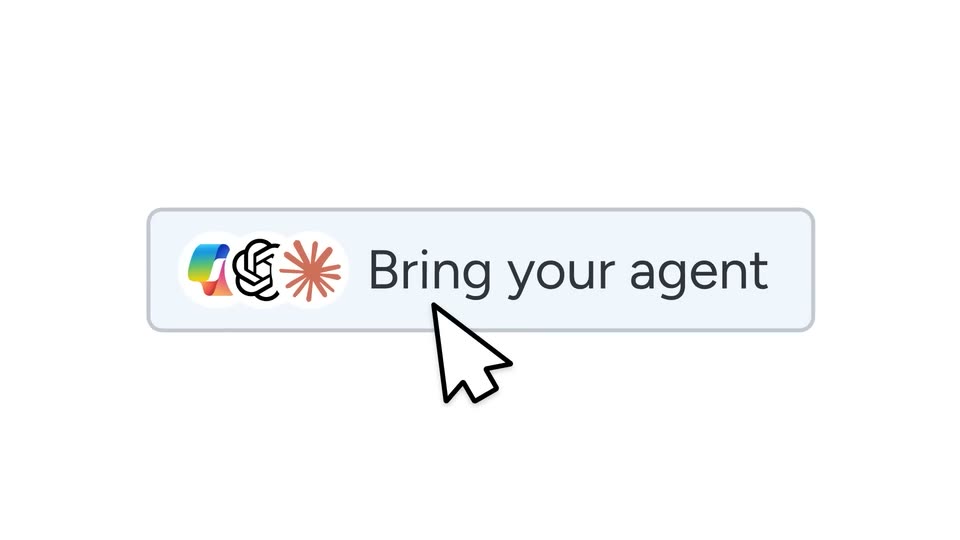
A project table with colored status and priority cells is shown at the top right, where a cursor hovers the Bring your agent button. The view then zooms and reframes so the button, with three small agent logos, sits alone on a white field, the cursor pointing at it.
Techniques: Cursor demo, UI zoom
Camera: Push in
A light dashboard shows a Manage agents table beside a fixed left sidebar. The list of agent rows scrolls, new entries sliding in from the top while older rows shift downward.
Camera: Static
A white modal titled Invite people to use this agent sits centered over a blurred dashboard. Two new user rows fade in beneath the owner, each with an avatar, name and role, while two red warning banners list access restrictions at the bottom.
Camera: Static
A project board titled Summer marketing campaign shows a table of tasks. A new row, Campaign landing page, inserts into the list while a chat panel slides in from the right, showing a message from Patrick to the Website Builder Agent.
Camera: Static
A project board interface fills the frame, showing a campaign table and a comment thread. The view zooms into the table rows, lining up owner avatars beside blue and orange status labels.
Techniques: UI zoom
Camera: Push in
A two-panel product view shows a task list on the left and an agent panel on the right. The frame pans right, cropping the sidebar, as processing steps fade in one by one and three colored file icons pop in beneath them.
Techniques: UI zoom
Camera: Static
A close-up of a Campaign Performance Agent message card zooms out to reveal a project board. The board shows a Summer marketing campaign table with task rows, owner avatars and colored status pills, while the agent panel stays on the right.
Techniques: UI zoom
Camera: Pull out
A Monday.com workspace shows a campaign table on the left and an agent chat on the right. New replies appear one by one while thumbs up and party popper emojis pop in over the messages.
Techniques: Particles
Camera: Static
A project management table beside a chat panel zooms into the status column; cells turn green Done as confetti dots fall, then the view settles on the owner, status and priority rows.
Techniques: UI zoom, Particles
Camera: Push in
A laptop on an office desk shows a project table. The shot opens motion-blurred, sharpens as small 3D character avatars pop into the table cells with arrow pointers, then blurs out again.
Techniques: 3D mockup
Camera: Pull out
Two vertical columns of avatar tiles scroll on a white grid with a soft pastel gradient. The left column holds circular photos of real people; the right column holds rounded-square 3D characters. The columns drift at different speeds, and an OpenAI spiral logo sits at the top right.
Techniques: Parallax
Camera: Static
On a white grid background, a column of circular people photos scrolls down on the left while a column of 3D character tiles scrolls up on the right. Centered black text scales in above a static gray line, with a small orange sparkle beside the robot tile.
On-screen text: “People & Agents”, “Working together”
Techniques: Kinetic type
Camera: Push in
On a black background, the white word Consider scales in centered, then gives way to the larger word yourself, which lands still and holds in the middle of the frame.
On-screen text: “Consider”, “yourself”
Techniques: Kinetic type
Camera: Static
A large black word, limitless, holds centered over a softly blurred monday.com workspace map. Its colored team boxes, Operations, Sales, HR and Product, drift slowly downward while the headline stays locked in place.
On-screen text: “limitless”
Camera: Pull out
The black word “limitless” holds center, sharp, over a faded board of department labels and avatars. The background elements blur and streak outward in a radial burst, dissolving to white by the end.
On-screen text: “limitless”
Techniques: UI zoom
Camera: Pull out
A small gradient star on black moves aside as the monday.com logo settles at center. The tagline fades in beneath it, its letters shifting from color to white, while a left arrow and Start free trial now slide into place at the bottom.
On-screen text: “Start free trial now”, “monday.com”, “The best AI work platform”
Camera: Static