1:16


Test infrastructure shouldn't bottleneck great engineering - Daqstra
Daqstra · B2B · Jul 2026
Mistral AI · Apr 2026 · 1:23 · AI-annotated
Mistral AI’s 1:23 launch film runs 56 scenes, about 1.5 s each. The product shows up at 0:37 and 3 features are revealed. There is no explicit call to action; a voiceover carries the film. The video is built on one continuous voiceover sentence cut into 1 to 2 second shots, with centered white captions that type or fade in word by word over live action, UI mockups and flat graphics on black. Its signature moves are pixel-mosaic dissolves, retro CRT and gray-grid schematics, and a warm orange-red accent that resolves into the pixel H logo.
Is this your launch? to your site or press kit.
Daqstra · B2B · Jul 2026
Runway · AI · Aug 2026
A vintage monitor with a green grid sits on a desk of papers and glasses in red light. The frame opens small at center and scales up to full screen. White text builds the sentence word by word over the monitor, then the image dissolves into a pixel mosaic.
On-screen text: “Every enterprise is using AI.”
Techniques: Kinetic type
Camera: Push in
A macro shot of a dark keyboard with shallow depth of field drifts slowly across the keys, letters blurring in and out of focus. A small white caption, For chat., holds centered over the keys for the full beat.
On-screen text: “Every enterprise”, “For chat.”
Camera: Pull out
Top-down locked-off shot of a person in a cream sweater at a wooden desk, hands on the keyboard, lit by a warm lamp against a black room. White text types in letter by letter over the desk to read “For search.” and holds.
On-screen text: “For search.”
Techniques: Kinetic type
Camera: Static
A person sits at a desk seen from behind, facing a glowing monitor under a warm desk lamp against a yellow wall. The frame is locked off and static as the caption “For search.” holds on the left.
On-screen text: “For search.”
Camera: Static
A dark room holds a monitor on a stand, its screen showing a close-up of hands typing on a keyboard under purple light. A white caption reads for writing the first draft across the lower middle, the last word entering late. The background glows warm orange.
On-screen text: “for writing the first draft”
Techniques: Kinetic type
Camera: Static
Hands type on a keyboard in dark blue light under the caption “for writing the first draft”, then the shot cuts to an extreme close-up of an eye behind glasses reflecting a screen, captioned “of something.”, and finally to a night office tower with scattered lit windows.
On-screen text: “for writing the first draft”, “of something.”
Camera: Static
A dark office tower facade at night, lit windows in a glass grid, the camera drifts slowly across it. The caption 'of something.' fades out at center while 'But work' fades in and holds.
On-screen text: “of something.”, “But work”
Camera: Static
A night view of an office tower cross-dissolves with a ghostly interior, then cuts to a low-angle shot of a woman's legs in black heels walking past shelves of stacked paperwork. White caption text sits centered over each shot.
On-screen text: “But work”, “that moves”
Camera: Pan
A dim open-plan office with rows of empty cubicles and a lone figure standing near the back windows. A centered white lowercase caption fades in over the middle of the frame, reading 'between teams', the second word then swapping to 'signatures'.
On-screen text: “between teams”, “between signatures”
Camera: Static
A black card holds the phrase between signatures in white sans-serif, centered and static for the brief clip.
On-screen text: “between signatures”
Camera: Static
A flat desktop view on a blue gradient wallpaper shows a row of app icons. The central Mail icon carries a red notification badge with the number 1 while a cursor arrow rests on it. White caption text reads across the middle. The shot is static.
On-screen text: “between systems”
Techniques: Cursor demo
Camera: Push in
A close-up of a hand holding a silver pen signs a line on white paper, the office background softly blurred. The caption between signatures sits centered in white. The hand moves in a slow, deliberate stroke as the signature forms.
On-screen text: “between signatures”
Camera: Static
A dark glass-walled corridor with glowing blue floor lines and dotted server lights stretches into a bright end wall. The camera pushes slowly forward as two centered white text lines appear in sequence.
On-screen text: “between signatures”, “before it's done.”
Camera: Push in
A close-up of a stock ticker display, its red and teal percentage figures blurred behind a centered white caption. The image resolves from a blocky pixel mosaic into a soft-focus view over the shot, the frame locked off throughout.
On-screen text: “Like underwriting a loan.”
Camera: Pull out
A low-angle shot of a dark desk. A man in a suit works at a laptop in the blurred background beside a white mug. A hand points at a document in the foreground. The caption reads “Like underwriting a loan.” then swaps to “Reviewing a claim.”
On-screen text: “Like underwriting a loan.”, “Reviewing a claim.”
Camera: Pull out
Top-down aerial of a container ship on green water, red and white containers filling the lower half. A white caption builds in the center as the words appear in sequence.
On-screen text: “Reviewing a claim.”, “Or processing a shipment.”
Techniques: Kinetic type
Camera: Static
Top-down aerial shot of a container ship packed with multicolored boxes floating in green water. A white caption, “Or processing a shipment,” appears centered over the deck and then vanishes as a crane arm sweeps across the top edge.
On-screen text: “Or processing a shipment.”
Camera: Static
White text fades in phrase by phrase over a thin gray grid on black, reading “That's still running the old way.” A blue 3D screen with a small device icon on top rises behind the words.
On-screen text: “That's still running the old way.”
Techniques: Kinetic type, 3D mockup
Camera: Static
A curved CRT-style screen with scanlines and a faint pixel grid, a small isometric icon at top left, holds still as a white caption fades in word by word across the center.
On-screen text: “That's still running the old way.”
Techniques: Kinetic type
Camera: Static
A dark terminal window on black accumulates cyan and blue monospace code lines in the top left; a centered white caption reads 'It's not that the models' and stays locked in place.
On-screen text: “That's still running the old way.”, “It's not that the models”
Camera: Static
On a black field, fine gray contour lines undulate into slow rolling waves. Centered white sans-serif text builds word by word to read “are not good enough.” The frame stays locked off while the lines keep drifting.
On-screen text: “are not good enough.”
Techniques: Kinetic type
Camera: Static
A dark field of vertical lines forms rolling waves behind the centered white line “are not good enough.” A horizontal scanline glitch wipes the frame to light gray as the word “That” fades in at the left.
On-screen text: “are not good enough.”, “That”
Camera: Static
A white sentence fades in at the center of a gray static field made of horizontal scan lines and a distorted oval. The frame stays locked off while the line resolves from faint to fully legible.
On-screen text: “That stopped being the question.”
Camera: Static
A centered white sentence holds on a gray background filled with horizontal scan-line static. The frame stays locked off with no camera or text motion throughout the short clip.
On-screen text: “That stopped being the question.”
Camera: Static
A centered white sentence holds over a full-frame grayscale static field. The background flickers from dark scanlines to a lighter glitch texture while the text stays locked in place.
On-screen text: “That stopped being the question.”
Camera: Static
A text card with a horizontal scanline texture flashes from dark to light.
On-screen text: “That stopped being the question.”
Camera: Static
A dark field of vertical gray waves ripples across the frame, with a black vertical gap left of center. The white text “For AI” holds still in the middle as the wave pattern widens and shifts.
On-screen text: “For AI”
Camera: Push in
A dark code editor window scales up at center, then crossfades into an aerial shot of a container port with cranes. A white lowercase caption reads in word by word across the middle of the panel on a black background.
On-screen text: “For AI”, “to do the hard work,”
Techniques: Kinetic type
Camera: Push in
A 3D DNA helix drifts over a night city, then the frame tilts left to reveal a factory floor with a robotic arm as a candlestick chart slides in from the left. The centered caption holds, then fades with the first shot.
On-screen text: “to do the hard work,”
Camera: Push in
A split-screen montage of vertical panels: stacked colored containers, a night city grid, a candlestick chart, and a neon-lit machine head in motion. The caption “it has to be reliable.” types out in white sans-serif at the center over the footage.
On-screen text: “it has to be reliable.”
Techniques: Split screen, Kinetic type
Camera: Static
A plain black frame holds a single line of small text, locked off and unchanged for the full shot. There is no motion, reframe or reveal; the line sits as a quiet statement while the voiceover closes the previous point.
On-screen text: “it has to be reliable.”
Camera: Static
A black background holds a centered line of text. “And that's the layer” fades in white, an orange pixel arrow follows, then “we have built.” appears to the right before the whole line clears to black.
On-screen text: “And that's the layer”, “we have built.”
Techniques: Kinetic type
Camera: Static
A black frame holds a single centered line of white text that fades in to read “The layer that lets you run”, then holds still.
On-screen text: “The layer that lets you run”
Camera: Static
A dark gray grid on black holds gray circular nodes joined by thin lines that drift and reposition. A white headline 'The layer that lets you run' sits centered, then a small red tag slides in at the left as the grid pans left.
On-screen text: “The layer that lets you run”
Camera: Static
On a black canvas, thin vertical lines frame four pill-shaped workflow nodes with orange icons that drift slowly in place. The white headline holds steady at center while a bottom scrubber with tick marks and time labels advances from start to 2.5 seconds.
On-screen text: “Processes that survive”
Camera: Static
A dark interface with labeled panels and a bottom timeline holds the centered headline “Processes that survive”. The screen then disintegrates into a falling cascade of small code and terminal snippets as the line swaps to “when things break.”
On-screen text: “Processes that survive”, “when things break.”
Techniques: Particles
Camera: Pull out
A dark timeline view with step pills zooms in on the “Waiting for input” chip, its small orange icon lit, as the caption “That wait when they need to.” builds on either side. The frame then fades to black with a faint “and”.
On-screen text: “That wait”, “when they need to.”, “and”
Techniques: UI zoom, Kinetic type
Camera: Push in
A centered white phrase on a black background fades in from a soft blur, settling into a crisp locked-off title card.
On-screen text: “and pick up”
Techniques: Kinetic type
Camera: Static
White text “exactly where they left off.” sits centered over a dark chat-interface mockup that fades in and scales up. The view zooms into the main panel as the headline splits to either side, then a teal dot-sphere blooms in as a transition.
On-screen text: “exactly where they left off.”
Techniques: Kinetic type, UI zoom, Particles
Camera: Static
A teal wireframe sphere rotates slowly on a near-black background, centered in frame. The word Processes fades in at the sphere's center, resolving from a blur to crisp white text.
On-screen text: “Processes”
Techniques: Kinetic type
Camera: Static
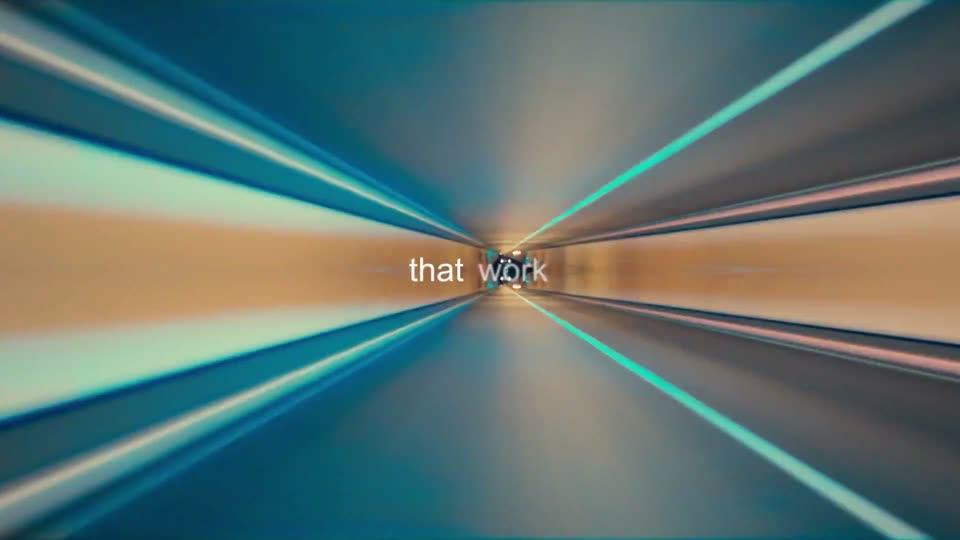
Teal and orange light streaks radiate from a central vanishing point in a fast warp zoom. Small white lowercase text 'that work' appears word by word at the center.
On-screen text: “that work”
Techniques: Kinetic type
Camera: Static
A close-up profile of a person in glasses, lit in dark blue, fills the right side of the frame. The lenses catch a soft blue and purple glow. The white caption “alongside humans.” holds centered over the blurred background. The camera stays locked-off.
On-screen text: “alongside humans.”
Camera: Static
A dark 3D timeline of three image cards, 01 to 03, recedes diagonally, linked by lines and colored nodes. A cursor hovers over the middle card as a red box selects card 03. The view zooms from a small window to full frame under the centered caption.
On-screen text: “alongside humans.”, “And remember every step.”
Techniques: 3D mockup, UI zoom, Cursor demo
Camera: Push in
A dusk aerial of a container port holds as the white caption “So you can finally” fades in centered. The shot cuts to a worker in an orange hard hat, back to camera, standing in a lit warehouse with yellow machinery.
On-screen text: “So you can finally”
Camera: Static
A worker in a red hard hat and dark jacket stands with his back to the camera in a dim factory aisle lined with yellow machines. The white text “put AI” scales in, centered over his shoulders, on a locked-off frame.
On-screen text: “put AI”
Techniques: Kinetic type
Camera: Push in
A worker in an orange hard hat and dark uniform walks away down a factory aisle lined with yellow machines, other crews in white hats at work behind him, while a white lowercase line types out across his back.
On-screen text: “put AI to work”
Techniques: Kinetic type
Camera: Static
A man in a white lab coat walks away down a bright white corridor lined with glass lab doors, following a woman in orange trousers. The camera tracks behind him at a steady pace while centered white text reads “put AI,” scaling in, then “that matters.”
On-screen text: “put AI”, “that matters.”
Techniques: Kinetic type
Camera: Static
Close profile of a curly-haired person in clear safety glasses and a white lab coat, looking down at a black cylindrical device held in hand against a soft, blurred bright background. A white headline builds word by word across the center of the frame.
On-screen text: “The work”, “that matters.”
Techniques: Kinetic type
Camera: Static
A blurred monitor showing green and red candlestick charts fades in from black. A white caption, 'that runs the business,' holds centered over the soft-focus background for the short shot.
On-screen text: “The work”, “WF10”, “that runs the business,”
Camera: Push in
A soft-focus close-up of a candlestick chart on a dark screen, red and green bars rising and falling across the frame. A white caption sits centered over the chart while the camera drifts slowly to the right.
On-screen text: “that runs the business,”
Camera: Push in
On a black background, the line “Can now run on AI.” blurs in word by word at center-left. A small white grid schematic, a boxed pixel icon with an arrow and a curved plot, then slides in from the right.
On-screen text: “that runs the business,”, “Can now run on AI.”
Techniques: Kinetic type
Camera: Static
A faint grid with scattered dark squares and a thin arc fills the center on black. A small pixel-art glyph cluster slides in at the grid's top-left corner and one cell flashes orange, while the light headline holds at the left edge.
On-screen text: “Can now run on AI.”
Camera: Static
A gray grid on black fills the frame as a diagonal path of orange, red and yellow blocks draws itself down to a blue diamond node. Workflows fades in large over the grid, then the frame slides left to reveal the word Build.
On-screen text: “Workflows”, “Build”
Techniques: Kinetic type
Camera: Pan
On black, the white word Build scales in beside a red pixelated arrow, then Run and a second arrow appear, and Observe fades from gray to white. At the end, a yellow square and a red block begin sliding in from the left edge.
On-screen text: “Build → Run → Observe”
Techniques: Kinetic type
Camera: Static
On black, four stacked bars in yellow, orange and red slide right beneath the white word observe. The bars then stretch across the frame and the word is replaced by a pixelated white H block at their leading edge.
On-screen text: “observe”, “H”
Camera: Static
A pixelated cream H mark sits centered on a black field. At the start the left vertical bar holds a yellow-to-red gradient that fades out over the first second, leaving the logo uniformly cream. The frame stays locked and static.
Camera: Static