0:32
Explore
Midcentury - Sortex: our data quality platform built to search and filter the worl
Midcentury · Oct 2026 · 0:28 · AI-annotated
- Length
- 0:28
- Scenes
- 17 · 1.7 s avg
- Product on screen
- 0:00
- Voiceover
- No
- Views
- 17K on X
as of November 17, 2026
00:00:00 / 00:28:12
- Length
- 0:28
- Scenes
- 17 · 1.7 s avg
- Product on screen
- 0:00
- Voiceover
- No
- Views
- 17K on X
as of November 17, 2026
Midcentury’s 0:28 launch film runs 17 scenes, about 1.7 s each. The product shows up at 0:00. There is no explicit call to action. The video is built as a chain of interface states that morph into one another: the clip grid collapses into a node network, tables scatter into thumbnails, and footage windows sharpen in from blur. Signature moves are the blur-to-sharp label reveals, the green progress bars that fill under each check, and the monospace captions that type in over a near-black field.
Footage neededEstimated needs: 4 capture groups — your screens or recordings · 1 official logo — reused across the film · 8 filmed passages — shoot, supply or replace · 3 graphic passages — draw or supply
Is this your launch? to your site or press kit.
More like this


Midcentury - Sortex: our data quality platform built to search and filter the worl, scene by scene
· 17 scenes as text
01 · Hook · 0:00–0:00
A grid of roughly forty overhead clips fades in from black. Each panel is a top-down view of a person's hands and torso at work, covering cooking, sewing, typing and playing a keyboard.
Camera: Static
02 · Demo · 0:00–0:02
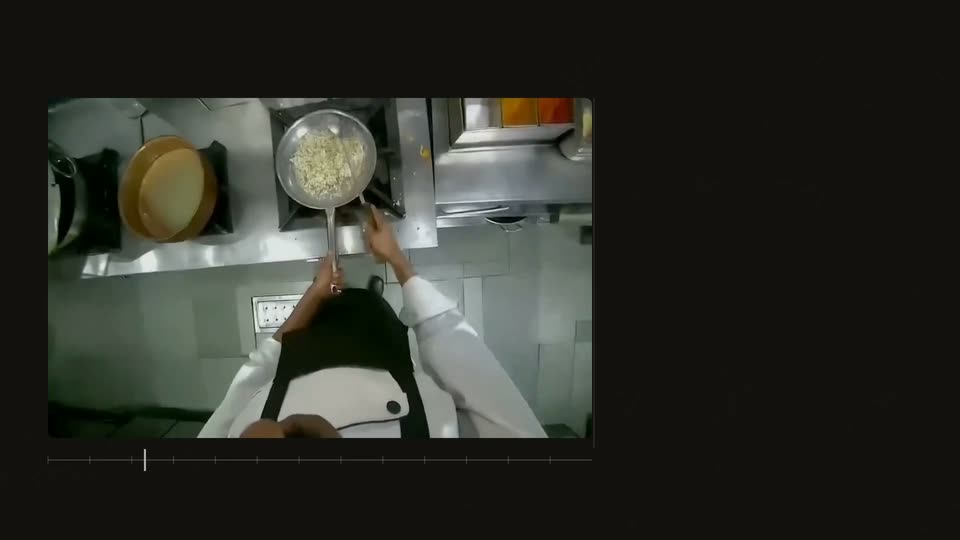
A top-down shot of a chef stirring a pan on a stove fills a centered video frame over a dim grid of thumbnails, which fades to black. The frame shifts left and grows, a small inset copy with a running timecode appears top right, and a timeline scrubber with a green playhead slides in at the bottom.
Camera: Push in
03 · Demo · 0:02–0:06
A dark review interface plays a first-person cooking clip in the left preview while timecoded thumbnails populate the right filmstrip. The filmstrip swaps to three graph panels, Hands in View, Sharpness, Motion, as their traces draw in; a green bar fills under the preview and a PASSED badge appears.
Camera: Pull out
04 · Demo · 0:06–0:08
A grid of small video clips on a black background collapses and scatters. The rectangular tiles blur, round into circular thumbnails, then shrink into tiny dots that drift apart and fade.
On-screen text: “One hand out of frame, still usable”, “MOTION”, “PASSED”
Techniques: Morph, Particles
Camera: Pull out
05 · Demo · 0:08–0:09
A network of circular video thumbnails linked by thin white lines floats on black. A green ring marks one node as the camera pushes in, and that node grows to fill the frame, showing a person in a pink shirt.
Camera: Static
06 · Demo · 0:09–0:12
A filmed worker in pink cuts black leather pieces at a table while the right side lists labels that appear in sequence: environment, left hand, right hand, tool. White corner brackets track the hands and green lines link each label to the action.
On-screen text: “ENVIRONMENT”, “Leather & footwear”, “LEFT HAND”, “holding”, “the black synthetic footwear piece”, “RIGHT HAND”, “cutting”, “the black synthetic footwear piece”, “TOOL”, “metal scissors”
Techniques: Split screen, Kinetic type
Camera: Static
07 · Demo · 0:12–0:15
A dark dashboard opens on one video clip with a side metadata panel, then reframes into a full table of clips with green and white bars, before the rows scatter into a field of small circular video thumbnails on black.
Techniques: UI zoom, Particles
Camera: Push in
08 · Demo · 0:15–0:17
A network of photo-textured spheres linked by thin lines floats on black, a few nodes ringed in white. The spheres blur and stretch as the graph reflows, and a monospace caption types out in the top-left corner.
On-screen text: “using a tool on an object”
Techniques: Kinetic type
Camera: Static
09 · Demo · 0:17–0:20
A dark data table lists categories with thumbnails on the left and QUALITY and NOVELTY bar columns on the right. Rows shuffle and bars fill, then the right columns fade and the list scrolls off to black. Blurred white discs tumble across the center over a faint line network.
Techniques: Parallax
Camera: Static
10 · Demo · 0:20–0:22
A dark interface shows five category video clips over a green budget bar that fills to full. The Leather & Footwear clip then scales up into a large glowing card as the other clips and labels dim.
Techniques: UI zoom
Camera: Static
11 · Demo · 0:22–0:22
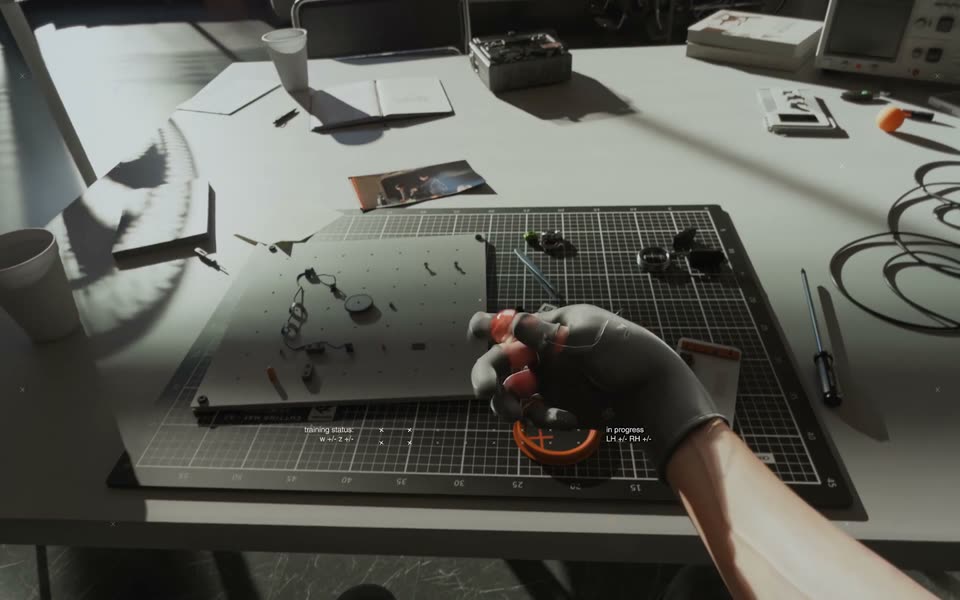
A top-down handheld clip of hands soldering a green circuit board sits on the left, while a monospace caption block fades in on the right listing left hand, right hand and tool. The footage shifts and stabilizes over the dark background.
On-screen text: “ELECTRONICS”, “ELECTRONICS”, “LEFT HAND holding the green circuit board”, “RIGHT HAND holding the soldering iron”, “TOOL soldering iron”
Camera: Static
12 · Demo · 0:22–0:23
A top-down video of a worker in a pink shirt cuts black footwear pieces with scissors, framed in the left half of a black background. A caption column on the right sharpens from blur, listing the hand actions and tool in white text with a green highlighted word.
On-screen text: “LEATHER & FOOTWEAR”, “LEATHER & FOOTWEAR”, “LEFT HAND”, “holding”, “the black synthetic footwear piece”, “RIGHT HAND”, “cutting”, “the black synthetic footwear piece”, “TOOL”, “metal scissors”
Techniques: Kinetic type, Split screen
Camera: Pan
13 · Demo · 0:23–0:24
A top-down video of a chef in a white coat stirs a pan on a stove, set in a rounded window on the left. A text panel on the right labels the left hand, right hand and tool, sharpening in from a blur.
On-screen text: “FOOD & BEVERAGE”, “LEFT HAND”, “holding”, “the metal pan handle”, “RIGHT HAND”, “stirring”, “ingredients”, “TOOL”, “metal ladle”
Techniques: Split screen
Camera: Pan
14 · Demo · 0:24–0:25
A top-down clip of a worker at a table holds a blue fabric piece in the left hand and trims threads with small scissors in the right, the clip tilting and brightening into frame. A right-hand column lists the hand actions with the verbs highlighted in colored boxes.
On-screen text: “FASHION”, “FASHION”, “LEFT HAND”, “holding”, “a blue fabric piece”, “RIGHT HAND”, “trimming”, “threads”, “TOOL”, “small scissors”
Techniques: Split screen
Camera: Static
15 · Demo · 0:25–0:25
A rounded window on the left plays a top-down clip of hands sewing blue fabric, while a right-hand text panel lists the action and tool. The clip blurs and swaps to a second shot of hands setting golden beads on a metal frame as the panel updates.
Camera: Pan
16 · Demo · 0:25–0:26
A split-screen layout displays a top-down view of hands using tweezers to assemble a beaded jewelry piece on the left. On the right, white text on a black background breaks down the actions, labeling the left hand, right hand, and tool.
On-screen text: “CRAFTS & HOBBY”, “CRAFTS & HOBBY”, “LEFT HAND”, “holding”, “the golden jewelry components”, “RIGHT HAND”, “placing”, “golden beads”, “TOOL”, “tweezers”
Techniques: Split screen
Camera: Static
17 · Outro · 0:26–0:28
A black screen holds as the white Midcentury mark and wordmark fade in at center, then stay static for the remainder of the clip.
Camera: Static