1:08

Kanopy - Spatial Intelligence for Physical Infrastructure
Kanopy · Industrials · Oct 2026
Memories.ai · Nov 2026 · 2:59 · AI-annotated
Memories.ai’s 2:59 launch film runs 58 scenes, about 3.1 s each. The product shows up at 0:14 and 4 features are revealed, with social proof. The call to action lands at 2:47 (93% in), over a voiceover. The video is built as a launch deck: a striking robot-hand montage states the data problem, then the product, its camera, its app, its data lake and its model each get a titled block, closed by scale stats and a URL end card. Pacing cuts on a steady ~129 bpm pulse, alternating bright white studio live action with black motion-graphics fields, and its signature moves are 3D spec callouts on dotted grids, POV fisheye footage with hand-tracking overlays, and amber particle networks that grow into a
Is this your launch? to your site or press kit.
Kanopy · Industrials · Oct 2026
Framer · Design · Jun 2026
Studio · Sep 2026
Two hands rise from the bottom edge of a plain pale lavender frame, fingers curved and poised as if about to grasp an object. A gray caption pill sits static at the bottom center throughout.
On-screen text: “For robots to learn how to work in the real world”
Camera: Static
Two silver-and-black robotic hands hold a pinched pose against a plain white backdrop, then open outward, fingers spreading and thumbs extending. A caption bar sits locked at the bottom of the frame while the hands move.
On-screen text: “For robots to learn how to work in the real world”
Camera: Static
Two silver-and-black robot hands hold an open book against a plain white backdrop. The pages turn to reveal photos of robots in rooms. A gray pill caption at the bottom stays fixed while the book flips.
On-screen text: “they need vast internet”
Techniques: 3D mockup
Camera: Static
Two silver and black robotic hands hold an open book against a plain light background, then the book is swapped for a yellow screwdriver gripped between the fingers. A gray caption pill at the bottom reads they need vast internet.
On-screen text: “they need vast internet”
Camera: Static
Two silver-and-black robot hands rise against a white backdrop; the left grips a yellow-handled screwdriver, the right hovers open with curled fingers. A gray pill caption reading 'scale of' stays fixed at the lower center.
On-screen text: “scale of”
Camera: Static
Shot from the person's own viewpoint, a pair of hands on a plain pale blue background holds a yellow bit holder with metal screwdriver bits, then assembles a yellow screwdriver handle with a bit. A caption reads 'first-person or egocentric video data' at the bottom.
On-screen text: “scale of”, “first-person or egocentric video data”
Camera: Static
Two hands hold a small handheld device with a green LCD screen and exposed circuit board against a plain white background. The right hand inserts a blue cable into a port on the side of the unit. A caption sits across the bottom.
On-screen text: “first-person or egocentric video data”
Camera: Static
On a pale gray field, 3D hardware tools, screwdrivers, wrenches, hex keys, pliers, green PCBs, a tape roll and a coiled cable, tumble in from the edges and pile up, each spinning on its own axis.
Techniques: 3D mockup
Camera: Pull out
Two silver robotic hands hold a light-blue multimeter with a green display against a white background. The right hand points a yellow screwdriver at the device side while the left hand steadies it. The shot stays static as a caption line changes below.
On-screen text: “And those video data will be”, “showing how people get things done”
Camera: Static
On a black background, the word Upload sits centered in a rounded geometric sans, starting as a thin gray outline that fills to solid white. An orange dot pops into the letter U. A white caption reads Today, we are announcing Memories Upload along the bottom.
On-screen text: “Upload”, “Today, we are announcing Memories Upload”
Camera: Static
A dark stage with an amber glow at the top holds the white headline Memories Upload. Beneath it, three labeled items sit side by side: a small dark pin, a slowly rotating sphere of tiny text characters, and a phone showing the Upload sign-in screen.
On-screen text: “Memories Upload”, “Luci Pin”, “Large Visual Memory Model + Video data lake”, “Upload app”, “Today, we are announcing Memories Upload”
Techniques: 3D mockup
Camera: Static
Close-up of a wrist wearing a black strap mount that holds a small action camera on a bracket. A second hand touches the camera body, then lifts away to point at the mount. The bright background stays softly out of focus.
Camera: Static
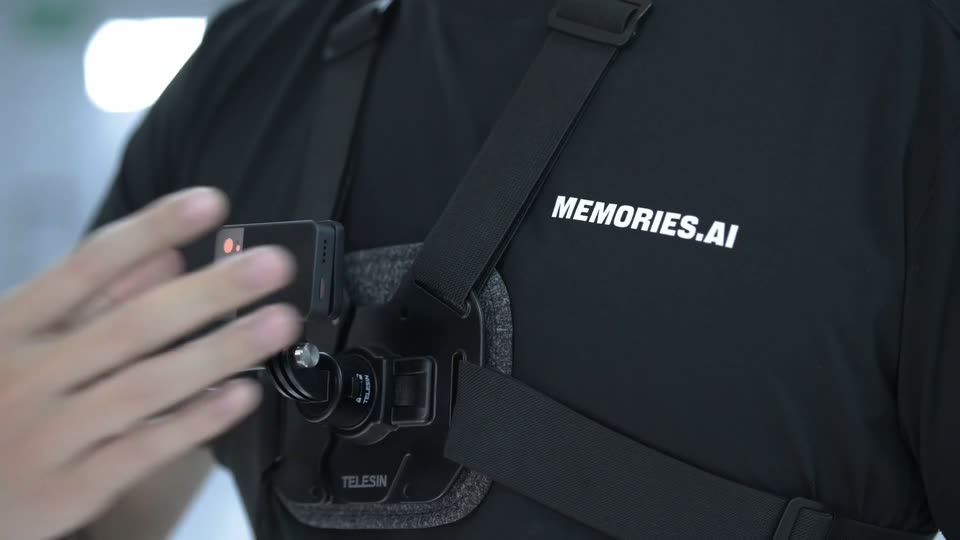
Locked-off close-up of a person's black shirt. A hand slides a small black action camera onto a chest strap mount, seating it into the TELESIN rig, then releases. The white MEMORIES.AI wordmark is printed on the chest.
On-screen text: “MEMORIES.AI”
Camera: Static
Close-up on a dark jacket: a hand positions a small black square clip with a red LED onto a chest mount, then releases it. The bright office behind is heavily blurred. A caption 'we built Luci Pin' sits at the bottom.
On-screen text: “MEMORIES.AI”, “we built Luci Pin”
Camera: Static
A person in a black shirt wears a chest and wrist camera rig and turns a black cap in their hands against a bright, blurred studio background. The shot is a locked-off medium close-up on the torso and hands as the cap rotates.
On-screen text: “we built Luci Pin”
Camera: Static
A person in a black tee wears a small chest-mounted camera and turns a black cap in their hands, set against a blurred bright corridor. A white subtitle appears at the bottom of the frame.
On-screen text: “we built Luci Pin”, “It's a lightweight modular camera”
Camera: Static
A person in a black cap and glasses holds a small white modular camera up to their forehead, adjusting it against the cap. The bright office background stays softly blurred with linear ceiling lights. A caption sits at the bottom center.
On-screen text: “It's a lightweight modular camera”
Camera: Static
A slow pullback starts on an extreme close-up of a chrome lens element and widens to show the module on a transparent circuit board under a thin measurement grid. A white headline holds at left while a dotted 109° FOV spec box and voiceover captions appear at the bottom.
On-screen text: “Wide-Angle Clarity”, “that is designed”, “Field of view”, “109° FOV”, “to make first-person video capture”
Techniques: 3D mockup, Parallax
Camera: Pull out
A macro camera orbits a small glass lens on a black module with copper arms, shallow focus blurring the background. A dotted grid overlay frames the shot, a dot-matrix weight readout builds up to < 45 g at top right, and a caption sits at the bottom.
On-screen text: “LIGHTWEIGHT / DESIGN”, “Under forty-five grams”, “Weight”, “< 45 g”, “to make first-person video capture”
Camera: Static
A wireframe 3D model of the camera's internal components sits centered on a black numbered grid. A yellow light band sweeps down across it as the headline fades in at top left and a thin callout line points to the battery.
On-screen text: “Continuous Recording”, “part of your everyday's work”, “3 Hours”, “Battery”, “800 m”
Techniques: 3D mockup, Light sweep
Camera: Static
A dotted 3D scan of a modular camera sits on a black technical grid, a gold scan line glinting across its body. White headlines and a battery callout frame the model while a caption fades in at the bottom.
On-screen text: “POWER / RECORDING”, “BATTERY - 800 mAh”, “Continuous Recording 3 Hours”, “part of your everyday's work”, “Battery”, “800 mAh”, “x rapid charging capabilities”, “CONTINUOUS RECORDING”, “3 HOURS / 000 mAh”, “It is truly atomic and modular”
Techniques: 3D mockup, Light sweep
Camera: Static
A man in a black T-shirt stands in a bright industrial hall wearing a harness with camera modules on his chest and wrists. He gestures to the mounts and holds a module as two inset clips show the device attached to a drawer and a fridge. Subtitles caption the bottom.
On-screen text: “It is truly atomic and modular”, “You can put it under the wrist here”, “or here, or around the chest here”, “and you can put it on a hat”, “so that you can record egocentric video”, “or you can put it on the fridge to”, “record a third-person video data”
Techniques: Split screen
Camera: Static
A black modular camera with orange accents floats in 3D against a warm peach gradient, its panels folding from an exploded stack into a rotating wrist ring. White text on the left reads 'It is modular:' then a black box types 'WRIST' under 'wear it on the', while a gray subtitle sits at the bottom.
On-screen text: “record a third-person video data”, “It is”, “modular:”, “wear it on the”, “WRIST”, “02 / WRIST”, “However, hardware is only a small part of the vision”
Techniques: 3D mockup, Morph, Particles
Camera: Static
A black wrist band with a camera on an orange mount rotates into frame and racks from blur to sharp on a warm peach gradient, while static left text reads 'It is modular: wear it on the WRIST' and a caption sits at the bottom.
On-screen text: “It is”, “modular:”, “wear it on the”, “WRIST”, “02 / WRIST”, “However, hardware is only a small part of the vision”
Techniques: 3D mockup
Camera: Static
A man in a black t-shirt stands centered in a bright, out-of-focus warehouse lined with ceiling lights, talking to the camera. He lifts a smartphone in his left hand to display its screen and gestures with his right hand. A caption bar runs along the bottom.
On-screen text: “Memories Upload comes with a mobile phone app first”
Camera: Static
A hand holds a phone showing a task list app; a second hand taps a task row, the list scrolls, then the screen switches to a task detail page with a Claim button. White captions at the bottom explain the action.
On-screen text: “MEMORIES.AI”, “In the app, once you claim the task”, “for example in our case it is making a coffee”
Camera: Push in
A person in a light blue shirt works a black espresso machine, wearing black wrist-mounted devices on both wrists. They press the machine's buttons and grip the portafilter handle in a locked-off medium close-up, with a white subtitle centered at the bottom.
On-screen text: “you should just put your pin on naturally”
Camera: Static
Close-up of a person pouring steamed milk from a red pitcher into a patterned ceramic cup, a black band strapped to the wrist. The café background stays softly blurred in a locked-off frame while a white subtitle line sits at the bottom.
On-screen text: “you should just put your pin on naturally”, “and doing the task naturally”
Camera: Static
A front-facing phone mockup sits centered on a cream background. Its screen switches from a 'Pour a latte' task card to a grid of video clips, then back, while a bottom caption pill updates its text and an upload pill with a percentage floats in beside the device.
On-screen text: “Once you finish the task”, “the videos will automatically get uploaded to the cloud”
Techniques: 3D mockup
Camera: Static
A flat phone mockup in the center shows a “Pour a latte” task screen with a video preview and checklist. A pill on the left switches from “Uploading” to “Video uploaded”, while a large brown percentage on the right climbs from 3% to 100%.
On-screen text: “the videos will automatically get uploaded to the cloud”
Camera: Static
POV fisheye shot in a coffee shop: a person in black LED gloves works a grinder and portafilter on a scale, while blue and orange dot-line hand-tracking overlays follow the fingers. Subtitles run along the bottom edge.
On-screen text: “and our AI will run the videos automatically”, “Memories-H0”, “It will get analyzed and then”, “it will return you with the feedback”
Techniques: Particles
Camera: Static
A flat phone mockup centered on a white background with a soft peach glow shows a Task Progress view with a video thumbnail and Passed badge. Three requirement checklists slide in from the left, then blur out. The screen crossfades to a Wallet balance of 28.40.
On-screen text: “of how well you have performed the task and how good”, “And then, of course, you will”
Camera: Static
A flat front-facing phone mockup shows the Wallet screen with a 28.40 balance and a task history list. To its right, a large brown counter counts up from 21.11 to 28.40 beside a star coin icon, then a +8.00 badge pops in above it. A gray caption bar runs along the bottom.
On-screen text: “28.40”, “And then, of course, you will get your corresponding rewards”, “+8.00”
Techniques: Kinetic type
Camera: Static
The word Upload centers a dark frame as orange lines sprout from it, fanning right into a dense tree of thin curves and small white labels. Upload slides left and shrinks as the network grows, and the caption One cell at one time appears below.
On-screen text: “Upload”, “There is a whole video data lake that we want to fill in”, “One cell at one time”
Techniques: Kinetic type
Camera: Pull out
A man in a black t-shirt stands centered in a bright server room, gesturing with both hands while speaking to camera. The shallow-focus background shows rows of server racks and linear ceiling lights. A white caption sits in a dark pill at the bottom.
On-screen text: “And the cell is defined by three things”
Camera: Static
The gray word Upload anchors the left as amber strands flow right, branching into four glowing nodes. Live-action clips for cooking, cocktails, coffee and assembly fade in at the branch ends with gray labels, while a bottom caption switches from One is the task to And second is the environment.
On-screen text: “MEMORESLA”, “Upload”, “One is the task”, “Cooking”, “Making cocktails”, “Making coffee”, “Assembly”, “And second is the environment”
Techniques: Particles
Camera: Static
On a dark field of drifting copper particle lines, three photo thumbnails labeled Home, Retail and Factory slide in diagonally from the upper right, while white subtitles caption the bottom.
On-screen text: “Upload”, “And second is the environment”, “Home”, “Retail”, “Factory”, “And the third is the hardware specs”
Techniques: Particles
Camera: Pan
A dark field of thin orange arcs dotted with small points drifts slowly across the frame. Three small video thumbnails labeled Home, Retail and Factory on the right fade out within the first half second while a white caption holds at the bottom.
On-screen text: “And the third is the hardware specs”
Techniques: Particles
Camera: Static
A dark field of orange particle lines and dots holds three small video clips stacked on the right, each tagged with a label, while a white caption sits in a dark pill at the bottom.
On-screen text: “On the chest”, “On the head”, “On the wrist”, “And the third is the hardware specs”
Techniques: Particles
Camera: Static
A man in a black tee and clear glasses stands in a bright white office, gesturing with both hands as he speaks. White subtitles sit in a dark rounded bar at the bottom, then a large dark 'Video Data Lake' label fades in at the right.
On-screen text: “Now, the real work starts after those videos”, “got uploaded to our video data lake”, “Video”, “Data Lake”
Camera: Static
On a black background, a network of small video thumbnails showing hands and objects grows from a few linked nodes into a dense web that fills the frame, connected by thin lines. A white caption at the bottom reads the first line, then swaps to the second.
On-screen text: “Each clip of those videos will be automatically indexed”, “into different structured data”
Camera: Static
A man in a black t-shirt and glasses stands in a bright white office, gesturing with his hands as he speaks. A gray caption sits at the bottom while a large gray label on the right swaps from Hand Pose to Head Pose, then clears.
On-screen text: “including hand pose, head pose”, “Hand Pose”, “Head Pose”
Techniques: Kinetic type
Camera: Static
First-person wide-angle view of a barista operating an espresso machine, wrists fitted with black sensor bands. White wireframe meshes and yellow boxes track the hands, labeling the group head and cup; a top-right inset shows the contact point. A bottom caption swaps from object mesh to dense action captioning.
On-screen text: “including hand pose, head pose”, “object mesh, action segmentation”, “dense action captioning, and etc”
Camera: Static
A man in a black tee and clear-framed glasses stands in a bright white office, gesturing while speaking. A bold dark headline, Large Visual Memory Model, appears at the right while a white caption in a translucent pill sits at the bottom.
On-screen text: “dense action captioning, and etc”, “And all of it is done by our own trained model”, “Large Visual Memory Model”, “the Large Visual Memory Model”
Camera: Static
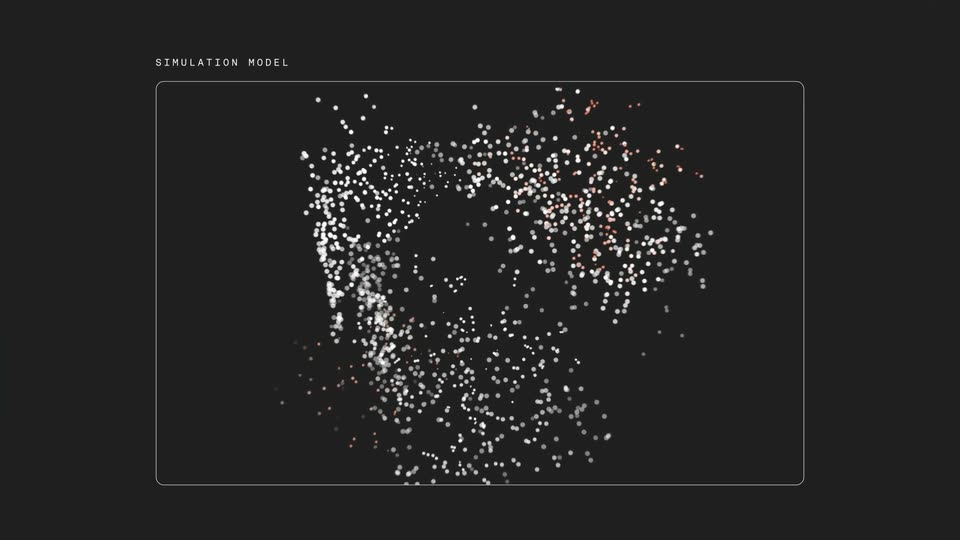
A 3D network of nodes, lines and small image thumbnails expands outward on black, clustered under category labels like HOME, COOKING and KITCHENS. The camera pulls back as the graph densifies, then it flattens into a world map built from tiny frame thumbnails while a caption sits at the bottom.
On-screen text: “It's not a labeling tool, it's a world indexer”, “It indexes the physical world frame by frame”
Techniques: Particles, Morph, Parallax
Camera: Push in
A black screen holds a world map built from thousands of tiny gray glyphs, with small thumbnail images of a hand placed across the continents. A white caption sits centered at the bottom, static throughout the shot.
On-screen text: “It indexes the physical world frame by frame”
Camera: Static
A man in a black t-shirt walks left to right past two rows of black humanoid robots seated on blue chairs in a bright lab. The camera tracks him at waist height as he passes. The robots stay still, hands resting on their knees.
Camera: Push in
A man in a black t-shirt and dark pants walks toward the camera down an aisle of black humanoid robot torsos seated on blue chairs, then bends to sit on an empty seat between them.
Camera: Pan
A man in a black t-shirt sits on a blue bench between four black humanoid robots, speaking to camera in a bright factory floor. The robots sit motionless with hands on knees, industrial equipment blurred behind.
Camera: Static
A man in a black T-shirt sits on a blue bench between rows of black humanoid robots in a bright factory, gesturing as he speaks. Large black stats, 5000, 1 Million, 2 Months, pop in above him in sync with his speech, with white subtitles at the bottom.
On-screen text: “Today, we have deployed over 5,000 Luci Pins”, “5000”, “all over the world”, “and we have collected over 1 million”, “1 Million”, “hours of videos in just 2 months”, “2 Months”
Techniques: Kinetic type
Camera: Static
A man in a black MEMORIES.AI T-shirt sits in a bright lab, gesturing as he speaks, flanked by seated humanoid robots with black heads and gray torsos. White subtitles run at the bottom while large white labels, Video Data Lake and Model Labs, appear over the robots.
On-screen text: “Every month, there are hundreds of thousands of hours”, “of memories”, “getting uploaded to our video data lake”, “Video”, “Data Lake”, “and then get indexed by our Large Visual Memory Model”, “into those structured data”, “we share those indexes alongside with those videos”, “with frontier robotics companies and frontier model labs”, “Robotics Companies', 'Model Labs' appear as large labels over the robots on the left, then subtitles continue with We help them to train their models and and we”
Camera: Push in
On a plain white background, a pill search bar types out the URL memories.ai/memories-upload letter by letter, its orange button filling in. The bar then expands into a dark upload row while a cursor arrow slides in. Below, a gray caption pill reads “Together, we accelerate physical intelligence.”
On-screen text: “Together, we accelerate physical intelligence”, “memories.ai/memories-upload”, “and we help them to train their robots”
Techniques: Kinetic type, Cursor demo, Morph
Camera: Static
A browser window holds a dark landing page where a wireframe arc of cards fills with first-person video thumbnails around the headline. The view then cuts to a small glowing camera module floating on black. A white caption sits at the bottom.
On-screen text: “Now, let's upload your memories and train your robots”
Techniques: 3D mockup
Camera: Push in
A macOS browser window shows a product page on a dark amber gradient: a small black camera sits in the center as its spec text fades in below. A white caption, “Now, let's upload your memories and train your robots,” appears at the bottom.
On-screen text: “Now, let's upload your memories and train your robots”
Camera: Static
A browser window frames a product page on a warm orange gradient. A small black camera hovers in the center above its spec text, while a white caption slides in along the bottom edge of the viewport.
On-screen text: “Now, let's upload your memories and train your robots”
Techniques: 3D mockup, Kinetic type
Camera: Static
A flat browser mockup frames a dark world map built from glowing white dots. A bright beam of light sweeps left to right across the map, flaring over a central orange node. White headline text on the left and two large white stats along the bottom hold still.
On-screen text: “memories.ai/memories-upload”
Techniques: Light sweep
Camera: Pull out
A white angular logo mark and the wordmark “memories.ai” hold centered on a pure black field, static, as the closing sign-off.
On-screen text: “memories.ai”
Camera: Static
A white URL sits centered on a plain black background. The frame is locked off, and the text remains static for the full duration of the scene.
On-screen text: “memories.ai/memories-upload”
Camera: Static