0:57

The new MacBook Pro with M6 delivers blazing-fast performance and up to 24 hours of battery life.
Apple · Hardware · Oct 2026
MacBook Pro · Aug 2026 · 0:59 · AI-annotated
MacBook Pro’s 0:59 launch film runs 38 scenes, about 1.6 s each. The product is on screen from the first frame and 7 features are revealed. There is no explicit call to action. The video is built as a chain of glowing title cards on black, each introducing one feature that is then proven in a tight 3D or UI demo, opening and closing on the MacBook Pro wordmark. Its signature moves are the cyan light sweep across text and aluminum edges, slow rim-lit 3D orbits, and a neon gradient reserved for the Apple Intelligence beat.
Is this your launch? to your site or press kit.
Apple · Hardware · Oct 2026
Apple · Hardware · Aug 2026
Linear · Productivity · Mar 2026
Films whose music sounds like this one, voice left out
Apple · Cinematic electronic trailer music
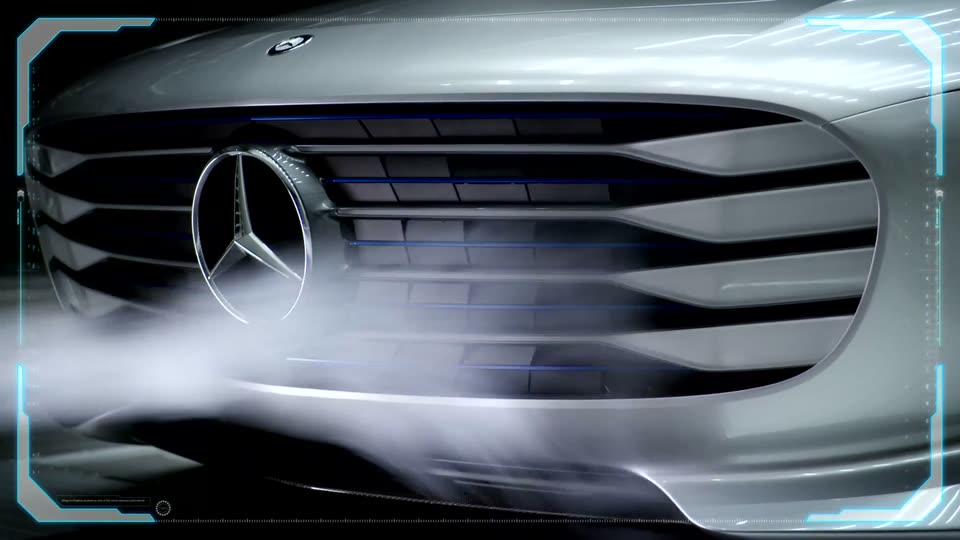
Mercedes-Benz Concept IAA · Cinematic trailer music, hybrid electronic
Microsoft · Modern cinematic trailer music
On a black background, the title “MacBook Pro” sits centered and locked in frame, fading up from near-black to a bright cyan glow over the clip.
On-screen text: “MacBook Pro”
Camera: Static
A backlit laptop keyboard glows at a sharp diagonal, then the camera pulls back and rotates to a three-quarter view, revealing the dark lid with its Apple logo and the row of side ports against black.
Techniques: 3D mockup
Camera: Pull out
A macro shot of a dark device's bottom edge pans slowly left, revealing a multi-pin port, two USB-C ports, and a headphone jack. A soft light sweeps across the metallic edge against a dark blue glowing screen.
Techniques: Light sweep
Camera: Static
Two MacBook Pros rotate in 3D from a front three-quarter view to a side profile, their open screens standing upright. Glowing 14″ and 16″ labels slide in on either side against the black background.
On-screen text: “14″”, “16″”
Techniques: 3D mockup, Kinetic type
Camera: Pull out
The phrase “Now with” fades in at the center of a black background. The white letters sit in a soft halo of light that brightens as the text reaches full opacity.
On-screen text: “Now with”
Camera: Static
Three square chip tiles fade up from black, each framed by a glowing gradient edge in teal, blue, and purple. White Apple logos with M5, PRO, and MAX labels sit centered on the tiles, while a small disclaimer line holds at the bottom.
On-screen text: “Chip availability varies by model.”
Camera: Static
Three square chip icons sit side by side on black, each showing the Apple logo with M5, M5 PRO, or M5 MAX in white. The colored gradients inside the squares pulse brighter and dimmer, while a small caption sits centered at the bottom.
On-screen text: “Chip availability varies by model.”
Camera: Static
A single line of white text sits centered on a black field. It brightens from a faint, dim state to full intensity, wrapped in a soft cyan glow that holds steady through the hold.
On-screen text: “Fast runs in the family”
Camera: Static
A 3D viewport fills the frame with glossy blue and amber fluid shapes dotted with small bubbles; the view slowly pushes in. The tagline 'Fast runs in the family' holds still, locked to the frame.
On-screen text: “Fast runs in the family”
Camera: Push in
A dark laptop faces the camera on a black background, its screen showing a photo editor window. A blue and gold bubble image inside the window slowly shifts and morphs. The device stays still, lit by a faint edge glow.
Techniques: 3D mockup
Camera: Push in
The tagline A pro at AI sits centered on a pure black background, rendered in light cyan sans-serif with a soft outer glow. The frame is locked off and the text holds still for the full duration.
On-screen text: “A pro at AI”
Camera: Static
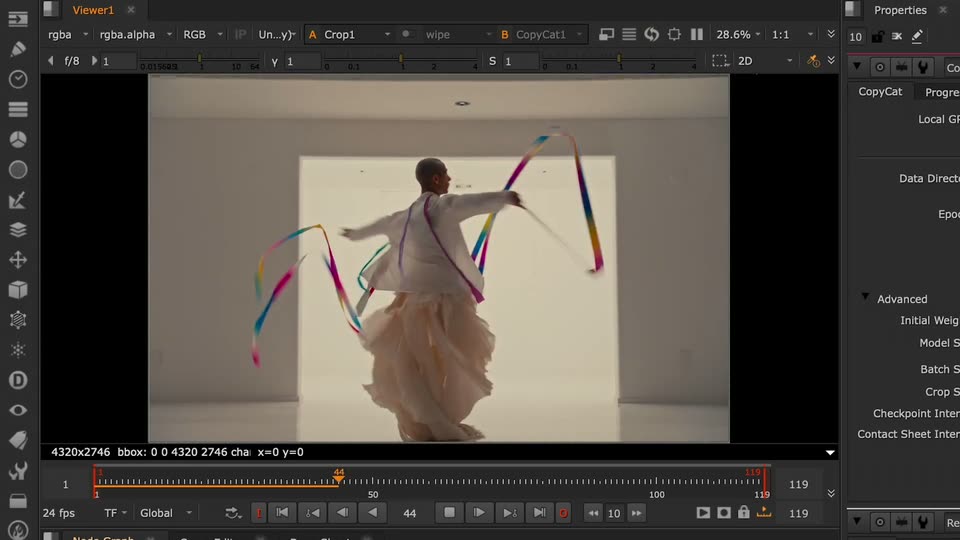
A dark software interface frames a central viewport showing a dancer in a cream dress spinning with long rainbow ribbons in a white, backlit studio. The footage plays forward as the timeline scrubber at the bottom advances from frame 20 to 35.
Camera: Static
A wide, static view of a node graph interface with panels titled Footage, Ground Truth, CopyCat Training and Inferenced Roto Mattes. A hand cursor hovers over a central node, which shifts from blue to orange as the clip plays.
Techniques: Cursor demo
Camera: Static
A dancer in flowing white garments stands in a bright white studio, arms wide, swinging long rainbow ribbons that arc around the body. The ribbons flash to solid red mid-motion. A small crosshair marker appears at the bottom center.
Camera: Static
A compositing tool fills the screen, its central viewport showing a woman in a cream dress standing in a white room while red ribbon strokes sweep across her body, tracing her arm movements. The timeline playhead advances right along the bottom.
Camera: Static
Centered on black, the words Apple Intelligence begin as a flat metallic gray with blue and pink fringes, then ignite into a glowing neon gradient running from blue to orange as the text scales up slightly.
On-screen text: “Apple Intelligence”
Techniques: Kinetic type
Camera: Static
On a black background, the words Personal. Private. Powerful. reveal one by one from left to right, each lit by a neon glow that shifts from blue to purple to orange. The full line holds, then fades to black.
On-screen text: “Personal. Private. Powerful.”
Techniques: Kinetic type
Camera: Static
A dark macOS mail window holds an open email with an orange Leadership Summit invitation graphic. A left options panel, its cursor resting on Summary, fades out over the clip.
Camera: Static
A dark purple Summary card with a right-pointing tail floats over an email thread, its body text fading in from dim to white while a cursor hovers in the center; the email panel sits at the right edge.
Techniques: Cursor demo
Camera: Static
A laptop in 3D perspective on black shows the Photos app. A photo of a person on a blue cylinder fills the canvas. The cursor drives the Clean Up brush across a long structure, a yellow highlight glowing as it is erased, then the frame fades to black.
Techniques: 3D mockup, Cursor demo
Camera: Push in
On a black background, the headline “All-day battery life” fades in from darkness to a bright white with a soft cyan glow, centered in the frame. A small white disclaimer line stays fixed at the bottom throughout.
On-screen text: “All-day battery life”, “Battery life varies by use and configuration.”
Camera: Static
A glowing teal battery icon fills from partial to full on a black background, its white outline brightening as the terminal nub appears. A large headline and a small disclaimer stay locked off throughout.
On-screen text: “All-day battery life”, “Battery life varies by use and configuration.”
Camera: Static
Centered on a black background, the glowing phrase “Up to” fades in, then “24 hours” is added to complete the line. A small disclaimer line sits below the headline.
On-screen text: “Up to 24 hours”, “Battery life varies by use and configuration.”
Techniques: Kinetic type
Camera: Static
On a black field, a glowing cyan line runs diagonally from top to bottom right, like a device edge catching light. The light blue title “Liquid Retina XDR display” fades in at center left, brightening as the line shifts.
On-screen text: “Liquid Retina”, “XDR display”, “Up to 24 hours”
Techniques: Kinetic type, Light sweep
Camera: Static
On a black background, the headline builds word by word. The word brightness glows cyan as a light sweep crosses it, then the line completes with and high contrast in white.
On-screen text: “Extreme brightness and high contrast”
Techniques: Kinetic type, Light sweep
Camera: Static
A single line of white text sits centered on a black background. A soft glow travels along the line, flaring around the middle words as it passes.
On-screen text: “Extreme brightness and high contrast”
Techniques: Light sweep
Camera: Static
A tilted laptop mockup shows a photo editor displaying a model in gold fringe against red and blue. The view zooms into the screen as the colors saturate, then a diagonal light sweep crosses the full-frame portrait.
On-screen text: “Extreme brightness and high contrast”
Techniques: 3D mockup, UI zoom, Light sweep
Camera: Push in
On a black background, the line “12MP Center Stage camera” fades in centered, glowing white on the left and blue on the right, holds briefly, then fades to black. The frame stays locked off throughout.
On-screen text: “12MP Center Stage camera”
Camera: Static
A black frame holds a small circular lens element centered, its rim catching a blue glint that drifts around the top. The ring scales up slowly while the caption 12MP Center Stage camera holds still beside it.
On-screen text: “12MP Center Stage camera”, “O”
Techniques: Light sweep
Camera: Static
A MacBook at a slight angle on a dark stage, blue glow behind it. Its screen shows a FaceTime call: a woman in a dotted shirt gestures in the main tile, four smaller tiles in the corner. The camera pushes in.
Techniques: 3D mockup
Camera: Pull out
On a black field, the phrase 'Connectivity and security' sits locked in place. The first word glows bright cyan while the rest stays dim, then a light sweep flares the entire line to white.
On-screen text: “Connectivity and security”
Techniques: Light sweep
Camera: Static
Two dark laptop side profiles float in 3D on a black field, the upper edge showing a Thunderbolt port and the lower an SD slot and HDMI port. Small white labels fade in above and below each port.
On-screen text: “Thunderbolt”, “SD”, “HDMI”
Techniques: 3D mockup
Camera: Static
A matte black speaker module with a glowing green dot slides down beneath a perforated metal grille. Small port labels appear at the side, Thunderbolt scaling into place while SD and HDMI hold still.
On-screen text: “Thunderbolt”, “SD”, “HDMI”
Techniques: Kinetic type
Camera: Static
A locked-off close-up of a dark keyboard shows the F12 key beside a fingerprint sensor. The sensor's blue concentric rings pulse and rotate, then the glow fades to black as the rings dim.
Camera: Static
A half-open MacBook Pro sits in 3D perspective on black, the lid angled to show the Apple logo while the keyboard faces up. The camera orbits from a tight side angle to a wider three-quarter view, rim light tracing the aluminum edges.
Techniques: 3D mockup
Camera: Static
On a black background, the product name MacBook Pro sits in light cyan sans-serif. A soft light sweep crosses the text from left to right, brightening the word Pro and blooming a glow around the centered title.
On-screen text: “MacBook Pro”
Techniques: Light sweep
Camera: Static
A black screen holds the MacBook Pro wordmark, its M formed by a glowing cyan Apple logo. The letters fade out until only the logo remains centered, then it dims to black. A small white disclaimer line sits at the bottom throughout.
On-screen text: “MacBook Pro”, “Some software sold separately.”
Camera: Static
A solid black screen holds with no visible content, text, or motion for the full length of the clip, serving as a blank transition.
Camera: Static