1:50
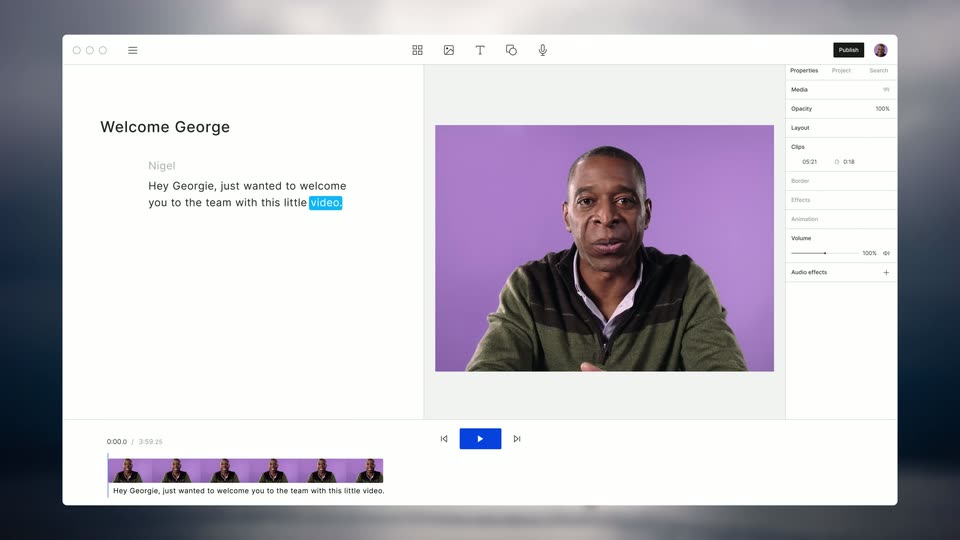

The New Descript: A Better Way to Create Video, From Start to Finish
Descript · Design · Nov 2022
Lovable · Dec 2025 · 0:40 · AI-annotated
Lovable’s 0:40 launch film runs 23 scenes, about 1.8 s each. The product is on screen from the first frame and 1 feature is revealed. There is no explicit call to action; a voiceover carries the film. Soft pastel gradients and a single feature title card open the film, then a fast cut of UI screens walks one workflow from a Miro prompt to a finished app, capped by a dark-gradient brand lockup. Pacing sits near 96 bpm with quick 1 to 2 second cuts, and the signature moves are the drifting gradient arrow cursor, the blur-to-sharp focus racks, and the glow that tracks the active tile.
Is this your launch? to your site or press kit.
Descript · Design · Nov 2022
The Browser Company · Productivity · May 2023
Craft · Productivity · Nov 2025
A plain white field holds a soft peach glow in the upper right corner. The light bloom stays static across the brief shot, with no text, object or motion.
Camera: Static
On a near-white background with a soft pink glow in the top-right corner, a pink mark of three connected circles fades in on the left as a faint pink wordmark forms to its right.
On-screen text: “Con”
Camera: Static
A purple node logo and the word Connectors fade in at center on a soft peach gradient background. The frame stays locked off as the mark and wordmark settle into place, the text shifting from faint pink to a purple-to-magenta gradient.
On-screen text: “Connectors”
Camera: Static
A maroon “Connectors” title with a node-link icon sits on a pink-to-purple gradient, then the frame cuts to a three-column grid of integration cards, each pairing a small icon with a name and a one-line description.
On-screen text: “Connectors”
Camera: Static
A grid of integration cards scrolls downward on a light background; each card pairs a logo with a name, a one-line description, and a plus button. A pink-and-blue gradient arrow drifts diagonally across the grid as the Miro card lights up with a white border and a pink glow.
Camera: Push in
A pale grid of integration cards fills the frame; a gradient cursor hovers the Miro tile, which flips to a green Enabled badge. The screen crossfades to a purple gradient settings view as a white panel slides up, revealing a left menu and a Connectors panel.
Techniques: Cursor demo
Camera: Pull out
A white settings panel sits on a pink-to-orange gradient. The connectors list scrolls downward past tool names as a rainbow gradient arrow cursor glides down the right edge, then hovers over the Miro row, which lights up gray before a quick blur transition.
Techniques: UI zoom, Cursor demo
Camera: Pull out
A rounded prompt bar on a pastel pink and purple gradient types out a sentence, with “find companies” in a blue-pink gradient. A cartoon hand drags a yellow-bordered Miro board thumbnail into the bar, and a yellow Miro chip plus a second line of text appear.
Techniques: Kinetic type, Cursor demo
Camera: Static
On a pink gradient, a chat input holds a Miro board thumbnail and a prompt about finding companies. The view expands into a purple two-panel interface: the left keeps the prompt, the right reveals a 3D-tilted app preview titled Lovable Cloud.
Techniques: 3D mockup
Camera: Static
A split screen pairs the Lovable chat, where the AI streams a design brief, with a preview pane that builds the LeadFinder web app from a placeholder card. The shot then reframes onto the chat column.
Techniques: Split screen, UI zoom
Camera: Push in
A Lovable agent chat panel sits on a pink and purple gradient. The agent's reply types out line by line, asking the user to add a Firecrawl API key, above an input bar labeled Ask Lovable.
Techniques: Kinetic type
Camera: Static
A white Lovable chat card sits on a pink gradient. The interface scrolls down as an Add Secret form with an API key field and a blue Submit button appears, then a bulleted feature list and a What's next line slide into view.
Camera: Static
A chat interface scrolls down through markdown updates while the view zooms in on the text, then a Connect Firecrawl card appears with a blue button that flips to Connected under a purple glow, before the whole frame blurs out.
Techniques: UI zoom, Light sweep
Camera: Pull out
A LeadFinder web page opens out of focus and pulls sharp, revealing a centered heading, a search field with a blue Analyze button, and three feature cards stacked below.
Camera: Static
A CRM dashboard card sits on a peach gradient as its area chart fills in, the funnel bars grow and the stat figures settle into place. The frame holds steady on the full layout.
Camera: Static
A rounded browser window of the Tentaklar site sits in 3D perspective against a soft gradient that shifts from pale blue to pale green. The page holds a centered headline, a subline, and a search bar, all static while the background hue drifts.
Techniques: 3D mockup
Camera: Pull out
A dark habit-tracker dashboard sits centered on a purple gradient. The performance bars grow, the activity heatmap fills cell by cell from the bottom row upward, and blurred app icons fade in behind the panel.
Camera: Pull out
A large white heart tile sits at the center of a grid of smaller white tool logos on a dark blue to pink gradient. The frame opens soft and out of focus, then racks into sharp focus as the tiles settle into place.
Camera: Pull out
A grid of white line icons in frosted rounded squares floats on a dark blue to pink gradient. The large central heart icon and the smaller surrounding icons gently scale, slide and blur, pulsing in place.
Camera: Static
Centered text 'now in Lovable' slides in over a static blurred gradient that fades from dark navy at the top to blue and pink below, then the lettering shifts from white to teal.
On-screen text: “now in Lovable”
Techniques: Kinetic type
Camera: Static
A gradient heart, orange at the top fading to pink at the tip, sits centered on a black background. The caption “now in Lovable” slides in across the frame on a locked-off shot.
On-screen text: “now in Lovable”
Techniques: Kinetic type
Camera: Static
A gradient heart icon, orange fading to magenta, sits centered on a black field, then slides left as the white word Love fades in beside it to form a logo lockup.
Camera: Static
A near-black frame holds the Lovable logo centered: a gradient orange-to-purple heart icon left of a white wordmark. The mark eases from a soft blur into a sharp, static lock-off and holds.
On-screen text: “Lovable”
Camera: Static