1:26
Mireye | Infrastructure for Physical World AI Agents
Mireye · B2B · Nov 2026
Ledger · Apr 2026 · 1:02 · Full motion · AI-annotated
Ledger’s 1:02 launch film runs 28 scenes, about 2.2 s each. The product shows up at 0:05 and 9 features are revealed. The call to action lands at 0:56 (90% in). A fast 145 bpm launch film built as a system upgrade: a black HUD of dots and plus marks carries a hard-cut headline stack into a back to back tour of app features, each announced by a bold left aligned headline over a 3D coin or UI demo. The signature moves are the spinning neon coins, the glowing purple wave line, and the halftone color shifts on the hardware wallet, all resolving into a purple download call to action and a bracketed logo card.
Is this your launch? to your site or press kit.
Mireye · B2B · Nov 2026
Confido Health · Oct 2026
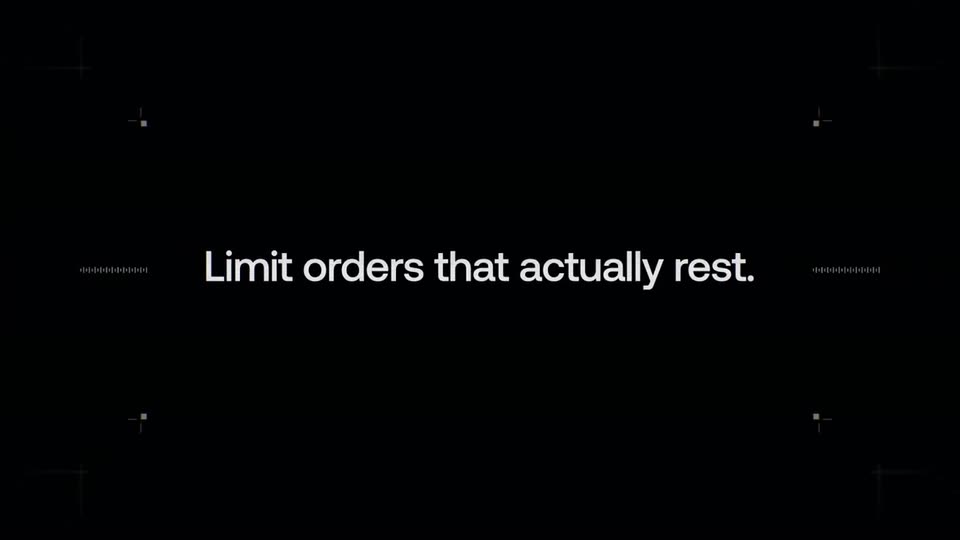
White corner brackets and crosshair lines expand outward on a black field around a small still tagline, then a hard cut lands on a dotted system-upgrade screen where a green bar fills from 45% to 96% and a huge counter flips from 45% to 4.0.
On-screen text: “TRUST YOURSELF”, “DOWNLOADING_SYSTEM_UPDGRADE”
Techniques: Kinetic type
Camera: Static
A flat green frame holds the black headline SYSTEM UPGRADED in two lines; missing letters snap in to complete the words over thin white outline circles and plus markers, with small monospace labels fixed at the edges.
On-screen text: “4.0 / LAUNCH #”, “REPOSITORY ACCESSED”, “SYSTEM_RECALIBRATED”, “XXXXXX VERSION_4.0”, “[DOWNLOAD COMPLETE]”, “LAUNCHING”, “VERSION_4.0”, “SYSTEM UPGRADED”
Techniques: Kinetic type
Camera: Static
Light green field with faint white dot grids and plus marks. The black headline Manage your crypto resolves from a jumbled overlapping stack into two clean left-aligned lines, while a small white log caption sits in the top right.
On-screen text: “Manage your crypto”
Techniques: Kinetic type
Camera: Static
A red title card with the white headline “faster and easier” in two lines; the words land with motion blur and “easier” settles with a scale. A vertical dotted stripe, small technical captions, plus and dot marks, and an orange bar with a left arrow sweep across the lower right.
On-screen text: “Manage”, “your crypto”, “faster and easier”, “LEDGER COMPILER ---- APPLICATION UPGRADE 4.0 / LAUNCH # REPOSITORY ACCESSED”
Techniques: Kinetic type
Camera: Static
A light card with a faint grid of green plus and dot marks. The large headline reads than ever before; than is solid black while ever and before start gray and fill to black over the second. Small monospace HUD labels sit at the corners.
On-screen text: “than ever before”
Techniques: Kinetic type
Camera: Static
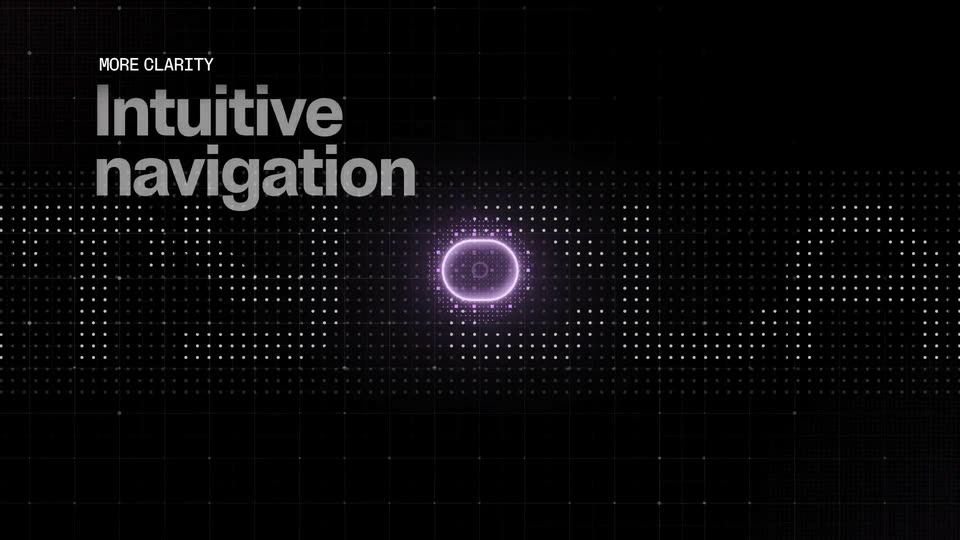
A black field with a faint dot grid holds a small white label “MORE CLARITY” and a large gray headline “Intuitive navigation” at left, while a glowing purple ring with orbiting particles assembles in the center.
On-screen text: “MORE CLARITY”, “Intuitive navigation”
Techniques: Particles
Camera: Static
A glowing purple navigation pill listing Home, Swap, Earn and Card rests on a black dotted grid. The icons sharpen and the Home tab gains a rounded selection fill while a faint ring of particles fades behind the headline.
On-screen text: “MORE CLARITY”, “Intuitive navigation”
Camera: Static
A glowing pill navigation bar fills the frame under the headline Intuitive navigation, then the view pulls back so the bar sits small at the bottom as a Mood card with a gauge and red Fear text rises in the center and the headline switches to New Insights.
On-screen text: “MORE CLARITY”, “Intuitive navigation”, “New Insights”
Techniques: UI zoom, Kinetic type
Camera: Pull out
White headlines sit top-left over a dot-grid backdrop with a purple wave line; a 3D-tilted mood card glows center, its gauge sweeping as the count climbs and the word flips from red Fear to green Greechy; the card blurs and slides left as a new card enters from the right.
On-screen text: “MORE CLARITY”, “New insights”
Techniques: 3D mockup
Camera: Static
A crypto portfolio interface features floating 3D cards for various coins arranged along a glowing line chart. The cards have colored outlines indicating price trends. A bottom navigation bar is visible at the bottom of the screen.
On-screen text: “MORE CLARITY”, “Informed decisions”
Techniques: 3D mockup
Camera: Pull out
On a dark dotted grid, a glowing blue ETH coin and an orange BTC coin float above matching neon input bars, with a swap arrow icon popping in between them. The headline “Faster swaps” and the label “MORE CHOICE” fade in at the top left while the bars fill with account labels.
On-screen text: “MORE CHOICE”, “Faster swaps”
Techniques: 3D mockup, Kinetic type
Camera: Static
A dark swap screen on a dotted grid. A glowing 3D ETH coin sits left of a swap icon; the right coin spins and flips from a blurred BTC face to a green USDC face. Top summary and bottom pills update to match. White headline holds top left.
On-screen text: “MORE CHOICE”, “Faster swaps”
Techniques: 3D mockup
Camera: Static
Two glowing 3D coins, Ethereum left and USDC right, sit over a dotted grid with flat swap cards and a bottom nav bar. The USDC coin snaps from blur to focus, the swap button shrinks, and the headline crossfades from Faster swaps to a ghosted Enhanced flexibility as the top-right pair chip slides down.
On-screen text: “MORE CHOICE”, “Faster swaps”, “Enhanced flexibility”
Techniques: 3D mockup
Camera: Static
A dark swap screen shows the headline “Enhanced flexibility” on the left and a provider list on the right. Two glowing 3D coins, an ETH diamond and a USDC dollar, spin in the center while account pills slide across the bottom.
On-screen text: “MORE CHOICE”, “Enhanced flexibility”
Techniques: 3D mockup
Camera: Static
On a dark dotted grid, a glass 3D coin with a neon dollar mark sits beside the swap screen. The quote list collapses to one OKX card with a Swap button, then the layout crossfades to a transaction review panel as the headline changes.
On-screen text: “MORE CHOICE”, “Enhanced flexibility”, “Smoother connectivity”
Techniques: 3D mockup
Camera: Static
A 3D hardware wallet rotates into view on the right, its screen stepping from a transaction review to a signed state. On the left, a swap panel sits under the headline Smoother connectivity, then a green check badge pops in the center as the panel fades out.
On-screen text: “MORE CHOICE”, “Smoother connectivity”
Techniques: 3D mockup
Camera: Static
A dark app screen shows a blurred earnings chart and a bottom tab bar. A white headline with a green checkmark badge sits over the chart, then both fade out to reveal the graph and its axis labels.
On-screen text: “MORE CHOICE”, “Smoother connectivity”
Camera: Static
A dark crypto Earn screen shows an asset list with a glowing USDC row and a purple line graph. A 3D blue dollar coin spins in on the right inside a targeting reticle as the white headline settles in.
On-screen text: “MORE CONTROL”, “Make your assets work for you”
Techniques: 3D mockup
Camera: Static
Dark grid backdrop with a white headline and a crypto earn list scrolling up on the left. Neon 3D coins rotate along a wave line, then the UI slides away and a 3D card mockup with a Ledger tag scales in at center.
On-screen text: “MORE CONTROL”, “Make your assets work for you”, “Compatible with LEDGER”
Techniques: 3D mockup
Camera: Pan
A dark dotted grid holds a card with a rainbow dot matrix and the OCL logo, set under the headline Crypto meets cash. The view reframes into a phone screen as a yellow card slides in below the first, with a bottom tab bar.
On-screen text: “MORE CONTROL”, “Crypto meets cash”
Techniques: UI zoom
Camera: Static
A phone mockup showing a crypto card app sits on a dark dotted grid, with the white headline 'Crypto meets cash' top left. The phone and headline dissolve into a halftone dot pattern and fade to black, leaving the grid and the bottom nav bar.
On-screen text: “MORE CONTROL”, “Crypto meets cash”
Techniques: 3D mockup, Masking
Camera: Static
A 3D Ledger Nano Gen5 rotates on the right, flipping from its white app screen to its black back, while a teal spec card on the left lists the model name, color swatches and hex code. The device and card exit as the dotted grid background holds.
On-screen text: “MORE COLORS”, “Ledger Nano™ Gen5”, “2.8” ENHANCED CLARITY”, “USB-C BLUETOOTH NFC”, “LEDGER RECOVERY KEY INCLUDED”, “COLORS”, “Glacier White”, “H S V”, “#FFFFFF”, “BADGES”
Techniques: 3D mockup
Camera: Static
A white Ledger Nano Gen5 hardware wallet spins in 3D on the right over a blue halftone dot background. A spec panel on the left lists features and colors; the swatch selection moves to green, and the device body and background shift to matcha green.
On-screen text: “MORE COLORS”, “Ledger Nano™ Gen5”, “2.8″ ENHANCED CLARITY”, “USB-C BLUETOOTH NFC”, “LEDGER RECOVERY KEY INCLUDED”, “COLORS”, “Glacier White”, “H S V”, “#FFFFFF”, “BADGES”
Techniques: 3D mockup
Camera: Static
A 3D hardware wallet tilts on the right over a halftone backdrop with faint MATCHA lettering; the pattern and the device shift from matcha green to cherry red as the left spec panel's swatch selection moves and its color name updates.
On-screen text: “MATCHA”, “MORE COLORS”, “Ledger Nano™ Gen5”, “2,8″ ENHANCED CLARITY”, “USB-C BLUETOOTH NFC”, “LEDGER RECOVERY KEY INCLUDED”, “COLORS”, “Matcha Green”, “#C7D0BF”, “BADGES”
Techniques: 3D mockup
Camera: Static
A teal spec panel lists the Ledger Nano Gen5 on the left. On the right, a red hardware wallet floats in 3D over a halftone circle, then white and green units slide in and fan out behind it.
On-screen text: “MORE COLORS”, “Ledger Nano™ Gen5”, “2.8” ENHANCED CLARITY”, “USB-C BLUETOOTH NFC”, “LEDGER RECOVERY KEY INCLUDED”, “COLORS”, “H”, “S”, “V”, “3 NEW COLORS”
Techniques: 3D mockup
Camera: Static
A light gray field holds the headline TRADE DIFFERENT in offset black and white layers, then the background inverts to black as the layers collapse into one clean white type while grids of plus signs and dots fill the frame and small HUD labels fade in.
On-screen text: “TRADE DIFFERENT”, “VERSION_4.0”, “TRUST YOURSELF”, “LAUNCHING”, “SYS_UPGRADE”, “LEDGER COMPLET”, “APPLICATION UPGRADE”, “[ DOWNLOAD COMPLETE ]”, “LDG_26”
Techniques: Kinetic type, Morph
Camera: Static
On a black background, the purple headline Download Ledger Wallet sits over a dotted strip and a large outlined 4.0. The lower line fades from dim to full purple while tiny labels and store badges hold still, then the frame cuts to black.
On-screen text: “Download Ledger Wallet”, “LEDGER”, “BATTLE_TESTED_SECURITY”, “BOLD_NEW_COLORS”, “LAUNCHING”, “VERSION 4.0”, “TRUST YOURSELF”, “Download on the App Store”, “GET IT ON Google Play”
Techniques: Kinetic type
Camera: Static
On a black background, the LEDGER wordmark in thin outlined type sits inside four corner brackets. The lockup starts nearly invisible and brightens to full white over the clip. The frame stays locked and centered.
On-screen text: “LEDGER”
Camera: Static