1:15


screenpipe (YC S26) | Record how you work and turn that into agents
Screenpipe · Jul 2026
Higgsfield AI · Nov 2026 · 1:25 · AI-annotated
Higgsfield AI’s 1:25 launch film runs 44 scenes, about 1.9 s each. The product is on screen from the first frame and 5 features are revealed, with social proof. The call to action lands at 1:22 (97% in), over a voiceover. The video is built as a single creator's journey that chains MCP slash-command demos (3D, video, social, ads, billboard), each opened by a prompt bar and cut against live-action payoff shots of the finished product. Its signature moves are rack-focus pulls between live footage and 3D or glass UI, green pixel glitch transitions, and the recurring Higgsfield star and costumed cat.
Is this your launch? to your site or press kit.
Screenpipe · Jul 2026
Rivet · B2B · Jul 2026
Films whose music sounds like this one, voice left out
Higgsfield · High-energy electronic music, primarily drum and bass, with cinematic sound design.
Magic Eden · Electronic dance music, trap, future bass
A blurred 3D desk racks focus as the camera settles into a top-down view of an orange cutting mat. The Higgsfield MCP × Claude lockup sits above a large MCP 2.0 that scales in inside a selection box, then a green toggle flips on over the text.
On-screen text: “Higgsfield MCP × Claude”, “MCP 2.0”
Techniques: 3D mockup, Kinetic type
Camera: Push in
A close-up of a woman with round glasses looks down at a blurred hand holding a pencil, shallow focus on her eyes. A small label sits fixed while a large title scales in over the shot.
On-screen text: “2HiggsfieldMCP ×Claude”, “MCP.2.0”
Techniques: Kinetic type
Camera: Static
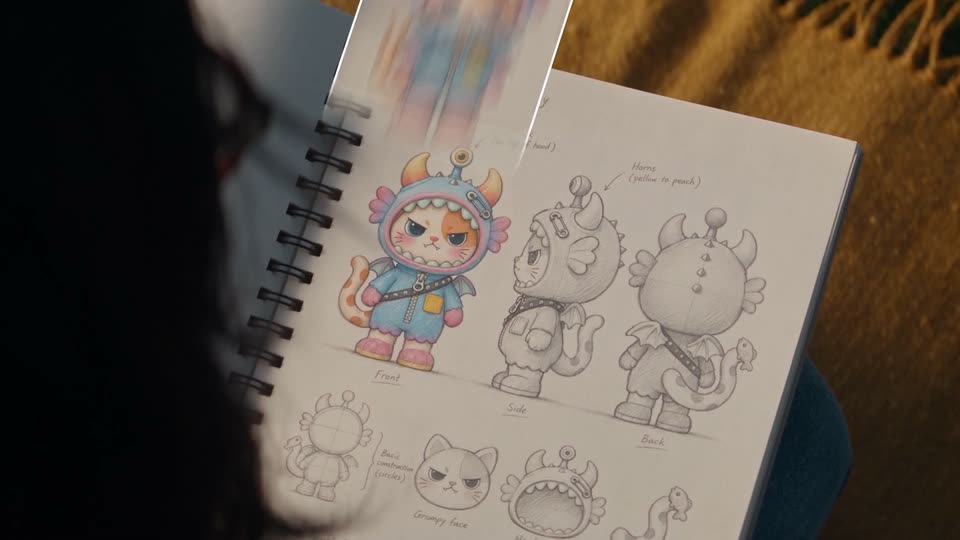
Over-the-shoulder shot of an open spiral sketchbook on a lap, showing a grumpy monster cat design in front, side and back views with handwritten notes. A white rounded-rectangle selection frame hovers over the colored front drawing, then drifts up-left as a small white pill slides in at the top.
Camera: Static
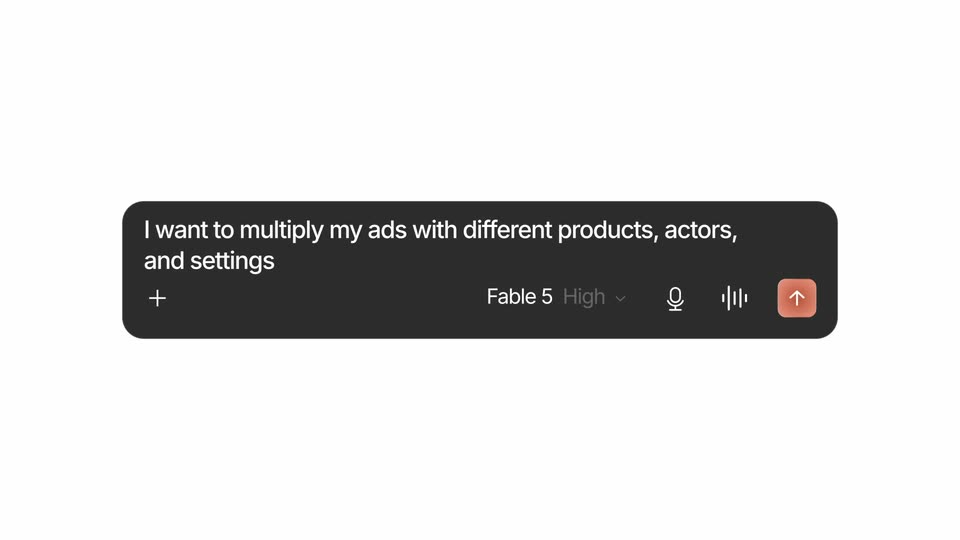
A white rounded prompt bar sits centered on a light gray field, holding a cartoon character thumbnail on the left, the text Claude Fable 5.2 in the middle, and a mic icon with an orange up-arrow button on the right. A white hand cursor rests on the thumbnail as the whole bar scales up from small to large.
Techniques: UI zoom, Cursor demo
Camera: Static
A white chat card sits on a light gray field. The view zooms into the input line as a slash-command dropdown opens under the green prompt, highlighting /use-blender. The menu closes and the line completes with the typed request beside a costumed cat illustration.
Techniques: UI zoom
Camera: Push in
A person sits cross-legged on a blanket in a sunlit field, holding a sketchbook open. The pencil sketch on the page morphs into a 3D knight figure that rises above the notebook, surrounded by drifting green pixel squares.
On-screen text: “higgsfield /use-blender Turn my sketch into a 3D toy”, “Claude Fable 5.2”
Techniques: Particles, Morph
Camera: Push in
On a white grid floor, a wireframe cat character fills with gray clay, then bursts through green pixels into a colored 3D figure in a blue monster hood. Wireframe envelopes drift around it while the camera pushes in close. A top-left caption reads Generating assets with Higgsfield.
On-screen text: “Generating assets with Higgsfield”
Techniques: Morph
Camera: Pull out
A 3D toy figure in a blue suit stands right of a 2D technical sketch. A red line links a circled part on the sketch to the figure's arm, where an exclamation icon pulses, while two caption cards type out below.
On-screen text: “Quality Control: the model doesn't match the sketch.”, “Returning to Blender to fix it...”
Techniques: 3D mockup, Kinetic type
Camera: Pan
A blue hooded cat creature with a snake tail stands on a 3D grid floor as the camera orbits it. Wireframe envelope icons float in from the sides while a color-split glitch flickers across its outline.
Techniques: 3D mockup, Parallax
Camera: Pull out
A cat figurine on a desk wears a bright wireframe and grid that dissolve away, while the focus pulls from the object to the woman holding it. Two white pill captions with red spark marks appear at left, then fade as she sharpens into focus.
On-screen text: “Fixed the model to match your sketch”, “3D-printed the final version”
Techniques: 3D mockup
Camera: Static
A vertical camera app viewfinder frames a woman with round glasses who lifts a small horned monster toy toward the lens. The locked-off interface shows a 00:03 timer, speed chips, and a red record button while she speaks.
Camera: Static
A woman with dark hair and glasses holds a small horned cat figurine toward the lens inside a camera app viewfinder. The overlay shows a red record button, a counting timer, and a Video mode tab. Her hand tilts the toy and her head shifts as she speaks.
Camera: Static
A video of a woman holding a green doll shrinks into a rounded square thumbnail while a white card reorganizes beside it, a label sliding in next to a red circular button.
Techniques: Morph, Kinetic type
Camera: Static
A white rounded prompt bar with a video thumbnail and green and black prompt text slides left and sharpens from blur into focus. A second card stacked behind it follows, revealing an orange pixel-art image and a red button on its right.
Camera: Static
A video editing timeline with filmstrip thumbnails and a red playhead sits on a white background. Red Editing tags and cursor arrows drift across it with heavy motion blur while a blurred preview frame slides in from the right.
Techniques: Kinetic type, Parallax
Camera: Static
A video editing timeline with thumbnails and a red playhead shrinks toward the left as a red 'Editing' pill follows it. A phone in 3D perspective then scales up at center, showing a palm holding a small cat figurine beneath bold white 'HAD AN IDEA' letters and an 'after school' caption.
On-screen text: “Editing”
Techniques: 3D mockup
Camera: Pull out
A flat editor screen: on the left a thumbnail timeline zooms out to reveal the full 0 to 12 second range with a red Editing button, while the right side shows a vertical preview of a person lying among toy figures as white circle outlines appear around the toys.
Techniques: Split screen, Cursor demo, UI zoom
Camera: Pan
A video editor timeline with labeled thumbnails sits on the left. On the right, a large video crop shrinks into a centered phone frame showing a woman placing a red hat on a clay figure, as white text overlays appear over the footage.
On-screen text: “now i'm”, “TURNING”, “THEM”, “into my own”
Techniques: Kinetic type
Camera: Push in
A phone mockup tilts in 3D showing a toy figurine on a social feed, while comment cards fan in from both sides. The caption now i'm TURNING THEM into my own slides and scales over the scene.
On-screen text: “now i'm”, “TURNING”, “THEM”, “into my own”
Techniques: 3D mockup, Kinetic type
Camera: Pull out
A sharp comment card sits centered over a blurred field of comment cards and a muted video. The focus then racks to the right, blurring the center card and bringing a second comment card into focus.
Camera: Pan
A woman with dark hair and red-framed glasses grins at a laptop, which sits blurred in the foreground. Soft daylight fills a shallow-focus interior; she leans in and her smile widens across the shot.
Camera: Static
A woman in a white shirt sits at a sunlit desk facing a window. The camera pans left across the desk, revealing a row of 3D printers, each printing a small figurine. A white notification pill with a red star logo and text sits in the top left corner.
On-screen text: “Printing incoming orders · 12 in queue”
Camera: Push in
Over-the-shoulder shot of a woman in glasses holding a phone, her thumb swiping a video feed from one post to the next. A laptop on the desk behind her shows the same profile page with a grid of thumbnails. Shallow depth of field, locked-off frame, office window in the background.
Camera: Static
A small blue dragon figurine with pink and yellow horns sits sharp in the left foreground. A woman with glasses in a cream top holds a phone behind it. The focus pulls from the figurine to her face as she lifts her gaze to the camera.
On-screen text: “sulkits_toys”
Camera: Static
A white prompt bar mockup floats in 3D on a pale background, tilted with a soft shadow. A green 3D monster character pops in on the left under a hand cursor, then the whole bar slides right so the character exits the left edge.
Techniques: 3D mockup, Cursor demo
Camera: Pan
A white chat input card with a 3D cat avatar scales up on a light background as the prompt “higgsfield /genjutsu Put my character in this video” types in word by word. The background crossfades to a dark blurred photo grid and the card becomes a dark glass panel.
Techniques: UI zoom, Kinetic type
Camera: Push in
A dark prompt bar with a green character thumbnail and a typed command sits over a blurred, gridded photo collage. It cuts to a vertical video card of people at center, joined by thin lines to a bright green logo node on the right.
Camera: Push in
A tilted 3D carousel of cat figurine cards sits on a green grid, yellow perspective lines linking the center panel to a glowing circular logo at right. The view sharpens from a soft blur to a crisp frame as a lens flare blooms at the top.
Techniques: 3D mockup
Camera: Pan
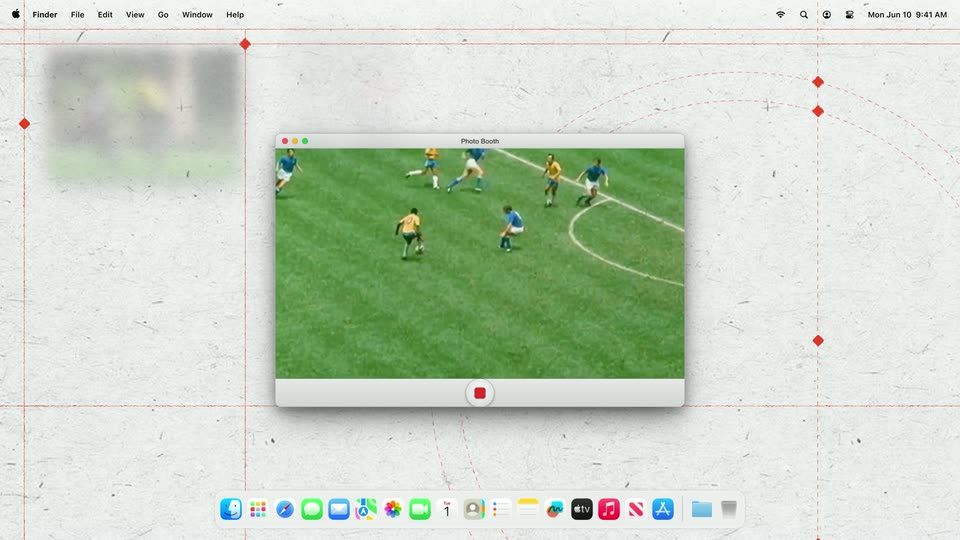
A green grid backdrop holds a tilted 3D panel that flips from a soccer clip to a white cat figurine, while a glowing green sphere bearing a white glyph drifts right and shrinks, tethered to the panel by a thin line.
On-screen text: “2”
Techniques: 3D mockup, Morph
Camera: Pull out
A dark grid holds blurred toy-figure photos; a glowing green circle with a stylized '2' mark sits left, lines fanning to a central frame. Inside, a 3D white cat-hooded character on a green pitch rotates under yellow tracking corners and crosshairs.
On-screen text: “2”
Camera: Static
A woman in a blue top and glasses stands on a sunlit café street, looking at her phone. A white prompt card with a small mushroom-capped character and the text 'Launch ads to grow my audience' scales in on the left, then she turns and walks out of frame right.
Camera: Pull out
A glass Meta ad-budget panel floats over a cafe where a woman in a teal top reaches toward it. Red, blue and green cursors tagged Schedule, Budget and Strategy tap the dropdown and hover the dollar fields as the value updates.
Techniques: Cursor demo
Camera: Static
A woman in a teal top, holding a laptop and phone, reaches toward a floating translucent Meta panel in a cafe. The $200/day button fills white and a pink Schedule tag pops in as the panel glass fades.
Techniques: 3D mockup
Camera: Static
A whip pan across a sunlit cafe starts on a woman in a teal top holding a tablet and folder, then swings left to a woman seated at a table working on a laptop.
Camera: Pan
A woman in a blue sweater sits at a cafe counter with a laptop, lifting a cup. A product UI panel slides in from the right with motion blur, showing a search bar and a dotted map with location pins.
Camera: Static
A woman drinks from a cup at a sunlit cafe counter as a small dog sleeps on the floor. A floating 3D glass panel on the right shows a dotted map; a cursor taps San Francisco, the map zooms onto a glowing node, and a list fills in.
Techniques: 3D mockup, Cursor demo, UI zoom
Camera: Static
A woman in a blue sweater sits at a cafe table, then stands and walks out of frame, revealing the laptop showing an ad campaign review interface. A croissant and coffee cup rest on the table. The screen switches to a setup view listing target locations.
Camera: Static
A white command bar on a light gray field loads a 3D toy figure into its thumbnail as a slash menu drops in and scrolls. A command is picked, the prompt fills in, and the frame zooms to the bar with an orange pixel glow on the send button.
Techniques: UI zoom, Particles
Camera: Pan
An After Effects workspace fills the frame; a cartoon cat in a blue space suit pops in front of the big black MUKO wordmark as white rays burst out. Colored pill tags (MCP Layers, FX, Shapes, Color, Type, Keys, Audio) slide in to label panels and timeline rows.
On-screen text: “higgsfield”, “Claude Fable 5.2”, “ad for my toy”, “MCP Layers”
Techniques: Cursor demo
Camera: Static
A large 3D cube billboard on a building corner shows a stylized character in a space helmet against a pink and orange checkered backdrop, with floating shapes and 3D lettering. The camera tracks around the corner while pedestrians cross the street in the blurred foreground.
Techniques: 3D mockup
Camera: Pan
A group of young people stand on a city street, gazing upward and pointing; one raises a phone to take a photo. The medium shot frames them against a stone building facade as they gesture and smile.
Camera: Static
Three small character keychains, white, green and black, hang from a brown suede bag and sway gently. The camera drifts right and the focus softens, the figures blurring out of focus by the end of the clip.
Camera: Pan
A woman with glasses and a white dress walks toward the camera. The shot racks focus from blurred figurine charms hanging on a brown bag in the foreground to her face.
Camera: Static
A woman with dark hair and glasses in a cream blouse stands on a city street, crosses her arms, and tilts her head up with a faint smile. A white caption sits centered over her while the camera holds still.
On-screen text: “HIGGSFIELD MCP 2.0 IS NOW AVAILABLE IN CLAUDE”
Camera: Static