0:17


Ramp - STABLECOINS ARE NOW ON RAMP. Your business operates 24/7, but your m
Ramp · Finance · Jul 2026
Hermes Agent · Apr 2026 · 0:42 · AI-annotated
Hermes Agent’s 0:42 launch film runs 7 scenes, about 6.1 s each. The product is on screen from the first frame and 1 feature is revealed. There is no explicit call to action; a voiceover carries the film. A 42 second launch film for the Hermes Agent Manim Skill, built as a near-black canvas with thin cyan, yellow and red line work that types, draws and morphs in place. It opens on the product title and a five node pipeline, then alternates short self-drawing math demos (bar chart, equation morph, parabola, gradient descent) with a prompt to code to render workflow and a 3 by 3 reference guide grid, closing on the hexagon logo. Pacing is slow and steady at roughly 108 bpm with no hard cuts, so the
Is this your launch? to your site or press kit.
Ramp · Finance · Jul 2026
Whoop · Hardware · Sep 2021
Architect Labs · Aug 2026
Over faint rotating polygon outlines on a near-black background, the cyan title “Manim Skill” types in under a small “HERMES AGENT” label, then fades as a five-node pipeline draws left to right: colored circles for PLAN, CODE, RENDER, STITCH, REVIEW joined by matching lines.
On-screen text: “HERMES AGENT”, “Manim Skill”, “PLAN”, “CODE”, “RENDER”, “STITCH”, “REVIEW”
Techniques: Kinetic type
Camera: Static
A teal bar chart and a thin arrowed axis sit on a dark field while a small equation reads f(x) = x² then morphs to 2x. A shape in the top right morphs from circle to square to hexagon, and a green parabola draws itself across the axis.
On-screen text: “f(x) = x²”, “f(x) = 2x”
Techniques: Morph
Camera: Static
On a near-black field, a gray monospace command line fades in at center, then a syntax-highlighted code block appears below it. A thin blue arrow draws down to a rounded button whose border flashes yellow-green while a left-pointing triangle icon inside scales up, then settles to blue.
On-screen text: “> 'Animate gradient descent'”
Camera: Static
Thin colored lines draw a circle, square and diagonals at center on a dark field, building into a dense geometric figure. The construction then collapses into a clean blue hexagon outline as a gray caption fades in beneath it.
On-screen text: “Manim Community Edition”
Techniques: Morph
Camera: Static
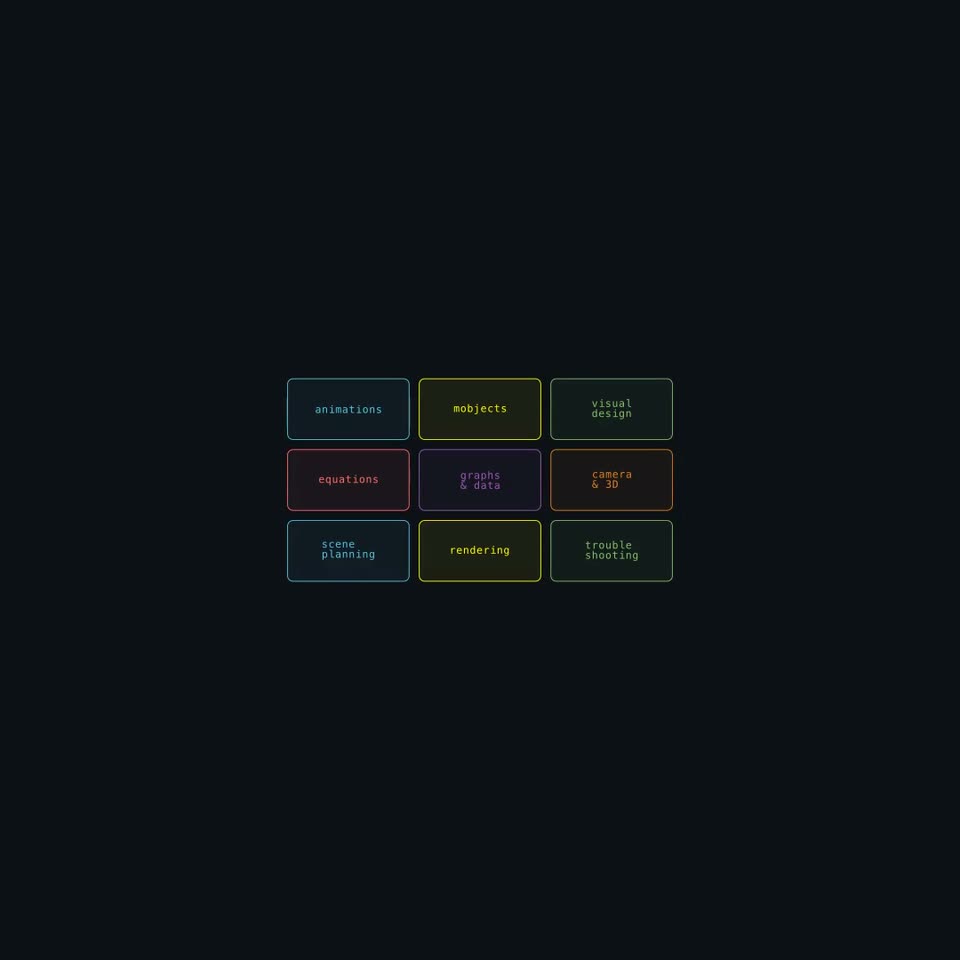
A 3x3 grid of rounded-rectangle cards on a dark navy field fades in row by row. Each card carries a colored monospace label: animations, mobjects, visual design, equations, graphs & data, camera & 3D, scene planning, rendering, trouble shooting. The grid then holds steady.
On-screen text: “animations”, “mobjects”, “visual design”, “equations”, “graphs & data”, “camera & 3D”, “scene planning”, “rendering”, “trouble shooting”
Techniques: Kinetic type
Camera: Static
A monospace prompt line sits on a dark field. A blue parabola draws itself on gray axes, a red dot slides down to the curve's bottom, a yellow dotted ring and the word minimum appear, then a hexagon holds the typed word manim.
On-screen text: “Explain gradient descent”
Techniques: Kinetic type
Camera: Static
A faint blue hexagon outline sits centered on a dark navy field. The monospace word manim-video types in letter by letter in light blue, then a smaller gray Hermes Agent fades in beneath it. The frame stays locked off.
On-screen text: “manim-video”, “Hermes Agent”
Techniques: Kinetic type
Camera: Static