1:05
Introducing Studio 4.0, the agentic video editor in ElevenCreative
ElevenLabs · AI · Sep 2026
Figma · May 2025 · 1:15 · AI-annotated
Figma’s 1:15 launch film runs 37 scenes, about 2.0 s each. The product shows up at 1:08 and 1 feature is revealed. There is no explicit call to action. A rapid-cut montage of interface close-ups, each feature demo synced to a 123 bpm pulse with snap zooms and 3D pulls. Signature moves: tight crops that pull back to full frames, fanned stacks of mockups, and labeled multiplayer cursors that carry the collaboration story.
Is this your launch? to your site or press kit.
ElevenLabs · AI · Sep 2026
AnyAlpha · Fintech · Oct 2026
Framer · Design · Nov 2025
A dark browser window on a blurred green background zooms out to reveal the full frame. The Collectiv Gallery page shows a heading and a paragraph, then a red nebula image fades in below the text.
Techniques: UI zoom
Camera: Pull out
A dark design-tool window floats over a blurred green bokeh background. The window widens from a narrow frame to full width, sliding open the left pages and layers panel and the right properties panel. The center canvas keeps a dark gallery website mockup with a red abstract image.
Camera: Pull out
A Code Femme website view pulls back from a tight crop to the full page. A green panel about illustrator Laura Kim overlays a photo of a woman at a laptop, with white serif copy on the right. The zoom-out reveals the magenta top banner and outline headline ONE'S OWN.
Techniques: UI zoom
Camera: Static
A fanned stack of website mockups sits in 3D perspective against black. The front card slides from a pale band image to a blue runner scene, while the green Laura Kim panel and the white CODE FEMME headline shift behind it.
Techniques: 3D mockup
Camera: Pull out
A plain black frame holds a white two-line headline. The top line stays fixed while the second line slides up into place beneath it, completing the tagline.
On-screen text: “Set your sites on”, “something new”
Techniques: Kinetic type
Camera: Static
A browser window frames a webpage; the shot starts tight on the large serif headline, then pulls back to reveal the nav bar and a tablet showing a line chart over a hill. A black cursor hovers at the left as the headline text slides into place.
On-screen text: “Set your sites on”, “something new”
Techniques: Kinetic type, UI zoom, Cursor demo
Camera: Static
A breakpoint dropdown (Desktop, Tablet, Mobile, Custom) hovers over a blurred webpage; the cursor clicks Tablet, the canvas sharpens and pulls back to show three responsive mockups of the same page side by side, each with a serif “Browse everything.” headline and a device frame over a green hill.
Techniques: Cursor demo, UI zoom, Split screen
Camera: Pull out
A white website mockup card on black shows a serif “Browse everything.” headline above a tablet dashboard. The card scales down as a cursor drags its right edge, and dimension fields appear at the top.
Techniques: Cursor demo
Camera: Static
A white website mockup sits in a browser frame on a black ground, its logo and large serif headline settling into place. A tablet below shows a 78% efficiency dashboard over a green hill landscape, with a horizontal drag arrow at the right edge.
Camera: Static
A white browser window on black widens as a double-headed arrow marks its right resize edge. Inside, a large black serif headline reads “Browse everything.” above a tablet mockup showing a green hill line chart.
Camera: Static
A design tool interface displays three responsive web page mockups side by side. A cursor moves across the screens, and a pink button pops up on the middle view.
On-screen text: “78%”, “Efficiency Improvements”
Techniques: Split screen, Cursor demo
Camera: Static
A website builder screen shows a portfolio page with a chair photo and project cards. A large cursor with a pink Aja badge hovers over the hero copy as the canvas zooms in, then a blue selection box labeled Hero outlines the headline.
Techniques: Cursor demo, UI zoom
Camera: Pan
Three webpage mockups of different widths sit side by side on green and scroll upward in sync, a chair photo, a blue text block and a project grid passing by. A pink cursor with a pink Aja tag glides across the left panel.
On-screen text: “Aja”
Techniques: Split screen, Cursor demo
Camera: Static
Three vertical strips of a furniture-design website scroll vertically at different speeds, the middle strip offset and framed by a blue outline around its black card. A pink collaborator cursor labeled Aja hovers over that central card as the layers drift apart.
Techniques: Parallax
Camera: Push in
A row of rounded photo cards slides left across a black background at a steady pace, showing stills of a woman in a theater, a red car, a plastic chair, a car seat with a pillow, a person on a bed, and a woman in a flower field.
Camera: Pull out
A horizontal strip of rounded video thumbnails scrolls left across a black field behind a dark Marquee settings panel. A large white outline cursor drifts in from the lower right and lands on the Infinite row, where a dash becomes a check.
Techniques: Cursor demo
Camera: Pull out
A black split screen. Left: a horizontal strip of photos scrolls left above a dark Marquee settings card. Right: a vertical photo of a person kicking a wooden door sits above a Reveal settings card, with a white outline cursor.
Techniques: Split screen
Camera: Push in
Three vertical photo strips on a black background, each overlaid with a dark settings panel labeled Marquee, Reveal, and Scroll parallax. The outer strips scroll at different speeds while the center image holds, and a white cursor arrow glides down to rest on the speed slider.
Techniques: Parallax, Cursor demo
Camera: Static
A flat browser mockup on a dark red page scrolls down, moving from a single photo to a row of four image cards, then to a contact block and two more photos. A white outline cursor drifts across the cards. Faded design screens fill the background.
Techniques: Cursor demo
Camera: Pan
A white design canvas holds two black geometric marks, a nav bar and a floating toolbar, settling in from a doubled offset state. A cursor draws a green 300 × 300 selection box on the right, then a large black paragraph appears below the marks.
Techniques: Cursor demo
Camera: Pull out
On a near-black background, a rounded-square app icon holding a white continuous-loop mark rotates slowly in the center. A single line of white text sits static and centered just below it. The frame stays locked off throughout.
On-screen text: “What do you want to make?”
Camera: Static
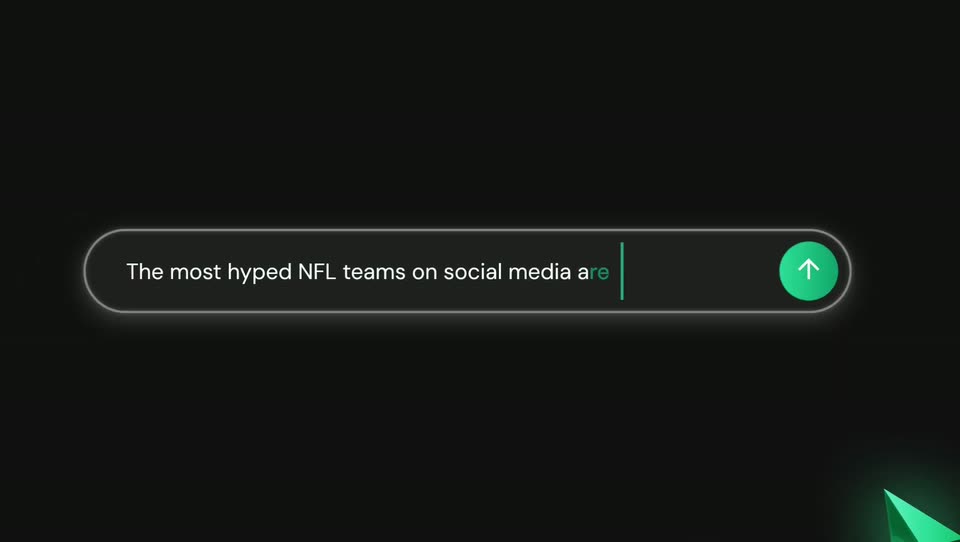
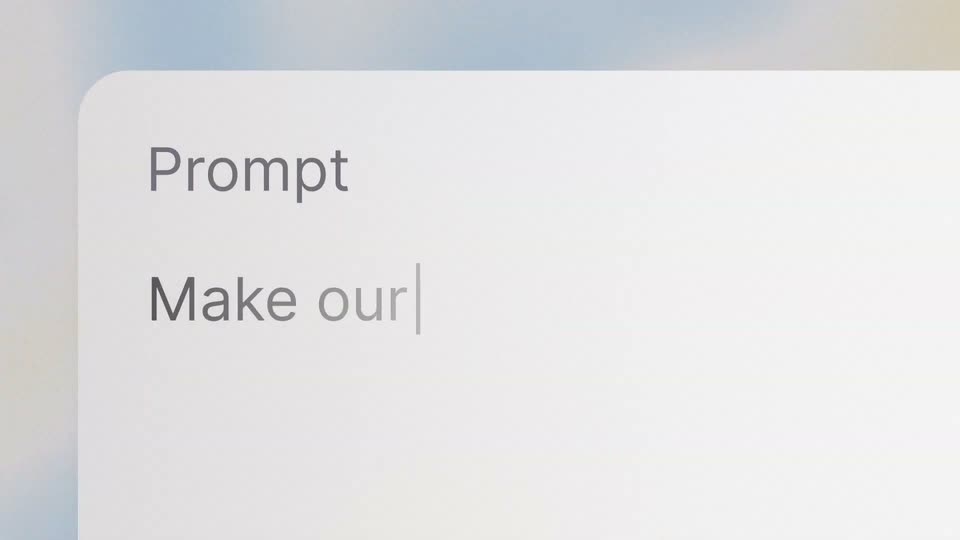
On a dark background, a prompt field with an indigo border types out a prompt as the box stretches to a second line and the round button's arrow flips up. The field then collapses into a chat message beside a small circular avatar.
On-screen text: “What do you want to make?”
Techniques: Kinetic type, Morph
Camera: Static
A dark chat interface opens on a user's white sans prompt beside a plant avatar. The view reframes wider as the assistant reply appears, 'going to update' in cyan, then a rounded Clock preview card slides up holding a white cursor arrow above a row of action icons.
Techniques: UI zoom, Cursor demo
Camera: Pull out
A split screen pairs a chat panel with a live analog clock. On the left, a user prompt crossfades into generated code, the text scaling as it swaps. On the right, the clock's cyan hands turn white and its second hand turns red as the border brightens.
Techniques: Split screen
Camera: Static
A split screen shows a React code editor on the left and a live analog clock on the right. A cursor edits the secondHandColor value, the second hand turns green, and a blue selection box frames the clock as the code panel zooms out.
Techniques: Split screen, Cursor demo, UI zoom
Camera: Static
A design tool canvas shows a black-and-white logo of three geometric marks, a ring of circles, and a clock face with a green hand. A blue selection box and a black cursor sit over the clock, then the view zooms in as the box clears.
On-screen text: “We believe that design speaks louder than words —”
Techniques: Cursor demo, UI zoom
Camera: Static
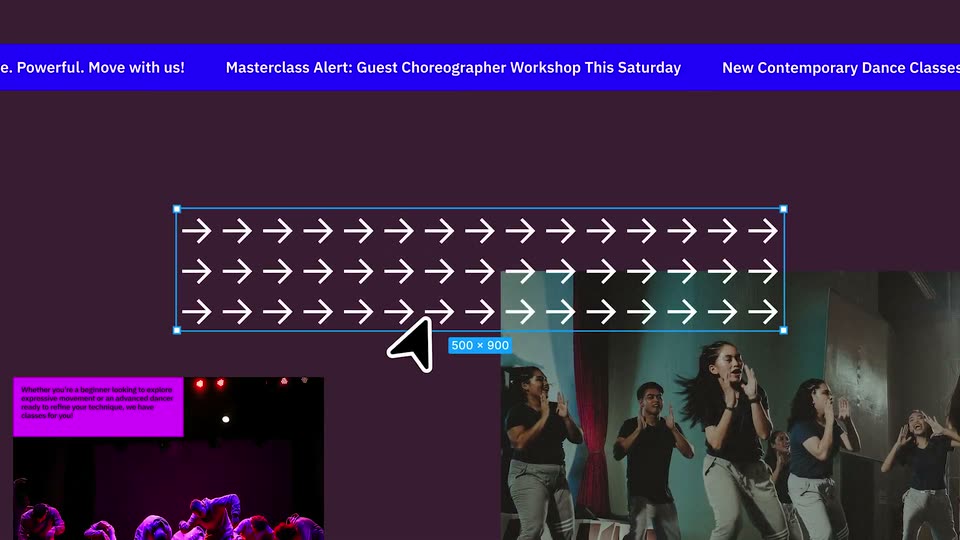
A dark purple design canvas holds a scrolling marquee banner up top and two dance thumbnails below. A grid of white arrows brightens as a blue selection box with handles and a 500 x 900 label snaps around it, while two mouse pointers drift in.
Techniques: Cursor demo
Camera: Static
A black rounded-square app icon with a white orbital line mark sits centered on a dark plum field, a white outlined cursor arrow rests at its lower-left corner. A dark tooltip with white text, Create code from design, drops in below the icon and holds.
On-screen text: “Create code from design”
Camera: Static
A grid of white arrows on dark purple. Three labeled cursors, yellow Xi, magenta Eric, blue Robin, drift in from the corners. A yellow bubble from Xi asks 'Should they rotate?', the arrows rotate in a wave, then a blue bubble from Robin answers 'Looks good!'.
On-screen text: “Xi”, “Eric”, “Robin”, “Should they rotate?”, “Looks good!”
Techniques: Masking
Camera: Static
In a design tool canvas, a grid of right-pointing arrow icons is selected with a green box, then slides down out of the frame beneath the white Move Today headline over a blurred dance video, while a cursor moves across the screen.
Techniques: Cursor demo
Camera: Static
A blurred dance class fills the background as a large white “Move Today” headline holds center. Two outline cursors drift diagonally across a grid of small arrows that rotate to point in different directions as they pass.
On-screen text: “Movement Studios.”, “224 Nostrand Ave, Brooklyn, NY”, “Move Today”
Camera: Static
A flat event-page layout fills the frame: a red ticker scrolls under a top bar, a blue block holds the word VAULT in black outline, and a red-tinted interior plays below. A white cursor glides down to the newsletter line.
Techniques: Cursor demo
Camera: Static
A locked-off view of a studio website. A pink column holds a serif headline and body copy beside a dark red panel showing a small photo of a figure walking past a shuttered storefront. A red event ticker and oversized black type sit behind the page, with a black cursor arrow resting at the right edge.
Camera: Static
A stack of layered website templates in pink, blue and red fills the frame over a blurred background. A white cursor moves toward the right edge as a dark “Publish site” button fades in at the center.
Techniques: Cursor demo
Camera: Static
Over a blurred portfolio site, a stack of framed website layers pulls apart in depth. The top card shows a brand guidelines page with a gradient cover and a black Publish site button, and a cursor glides onto it while a serif caption sits below.
On-screen text: “Flipping through its pages feels less like reading and more like tuning a radio dial, discovering the unique static and melodies that”
Techniques: 3D mockup, Parallax, Cursor demo
Camera: Pull out
On a black background, white sans-serif text sits in the upper left. “Push publish” fades in first, then “with Figma Sites” fades in on the line below. The frame stays locked off with no camera movement.
On-screen text: “Push publish”, “with Figma Sites”
Camera: Static
On black, a red disc flanked by purple squares morphs as the squares dissolve and the disc stretches into a red-orange pill. A purple, blue and green circle snap into place beneath it, locking the Figma logo at center, then hold.
On-screen text: “Push publish”, “with Figma Sites”
Techniques: Morph
Camera: Static