0:45
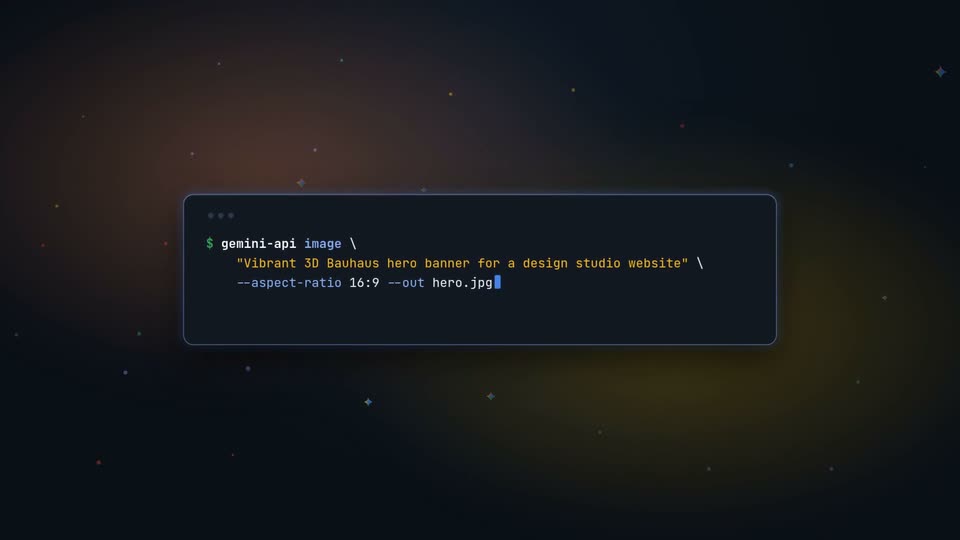

Dmitry Lyalin - Introducing Gemini API CLI (gemini-api), now available in preview! O
Google · AI · Oct 2026
Factory · Feb 2025 · 0:57 · AI-annotated
Factory’s 0:57 launch film runs 26 scenes, about 2.2 s each. The product is on screen from the first frame and 1 feature is revealed. The call to action lands at 0:49 (86% in). The video cuts at about 19 cuts per minute between black logo cards, white workbench type cards, and 3D studio shots of dark UI panels floating over a white desk. Signature moves are typed monospace text with block cursors, rack-focus reveals of acrylic interface panels, and slow camera pushes and tilts through the 3D set.
Is this your launch? to your site or press kit.
Google · AI · Oct 2026
Rive · Design · Jan 2026
ElevenLabs · AI · Sep 2025
A white line-drawn eight-petal flower mark with the uppercase wordmark FACTORY scales in at the center of a black frame. A large character then slides in as a dark textured plane with a lit top edge tilts in from the upper left.
On-screen text: “FACTORY”, “密”
Techniques: Kinetic type
Camera: Static
A white interlaced knot mark with the word FACTORY beneath it holds center on a dark, brushed-metal panel; a thin horizontal light line crosses the upper third. The wordmark scales in and the mark slides into place on a locked-off frame.
Camera: Static
A white FACTORY wordmark under a flower-like line logo sits on a dark textured surface lit by a thin horizontal light edge. The camera pulls back to reveal a blurred office desk with monitors, while the wordmark scales and a large character slides across the frame.
On-screen text: “FACTORY”, “密”
Techniques: Kinetic type
Camera: Static
A dark interface panel with video thumbnails stands upright on a glossy white floor, ringed by small 3D props like a microscope and a magnifier. The shot opens soft and out of focus, then racks to sharp on the panel.
On-screen text: “密”
Techniques: 3D mockup
Camera: Static
A dashboard mockup stands in 3D perspective on a white table, with a mechanical ring device to the left. The camera slowly pushes in, centering the screen and bringing small desk objects into the foreground.
Techniques: 3D mockup
Camera: Static
A white plane set in 3D perspective holds terminal-style text that types out line by line, finishing with a solid cursor block. A black device component rests in the top corner while a thin hexagonal grid draws in along the left edge.
On-screen text: “FACTORY: The Command Center For Software Development”
Techniques: 3D mockup, Kinetic type
Camera: Static
A high-angle 3D camera pans across a white floor with a faint hex grid, scattered black objects, and a floating glass UI panel. Small monospace text 'FACTORY: The Command Center For Software Development' sits lower left; a large bold 'FACTORY' anchors lower right.
On-screen text: “FACTORY:”, “The Command Center”, “For Software Development”, “FACTORY”, “as the machine”
Techniques: 3D mockup, Parallax
Camera: Static
A 3D hexagonal grid of gray app icons sits in perspective on a pale background. The grid recedes and shrinks in frame as one hexagon lifts off and floats above it, its flag icon lit dark blue, and the center hexagon darkens.
Techniques: 3D mockup
Camera: Static
A dark product screen tilts in space, showing a Workflows panel with three cards. Translucent hexagons dissolve over the cards as a bright beam sweeps across the panel, while a metallic light stand with a reflective ring sits in the left foreground.
Techniques: Light sweep
Camera: Pan
A white workbench holds a red-handled screwdriver at the top left and a loose screw below, both slightly out of focus. In the center, dark monospace text types itself out character by character, finishing with a solid block cursor after the last word.
On-screen text: “All of Your Engineering”, “Context, Unified”
Techniques: Kinetic type
Camera: Static
A dark dashboard UI stands tilted on a clear acrylic panel in 3D perspective on a white desk, shallow depth of field. The orange NEW SESSION card slides right, revealing a NEW SESSION FROM REPO panel and three image thumbnails below.
On-screen text: “All of Your Engineering”, “Context, Unified”
Techniques: 3D mockup
Camera: Static
A dark message panel floats in 3D perspective over a blurred app interface, with a dotted sidebar on the left. An avatar and a typed prompt build word by word at the panel's top left.
Techniques: 3D mockup, Kinetic type
Camera: Static
A dark chat panel sits at a 3D angle against a black background. A black message bubble types out a request about 500 errors, then a second line with a star icon appears below stating a database timeout was found.
Techniques: 3D mockup, Kinetic type
Camera: Static
A close-up of a chat window scrolls down over a blurred gradient background. A dark code panel lists Sentry errors above a user bubble asking about recent deployments, then the assistant message begins checking deployments.
Camera: Pan
A tilted terminal window floats over a blurred, glowing background. Its header shows a gear icon and 'Checking recent deployments...', while monospaced git log output lists commit hashes, authors and dates. The window holds still as the camera eases in and the focus tightens.
Techniques: 3D mockup
Camera: Static
A frosted chat panel floats over a blurred desk with a glowing monitor. A developer message lists three fixes, then a monospace CREATING LINEAR TICKET card appears with a URL and fields. The view drifts down as a prompt and a Yes let's get started button appear.
Techniques: Kinetic type
Camera: Pan
A dark chat interface with two file pills and a Running test spinner sits above a terminal panel. The terminal types the command pytest test_payments.py -v, then the test result flips from red FAILED to green SUCCEEDED as the view slowly zooms onto the panel.
Techniques: UI zoom
Camera: Static
A tilted 3D chat panel scrolls its feed upward, revealing a terminal block with a pytest command and a green SUCCEEDED result above a checklist of completed tasks.
Techniques: 3D mockup
Camera: Static
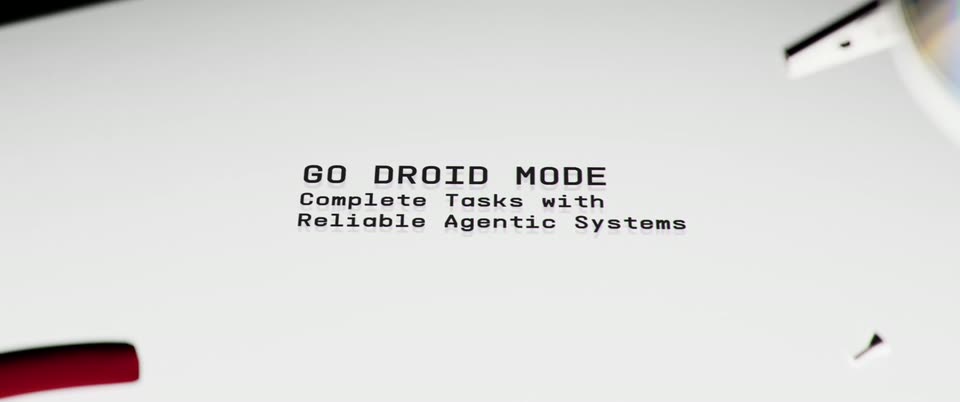
On a white surface with out-of-focus desk objects at the edges, a monospace headline types in line by line, settling into solid black with a blinking block cursor after the last word.
On-screen text: “GO DROID MODE”, “Complete Tasks with”, “Reliable Agentic Systems”
Techniques: Kinetic type
Camera: Static
A dark interface panel titled CODEBASE EXPLORER sits in 3D perspective, angled toward the camera, with a search field and a dotted grid. A glowing white ring hovers at the left edge as the frame tilts to reveal the panel's top.
Techniques: 3D mockup
Camera: Push in
A dark interface on a tilted screen displays a repository tree. A parent node expands and a column of child items slides in to the right while the dotted grid and top buttons hold still.
Techniques: 3D mockup
Camera: Static
A tilted dark file-tree panel titled CODEBASE EXPLORER floats in a black studio, a ring-light rig at left and a white tabletop below. Folder branches expand and collapse, revealing nested items, while the locked-off frame holds the 3D perspective steady.
Techniques: 3D mockup
Camera: Static
A dark studio set with a desk and a drum on the left. A floating file-explorer window in 3D perspective hovers at center, its nested folder trees showing green-highlighted items. The camera tilts down as the panel slides lower in frame.
Techniques: 3D mockup
Camera: Pan
A dark 3D space holds a small interface panel titled CODEBASE EXPLORER, showing a dotted grid of node boxes with a few green highlights, beside a ring light. The panel fades out, then a thin gray six-petal line-drawn logo fades in at the center.
Techniques: 3D mockup
Camera: Static
A white flower-shaped logo holds center on black as the monospace line ACCELERATE YOUR SOFTWARE DEVELOPMENT and the URL FACTORY.AI/CONTACT, with CONTACT in orange, fade in and hold. The card fades to black, then the gray words LONG LIVE DEVELOPERS appear.
On-screen text: “ACCELERATE YOUR SOFTWARE DEVELOPMENT”, “FACTORY.AI/CONTACT”, “LONG LIVE DEVELOPERS”
Camera: Static
A plain black frame holds the centered white line “LONG LIVE DEVELOPERS.” The text remains locked off for the full shot, with no camera movement or additional elements.
On-screen text: “LONG LIVE DEVELOPERS”
Camera: Static