2:14
Explore
Enclave - Big news: Enclave is now open to everyone, and today we're launching
Enclave · Oct 2026 · 0:58 · AI-annotated
- Length
- 0:58
- Scenes
- 8 · 7.3 s avg
- Product on screen
- 0:10
- Features shown
- 1
- Voiceover
- No
00:00:00 / 00:58:47
Enclave’s 0:58 launch film runs 8 scenes, about 7.3 s each. The product shows up at 0:10 and 1 feature is revealed. There is no explicit call to action. The video is built as one continuous drill-down: the camera zooms through a 3D browser mockup from the threat feed into a vulnerability report, then into the assistant chat, its node graph, and the final report, using each zoom as the scene transition. Pacing is slow and deliberate, holding on dense UI text while the cursor performs small precise actions, and everything stays on a near-black striped stage with white and gray type.
No filming indicatedEstimated needs: 2 capture groups — your screens or recordings · 1 official logo — reused across the film · 2 3D passages — build or supply
Is this your launch? to your site or press kit.
More like this



Enclave - Big news: Enclave is now open to everyone, and today we're launching, scene by scene
· 8 scenes as text
01 · Problem · 0:00–0:03
A tilted 3D browser mockup of the Encive Threat Feed floats on a dark striped background, then the view zooms into the list, enlarging the vulnerability entries until they fill the frame.
Techniques: 3D mockup, UI zoom
Camera: Push in
02 · Problem · 0:03–0:10
A dark threat-feed list scrolls down past vulnerability cards, then pulls back to reveal the full browser window with a left icon sidebar. The cursor moves in and hovers the PHP entry, which highlights.
Techniques: UI zoom, Cursor demo
Camera: Pan
03 · Feature reveal · 0:10–0:17
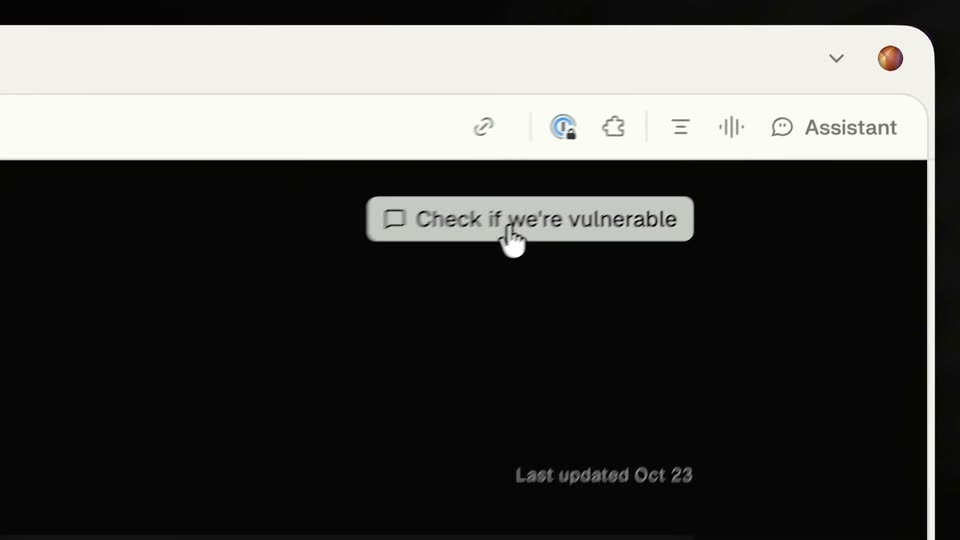
A dark vulnerability report page fills the frame, then pulls back to a browser window and zooms onto a Check if we're vulnerable button. A cursor clicks it and the screen fades to black.
Techniques: UI zoom, Cursor demo
Camera: Push in
04 · Feature reveal · 0:17–0:36
A tilted 3D browser window of the Enclose app floats on a dark, subtly streaked background. The camera zooms into the chat, where a long prompt bubble holds at the top while a thinking log streams in below, scrolling up as tool calls and monospace code blocks appear.
Techniques: 3D mockup, UI zoom
Camera: Pull out
05 · Feature reveal · 0:36–0:47
A tilted browser window of a dark assistant app sits on a black background; the left log scrolls while a graph panel opens on the right. The view zooms into three connected nodes as a cursor hovers one, revealing a tooltip, then pulls back.
Techniques: 3D mockup, UI zoom, Cursor demo
Camera: Pull out
06 · Feature reveal · 0:47–0:54
A long white-on-black technical report scrolls upward, then stops. A mouse cursor moves in and drags across a paragraph under Bottom line, highlighting it in blue.
Techniques: Cursor demo
Camera: Push in
07 · Feature reveal · 0:54–0:55
A dim gray document on a near-black background, full of analysis text and highlighted code spans, fills the frame, then the whole view fades to black.
Camera: Static
08 · Outro · 0:55–0:58
Centered on a black field, a white four-pointed star mark sits left of the lowercase wordmark “enclave”. The lockup opens with a brief motion blur that snaps to a crisp, static hold for the rest of the clip.
On-screen text: “enclave”
Camera: Static