0:40

Sonos Roam 2 | Size-defying sound. Everywhere.
Sonos · Hardware · Jun 2024
ElevenLabs · Jun 2025 · 1:16 · AI-annotated
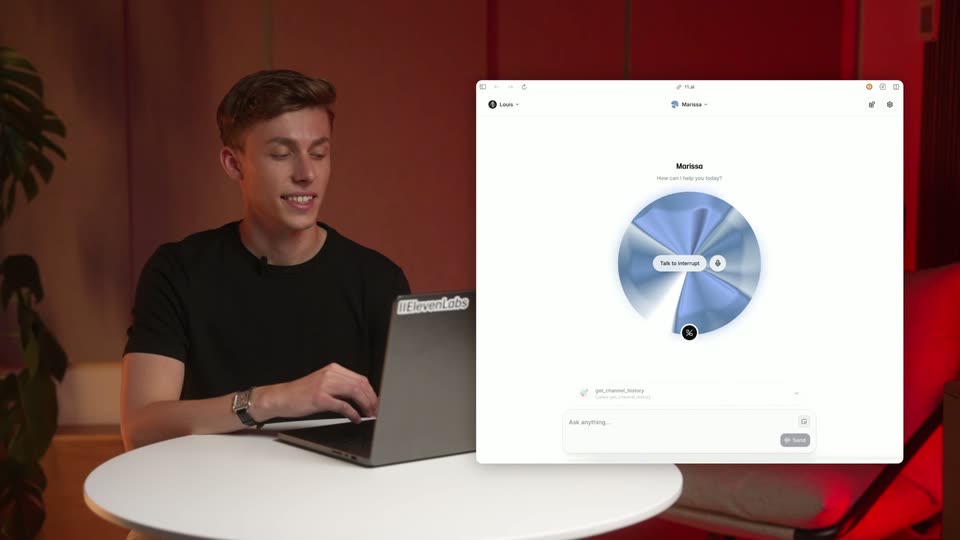
ElevenLabs’s 1:16 launch film runs 4 scenes, about 19 s each. The product is on screen from the first frame. There is no explicit call to action; a voiceover carries the film. The video opens with the presenter naming the Slack integration, then holds one continuous split-screen shot where warm red-lit live action on the left plays against a clean light UI panel on the right for the whole demo, and closes on a static co-branded logo card. Its defining style is the pulsing blue voice disc that tracks every spoken exchange, paired with relaxed presenter energy and a minimal light interface.
Is this your launch? to your site or press kit.
Sonos · Hardware · Jun 2024
Superprof · Jan 2026
A young man in a black t-shirt sits at a white round table, gesturing while speaking, a laptop lid with stickers facing the camera under red room lighting. In the final second a Slack voice interface with a circular visualization fades in on the right.
Camera: Static
A man in a black T-shirt talks and types at a laptop on a white table, while a browser window on the right shows the assistant interface: a blue circular visualizer pulses, the status pill switches between Listening and Talk to interrupt, and tool cards appear below.
Techniques: Split screen
Camera: Static
A presenter in a black T-shirt sits at a white table with a laptop, gesturing as he talks, while a floating product window on the right shows the Marissa assistant: a spinning blue disc, a Listening pill, a dropdown switching to send_message, and the pill becoming Start a call.
Techniques: Split screen
Camera: Static
A black screen gives way to two brand marks side by side at center: the white ElevenLabs wordmark on the left and the Slack logo with its multicolor hash on the right. The frame stays locked and static for the rest of the clip.
On-screen text: “IIElevenLabs”, “slack”
Camera: Static