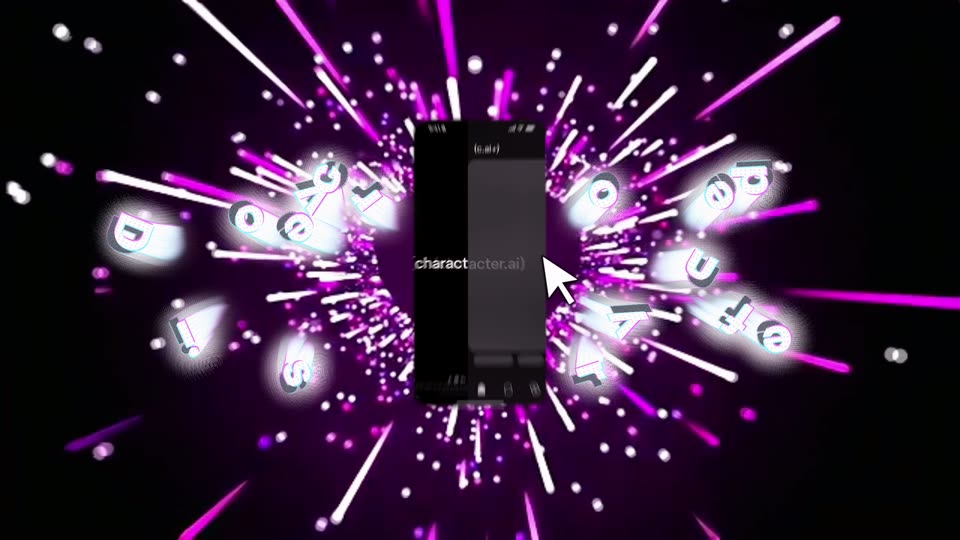
0:50
Explore
Introducing Stories - A New Way to Create, Play, and Share Adventures with Your Favorite Characters
Character.ai · Feb 2026 · 0:38 · AI-annotated
- Length
- 0:38
- Scenes
- 40 · 1.0 s avg
- Product on screen
- 0:00
- Features shown
- 4
- Voiceover
- Yes
00:00:00 / 00:38:16
Character.ai’s 0:38 launch film runs 40 scenes, about 1.0 s each. The product is on screen from the first frame and 4 features are revealed. There is no explicit call to action; a voiceover carries the film. A rapid feature montage in which each feature is announced by a glowing 3D headline and demonstrated inside a centered phone mockup, while the cosmic backdrop swaps per section (pink starbursts, gold ring tunnels, purple nebulae, neon star outlines). Pacing is fast at roughly 85 cuts per minute, with spin-blur transitions and the phone mockup as the constant anchor.
Footage neededEstimated needs: 3 capture groups — your screens or recordings · 1 official logo — reused across the film · 1 filmed passage — shoot, supply or replace · 5 graphic passages — draw or supply · 21 3D passages — build or supply
Is this your launch? to your site or press kit.
More like this
Introducing Stories - A New Way to Create, Play, and Share Adventures with Your Favorite Characters, scene by scene
· 40 scenes as text
01 · Feature reveal · 0:00–0:00
The frame holds on pure black, then thin grey radial lines fade in from the center. They form a sparse starburst pattern that stays static for the rest of the clip.
Camera: Static
02 · Feature reveal · 0:00–0:01
A phone mockup sits centered against a black void as pink and white light streaks and small app icons burst outward from behind it. The feed inside the phone scrolls from a cartoon pony to a fantasy portrait while the white headline overlays the screen.
On-screen text: “Discover your feed”
Techniques: Particles, 3D mockup
Camera: Push in
03 · Feature reveal · 0:01–0:02
A flat phone mockup, centered, shows a feed post of a desk with glowing monitors and a rubber duck. Pink and white light streaks and bokeh dots burst outward from behind it on black. White headline 'Discover your feed' overlays the phone.
On-screen text: “Discover your feed”
Techniques: Particles, Parallax
Camera: Push in
04 · Feature reveal · 0:02–0:04
A flat phone mockup sits centered over a black starburst of pink and white light streaks and small white dots. The feed inside cycles through an anime post, a search screen, and a chat, while the white caption “Discover your feed” holds across the middle.
On-screen text: “Discover your feed”
Techniques: Particles
Camera: Push in
05 · Feature reveal · 0:04–0:04
A phone mockup sits centered on a black field of pink and white light streaks radiating outward. Inside the screen, a social feed scrolls past a chat post, a photo of two people, and a blue abstract image.
Techniques: Particles
Camera: Push in
06 · Feature reveal · 0:04–0:05
A centered phone displays a social app profile of a cartoon skeleton in a Santa hat by a Christmas tree, framed by radiating pink and white light streaks. The screen then switches to a search view with a row of character avatars while the streaks rotate.
Techniques: Particles
Camera: Push in
07 · Feature reveal · 0:05–0:06
A centered phone mockup sits on a black field while pink and white streaks radiate outward. The screen shows a Christmas post of a Santa-hatted character in a red armchair; an orange cat sticker tilts a white sign with a dazed face over the image.
Techniques: Particles
Camera: Push in
08 · Feature reveal · 0:06–0:07
A tilted phone mockup centers on black while magenta and white beams radiate outward behind it, dotted with floating white specks. Inside the screen, a cartoon skull in a Santa hat waves in a Christmas living room, and a white heart outline is drawn around the phone.
Techniques: 3D mockup, Particles
Camera: Push in
09 · Feature reveal · 0:07–0:08
A zoom-blur transition resolves into a tilted iPhone mockup showing a dark chat list, with a cursor resting on the names. A purple heart starburst sits behind the phone while extruded 3D letters and a small logo orbit it on a pink pixel-edged background as the phone rotates upright.
Techniques: 3D mockup, Parallax
Camera: Pull out
10 · Feature reveal · 0:08–0:08
A glowing white headline 'Create with Imagine' overlays a centered phone mockup set in golden concentric rings and drifting specks, then fades as the phone's dark screen fills with a chat conversation.
On-screen text: “Create with Imagine”
Techniques: 3D mockup, Particles
Camera: Static
11 · Feature reveal · 0:08–0:09
A centered phone mockup shows an AI chat with a comic character, its messages scrolling up to reveal action buttons at the bottom. A swirling golden ring tunnel with drifting particles fills the background, and the headline Create with Imagine spans the middle of the frame.
On-screen text: “Create with Imagine”
Techniques: Particles
Camera: Static
12 · Feature reveal · 0:09–0:09
A phone mockup floats in a tunnel of glowing gold rings and a starfield, showing a chat with an Imagine panel. The white headline Create with Imagine spans the phone, then the device shifts right as the chat updates to a generating state.
On-screen text: “Create with Imagine”
Camera: Static
13 · Feature reveal · 0:09–0:10
A front-facing phone mockup floats over concentric golden rings and a drifting starfield. The phone shows an Imagine screen with a carousel image of a laughing man beside a goblin. The white headline Create with Imagine spans the middle with a chromatic glitch edge.
On-screen text: “Create with Imagine”
Techniques: Particles
Camera: Static
14 · Feature reveal · 0:10–0:10
A front-facing phone mockup floats at the center of a rotating golden ring tunnel filled with drifting sparks, while a large 3D headline sits behind it. The screen shows the Imagine app with a generated image of a laughing man and a goblin.
On-screen text: “Create with Imagine”
Techniques: 3D mockup, Particles
Camera: Static
15 · Feature reveal · 0:10–0:11
A flat phone mockup sits centered over a golden spiral of glowing rings and drifting bokeh particles. A horizontal light band sweeps across the phone, then the image carousel inside slides left, swapping the central generated picture for a new one.
On-screen text: “Create with Imagine”
Techniques: Light sweep, Particles
Camera: Static
16 · Feature reveal · 0:11–0:11
A front-facing phone mockup of the Imagine app sits centered over a swirling golden spiral of rings and drifting sparks. The screen shows a carousel of illustrated cards and action buttons, while the rings pulse and a glow flashes at the bottom right.
Techniques: Particles, Light sweep
Camera: Static
17 · Feature reveal · 0:11–0:12
A phone mockup floats centered in a swirling golden starfield vortex. Inside, the app screen shifts from an image carousel to a typing view as a keyboard slides up and the Post button jumps to the top.
Techniques: 3D mockup, Particles
Camera: Static
18 · Feature reveal · 0:12–0:12
A flat iPhone mockup sits centered, showing a chat screen with a single message and a blue Post button above a keyboard. Behind it, a glowing golden spiral of concentric rings rotates slowly while small star particles drift across the dark brown backdrop.
Techniques: Particles
Camera: Static
19 · Feature reveal · 0:12–0:13
A flat iPhone mockup sits centered on a rotating golden spiral tunnel filled with drifting star particles. The screen shows a c.ai chat with a typed message and a blue send button above a keyboard. Dark purple planets slide in at the frame edges as the spiral turns.
Techniques: Particles
Camera: Static
20 · Feature reveal · 0:13–0:13
A smartphone mockup floats centered over concentric golden rings and drifting blue orbs on a dark starry field. The dark app screen shows a posted image carousel and action buttons while the orbs shift position.
Techniques: 3D mockup, Particles
Camera: Static
21 · Feature reveal · 0:13–0:14
A radial spin blur resolves onto a centered phone mockup floating in a 3D space of golden rings and blue planets. The golden 3D headline 'Build an adventure' assembles to the left of the phone, which displays a Create screen with a laughing character card.
On-screen text: “Build an adventure”
Techniques: 3D mockup, Kinetic type
Camera: Static
22 · Feature reveal · 0:14–0:15
A dark phone mockup floats centered over a swirling purple galaxy of sparkling stars. The app screen cycles through its setup, swapping character cards for a dashed Choose a Character box and a topic list, while the headline Build an adventure holds static across the middle.
On-screen text: “Build an adventure”
Techniques: 3D mockup, Particles
Camera: Push in
23 · Feature reveal · 0:15–0:18
A flat phone mockup of the Sizzle Reel form floats over a blue nebula of drifting white particles. The form scrolls up to show tone tags, a topic field and a Create Stream button beneath the centered headline Build an adventure. A white flash bursts across the frame.
On-screen text: “Build an adventure”
Techniques: Particles
Camera: Push in
24 · Feature reveal · 0:18–0:20
A phone mockup sits centered over a purple nebula of drifting stars. On its screen, a blurred clip of a bespectacled man in a bow tie sits behind a dark card with a video icon and a loading percentage ticking upward, above Post and Remix buttons.
Techniques: Particles
Camera: Push in
25 · Feature reveal · 0:20–0:22
A front-facing phone mockup floats center over a background that dissolves from a purple starfield into an aerial hillside town, shifting from grayscale to full color. Inside the screen the clip cuts from two people with a progress ring to a steaming coffee cup, while a white serif tagline sits behind the device.
On-screen text: “Bringing it to life”
Techniques: Particles
Camera: Static
26 · Feature reveal · 0:22–0:24
A flat iPhone mockup sits centered over an aerial view of a hillside town, its screen playing a clip of a steaming espresso cup. A serif tagline reading “Bring it to life” spans the center and fades out over the shot.
On-screen text: “Bring it to life”
Camera: Static
27 · Feature reveal · 0:24–0:28
A tilted smartphone mockup eases upright over an aerial view of a terracotta hillside town. Its screen plays a social feed video that cuts from a man in a Renaissance ruff holding a coffee cup to a steaming cup beside an unrolled scroll.
Techniques: 3D mockup
Camera: Push in
28 · Feature reveal · 0:28–0:29
Rainbow neon star outlines drift on a black field around a central portrait card. The card snaps into a tilted 3D rounded square showing the character, and the name AZUMA KAZUMA appears across it while a cursor rests on the corner.
On-screen text: “AZUMA KAZUMA”
Techniques: Morph, 3D mockup
Camera: Pull out
29 · Feature reveal · 0:29–0:29
A black field of multicolored neon star outlines holds two rounded character icons that pop into the center and vanish, each paired with white text that scales in place over a small white sparkle burst.
On-screen text: “Play”, “unique stories”
Techniques: Kinetic type
Camera: Static
30 · Feature reveal · 0:29–0:30
A field of neon rainbow star outlines drifts across a black space behind two tilted icon cards showing anime men. The white headline scales up across the center of the frame.
On-screen text: “Play unique stories”
Techniques: Kinetic type, Parallax
Camera: Static
31 · Feature reveal · 0:30–0:30
Three rounded illustration cards, two men and a cat, sit centered over a black field of drifting neon star outlines. White text reading Play unique stories overlays the cards and scales while the frame stays locked off.
On-screen text: “Play unique stories”
Techniques: Kinetic type, Particles
Camera: Static
32 · Feature reveal · 0:30–0:31
A raised fist holds the center in front of a curved banner showing a teal-haired anime man and a white cat, the words Play unique stories across it. Behind, a black field of neon star outlines blurs into bokeh as the fist relaxes into an open hand.
On-screen text: “Play unique stories”
Techniques: Kinetic type
Camera: Static
33 · Feature reveal · 0:31–0:32
A white flash clears to reveal a tilted 3D story card, its cover showing two anime characters and a small white cat, set against a black field of glowing multicolor star outlines. The card holds a slight three-quarter angle as the neon stars fill the frame.
Techniques: 3D mockup
Camera: Pull out
34 · Feature reveal · 0:32–0:32
A 3D-tilted story card showing two illustrated figures and a small white cat sits center frame on a black field of glowing rainbow star outlines and neon ribbons. The card holds its perspective while the neon background drifts slowly.
Techniques: 3D mockup
Camera: Static
35 · Feature reveal · 0:32–0:33
A tilted story card showing two anime characters and a small white cat holds still at center, framed by a black field of glowing neon stars that shimmer and shift color. The card's title and button stay locked while the star outlines pulse and drift around it.
Techniques: 3D mockup
Camera: Static
36 · Feature reveal · 0:33–0:34
A tilted 3D story card showing two men and a cat on a boat sits in a black field of glowing rainbow star outlines. The stars fade out, the card shrinks toward center, and its illustration and text wipe away, leaving only a white rounded-rectangle outline.
Techniques: Particles, 3D mockup
Camera: Pull out
37 · Outro · 0:34–0:34
A tilted 3D card filled with multicolored neon star outlines rotates edge-on and collapses to a thin glowing line, then the frame cuts to black where the white logo (c.ai) sits centered.
On-screen text: “(c.ai)”
Techniques: 3D mockup
Camera: Static
38 · Outro · 0:34–0:36
A black screen holds centered white lowercase text that fills in from partial characters to the full string (character.ai), then remains still.
On-screen text: “(character.ai)”
Techniques: Kinetic type
Camera: Static
39 · Outro · 0:36–0:36
The white brand name (character.ai) sits centered on a black field. A horizontal band of fine vertical dashes and a bright light line sweep across the text from left to right.
On-screen text: “(character.ai)”
Techniques: Light sweep, Particles
Camera: Static
40 · Other · 0:36–0:38
The frame holds on solid black for the full duration, a blank screen with no visible elements, text or motion, serving as an empty transition point.
Camera: Static