0:32


Hemut
Hemut · B2B
Bolt.new · Sep 2026 · 0:36 · AI-annotated
Bolt.new’s 0:36 launch film runs 17 scenes, about 2.2 s each. The product shows up at 0:02. There is no explicit call to action. The video alternates fast text cards (hook, name, plan claims) with slow UI demos, each demo running the same beat: type a prompt, punch-zoom into the send arrow, then watch the app assemble in 3D. Signature moves are blur-to-focus reveals, 3D-tilted floating cards, and dissolve-to-pixel transitions over a pale blue gradient.
Is this your launch? to your site or press kit.
A blue gradient fills the frame. The word Build, sized to the frame height, is centered and softly blurred; the smaller phrase without boundaries then appears centered, locked off.
On-screen text: “Build”, “without boundaries”
Camera: Push in
A soft blue gradient drifts slowly behind the centered lowercase phrase, rendered as a thin white outline. The text holds still and locked off while the lighter diagonal band in the background shifts gently.
On-screen text: “without boundaries”
Camera: Static
On a soft white-to-blue gradient, the gray word Introducing fades in at center, then blurs away as the bolt forge wordmark forms: bolt in bold charcoal and forge in light blue, letters sliding in with motion blur before locking still.
On-screen text: “Introducing”, “bolt forge”
Techniques: Kinetic type
Camera: Static
A soft blue gradient fills the frame as “Up to” and “the usage” scale in on either side of a giant hollow number that counts up from 33x to 50x. The digits flip in place while the side words ease in from a blur.
On-screen text: “bolt forge”, “Up to”, “50x”, “the usage”
Techniques: Kinetic type
Camera: Static
On a soft blue gradient, a large blue “50x” holds center while “Up to” and “the usage” scale in around it. The line then reads “Free on every Pro plan.”, with “Pro” set in a light blue pill outline, locked off and centered.
On-screen text: “Up to”, “the usage”, “50x”, “Free on every Pro plan.”
Techniques: Kinetic type
Camera: Static
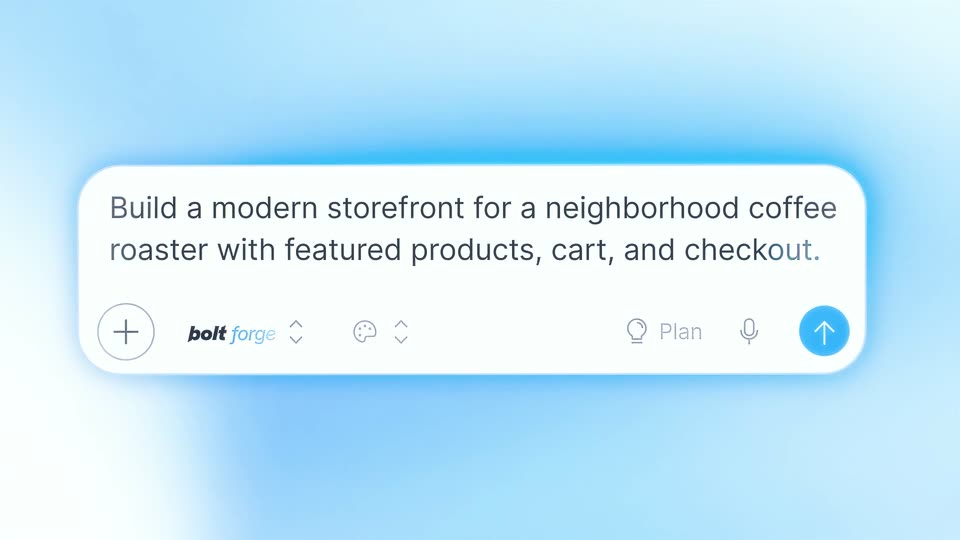
A white prompt bar glows on a blue gradient; its agent dropdown closes as a coffee-storefront prompt types out word by word. The view zooms to the blue send button, blurring the rest, and a cursor clicks it. A still caption 'Free on every Pro plan.' holds.
On-screen text: “Free on every Pro plan.”
Techniques: Kinetic type, UI zoom, Cursor demo
Camera: Pan
A flat product window on a blue gradient fills in: the left chat log builds a feature list line by line while the right preview shifts from a blue wireframe hero to a rendered coffee storefront, the headline sliding and scaling in as product cards pop up.
Camera: Push in
A flat coffee storefront UI fills the frame, then the view zooms into the top bar as the left chat panel slides away. A blue cursor moves onto the Publish button, and the whole panel tilts into a 3D card floating on a light blue gradient.
Techniques: UI zoom, Cursor demo, 3D mockup
Camera: Push in
A white prompt bar on a blue gradient opens blurred, then snaps into focus. A portfolio prompt types across it, and the frame zooms to the blue send button as a cursor clicks it.
Techniques: UI zoom, Cursor demo
Camera: Pan
A blurred light-blue frame sharpens and scales up to reveal a portfolio website mockup in 3D perspective, with a hero headline, body copy, two buttons, stat counters and a blue twisted 3D ribbon on the right.
Techniques: 3D mockup
Camera: Pull out
Two interface mockups float in 3D perspective over a light blue gradient. A dark portfolio screen scales up to the front, showing the headline “I design products that feel inevitable.” beside a glowing orange ribbon, while a lighter chat screen sits behind it.
Techniques: 3D mockup
Camera: Static
A 3D-tilted mockup of the Bolt app on a light blue background. The left chat panel updates to a ready message with a bulleted feature list, while the dark portfolio preview on the right scrolls down through alternating case study cards and a skills section.
Techniques: 3D mockup
Camera: Static
A white prompt bar deblurs on a light blue gradient as text types out a sentence. The view zooms to the right edge, a cursor moves to the blue send button, and the bar dissolves into white pixel squares.
Techniques: Kinetic type, UI zoom, Cursor demo, Particles
Camera: Push in
A rounded up-arrow mask on a soft blue background reveals app screens that cycle inside it: a morning dashboard, a green create page, and a daily list with a city photo. The arrow holds still while the interface scrolls and swaps within the cutout.
Techniques: Masking
Camera: Static
A bright white wash clears to reveal the Haven smart-home dashboard as a tilted 3D card, floating in a pale blue space with small drifting square particles.
Techniques: 3D mockup, Particles
Camera: Pull out
A cluster of product interface cards floats in 3D perspective over a pale blue gradient, an orange glow at the lower left, some sharp and some blurred. The camera pulls back as the group recedes into a wide grid, then the frame dissolves to soft white.
Techniques: 3D mockup, Parallax
Camera: Pull out
The bolt forge wordmark scales up from a small blurred state to full size at the center of a pale blue gradient field, then holds steady. The frame stays locked off throughout the reveal.
On-screen text: “bolt forge”
Techniques: Kinetic type
Camera: Static