1:29

YC Launch
ChemPilot.ai · Industrials · Oct 2026
Aurus · Apr 2026 · 1:02 · AI-annotated
Aurus’s 1:02 launch film runs 40 scenes, about 1.6 s each. The product shows up at 0:12 and 6 features are revealed. There is no explicit call to action; a voiceover carries the film. The video opens with a dark, cinematic problem montage of checking wallets and doing math, pivots on a podium line into a gold-on-black product reveal, then runs a rapid-fire feature reel where each feature gets a glowing yellow title card and a short 3D UI demo, closing on the logo. Pacing is fast at roughly 33 cuts per minute over a driving beat, and the signature moves are glowing yellow type on pure black, floating 3D phone mockups, slot-machine number spins, and the contrast between cold B&
Is this your launch? to your site or press kit.
ChemPilot.ai · Industrials · Oct 2026
twentyfour26 · Industrials · Nov 2026
Viraj Aero · Nov 2026
A high, locked-off shot of a 3D rendered gallery, curved walls hung with framed classical paintings over a wooden floor. A man in a gray shirt and jeans walks from the room's center toward the far wall while a caption builds at the bottom.
On-screen text: “You already know”, “the problem.”
Camera: Static
A close-up of a stock data table fills the frame, its rows of green and red numbers scrolling upward in a steady loop. The white caption “the problem.” holds centered at the bottom edge on the locked-off shot.
On-screen text: “the problem.”
Camera: Static
A wide shot of a crowded trading floor, rows of workers facing glowing monitors, cuts to a white brain scan on a dark scanlined screen. White monospace subtitles sit at the bottom.
On-screen text: “the problem.”, “You check”
Camera: Static
A young man in a green jacket sits on a stool in a dim, cluttered attic room, head down, reading a phone in his hands. A single light spotlights him against the dark desk and boxes behind. White captions read at the bottom of the frame.
On-screen text: “You check”, “your wallet.”
Camera: Push in
A hand holds a phone in a dim room against warm wood paneling. The wallet screen shows a price chart, then scrolls to a grid of ETH, BTC and USD coin cards with colored percentage changes. A finger taps the display; a small caption sits at the bottom.
On-screen text: “your wallet.”
Camera: Pull out
A locked-off macro shot of a brown eye, the pupil reflecting a small readout with a number and red and cyan bars. The caption sits at the bottom of the frame.
On-screen text: “You check again.”
Camera: Static
A centered, locked-off view of a heavy circular vault door with radial spokes swinging shut across a barred opening. The door rotates into place in a single smooth motion while the camera holds still, the deep teal palette and dusty metal giving a cold, secure feel.
On-screen text: “Most wallets”, “were built to hold”, “your tokens.”
Camera: Pull out
Top-down close-up of a gold Bitcoin coin on a gray concrete surface, a glint flares across its face. A hand enters from the left, pinches the coin, and lifts it. A caption reads Store.
On-screen text: “Store.”, “your tokens.”
Techniques: Light sweep
Camera: Static
A hand drops a pale round disc into an open black mailbox, then reappears with an empty palm turned up. The mailbox on a stand sits against a gray backdrop. A small caption reads Send. at the bottom.
On-screen text: “Send.”
Camera: Static
A close-up hand holds a silver Ethereum coin against a dark gray surface, the coin catching a brief glint on its edge. A small caption sits locked at the bottom center of the frame.
On-screen text: “Send.”, “Swap.”, “Done.”
Camera: Static
A hand drops a silver coin bearing a diamond emblem onto a dark surface stenciled with the yellow word DONE. The shot cuts to a man in a suit at a White House podium, speaking into two microphones.
On-screen text: “Done.”, “We started from”
Camera: Static
A man in a dark suit and striped tie speaks at a podium with two microphones, framed in a locked-off medium close-up against a teal circular seal. White subtitles appear at the bottom of the frame.
On-screen text: “We started from”, “a different place.”
Camera: Static
A tilted smartphone floats in a dark void, its screen showing the Aurus onboarding view. Gold coins and angular gold shards tumble and orbit around the device. A small monospace caption runs along the bottom edge.
On-screen text: “we built a wallet”, “that understands your”
Techniques: 3D mockup, Particles
Camera: Static
A macro close-up of the wallet screen, out of focus with vertical scanlines. The view whips from dark green streaks to a gray panel where the Aurus wordmark smears across the top, and the caption “that understands” holds at the bottom center.
On-screen text: “that understands”
Camera: Static
A man sits at a wooden desk with his back to the camera, facing three monitors that display trading charts in a warm attic room. The frame stays locked off while subtitle lines appear at the bottom.
On-screen text: “that understands”, “your portfolio.”
Camera: Static
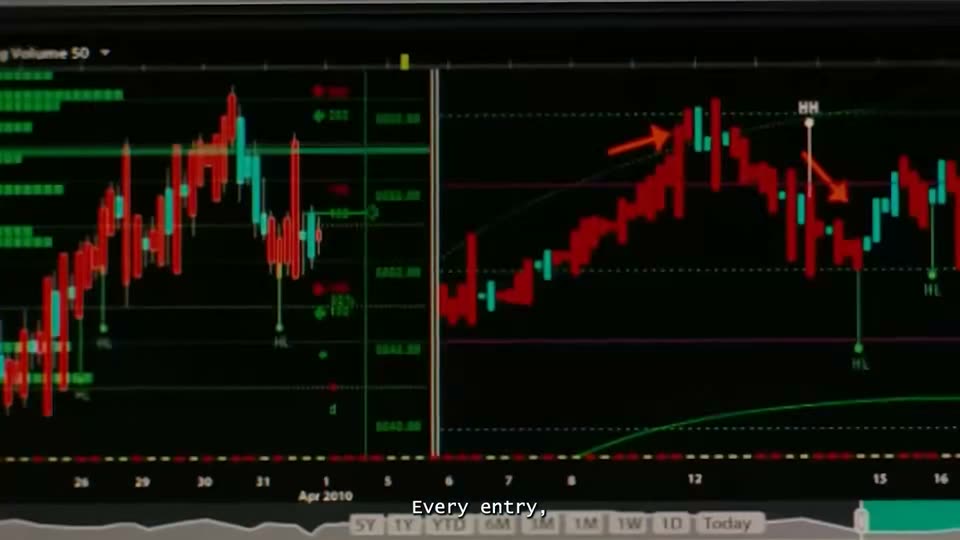
A locked-off candlestick trading chart on a black background fills the frame, with red and green bars, dotted horizontal lines, and orange arrows marking peaks and troughs. A white caption sits at the bottom center.
On-screen text: “Every entry,”, “your portfolio.”
Camera: Static
A black trading chart fills the frame, red and teal candlesticks climbing to a peak then dropping, with a green histogram block on the left and faint price labels on the right. A white caption sits at the bottom center while the frame stays locked off.
On-screen text: “Every entry,”
Camera: Static
A soft-focus close-up of a forex trading screen pans horizontally across currency pairs, their prices and Buy/Sell buttons sliding past. The caption sits centered at the bottom in small white type.
On-screen text: “Every entry,”, “every position.”
Camera: Pan
An overexposed close-up of a forex quote board shows JPY/USD and CNY/USD rows with Sell and Buy buttons, then cuts to a dark grid of currency pairs. A white monospace caption at the bottom reads 'every position.' then 'when something in your'.
On-screen text: “every position.”, “when something in your”
Camera: Static
A phone mockup floats in a black space with a faint yellow glow. It begins tilted nearly flat and rotates up to a straight-on upright view, revealing a crypto portfolio list with token rows. White subtitle captions swap in at the bottom.
On-screen text: “When something in your”, “portfolio moves”, “Aurus tells you”
Techniques: 3D mockup
Camera: Static
A dark phone screen sits in 3D perspective against black, showing a holdings dashboard. The white balance figure ticks upward while a notification banner with an arrow icon slides in from the top. A small caption line sits at the bottom.
On-screen text: “Aurus tells you”, “what it means,”
Techniques: 3D mockup
Camera: Static
A close-up of a phone in 3D perspective shows a dark finance app: a notification, a large balance, a green gain, and a bar chart. A yellow glint crosses the notification while a small caption sits at the bottom.
On-screen text: “what it means,”
Techniques: 3D mockup, Light sweep
Camera: Static
Black-and-white footage of a crowded stock exchange floor fills the frame, with traders and ticker boards behind it. A large yellow “NOT” fades in over the center, and a small white caption “not what” sits at the bottom edge.
On-screen text: “NOT”, “not what”
Techniques: Kinetic type
Camera: Static
Black-and-white footage of a crowded stock trading floor, traders at desks, locked-off frame. A large yellow condensed word MARKET scales into the center while a small white caption the market did, sits at the bottom.
On-screen text: “MARKET”, “the market did,”
Techniques: Kinetic type
Camera: Static
A desaturated black-and-white stock trading floor fills the frame, traders and data monitors in motion. A huge semi-transparent olive-yellow word DID sits centered over the footage, with a small white caption the market did, along the bottom edge.
On-screen text: “DID”, “the market did,”
Techniques: Kinetic type
Camera: Static
A tilted phone screen in 3D perspective shows a dark lock screen with a blue abstract wallpaper. Two notification banners with a yellow arrow icon slide in from the top, the second stacking above the first, while white captions cycle at the bottom edge.
On-screen text: “the market did,”, “what your position did.”, “Every swap”
Techniques: 3D mockup, Particles
Camera: Static
A yellow line-art rocket and grid tower on black dissolve into a swap interface card that flares with a yellow glow, then settles. The card shows a SOL to USDC trade with amounts and a savings line.
On-screen text: “Every swap”
Camera: Static
A dark swap interface displays pay and receive cards, then the view reframes down to a quotes list. A glowing yellow badge highlights the Titan quote as the camera settles on the list.
On-screen text: “routed across major”, “for the best price.”
Techniques: UI zoom
Camera: Push in
Glowing yellow digits spin like a slot machine on black beside a fixed SOL label, then settle on 0.001 SOL. A small white monospace caption reads Flat 0.001 SOL. at the bottom. At the end the yellow text shrinks and turns white as a card outline fades in.
On-screen text: “Flat 0.001 SOL.”, “0.001 SOL”
Techniques: Kinetic type, Speed ramp
Camera: Pull out
A dark fee-comparison UI reframes from a tight, blurred close-up on the yellow Aurus icon to the full view, showing a price scale with a marker at $100 above three wallet, Aurus, and bot icons with their fees, while white captions swap at the bottom.
On-screen text: “Flat 0.001 SOL.”, “Same fee.”, “Whether you're”
Techniques: UI zoom
Camera: Pull out
A dark swap interface counts a USDC amount up from $1,466 to $100,000 above a bar scale that rescales from hundreds to hundreds of thousands. Three fee icons below hold Aurus at 0.001 SOL while wallet and bot fees change, as a bottom line shifts from $1,000 to $100,000.
Camera: Static
A dark fee-comparison UI shows a swap total counting up from $96,742 to $99,800 over a scrolling dollar scale, with three icons comparing wallet, Aurus, and bot fees. The scene cuts to a yellow and purple pixelated field where the caption Stake appears at the bottom.
On-screen text: “Stake.”
Techniques: Particles
Camera: Static
A dark staking card resolves from a soft blur into sharp focus beneath a glowing yellow “Stake” headline. The card lists SOL liquid staking figures, and a small white caption sits at the bottom.
On-screen text: “Stake”, “Stake.”
Camera: Pan
A dark lending-yield card showing USDC stats sharpens from blur into focus on a black background while a glowing yellow Lend title brightens above it. A small white caption at the bottom switches from Lend to launch a token
On-screen text: “Lend”, “launch a token,”
Camera: Pan
On a black background, a glowing yellow word 'Create' hovers above a dark UI card that pulls from a heavy blur into sharp focus. The card shows a Launchpads panel with token stats, a three-circle icon on the left and two small colored icons on the right.
On-screen text: “Create”, “launch a token,”
Camera: Static
Two dark UI cards fade in and out on a black background. First a create-your-token panel with three stats and two token icons sits under a glowing yellow Create headline, then a token list appears under a glowing yellow Trade the Terminal headline.
On-screen text: “Create”, “launch a token,”, “Trade the Terminal”, “trade the terminal”
Camera: Pan
A glowing yellow headline 'Trade the Terminal' hovers over a dark list of token rows with avatars and stats. The list defocuses into soft glowing yellow blobs while the headline holds sharp, and a monospace command line sits at the bottom edge.
On-screen text: “Trade the Terminal”
Camera: Push in
A centered line of glowing yellow text reads “One app” on a black background. The frame stays locked off while a soft halo around the letters pulses gently.
On-screen text: “One app”
Camera: Static
Glowing pale-yellow text centered on a black background: “One app” dissolves into “Nothing else open,” the line holding still with a soft halo of light around the letters.
On-screen text: “One app”, “Nothing else open”
Techniques: Kinetic type
Camera: Static
A brushed gold square logo with a cutout arrow sits centered on black, a glint sweeping across the metal. Small captions appear one by one below. The plate then flattens into a glowing yellow tile as the white Aurus wordmark slides in beside it.
On-screen text: “Nothing else open”, “This is Aurus”, “self custodial”, “Solana first.”, “to trade.”
Techniques: Light sweep, Morph
Camera: Static