
0:28
Explore
Introducing the Infant CPR Anytime Interactive App
American Heart Association · Feb 2024 · 0:28 · Full motion · AI-annotated
- Length
- 0:28
- Scenes
- 9 · 3.2 s avg
- Product on screen
- 0:00
- Features shown
- 4
- Call to action
- 0:24 · 85%
- Voiceover
- No
- Views
- 2K on YouTube
as of November 28, 2026
00:00:00 / 00:28:09
- Length
- 0:28
- Scenes
- 9 · 3.2 s avg
- Product on screen
- 0:00
- Features shown
- 4
- Call to action
- 0:24 · 85%
- Voiceover
- No
- Views
- 2K on YouTube
as of November 28, 2026
American Heart Association’s 0:28 launch film runs 9 scenes, about 3.2 s each. The product is on screen from the first frame and 4 features are revealed. The call to action lands at 0:24 (85% in). The video opens by naming the app and tying it to the physical training kit, then moves through one feature per beat, each pairing a rotating 3D phone mockup with a red headline that builds word by word over a light gray field. Its signature moves are the letter and word by letter text assembly, the floating phone over a scaling red circle, and the steady red-on-gray AHA palette, closing on a logo and URL end card.
No filming indicatedEstimated needs: 1 graphic passage — draw or supply · 6 3D passages — build or supply
Is this your launch? to your site or press kit.
More like this


0:33


0:25
Introducing the Adult & Child CPR Anytime Interactive App
American Heart Association · Feb 2024
Similar soundtrack
Films whose music sounds like this one, voice left out
1:04
Introducing Sylvian
Sylvian · Electronic, Chiptune
1:52

Quivly - AI agents that run everything after the sale, from onboarding to renewal
Quivly AI · Upbeat electronic
1:04


Tavus Stock Replicas
Tavus · Upbeat electronic
Introducing the Infant CPR Anytime Interactive App, scene by scene
· 9 scenes as text
01 · Product intro · 0:00–0:02
A 3D phone mockup on the right shows the app's welcome page as red headline text assembles letter by letter on the left, joined by a hashtag and a URL search bar. The frame then clears to a red dot and the word This.
On-screen text: “Introducing Infant CPR Anytime® Interactive App”, “#CPRwithHeart”, “Heart.org/CPRAnytime”, “This”
Techniques: Kinetic type, 3D mockup
Camera: Static
02 · Product intro · 0:02–0:03
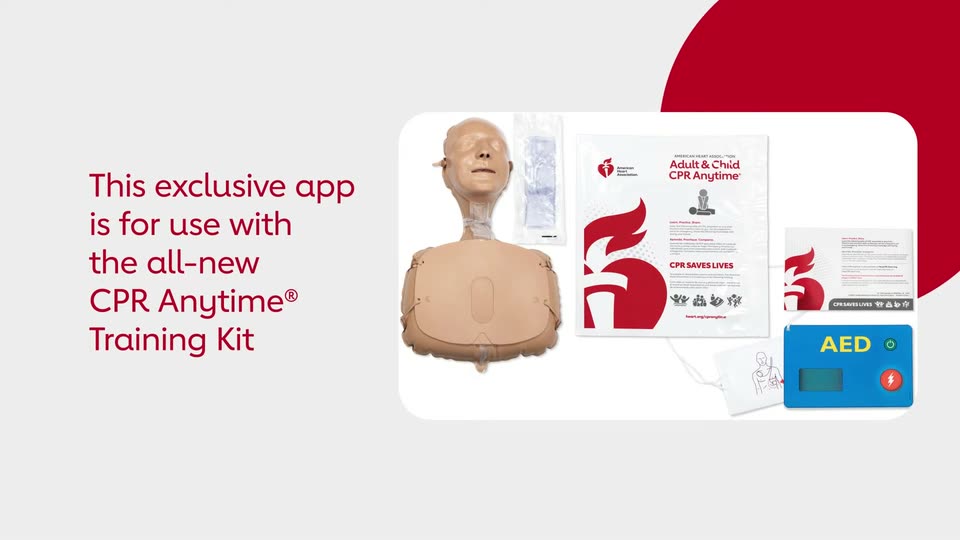
A red circle grows from the top-left corner while a white card holding the infant CPR mannequin, instruction sheet and face shield slides in from the left. Red text builds word by word on the right.
On-screen text: “This exclusive app is for use with the all-new CPR Anytime® Training Kit”
Techniques: Kinetic type
Camera: Static
03 · Product intro · 0:03–0:04
A white rounded card on the left holds a product photo of the infant CPR training kit, a mannequin, manual, bag and card. Red text on the right states the app is for use with the all-new CPR Anytime Training Kit. The composition holds static with no motion.
On-screen text: “This exclusive app is for use with the all-new CPR Anytime® Training Kit”
Camera: Static
04 · Feature reveal · 0:04–0:08
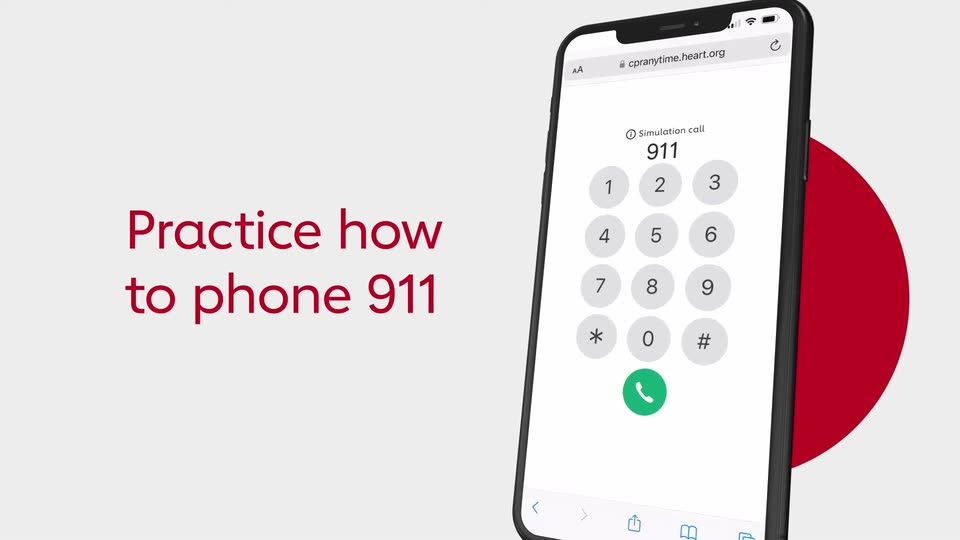
A tilted phone mockup on the right plays a 911 practice keypad, advancing to the dialed number then a result card. On the left, a red headline builds word by word, and a red circle slides in behind the phone.
On-screen text: “Practice how to phone 911”
Techniques: 3D mockup, Kinetic type
Camera: Push in
05 · Feature reveal · 0:08–0:09
A 3D phone mockup, angled in perspective, displays a PDF training page with a baby illustration. The phone rotates toward the camera while a red circle grows behind it and a red headline assembles line by line on the right.
On-screen text: “Interactive experience gives you real-time feedback on hand placement for infant CPR”
Techniques: 3D mockup, Kinetic type
Camera: Static
06 · Feature reveal · 0:09–0:15
A tilted phone mockup floats in 3D over a red circle, its screen showing a CPR app where hands are dragged onto a baby figure and the prompt updates. A red headline block sits to the right on a gray background.
On-screen text: “Interactive experience gives you real-time feedback on hand placement for infant CPR”
Techniques: 3D mockup
Camera: Static
07 · Feature reveal · 0:15–0:19
A 3D phone mockup, tilted on the right, cycles through quiz questions and a green-highlighted correct answer, with a red circle behind it. A red headline types in word by word on the left as the phone slowly rotates to face front.
On-screen text: “Short quiz questions help support your learning”
Techniques: Kinetic type, 3D mockup
Camera: Static
08 · Feature reveal · 0:19–0:24
A 3D iPhone mockup slides in from the left and settles over a red circle that scales up on a light gray background. The screen switches from a course completion page to a family invite page, while red headline and body text slide in from the right.
On-screen text: “Learn. Practice. Share.”, “Be ready to act with confidence when unexpected emergencies happen.”
Techniques: Kinetic type, 3D mockup
Camera: Pull out
09 · CTA · 0:24–0:28
A light gray end card holds the red AHA heart logo and a circular 2024 CPR-trained seal above a red two-line headline. A search bar types out Heart.org/CPRAnytime letter by letter, with the red hashtag #CPRwithHeart below, then the whole frame fades to black.
On-screen text: “Discover CPR Anytime with the American Heart Association”, “Heart.org/CPRAnytime”, “#CPRwithHeart”
Camera: Static