1:00

RATLOG - Building reusable heavy-lift rockets
RATLOG · Industrials · Oct 2026
Adam · Oct 2026 · 0:56 · AI-annotated
Adam’s 0:56 launch film runs 32 scenes, about 1.8 s each. The product is on screen from the first frame and 9 features are revealed. There is no explicit call to action; a voiceover carries the film. The video alternates presenter shots in a neon-lit studio with fast-cut 3D and UI demos on a black starfield, each feature introduced by a rounded headline card and a quick demo. Pacing runs near 30 cuts per minute, with magenta connector lines and the recurring pink a emblem linking data to results as the signature moves.
Is this your launch? to your site or press kit.
RATLOG · Industrials · Oct 2026
Theker Robotics · Jun 2026
FullSeam · B2B · Feb 2026
A man in a black tee and white overalls sits at a desk, gesturing with both hands as he speaks. A glowing neon 'adam' sign hangs on the wall behind him, with a red-lit bust and headphones on the left and a laptop on the right.
On-screen text: “INTRODUCING THE NEXT CHAPTER”, “OF AI IN CAD,”
Camera: Static
On a black starfield with a purple haze, a small pink outlined cube mark scales up into a filled 3D pink and purple emblem. The white lowercase wordmark adam forms around it, with WORKSPACE in spaced caps below, while a small caption reads INTRODUCING THE NEXT CHAPTER OF AI IN CAD.
On-screen text: “INTRODUCING THE NEXT CHAPTER”, “OF AI IN CAD,”, “adam”, “WORKSPACE”
Camera: Static
A locked-off desktop shows a SOLIDWORKS window with a 3D mechanical assembly and a What's Wrong error list, beside a chat panel where messages stack up. Error dialogs for a missing file and a file-in-use warning pop up over the CAD window.
Camera: Static
A man in profile smiles and gestures while speaking in a pink-lit room, a neon sign and red-leafed plants behind him. A white caption sits at the bottom. The frame stays locked off.
On-screen text: “SEARCHING FOR CONTEXT THAT JUST ISN'T THERE.”
Camera: Static
A man in a black T-shirt and white apron talks to camera in a warm room, raising open hands then clasping them; a red neon sign, bust, and shelves frame him, with a white two-line caption at the bottom.
On-screen text: “SEARCHING FOR CONTEXT THAT JUST ISN'T THERE.”
Camera: Static
A pink dot sits at the center of a black void above a purple glow as faint file and document cards drift into view around it in 3D. A still two-line caption overlays the scene.
On-screen text: “SEARCHING FOR CONTEXT THAT”, “JUST ISN'T THERE.”, “om”
Techniques: 3D mockup
Camera: Pull out
A pink 3D 'A' logo sits at the center of a dark grid of small file cards and document thumbnails joined by thin magenta lines. The network tilts into 3D perspective, receding toward the back, as a purple haze glows along the bottom edge.
Techniques: 3D mockup
Camera: Static
A white headline fades in on the left while a stack of five translucent panels tilts in 3D perspective on the right, the top one edged in glowing magenta and holding a pink 3D logo. Purple mist glows along the bottom of the black frame.
On-screen text: “intelligence layer for your organization”
Techniques: 3D mockup
Camera: Static
A 3D isometric stack of translucent dark layers sits on the right, capped by a pink hexagonal logo and dotted with small app icons. White text reads 'intelligence layer for your organization' on the left against a black background with a purple glow below.
On-screen text: “intelligence layer for your organization”
Techniques: 3D mockup
Camera: Static
A man in overalls stands in a studio with a neon sign, gesturing with his hands. White subtitles are centered at the bottom of the frame.
On-screen text: “YOUR ENTIRE ENGINEERING BRAIN”, “ALL IN ONE SPACE.”
Camera: Static
A man in a black tee and overalls speaks in profile, gesturing with one open hand, against a pink-lit wall bearing a neon logo and a leafy plant in red light. Two white caption lines sit centered at the bottom of the frame.
On-screen text: “YOUR ENTIRE ENGINEERING BRAIN”, “ALL IN ONE SPACE.”
Camera: Static
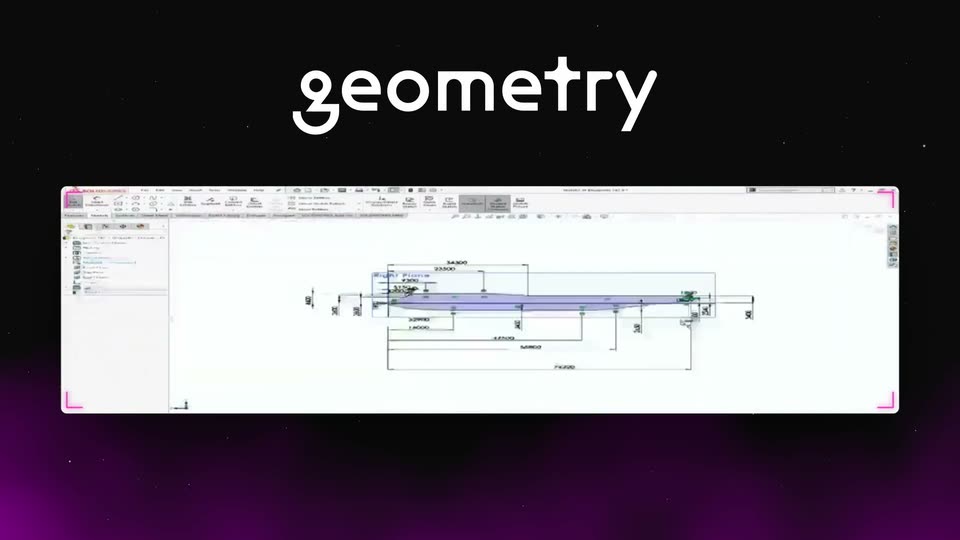
A white “geometry” word holds at top center over a black-to-purple gradient. Below it, a CAD drawing window floats tilted in 3D perspective, its canvas cycling through blue-highlighted engineering profiles and dimensioned line work.
On-screen text: “geometry”
Techniques: 3D mockup
Camera: Static
Locked-off frame of a dark PCB board in 3D isometric view over a purple nebula, with magenta callout lines and white dimension labels. The top headline cycles from geometry to standards and past reviews as a red review note and datum tags pop onto the board.
On-screen text: “geometry”, “standards”, “past reviews”
Techniques: 3D mockup, Kinetic type
Camera: Static
A white chat card floats on a black starfield with a purple glow at the base. Inside, a gray message bubble from Priya Raman sits above a plain response paragraph. A pink highlight line slides in under the second sentence of the response.
Camera: Static
A white spreadsheet window sits on a dark starfield with a purple glow, under the title “supplier history”. The table resolves into place, the Northstar row tints pink, and a small caption slides in at the bottom right.
On-screen text: “supplier history”, “ADAM PICK · NORTHSTAR · FIRST 50 UNITS”
Camera: Static
Split screen: a presenter in a white apron gestures in a pink-lit room on the left; the right panel swaps colored app icons, a red CATIA mark, a teal TC tile and multicolor shapes, under small category labels. Bottom captions state the connection and orchestration message.
On-screen text: “CONNECT ACROSS YOUR CAD,”, “PLM AND ENGINEERING DATA,”, “CAD”, “PLM”, “ENGINEERING DATA”, “AND ORCHESTRATE AGENTS”, “ACROSS ALL YOUR TOOLS.”
Techniques: Split screen
Camera: Static
A man in a black t-shirt and white apron stands in a room with a neon sign and a red-lit bust, gesturing with both hands as he speaks. A two-line subtitle sits at the bottom of the frame.
On-screen text: “AND ORCHESTRATE AGENTS”, “ACROSS ALL YOUR TOOLS.”
Camera: Static
A man in a black tee and white overalls talks to camera in a pink-lit room with neon signs and a shelf of props. He gestures with both hands while white captions appear at the bottom center.
On-screen text: “AND ORCHESTRATE AGENTS”, “ACROSS ALL YOUR TOOLS.”
Techniques: Kinetic type
Camera: Static
Split-screen view: a dark left panel with the headline “engineering documentation” fading in above four JSON file cards, and a white markdown document on the right that types itself out row by row while pink connector lines draw from each card to its matching result.
On-screen text: “engineering documentation”
Techniques: Split screen
Camera: Static
A 3D robot model with a blue box head and gray articulated limbs steps forward inside a white CAD viewport, its foot settling on a colored block. A right-edge toolbar and a top-right navigation cube frame the interface. CAD sits centered below on a dark starfield with a purple glow.
On-screen text: “CAD”
Techniques: 3D mockup
Camera: Static
A spreadsheet of a bill of materials, tilted in 3D perspective, hovers over a dark purple starfield. The white headline reads “reconcile BOM” beneath it. The camera is locked off and the table stays still.
On-screen text: “reconcile BOM”
Techniques: 3D mockup
Camera: Static
A tilted 3D browser window floats over a dark starfield and scrolls down a design review document, passing stat blocks and a pink robotic arm render. A white rounded label reads design review beneath it.
On-screen text: “design review”
Techniques: 3D mockup
Camera: Static
A presenter in a white apron stands behind a desk in a red-lit studio, moving his hands as he speaks. A neon name sign and a gilded bust sit on the wall behind him, a laptop on the desk. A white caption line holds at the bottom.
On-screen text: “SEARCH ACROSS EVERYTHING YOU'VE EVER BUILT,”
Camera: Static
A white chat card with engineering notes and a message from Maya Chen floats over a dark starry field, then cuts to a SOLIDWORKS window: wireframe Z-stage assembly in the viewport, file tree at left, and a right panel with a friction-angle plot and the result 8.5° > 5.2°.
On-screen text: “60”, “SEARCH ACROSS EVERYTHING YOU'VE EVER BUILT,”, “adom”
Techniques: 3D mockup
Camera: Static
The SOLIDWORKS window shows a Z-stage assembly in 3D while an AI chat panel on the right types out a design rationale; a pink line links the reply to the lead screw. The scene cuts to a presenter in a workshop as the caption “AND AUTOMATE THE REST,” appears.
On-screen text: “INSIDE SOLIDWORKS - TASK PANEL”, “AND AUTOMATE THE REST,”
Techniques: Kinetic type
Camera: Static
A man in a white apron speaks to camera in a neon-lit studio with a statue and shelves, a subtitle reading AND AUTOMATE THE REST. The frame then cuts to a dark circular dial marked SUPPLIER + PART and UNIT PRICE.
On-screen text: “AND AUTOMATE THE REST,”
Camera: Static
A locked-off dark frame over a purple nebula shows a price-watch UI: a 24-hour clock dial sweeps from 00:05 to 20:00 while a supplier table flips part prices downward with strikethroughs and percent deltas, pink-highlighted rows, under the headline live part pricing.
On-screen text: “AND AUTOMATE THE REST,”, “live part pricing”
Camera: Static
On a dark starry backdrop, the white headline CAD & simulation sits above two side-by-side software windows: a CAD view of a 3D bracket model on the left and a stress-analysis plot with a blue-to-green gradient on the right. The frame is locked off and the text stays static.
On-screen text: “CAD & simulation”
Techniques: Split screen, 3D mockup
Camera: Static
A man in a black t-shirt and white overalls sits at a desk in a red-lit studio, gesturing with both hands then clasping them. Behind him a neon sign glows above a bust, headphones and a laptop. A two-line caption sits at the bottom.
On-screen text: “EVERY SINGLE INDUSTRY IS GOING AI NATIVE IN 2026.”
Camera: Static
A man in a dark t-shirt with shoulder straps gestures and speaks in a pink-lit room, a neon sign glowing on the wall behind him and red-leafed plants in the foreground. The camera is locked off as white subtitle captions appear at the bottom.
On-screen text: “IT'S TIME ENGINEERING AND HARDWARE COMPANIES DID TOO.”
Camera: Static
A man in a white apron sits at a desk facing camera, gesturing then resting his hands on the table. A pink-lit wall behind him holds a neon 'adam' sign, a statue bust and headphones left, a shelf right, a laptop in the foreground. White subtitles sit at the bottom.
On-screen text: “IT'S TIME ENGINEERING AND HARDWARE”, “COMPANIES DID TOO.”
Camera: Static
A pink wireframe 3D letter a fills into a solid gradient mark, then the wordmark adam appears in cream with the mark as its second letter. WORKSPACE fades in below in white, over a black starfield with drifting purple smoke.
On-screen text: “adam”, “WORKSPACE”
Techniques: Morph
Camera: Push in