1:29


Donkey Trade
Donkey · B2B · Aug 2026
Accordio · Nov 2026 · 0:41 · AI-annotated
Accordio’s 0:41 launch film runs 19 scenes, about 2.2 s each. The product shows up at 0:13 and 4 features are revealed. The call to action lands at 0:37 (90% in), over a voiceover. Two-act flip: a dark, text-only problem act that inverts to a bright UI-demo act on the card 'So we gave it the tools', then a rapid montage of feature demos. Signature moves: letter-by-letter typing, blur-to-focus card reveals, 3D-tilted bubble rows, and the pixel pig popping in as punctuation.
Is this your launch? to your site or press kit.
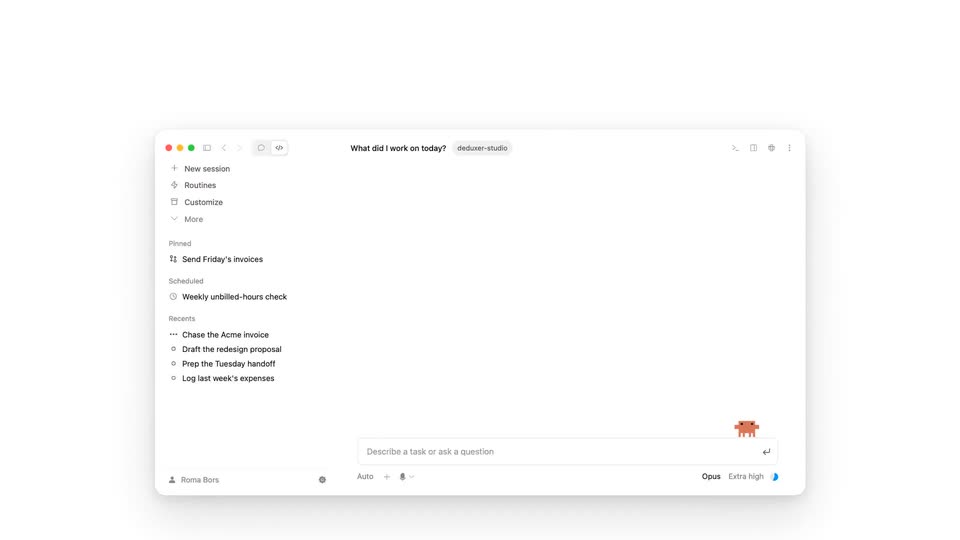
A dark chat app shows a left sidebar and the greeting “Afternoon, Roma” with an orange spark. The view reframes onto the input bar as “how much did I work today?” is typed, then the line lifts into a chat bubble at the top right.
Techniques: UI zoom
Camera: Push in
A flat dark chat screen holds a user bubble top right and an assistant reply that types out letter by letter under a small 'Checking available tools' label. A second, slightly tilted user bubble fades in at the lower left while the top-right message swaps.
Techniques: Kinetic type
Camera: Static
On a near-black background, tilted chat bubbles drift in and stack along a receding 3D row at the bottom while a response line types out and swaps between tasks. The frame then zooms until the response text fills the screen.
Techniques: 3D mockup, Parallax, Kinetic type
Camera: Push in
A large white serif 'I can't' sits centered on a dark background, then scales down into the full sentence 'Claude can't do any of this.', with 'can't' in orange and the trailing words fading in one by one.
On-screen text: “I can't”, “Claude can't do any of this.”
Techniques: Kinetic type
Camera: Static
A white serif sentence with the word 'can't' in orange sits centered on a dark background.
On-screen text: “Claude can't do any of this.”
Camera: Static
A dark gray frame holds a centered cream rounded-rectangle card that brightens into view, carrying one line of black serif text. The line stays still and locked in the middle of the card.
On-screen text: “So we gave it the tools”
Camera: Static
A black serif line reads inside a pale gray rounded card centered on a white field. The frame is locked off and the text holds perfectly still for the short beat.
On-screen text: “So we gave it the tools”
Camera: Static
A centered serif headline on a pale rounded card reads So we gave it the tools, then the card expands into a wider panel where three feature tiles, Tracker, Finances and E-sign, scale in from left to right.
On-screen text: “So we gave it the tools”
Camera: Static
A row of tilted white cards labeled Tracker, Finances, E-sign, Meetings and Invoices sits on a pale gray panel, each with a small line icon. Above, a status line types a connection message and ends on a green Connected dot as the cursor hovers the Tracker card, turning it green.
Techniques: Cursor demo
Camera: Static
A horizontal row of integration cards sits on white, the Tracker card outlined in green with a Connected dot and a cursor resting on it. The row fades out to reveal a full chat interface with a left sidebar and a conversation about today's work.
On-screen text: “Called accordio”
Techniques: Cursor demo
Camera: Push in
A flat product window on a light gray background settles from a glitched overlap into a clean layout. In the main panel, a tracked-activity table fills row by row, Figma to Total, with a blinking cursor at the end of each time value.
Camera: Static
A product window showing a daily activity table sits on a light background. The window blurs and fades as the words track time sharpen from a faint watermark into bold black type with a horizontal line drawn through them.
On-screen text: “track time”
Techniques: Kinetic type
Camera: Static
A macOS menu bar with a cursor clicking a pen icon; a white Tracker panel drops down listing working now, work hours and tracking status, while a large black headline with an Apple logo sits on the left and deletes out at the end.
On-screen text: “track time on”
Techniques: Cursor demo, Kinetic type
Camera: Static
On a light gray field, the headline 'e-sign docs with a link' types out word by word on the left. On the right, a signature card resolves from a blurred ghost into focus, showing a wavy drawn signature, then slides off to the right.
On-screen text: “e-sign docs with a link”
Techniques: Kinetic type
Camera: Static
The dark control bar of a video call fills the frame as the view zooms in onto the red hang-up button. A white cursor glides in from the left and presses the button, ending the call.
Techniques: UI zoom, Cursor demo
Camera: Pan
A close-up of a chat window types out three meeting action items, then the view pulls back to reveal the full app window in 3D perspective under the headline “context from meetings”. The window fades, leaving a small orange pixel pig and the caption “and much more...”.
On-screen text: “context from meetings”, “and much more...”
Techniques: UI zoom, 3D mockup
Camera: Pull out
On a light gray field a small orange pixel creature sits center, then the black label works with appears at left as a row of partner icons (orange asterisk, green loop, blue terminal blob, red creature) pops in to the right, and the whole line fades out.
On-screen text: “works with”
Camera: Static
On a pale gray field, the centered line “Tracker is free” holds, then “free” is swapped for the GitHub mark and “open source.” The line exits and the Tracker logo, a black circle with a green y, takes its place in the center.
On-screen text: “Tracker is free”, “Tracker is open source.”
Camera: Static
A dark circular badge with a pale green leaf and a small sparkle sits centered on a light gray disc. The logo settles into place, then the URL fades in beneath it and holds still.
On-screen text: “www.accordio.ai/mcp”
Camera: Static