1:21
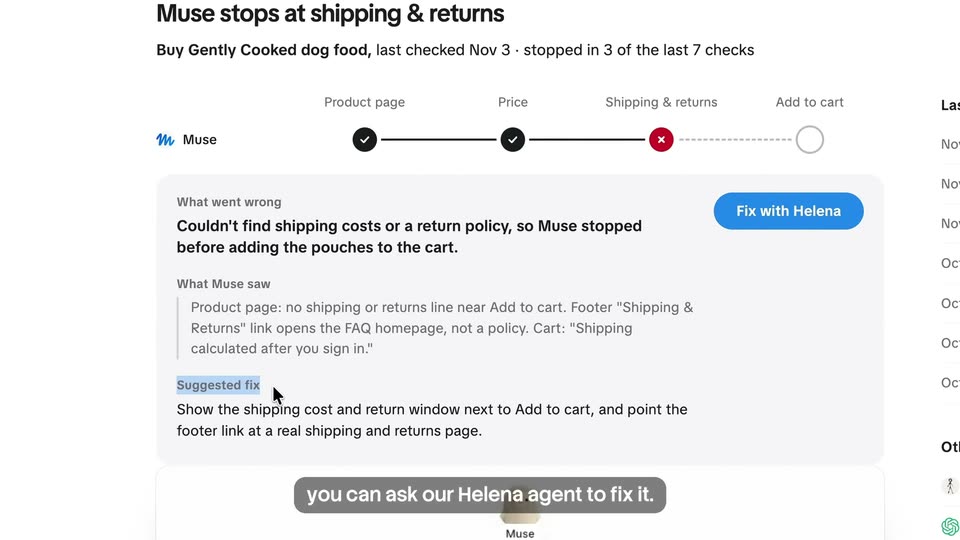
Seijin Jung - Today, we're introducing Agent Conversion Optimization → Muse, Insti
Enrich Labs · Nov 2026
0.security · Nov 2026 · 0:44 · AI-annotated
0.security’s 0:44 launch film runs 22 scenes, about 2.0 s each. The product is on screen from the first frame and 4 features are revealed, with social proof. The call to action lands at 0:41 (92% in), over a voiceover. The film alternates big-number proof points, 3D tunnel fly-throughs, and tight UI close-ups over a constant ember field, cut fast at about 15 cuts per minute. Signature moves: counters rolling up to proof numbers, camera pushes through layered 3D stacks, and orange-glow highlights that track the narration word by word.
Is this your launch? to your site or press kit.
Enrich Labs · Nov 2026
Studio · Aug 2026
Studio · Sep 2026
The OSECURITY wordmark with an orange slash sits centered over a drifting reddish particle nebula, with a white Y Combinator badge beneath. A subtitle line fades in at the bottom, then the logo and badge dim as the particles brighten.
On-screen text: “OSECURITY”, “Backed by Y Combinator”, “Today, we're open-sourcing the tool that helped”
Techniques: Particles
Camera: Static
A dark field of drifting orange particles sits behind a giant white counter that rolls from 0 to 30, an orange plus snapping in at the end. The number dissolves as a faint globe fades in, while voiceover captions roll across the bottom.
On-screen text: “0”, “Today, we're open-sourcing the tool that helped”, “us find over thirty 0-days”, “30+”, “in the Linux kernel,”, “and vulnerabilities in software used”
Techniques: Kinetic type, Particles
Camera: Static
A dark red 3D globe with thin orbital lines sits in a starfield of orange particles. Four labeled app icons fade in around it, linked by lines to a central white octagon logo. A black caption bar at the bottom displays the voiceover line.
On-screen text: “and vulnerabilities in software used”
Techniques: 3D mockup, Particles
Camera: Static
A particle globe of orange dots rotates slowly, ringed by thin orbital lines, with a white Node.js hexagon at its center and four app icons (Wireshark, node-forge, Linux kernel, isonata) floating around it. A large white counter rolls up to 3,000,000,000+ devices above a caption.
On-screen text: “3,000,000,000+ devices”, “on over three billion devices.”
Techniques: Particles, Kinetic type
Camera: Static
A ring of glowing orange dots traces a rounded square against a dark starfield, then condenses into the white O logo with an orange slash. A black caption bar at the bottom holds the tagline throughout the shot.
On-screen text: “Introducing O, the open-source Al security harness”
Techniques: Particles, Morph
Camera: Static
A white octagon logo with an orange slash sits centered over drifting orange dust. The ring fades, a headline builds word by word at lower left, and a caption bar echoes it. The lockup dissolves into a pixel grid as the caption switches to the company name.
On-screen text: “Introducing O, the open-source AI security harness”, “The open-source AI security harness.”, “from O.security.”
Techniques: Particles, Kinetic type, Morph
Camera: Static
A white hexagonal logo with an orange slash sits center-left as the word OSECURITY resolves from a horizontal blur into sharp type, then slides up while The full stack. fades in below, all over a dark field of drifting orange particles.
On-screen text: “from O.security.”, “OSECURITY”, “The full stack.”
Techniques: Kinetic type, Particles
Camera: Static
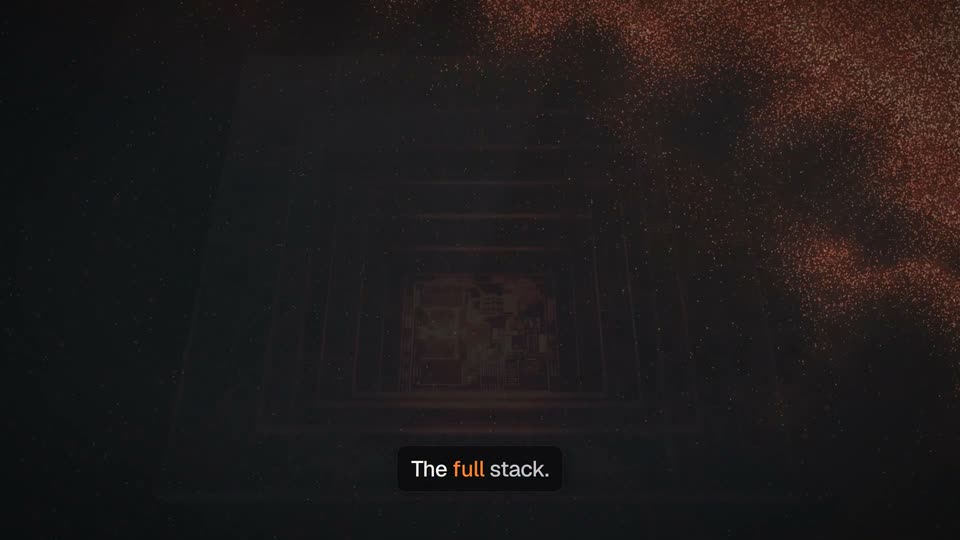
A glowing chip die sits in 3D perspective within nested square frames, surrounded by drifting orange particles. The caption 'The full stack.' stays bottom-center as a large 'The full stack' headline and a 'Web apps' label with a browser icon fade in and out over the chip.
On-screen text: “The full stack.”, “The full stack”, “Web apps”, “auth · sessions · access control”
Techniques: Particles, 3D mockup
Camera: Static
A 3D stack of cards (Web apps, APIs, Binaries, Kernels) recedes into a tunnel of ember particles and light streaks. The camera flies forward through the stack, and a bottom caption pill swaps from “From web apps and APIs,” to “down to binaries and kernels.”
On-screen text: “The full stack”, “Web apps”, “auth · sessions · access control”, “From web apps and APIs,”, “APIs”, “REST · GraphQL · webhooks”, “down to binaries and kernels.”, “Binaries”, “reverse engineering”, “Kernels”
Techniques: 3D mockup, Particles, Parallax
Camera: Pan
A 3D tunnel of orange circuit lines pushes forward as dark feature cards labeled Kernels and Binaries drift through it. A bright orange glow flashes at the center, then the Kernels card settles into focus at center. A caption sits at the bottom.
On-screen text: “down to binaries and kernels.”
Techniques: 3D mockup, Parallax
Camera: Static
A dark terminal window listing model providers sits center frame, ringed by floating provider logo tiles joined by orange lines. A web app window slides in from the left as the terminal shifts right, leaving two panels side by side over a red particle field.
On-screen text: “Bring your model.”, “work in the CLl,”
Techniques: Kinetic type, Split screen
Camera: Pull out
A tilted terminal window floats in 3D over a darker code editor, set against drifting orange particles. The terminal's provider list gives way to a pixelated SECURITY wordmark and a small robot mascot, with a caption pill at the bottom.
On-screen text: “work in the CLI,”
Techniques: 3D mockup, Particles
Camera: Static
A dark web app window and a terminal float over a reddish starfield. The terminal's pixel logo slides as a bottom caption reads the line, and an MCP pill with a plug icon is revealed on the right edge.
On-screen text: “work in the CLI”, “or connect your agents through MCP.”, “MCP”
Techniques: Masking
Camera: Push in
A dimmed security report UI sits in the background while the title holds at top center. Six orange-glowing icon tiles pop in one by one, each labeled code analysis, pen-testing, vulnerability research, reverse engineering, verification, fixing, and a bottom caption box ticks through the matching phrases in sync with the voiceover.
On-screen text: “What the agents do”, “Code analysis”, “Pen-testing”, “Analyze code, run pen tests,”, “Vulnerability research”, “research vulnerabilities, reverse engineer”, “Reverse engineering”, “Verification”, “binaries, verify findings,”, “Fixing”
Techniques: Kinetic type
Camera: Static
A dark grid of six orange icon tiles with white labels sits under the heading What the agents do. The camera whips right across the grid with heavy motion blur, while a caption and build fixes. holds at the bottom.
On-screen text: “What the agents do”, “and build fixes.”
Camera: Push in
A dark security-workflows list sits in a browser window. Faint category labels fade out, the top row, Whitebox pentest, gains an orange outline, and a caption settles below the list.
On-screen text: “Use built-in security workflows,”
Camera: Static
A dark security-workflows screen shows a cursor on the orange Run button, then the view zooms into a workflow diagram with the Start manually node outlined in orange and linked to step labels. A caption line updates at the bottom edge.
On-screen text: “Use built-in security workflows, where parallel agents investigate,”
Techniques: Cursor demo, UI zoom, Kinetic type
Camera: Push in
A dark workflow canvas shows five connected nodes, two ringed in glowing orange. A caption bar at the bottom reads “where parallel agents investigate,” the final word in orange, as the view eases slightly inward.
On-screen text: “where parallel agents investigate,”
Camera: Static
A dark workflow canvas with orange-bordered step cards and a left menu zooms out from a blurred close-up to the full layout. A caption box at the bottom updates phrase by phrase, highlighting one word in orange.
On-screen text: “where parallel agents investigate,”, “reproduce, and test fixes.”
Techniques: Kinetic type, UI zoom
Camera: Static
A dark workflow builder with orange-outlined step cards sharpens out of horizontal motion blur, settling into a clear grid. A caption box below reads “reproduce, and test fixes.”
On-screen text: “reproduce, and test fixes.”
Techniques: Speed ramp
Camera: Static
A dark starfield with drifting orange embers on the right. Five coding-agent icons (Codex, Cursor, Gemini CLI, Claude Code, OpenCode) sit in a row, their lines converging to a center where a ring of sparks forms. A white pill holds the URL above a black caption that highlights words in orange.
On-screen text: “github.com/0sec-labs/0”, “Run it with your coding agent,”
Techniques: Particles
Camera: Static
A glowing octagon logo centers a dark starfield, linked by thin lines to five labeled agent icons (Cursor, Codex, Gemini CLI, Claude Code, OpenCode). The icons and a “today.” pill fade out, leaving the logo above a white URL bar and tagline as orange particles drift right.
On-screen text: “github.com/0sec-labs/0”, “The open-source AI security harness”, “Research preview”, “today.”
Techniques: Particles
Camera: Static