0:53
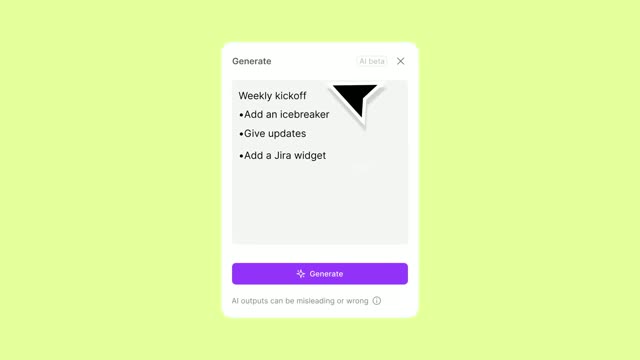

Introducing FigJam AI
Figma · Design · Nov 2023
Spline · Dec 2024 · 0:41
The video is built as a chain of black title cards, each followed by flat-field 3D renders and editor UI shots that demo one feature at a time. Cuts run fast at about 26 per minute, and the signature moves are liquid morphing between primitives and cursor-driven real-time manipulation.
Figma · Design · Nov 2023
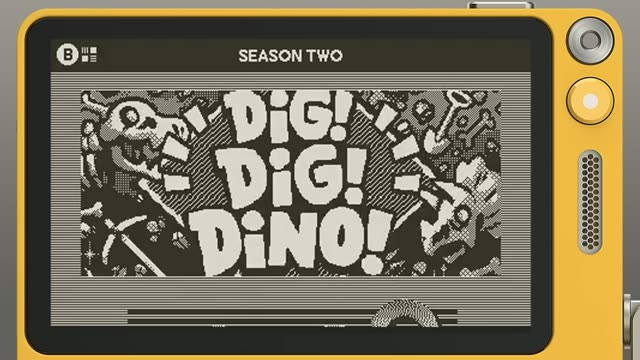
Playdate · Hardware · Jul 2025
The Browser Company · Productivity · Apr 2024
A glossy pale-pink 3D word Hi sits centered on a flat yellow field, lit from above with soft cast shadows. The dot of the i bounces and stretches into a liquid bridge, while a small sphere and a mouse cursor drift near the left and the letters.
Techniques: Cursor demo
Camera: Static
A glossy gray liquid blob morphs and tumbles in 3D, ringed by flat white discs and a few small gray bubbles on a flat blue-gray field. A slim dark toolbar with an Export button sits at top center. The forms drift and merge in slow, continuous motion.
On-screen text: “Hi”
Techniques: Morph
Camera: Pull out
A black background holds the white words Shape Blend centered in the frame. The text stays still and locked off for the full duration of the shot.
On-screen text: “Shape Blend”
Camera: Static
A glossy white 3D slab floats on a gray field, bending and warping as circular dents form on its face. The blue wordmark “Milk” sits behind it, revealed and hidden as the slab rotates and its surface morphs.
On-screen text: “Milk”
Techniques: 3D mockup, Masking, Morph
Camera: Static
A 3D modeling app fills the frame, side panels framing a center viewport. A dark metallic cross of cylinders sits under a transform gizmo. A cursor glides over the model as the geometry reshapes into a twisted blend and the left panel selection shifts.
Techniques: Cursor demo
Camera: Static
A 3D design tool viewport centers a glossy red gummy bear inside a wireframe bounding box. The camera orbits and eases closer, the rotation gizmo on the bear's head turning with it. Dark side panels list the object tree and material properties.
Techniques: 3D mockup
Camera: Static
A glossy pink 3D octopus with a smiling face and red cheeks floats on a pale pink backdrop, its tentacles swaying gently. A slim dark toolbar with an Export button sits at the top, and a cursor hovers to the right.
Techniques: 3D mockup, Cursor demo
Camera: Static
A matte blue 3D blob floats on a pale lavender field, swelling, splitting into loose spheres and re-merging as a cursor glides up to the top toolbar and taps the close icon.
Techniques: Morph, Cursor demo
Camera: Static
White text reading “Blend Controls” sits centered on a plain black background. The frame stays locked and static for the full duration, with no movement or additional elements.
On-screen text: “Blend Controls”
Camera: Static
A colorful shape-blend object with green and blue handles and a pink sphere sits in the dark 3D viewport of the editor. A cursor moves to the right panel and raises the Blending value, and the object morphs into a smooth rounded blob.
On-screen text: “Blend Controls”
Techniques: Morph, Cursor demo
Camera: Static
A pink 3D mug with green and blue handles floats on a dark gray backdrop. The separated handles drift in and fuse with the cup body while the object rotates gently. A small toolbar with an Export button sits at the top edge.
Techniques: 3D mockup, Morph
Camera: Static
A glossy red-and-blue 3D blob continuously morphs and tumbles in the center of a pale blue field, beneath a small dark toolbar, while a cursor hovers at the right edge.
Techniques: Morph
Camera: Static
The Burny editor shows a white 3D bunny with pink ears on a rose background. The viewport zooms in on the left ear as a transform gizmo and selection box snap to it, then pulls back as the caption fades in at center.
On-screen text: “Real-time Interactions”
Techniques: 3D mockup, Cursor demo, UI zoom
Camera: Static
White text reading “Real-time Interactions” sits centered on a plain black background. The frame is locked off and the text stays static for the full duration.
On-screen text: “Real-time Interactions”
Camera: Static
On a sage green canvas a 3D landscape of green cones, spheres and a brown base builds up in place, a white cloud popping in above. A slim toolbar sits at the top and a cursor drifts down the right side as the model updates.
On-screen text: “Real-time Interactions”
Techniques: 3D mockup
Camera: Static
A glossy cream 3D word reading Hi sits on a flat yellow field with a soft drop shadow. The letters wobble and bulge like liquid while small cream spheres pop out and dissolve around them, under a thin dark export bar.
On-screen text: “Hi”
Techniques: Kinetic type, Morph
Camera: Static
A glossy gradient 3D shape, green and blue twin handles above a large pink bowl, rotates slowly on a dark charcoal canvas while a cursor drifts across the frame. A slim export toolbar floats at the top edge.
On-screen text: “8”
Camera: Static
Inside a 3D modeling app, a glossy pink creature with black eyes sits in the center viewport, wrapped in a transform gizmo. Dark side panels list the object hierarchy and material settings. A cursor hovers near the gizmo as it shifts slightly.
Techniques: 3D mockup, Cursor demo
Camera: Static
A fried egg with a cartoon face sits on a beige canvas below a small dark toolbar. A cursor drags the yolk, squishing it into a warped blob while the eyes squint, then the yolk relaxes back to round as the eyes reopen.
Techniques: Cursor demo
Camera: Static
On black, the white wordmark Spline holds center. A small gradient circle in blue, yellow and pink scales in over the word, then expands into a large white circle that fills the frame, and a black circle opens in its center as an iris wipe.
Techniques: Masking
Camera: Static
On black, the white wordmark Spline holds center. A small gradient circle in blue, yellow and pink scales in over the word, then expands into a large white circle that fills the frame, and a black circle opens in its center as an iris wipe.
Techniques: Masking
Camera: Static