0:41
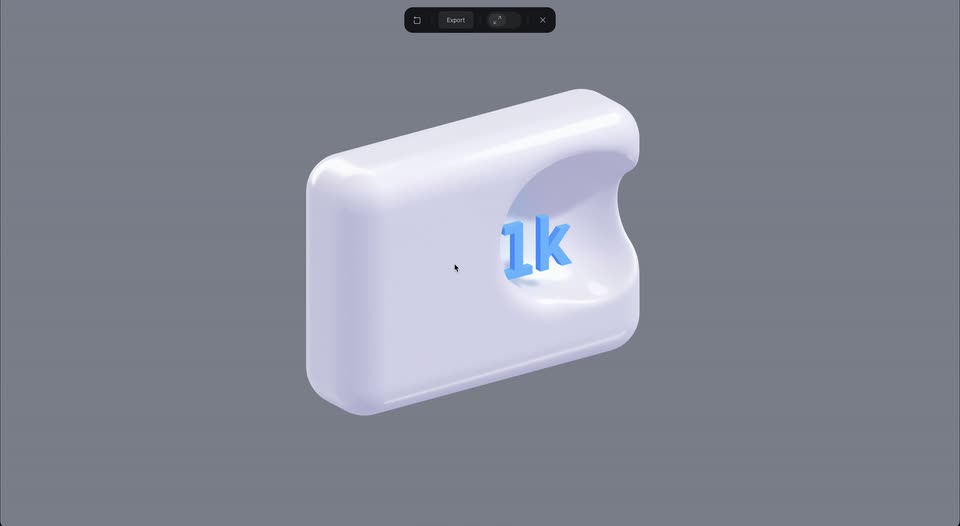

Introducing 3D Shape Blend with Spline - SDF Volumes
Spline · Design · Dec 2024
Figma · Nov 2023 · 0:53 · AI-annotated
Built as a fast feature montage on a white dotted-grid whiteboard, the film opens on an abstract cursor and then chains four AI demos (generate, sort, summarize, launch plan), each framed by a flat color field and a dark AI menu, and closes on the FigJam to Figma logo lockup. Its signature moves are the oversized black cursor that shrinks and glides, hard flat-color transitions (sliding purple bars, block wipes), hand-drawn marker headlines, and a swarm of named multiplayer cursors, all cut at a
Spline · Design · Dec 2024
Anthropic · AI · Oct 2026
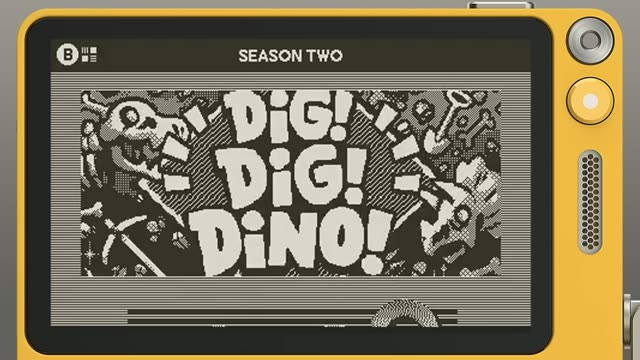
Playdate · Hardware · Jul 2025
A white canvas covered in a regular grid of small gray dots. A black arrow cursor with a soft drop shadow fades in near the center, holds briefly, then fades out. The motion is minimal and quick.
Camera: Static
A white dotted-grid whiteboard fills the frame with a top menu bar and a floating tool tray at the bottom. An oversized black cursor arrow shrinks and glides to the upper left, then fades out as the tray and top icons settle into place.
Camera: Pull out
Flat black shapes on a white field: a gray digital 00 clock at left, four-pointed sparkles in the center, a wireframe grid at right. A black cursor arrow with a white outline drifts up from the bottom right, passes over the large star, and exits.
On-screen text: “00”, “F”
Camera: Static
A white modal card on a lime green background resolves from a skeleton loader into an AI Generate panel. A black cursor types Weekly kickoff into the field, bullet points fill in below, the purple Generate button appears, and the cursor clicks it.
Techniques: Cursor demo
Camera: Push in
On a white dotted grid, a purple square and pale rectangle expand into a light-purple panel. A sunburst doodle and marker headline WEEKLY CKOF draw on above, an Icebreaker tag and star pop in, and the panel fills with a peace-hand icon, the title, and body copy.
On-screen text: “WEEKLY CKOF”, “Icebreaker”, “TWO TRUTHS & A LIE”, “5 minutes”, “Grab a sticky. Write three things about yourself: two true, one not. Then, try to guess!”, “Smartwatches display recipe steps and timers for hands-free cooking.”
Techniques: Morph, Kinetic type
Camera: Pan
The view zooms out from a purple icebreaker card to a full whiteboard titled Weekly Kickoff Meeting, with three columns of sticky notes, a Jira widget, and four named cursors moving over the cards above a bottom toolbar.
Techniques: UI zoom, Cursor demo
Camera: Pull out
A blue-gray field retracts to reveal a white dot-grid cross that folds into a single tilted square, as a cursor arrow appears at its center.
Techniques: Masking, Morph
Camera: Static
A close-up of a dotted whiteboard zooms out to reveal a dense grid of colored sticky notes and name tags popping in, while black, white and purple cursors drift between doodles and notes.
Techniques: UI zoom
Camera: Pull out
A dotted whiteboard canvas fills the frame with yellow and purple sticky notes, a hand-drawn “GREAT IDEA” scribble, a star emoji and colored multiplayer cursors. The camera pulls back to widen the view of the board.
Techniques: Cursor demo
Camera: Push in
A FigJam whiteboard with a dotted grid, colorful sticky notes and colored cursors; a 3D star sticker bobs at the center as a blue FigJam AI Beta badge slides in from the left over it.
On-screen text: “FigJam AI”, “Beta”
Techniques: 3D mockup
Camera: Pan
A dark FigJam AI button with a Beta badge sits on a flat terracotta background. A cursor clicks it, and the button expands into a dropdown menu; the Sort stickies row highlights in purple under the hovering cursor.
Techniques: Cursor demo, Morph
Camera: Static
A dense field of pastel sticky notes with handwritten doodles reflows from a scattered wall into four tight clusters while a black arrow cursor glides across the white board.
Techniques: Cursor demo
Camera: Pull out
Locked-off flat board of three pastel cards on a dotted grid. Category labels and two testimonial cards pop into the orange card, black cursor arrows shift, and spiky black starbursts flash at two corners.
On-screen text: “Improving collaboration and communication”, “Positive team dynamics and feedback”, “Enhancing user experience and sustainability”
Techniques: Cursor demo
Camera: Static
A flat whiteboard view with three labeled sections of colorful sticky notes. The notes fill in with text as the board loads, a black radial spinner in the top right spins and vanishes, a black starburst in the lower left fades, and a cursor moves across the canvas.
Techniques: Cursor demo
Camera: Static
A locked-off view of a digital whiteboard with three panels of colorful sticky notes under orange, purple and green titles. A black arrow cursor drifts on the left as blue selection handles pop onto the top panel's corners.
Techniques: Cursor demo
Camera: Static
A dark menu card labeled FigJam AI with two options sits on a pale blue background. A white cursor glides in from the left and hovers over the Summarize row, which lights up purple.
Techniques: Cursor demo
Camera: Static
A white note card with a perforated edge on a gray-blue background scales up, then its summary text scrolls down through Strengths, Weaknesses, and Suggestions sections. A purple block fades in over the last lines as a black cursor moves around the card.
Techniques: UI zoom, Cursor demo
Camera: Pan
A document page with a Weaknesses list is covered by sliding purple blocks. The white blocks that mask the text gain a grid of dots, and the layout resolves into a purple field of white dotted rectangles.
Techniques: Morph, Masking
Camera: Push in
A large yellow 'Launch plan' badge and 'October' text scale down and slide up, transforming into headers above a list of project milestones and dates on a card.
On-screen text: “Launch plan”, “October”
Techniques: Kinetic type, Morph, UI zoom
Camera: Pull out
A cream launch plan card listing an October schedule sits on a dotted gray background, topped with blue checkered tape. Seven colored name tags and matching cursors pop in and float around the card while the card drifts slightly left.
Techniques: Cursor demo
Camera: Pull out
A white product panel on an orange background lists three template cards: Weekly sync, Gantt chart, Brainstorm. A large black cursor slides in from the right and hovers over the Gantt chart card, which lifts with a shadow.
Techniques: Cursor demo
Camera: Pan
On a white background, a solid purple bar extends from the left edge, sliding right until it overlaps a pale lavender rounded panel. A second lighter panel sits below it, both static.
Camera: Static
White background. Two purple bars slide across the top while light-purple tiles holding a star and a spinner icon drift apart. A bordered card with a date and label pops in, the star tile breaks into scattered dots, and a gray handwritten word flashes at the top.
On-screen text: “LAUNC”
Techniques: Morph
Camera: Static
A hand-drawn LAUNCH PLAN! title sits above a timeline board of October and November task cards. The camera pans right as colored name tags with cursors pop in, then zooms onto a Today Launch Day! card as fire and heart-eyes emojis burst out, ending with a rocket and thumbs-up.
On-screen text: “LAUNCH PLAN!”
Techniques: UI zoom, Particles
Camera: Pan
The FigJam wordmark in bold black sans sits centered on white. A purple square with a hand-drawn star pops in at the top right, and the script tagline writes itself in below, with small sparkles flickering around the star.
On-screen text: “FigJam”, “NOW with AI”
Techniques: Kinetic type, Particles
Camera: Static
On a white background, the FigJam wordmark with a purple sparkle tile and a handwritten “NOW with AI” tagline sits centered, then the lockup is replaced by the centered multicolor Figma logo mark.
On-screen text: “NOW with AI”
Camera: Static
A dark charcoal four-pointed sparkle with a white center dot, ringed by small plus signs and dots, holds centered on an off-white field, then fades out to a plain background.
Camera: Static