1:58
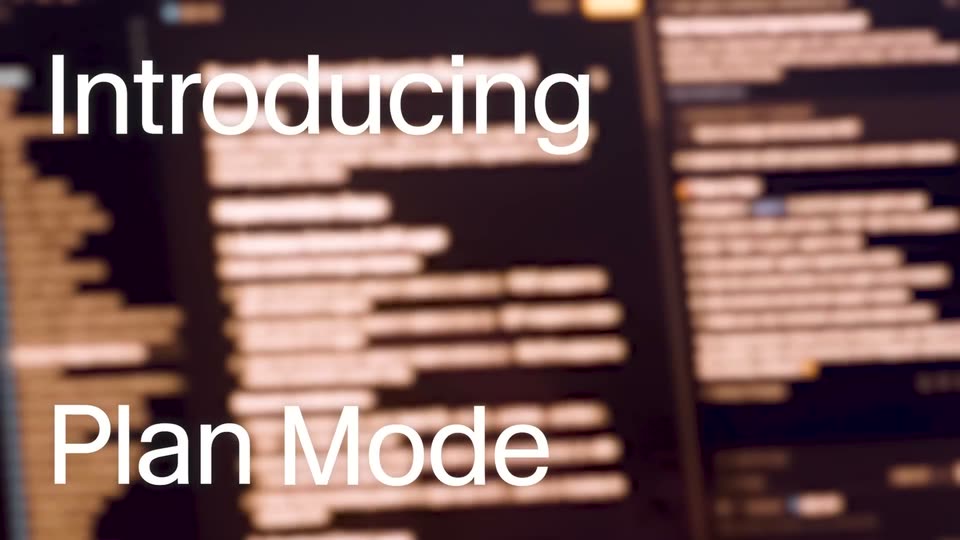

Introducing Plan Mode
Cursor · Developer tools · Oct 2025
Superhuman · Jul 2026 · 0:58
The piece alternates centered gradient title cards with dark UI mockups, pacing each feature as a sharp text announcement followed by a scrolling email demo. Signature moves are blur-to-focus text reveals, sliding subtitle lines, and a hand cursor clicking Send, all set on a slow dark purple-and-teal gradient.
Cursor · Developer tools · Oct 2025
The Browser Company · Productivity · Apr 2024
Framer · Design · Oct 2026
A dark gradient field holds two centered lines of text. The white line slides in from the left, then the pink line sharpens into focus beneath it. Both lines hold for a beat before fading out to the empty background.
On-screen text: “Imagine an inbox where”, “every email writes itself”
Techniques: Kinetic type
Camera: Static
On a dark purple and teal gradient, the title “Auto Drafts 2.0” holds center, shifting from white to green. White subtitle lines cycle beneath it, sliding in and out: “Automatic draft replies”, “based on your calendar,”, “and the web”. The scene fades to black at the end.
On-screen text: “Auto Drafts 2.0”, “Automatic draft replies”, “based on your calendar,”, “and the web”
Techniques: Kinetic type
Camera: Static
A dark message card fades in beneath the white title Hyperfusion Pilot. The card shows a sender line and a two-line message with a typing indicator. Three reply chips appear along its bottom edge, the first gains a pink outline, and a green status line appears below the card.
On-screen text: “Hyperfusion Pilot”
Camera: Pan
A dark email draft panel scrolls up to reveal an auto-drafted reply listing three customer quotes with attributions, ending on the Send and Send later buttons as a hand cursor moves in and clicks Send.
Techniques: Cursor demo
Camera: Push in
On a dark gradient background with soft magenta and teal glows, the headline “Auto Drafts” and the line “match your voice and tone” sharpen into focus, then “for every person” scales in below; the block fades out as a gray bar slides up from the bottom.
On-screen text: “Auto Drafts”, “match your voice and tone”, “for every person”
Techniques: Kinetic type
Camera: Static
A dark email card fades in with the subject “poker night!” and a row of quick-reply chips. The view scrolls down as the “I'm in” chip highlights and an Auto Draft reply appears. A hand cursor clicks Send, then the screen fades to black.
On-screen text: “Auto Drafts”, “match your voice and tone”, “for every person”
Techniques: Cursor demo
Camera: Pan
On a dark background with a soft teal and purple glow, three centered lines of text blur into focus one after another: “Auto Drafts” in white, “track your schedule” in a blue-to-purple gradient, and “and stay up to date” in white and pink-orange. The gradient hues drift slowly.
On-screen text: “Auto Drafts”, “track your schedule”, “and stay up to date”
Techniques: Kinetic type
Camera: Static
A dark card fades in under the white heading Onboarding next steps, showing Vicky's email and three reply options. The Times + 1-pager option highlights, then the view scrolls down to a green Auto Draft to Vicky reply that types out meeting times.
On-screen text: “Onboarding next steps”
Techniques: UI zoom
Camera: Pan
A dark weekly calendar grid eases upward, then two event blocks fade in with colored borders: a pink Coffee block on Tuesday and a blue Hold for Board Prep block on Thursday.
Camera: Static
A dark email draft panel fades in over a weekly calendar grid, then the calendar dissolves away, leaving the full draft. The draft, headed 'Auto Draft to Vicky', lists three availability windows and two blue links.
Camera: Pan
A dark email draft updates in place: a date line fades out and a start time changes to 10:00. The frame then zooms to the footer, where a hand cursor clicks the Send button.
Techniques: UI zoom, Cursor demo
Camera: Push in
A dark notification card with a pale left bar scales up on a purple-to-teal gradient, revealing white text and a close icon. The card exits and the tagline appears centered, the numeral 4 in magenta.
On-screen text: “Save 4 hours”
Camera: Static
A dark gradient background, purple at the top and teal at the bottom, holds a centered two-line headline. 'Save 4 hours' sits in white with '4 hours' in a pink gradient, and 'every single week' fades in beneath it word by word. The frame stays locked off.
On-screen text: “Save 4 hours”, “every single week”
Techniques: Kinetic type
Camera: Static
A dark blue-to-purple gradient fills the frame. A small white dot appears at center, then the words SUPERHUMAN MAIL scale up and fade in in white bold sans-serif, hold, and fade out to leave the empty gradient.
On-screen text: “Save 4 hours”, “every single week”, “SUPERHUMAN MAIL”
Techniques: Kinetic type
Camera: Static