0:39
High-Converting FinTech Launch Video | Terrapin
Terrapin · Sep 2026
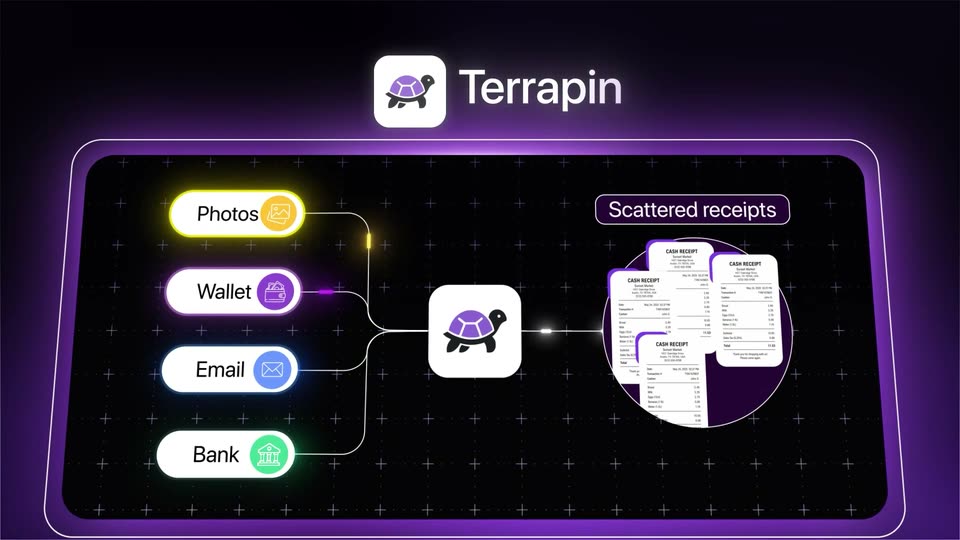
A clean SaaS explainer built as hook, problem, three feature demos (smart search, AI chat, guided quiz), benefit beats, then logo and URL, cut at roughly 19 cuts per minute to a 136 bpm pulse. Its signature moves are typed text with a blinking caret, a lime-green accent on pale off-white and near-black fields, a pixel hand cursor tapping the UI, and white product cards drifting across the frame.
Terrapin · Sep 2026
Pitch · Productivity · Nov 2023
Loud · Sep 2026
A small gray zelios mark sits top left. The word Product reveals left to right in large black sans as a green lamp illustration slides in from the right, its stem crossing the final letters and tinting them green.
On-screen text: “zelios”, “Product”
Techniques: Kinetic type, 3D mockup
Camera: Static
The word Product in black sans-serif sits on white, its last letters fading to green as a 3D green-shaded lamp overlaps the text. The word then shrinks onto a white card beside a new card reading Se and a green search icon, while the lamp becomes a product photo card.
On-screen text: “Product”, “Se”
Techniques: Kinetic type
Camera: Static
A pale gray field of white cards, each holding a 3D product (lamp, speaker, table, chair, kettle), drifts and scrolls past the centered black headline Product Search and a green search button. The zelios wordmark sits top left. Numbered cards enter from the edges.
On-screen text: “Product Search”
Techniques: Parallax
Camera: Pull out
A flat grid of white product cards, each holding a rendered item and a small number, drifts slowly left across a pale background. The black headline 'Product Search' with a green search icon stays fixed in the center.
On-screen text: “Product Search”
Camera: Pull out
A person in a red striped T-shirt and white shorts sits cross-legged on a rumpled bed, typing on a white laptop. Warm window light falls from behind, yellow pillows at right. Small text slides in over the frame.
On-screen text: “(ε1)”, “(11)”
Camera: Static
A person's hands type on a laptop resting on rumpled beige bed sheets. White text types in at the center with a blinking caret, then a translucent search bar with a magnifying glass icon slides over the keyboard carrying the full sentence.
On-screen text: “zello”, “They want”, “They want to find what fits”
Techniques: Kinetic type
Camera: Static
On a light gray background, the sentence “You have the products” builds up letter by letter, the new letters glowing green before settling to black. Three product cutouts sit inside parentheses and swap between a backpack, a boot and a tent, then a sleeping roll and a coffee brewer.
On-screen text: “You have ()()”, “() the products”
Techniques: Kinetic type
Camera: Static
A white browser panel is framed in close-up over a blurred hillside. The search bar and arrow icons slide into position as the address field types “Backpack” one letter at a time behind a blinking caret.
Camera: Static
A white search bar floats over a blurred mountain and lake backdrop. The query Hiking backpack types out letter by letter behind a blinking caret, while the zelios logo sits in the top-left corner.
Techniques: Cursor demo
Camera: Static
Close-up of the zelios search screen on a white card over a blurred mountain photo. A caret blinks in the search field as the query Hiking backpack is typed letter by letter, above a row of circular recent-search thumbnails.
Techniques: Cursor demo
Camera: Static
A close-up of a white search panel set over a blurred mountain backdrop. A query is typed into the search field, the characters of Hiking backpack appearing one by one behind a blinking caret, while a PackFinder result with a backpack avatar rests under the tab row.
Techniques: Kinetic type
Camera: Static
A large white F with a green vertical bar holds center on a near-black field, then the view cuts to smart search typing out left to right behind a green caret, the newest letter glowing green before settling to white. A small gray zelios mark sits top-left.
On-screen text: “zelios”, “smart search”
Techniques: Kinetic type
Camera: Static
A white rounded search bar sits centered on a dark field. The query types out letter by letter, then a hand cursor clicks the green arrow button on the right. The zelios mark holds in the top-left corner.
On-screen text: “smart search”, “Find me a green hiking backpack”
Techniques: Cursor demo, Kinetic type
Camera: Static
A white search bar holds the query 'Find me a green hiking backpack' while a hand cursor taps the green send button. The bar then expands into a product card showing a backpack image, price and title over a dark mountain backdrop.
Techniques: Cursor demo, Morph
Camera: Static
A product recommendation panel floats over a green mountain landscape, showing a day-hike selection and a backpack product card. The frame opens washed out in a pale green haze, then sharpens over the first second to a clear view, holding still.
Camera: Static
A woman in a cream blouse types on a laptop at a white desk; large black sans-serif words slide across the frame spelling “Rethink how your customers shop.”, with a green basket icon between “customers” and “shop”.
On-screen text: “zelios”, “Rethink”, “how”, “your customers shop”
Techniques: Kinetic type
Camera: Static
On a light gray card, a black sans-serif word types out letter by letter in the center with a blinking cursor, building from “F” to “Find mor”. The gray “zelios” logo stays fixed in the top left.
On-screen text: “Find more”, “your customers shop”
Techniques: Kinetic type
Camera: Static
A white rounded search field sits centered on a light gray background, the zelios logo top left. The query types out letter by letter with a blinking cursor, the newest characters tinted green, while a pointing-hand icon flashes briefly below the field.
On-screen text: “Find me black wireless over-ear headphones”
Techniques: Kinetic type
Camera: Static
On a pale gray stage, a white search bar reads the headphone query and a hand cursor clicks the arrow button, which turns green. The bar clears and a black headphone render floats in center with a soft green glow.
Techniques: Cursor demo, 3D mockup
Camera: Static
Black over-ear headphones with a green headband rotate and subtly scale on a pale gray backdrop, centered in a locked-off 3D render. The gray zelios wordmark sits in the top-left corner.
On-screen text: “zelios”
Techniques: 3D mockup
Camera: Static
A white rounded card on a dark background shows over-ear headphones that shift from lime green to black as the card slides down and the product turns to face forward. A large “0” scales in. The zelios wordmark stays in the top-left corner.
On-screen text: “zelios”, “0”
Techniques: Morph
Camera: Static
Rounded product cards showing headphones, a helmet, a sneaker, a lamp, a pitcher and a cream jar drift left across a charcoal background. The white zelios wordmark stays fixed in the top-left corner.
On-screen text: “zelios”
Camera: Pan
A quiz screen asks 'What type of hike are you planning?' over four option cards, a cursor hovering on 'Day hike'; it crossfades to a 'Quick features' checklist with 'Rain cover included' checked.
Techniques: Cursor demo
Camera: Static
A cream screen titled Quick features lists eight checklist items in two columns. A hand cursor drifts up from the lower right item and taps the Ventilated back box, which fills green with a checkmark.
Techniques: Cursor demo
Camera: Static
A pale green interface shows a price range slider with two round handles tagged €99 and €357. A hand cursor grips the right handle and nudges it, the green bar shortens and the value tag updates, three preset pill buttons sit below.
Techniques: Cursor demo
Camera: Static
A cream survey screen shows the question 'How experienced are you in this?' above a grid of activity rows and rating columns. A pixel hand cursor taps the Neutral pill on the Trail Running row, and the pill fills dark.
Techniques: Cursor demo
Camera: Static
A lime-green rounded square with a black right arrow sits centered on a cream background. A white hand cursor glides from the corner onto the arrow, and as it presses, the square stretches into a tall vertical pill.
On-screen text: “zelios”
Techniques: Cursor demo, Morph
Camera: Static
Three backpack cards float over a blurred mountain ridge. A white hand cursor glides up onto the center card, which scales forward while the green and black cards crop at the frame edges.
On-screen text: “(1)”, “(2)”, “(3)”
Techniques: Cursor demo
Camera: Static
Three white cards with backpack cutouts sit over a mountain ridge, a hand pointer taps the orange pack, then the cards clear to reveal a hiker in that pack walking a rocky crest under a posterized orange sky.
On-screen text: “zelios”
Camera: Pull out
On a pale green gradient, the zelios wordmark sits top-left as product cards pop in staggered and fan out from a central hiker photo into a scattered collage, each card carrying a lime pill label and a heart button.
On-screen text: “zelios”
Camera: Pan
On a pale green-to-white gradient, the word No in black and guessing in green slide together to form a centered line. The faint zelios wordmark holds in the top-left corner throughout.
On-screen text: “No guessing”
Techniques: Kinetic type
Camera: Static
On a pale green gradient, the phrase to search sits in a large sans-serif. The word search assembles from the right, its letters overlapping and sliding left until they lock into a green gradient, while to stays solid black.
On-screen text: “to search”
Techniques: Kinetic type
Camera: Static
A pale green gradient holds the large olive phrase “to search,” then it is replaced by a white bicycle helmet with black vents and a gray strap, floating in 3D at center. A small gray “zelios” wordmark stays in the top-left corner.
On-screen text: “to search”, “zelios”
Techniques: 3D mockup
Camera: Static
A white product card floats on a blurred green backdrop. A sage green cycling helmet renders in 3D and turns slowly on the left, while the right panel details extend with colour swatches and size buttons fading in. The zelios mark scales in the top-left corner.
On-screen text: “zelios”
Techniques: 3D mockup
Camera: Static
A grid of white product cards, each pairing a photo with a details block, scales into view over a muted sage backdrop. Several cards pulse with a green highlight as they settle. The zelios wordmark holds the top-left corner.
Camera: Pull out
A red-haired woman sits cross-legged with a laptop as a green tag types “Personal” over her chest; the frame then splits to add a man on a sofa, his tag typing “Fast”.
On-screen text: “zelios”, “Personal”, “Fast”
Techniques: Kinetic type, Split screen
Camera: Pull out
Split screen: a red-haired woman with headphones works on a laptop on the left, a man in a white T-shirt on a laptop on the right. A lime label slides in over her, another scales in over him.
On-screen text: “Personal”, “Fast”
Techniques: Split screen, Kinetic type
Camera: Static
Three side-by-side panels show people on laptops: a red-haired woman on a couch, a man in white, a person in a hoodie. Lime-green labels Personal, Fast, and Built into animate in over each panel, the Shopify wordmark sitting below the last.
On-screen text: “Personal”, “Fast”, “Built into”, “shopify”
Techniques: Split screen, Kinetic type
Camera: Pull out
On a near-black background, three lime green dots gather and morph into a circular mark of vertical bars, then the wordmark SKUVE builds in beside it with a moving light sweep; a small zelios logo sits in the top left.
On-screen text: “zelios”, “SKUVE”
Techniques: Morph, Light sweep
Camera: Pull out
On a black field, 'Find the right product (🪑)' assembles word by word in white; a smaller line, 'rather than browse them all', appears and tints from yellow to pink before fading out, leaving the dim zelios logo in the corner.
On-screen text: “Find the right product (🪑)”, “rather than browse them all”
Techniques: Kinetic type
Camera: Pull out
A dark near-black frame holds the skuve.io wordmark centered, preceded by a small green checkbox icon. The wordmark brightens from gray to white as a thin underline draws in beneath it, while a faint zelios mark sits in the top-left corner.
On-screen text: “zelios”, “skuve.io”
Camera: Static