1:05
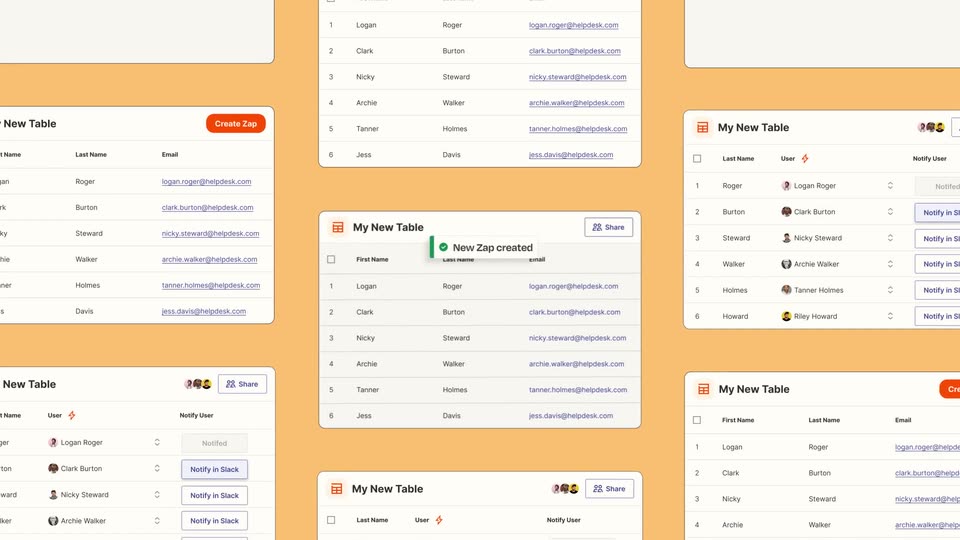

Introducing Zapier Tables
Zapier · Productivity · May 2023
React Bits · Oct 2026 · 0:29 · AI-reviewed
Center Stage opens with animated type contrasting a polished product with poor screenshots, then demonstrates replacing an image in its editor. A rapid gallery of floating websites and phone/laptop mockups showcases preset styles. A progressive white card presents the free browser tool and URL before a React Bits particle-logo sign-off; chromatic smears connect several beats.
Zapier · Productivity · May 2023
Eccasion · Nov 2026
ElevenLabs · AI · Dec 2024
On white, the phrases Your product, is beautiful., Your screenshots and aren't. replace one another within small selection-corner dots. Purple gradients, enlarging letters and chromatic distortion carry the problem hook.
On-screen text: “Your product”, “is beautiful.”, “Your screenshots”, “aren't.”
Techniques: Kinetic type
Camera: Static
The outgoing type warps away and a dark website screenshot settles on pale gray beneath It's time to change that. A filename pill sits below. The screenshot enlarges slightly before a chromatic smear into the next title; it is one screenshot composition, not two shots.
On-screen text: “It's time to change that”
Techniques: UI zoom
Camera: Push in
Introducing and a small pink square lead into the large Center Stage wordmark on white, with corner dots and briefly distorted letter edges. The title resolves before a horizontal chromatic smear reveals the editor.
On-screen text: “Introducing”, “Center Stage”
Techniques: Kinetic type
Camera: Static
A perspective view of the Center Stage editor shows preset thumbnails at left and a large canvas. A small screenshot is dragged onto the canvas; the preview changes to Crafting digital experiences that inspire & convert. The editor remains the same composition throughout; no physical laptop is visible.
On-screen text: “Crafting digital experiences that inspire & convert.”
Techniques: Cursor demo, UI zoom
Camera: Pan
Large white 200 presets. sits above a dark example website with a curved strip of colorful images. The website is a floating screen composition, not a laptop chassis. The shot gives way to a wider preset gallery.
On-screen text: “200 presets.”, “The picture in your head, rendered before lunch.”
Camera: Static
The view pulls back across a tilted mosaic of preset thumbnails, mixing website panels and device examples on white gutters. The continuous widening at12.05s reveals more of the same gallery rather than cutting to a new shot.
Techniques: 3D mockup
Camera: Pull out
A close smartphone in perspective displays the Crafting digital experiences page on purple, against a dark background. Its angle and framing ease slightly as it comes into focus.
On-screen text: “Crafting digital experiences that inspire & convert.”
Techniques: 3D mockup
Camera: Push in
A dark website panel floats in front of blurred tiled copies. Its serif headline and curved image strip remain part of the website while the foreground panel shifts gently in perspective.
On-screen text: “The picture in your head, rendered before lunch.”
Techniques: 3D mockup, Parallax
Camera: Static
Independent browser panels with green landscape imagery float and turn at different depths on a white field. No separate foreground caption or phone hardware is established in this shot.
Techniques: 3D mockup, Parallax
Camera: Static
A close, angled crop of the dark example website moves laterally across its serif headline and curved strip of colorful images. The words move with the whole website plane, not as an independent kinetic caption.
On-screen text: “The picture in your head, rendered before lunch.”
Techniques: 3D mockup
Camera: Pan
A laptop and a smaller phone stand together in a dark studio composition. The laptop website reads A home for agents that see it through.; the phone shows a different mobile page. The camera moves slightly closer without any large overlay caption.
On-screen text: “A home for agents that see it through.”
Techniques: 3D mockup
Camera: Push in
Two dark smartphone renders, one front and one rear, float beneath a purple spotlight. The front screen shows React Bits, and the pair changes angle and grows slightly in frame.
Techniques: 3D mockup
Camera: Push in
A perspective row of light and dark browser panels recedes across a white field with violet wisps. The view moves sideways through the row, with the foreground panel moving faster than the distant panels.
Techniques: 3D mockup, Parallax
Camera: Pan
An upright phone displaying React Bits holds in front of luminous purple wave lines and a fine horizontal texture. The animated waves supply the motion behind the device.
Techniques: 3D mockup
Camera: Static
Rows of tilted light and dark website panels fill the frame diagonally. The array shifts across the view; these are repeated interface planes, without identifiable physical device frames.
Techniques: 3D mockup
Camera: Pan
A smartphone turns from edge-on to a front view over a purple and white radial burst. The device rotation is the main motion while the landing page remains attached to its screen.
Techniques: 3D mockup
Camera: Static
A close tilted smartphone shows the React Bits landing page against a smooth purple gradient. This is a distinct shot from the preceding radial-burst phone, ending at the hard cut to interface panels.
On-screen text: “Animated React components for websites people remember.”
Techniques: 3D mockup
Camera: Static
A brief close view of dark purple interface cards shows a Terminal command card and a presets list. It is a separate hard-cut insert, not the previous phone flattening into an editor and not observed live typing.
Camera: Static
A tilted white React Bits website fills the frame, headed Animated React components for websites people remember. A light preset interface occupies the lower part. This remains a product example, before the closing offer card.
On-screen text: “Animated React components for websites people remember.”
Techniques: 3D mockup
Camera: Static
The montage switches to a dark purple website/preset example, then bends and smears into a white flash. The closing Center Stage label has not yet formed; this is the last example shot.
Techniques: 3D mockup
Camera: Static
A small Center Stage label settles on white, followed by 100% free., 200 presets. and Right in your browser. as three progressively revealed lines. reactbits.dev/tools appears below. The complete offer and URL belong to one closing card, ending in a chromatic streak.
On-screen text: “Center Stage”, “100% free.”, “200 presets.”, “Right in your browser.”, “reactbits.dev/tools”
Techniques: Kinetic type
Camera: Static
The white React Bits symbol holds on black while blue-violet particle fields alternately ripple, fragment and streak around it, then darken at the end. This is one animated brand sign-off. The symbol is not a Chinese character and there is no legible URL in the outro.
Techniques: Particles
Camera: Static