1:50
Meet Airtable
Airtable · Productivity · Sep 2016
OpenAI · Sep 2026 · 3:23 · AI-annotated
The video is built as a single presenter talking head intercut with floating UI cards and full-screen app captures, so the style is a live-action demo with overlaid interface. Pacing is conversational and steady, with quick zooms and motion-blur reframes on the UI to keep the screen energy up, and a consistent bright home set that grounds every cut.
Airtable · Productivity · Sep 2016
Descript · Design · Nov 2022
Anthropic · AI · Apr 2026
A man sits on a green armchair in a bright living room, typing on a black laptop bearing the OpenAI logo. He looks to camera and lifts a finger while speaking, as a white title and a name card hold static in the lower left.
On-screen text: “Codex Cloud”, “Craig Dennis”, “Developer Experience, OpenAI”
Camera: Static
A man on a green sofa talks and gestures while a white command bar floats top-left; a cursor stops dictation and typed text fills the bar, which then slides off-screen as he lifts the laptop lid to show its logo.
Techniques: Cursor demo
Camera: Static
A bearded man sits on a green sofa holding an open laptop. A white UI card overlays the top left; a cursor picks Cloud in a dropdown, then checks the lasercube environment. The card vanishes and the man snaps the laptop shut.
Techniques: Cursor demo
Camera: Static
A bearded man in a blue shirt sits at a wooden table, tapping a flat tablet with both index fingers, then raising his hands to gesture as he speaks to the camera. A mug, notebook and phone sit on the table in a bright room.
Camera: Static
A bearded man in a navy shirt over a white tee sits in a bright living room, speaking to camera and gesturing with both hands. A green sofa and yellow cushion stay softly blurred behind him.
Camera: Pan
A bearded man sits at a wooden table with a tablet, mug and notebook, talking and gesturing. He lifts his phone as a chat screen appears on the left, where a message is typed on a keyboard and queued.
Techniques: Split screen
Camera: Static
A bearded man in a dark shirt talks to camera, holding a phone in a clear case in one hand and gesturing with the other: pointing, open palm, tapping his temple. Static medium close-up with a soft-focus living room behind him.
Camera: Pan
A bearded man sits at a table with a laptop and phone, gesturing as a white chat panel on the left updates: a timer counts up, queued prompts appear, a question card slides in. He sets the phone down; the shot cuts to a close-up of him smiling.
Techniques: Split screen
Camera: Static
A bearded man in a blue shirt sits in a living room and speaks, a green couch blurred in the background. He glances to the side, looks down, then meets the camera as he talks, his expression shifting from thoughtful to smiling.
Camera: Pan
A bearded man in a blue shirt sits at a round wooden table with an open laptop, a mug and a pink notebook. He looks down at the screen, then lifts his gaze to the camera with a faint smile in a bright, softly lit living room.
On-screen text: “心”
Camera: Static
A flat, locked-off browser window shows a dark laser-simulator interface. A cursor clicks a scene in the left list, and the central 3D view swaps from a wireframe starship to a glowing line-art blossom, then the frame blurs out.
Techniques: Cursor demo
Camera: Push in
A dark control-room interface fills the frame: a left menu highlights one show, a center grid holds the OpenAI blossom logo in white lines, and a right panel shows a man at a laptop. A hand cursor rests on the selected row while the layout settles.
Techniques: Cursor demo
Camera: Static
A dark control-room interface lists starter shows with a hand cursor on OpenAI Blossom, while the line-drawn OpenAI logo sits on a grid preview. The frame then whips into an angled, motion-blurred reframe of the same screen.
Techniques: Cursor demo, UI zoom
Camera: Pan
A browser window shows a dark laser-lab interface with an assistant chat panel left and a video-call inset of a man at a desk. The view zooms into the interface as a cursor clicks Codex Pet Blink, and a blue line-art robot fills the preview grid.
Techniques: UI zoom, Cursor demo
Camera: Pan
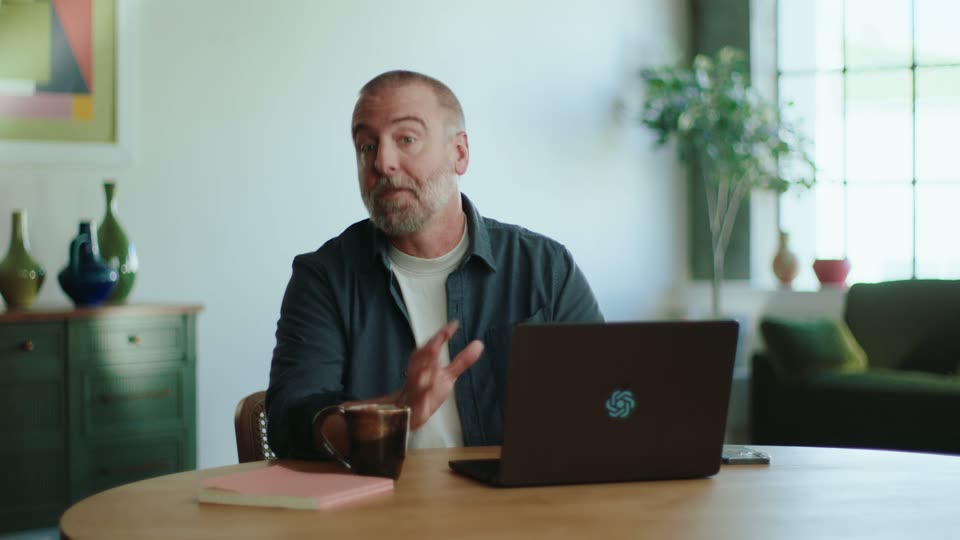
A bearded man in a dark shirt sits at a wooden table, talking to the camera and gesturing. A laptop lid faces the viewer, showing a glowing teal swirl emblem. A copper mug and pink notebook sit beside it. Static locked-off shot.
On-screen text: “What should we build?”
Camera: Static
The full app window zooms into the input bar. A cursor picks Cloud in the Work in menu, swapping the chip and opening an environments menu, while a small presenter video stays in the top-right corner.
Techniques: UI zoom, Cursor demo
Camera: Static
A white 'Create a cloud environment' modal sits centered on a gray field, with a small clip of a man speaking on the right. A dropdown opens to list repositories, then a checkbox is ticked.
Techniques: Split screen
Camera: Pan
A browser window shows a cloud-environment modal listing a GitHub repository. The Get started button spins, the modal morphs into a setup state, then closes to reveal a success toast, while a small video of a man at a laptop stays pinned at the right edge.
Techniques: Morph
Camera: Static
A tilted browser window mockup floats over a blurred purple gradient, showing a Codex cloud setup chat. A small video inset of a man at a laptop sits top right. The view zooms flat onto the chat as a reply types out beneath a blue scroll icon.
Techniques: 3D mockup, UI zoom
Camera: Push in
A browser window showing an AI coding chat sits on a blue gradient, with a small live-action clip of a man at a desk in the top right. The shot zooms into the chat as messages scroll in, the agent running commands and reporting results.
Techniques: UI zoom
Camera: Pull out
A browser window shows a chat panel and an Environment settings page, with a small video of a man at a laptop in the top-right corner. A cursor clicks Manage, a modal opens, the cursor types FOO and BAR, then opens the key-type dropdown.
Techniques: Cursor demo, UI zoom
Camera: Push in
Close-up of a white settings panel with a small talking-head video inset top right. The cursor slides to the Publish button, a tooltip pops up, the button switches to a loading state, then the frame zooms out to the full browser window showing the published environment.
Techniques: Cursor demo, UI zoom
Camera: Pull out
Medium shot of a bearded man in a dark shirt at a wooden table, talking to the camera and gesturing with both hands. A laptop with its lid to the camera shows a gold swirl logo; a mug, pink notebook, and phone sit on the table.
Camera: Static
A bearded man in a dark blue shirt over a white tee sits at a table, talking and smiling toward an off-camera interviewer. The room behind him stays soft and out of focus, with a window and a plant visible in the background.
Camera: Static
A bearded man in a dark shirt sits at a wooden table with a laptop bearing a glowing logo. He smiles at the camera, then looks down as a translucent chat panel with a Follow up button slides in on the left edge.
Camera: Static
A man in a blue shirt sits at a wooden desk, typing on a laptop and smiling at the screen. A white chat card on the left scrolls upward, revealing new messages and a small dark preview thumbnail of the number 42.
Camera: Static
A man sits at a desk with a laptop, holding a phone up and laughing. A chat panel on the left updates with new messages and a file-change summary as he reacts.
Techniques: Split screen
Camera: Static
A bearded man in a navy shirt sits at a wooden table with a dark laptop, gesturing with a phone as he talks to camera. A white chat card with a code diff and a 42 image overlays the left side for the first five seconds, then cuts away.
Camera: Static
A cursor clicks a pull request in the Code Review list, and the right panel fills with the PR details. The view then pulls back to reveal the whole app window in a browser frame on a purple gradient, settling on the full interface.
Techniques: Cursor demo, UI zoom
Camera: Pull out
A bearded man in a navy shirt over a white tee speaks off-camera in a living room, his hands gesturing for emphasis. The background stays soft and blurred, showing a dark sofa with a yellow cushion and a bright window.
Camera: Static
A bearded man in a dark shirt holds a phone to his mouth, speaking to a voice assistant. A laptop with a glowing teal logo sits before him beside a copper mug and pink notebook. Static medium shot in a bright home set, green cabinet and plant soft in background.
Camera: Static
A man with a shaved head and gray beard holds a smartphone in his left hand and gestures with his right while speaking. Medium close-up, shallow depth of field, blurred living room with a green sofa behind him.
Camera: Static
A bearded man sits at a round wooden table, holding a phone in both hands and laughing at it. A closed laptop with a gold knot logo, a mug and a pink notebook sit in front of him. The scene ends on a white screen with a small black ring.
On-screen text: “心”, “G”
Camera: Static
The OpenAI wordmark sits centered on white, the gray “AI” filling in to black, then the letters morph into the black knot logo mark.
On-screen text: “OpenAI”
Techniques: Morph
Camera: Static