1:08

Coming Soon: Playdate System 3.0
Playdate · Hardware · Jul 2025
Framework · Aug 2026 · 0:32 · AI-annotated
A rapid-fire spec montage: a pixel-font joke on black opens into a locked-off studio presenter, then hard cuts cycle between macro product shots, a 3D cutaway and a handheld outdoor gag, all captioned with white outlined subtitles that step in time with the voiceover. Its signature moves are the flat black title cards, the fast 33-cuts-per-minute rhythm, and the contrast between the static studio framing and the shaky car-trunk bit.
Playdate · Hardware · Jul 2025
The Browser Company · Productivity · May 2024
Discord · Consumer · Oct 2022
A near-black screen showing faint rectangular card shapes flashes to a flat light gray field in a quick cut.
Camera: Static
On a black screen, small white pixel text appears centered in two lines, 'who turned the lights off?!', then 'good thing' joins below. The frame stays locked and the type holds still once placed.
On-screen text: “who turned the lights off?!”, “good thing”
Techniques: Kinetic type
Camera: Static
A near-black frame holds a centered white caption that reads “good thing”, then swaps to “the new” in step with the voiceover. Faint dim shapes linger just visible in the dark behind the text.
On-screen text: “good thing”, “the new”
Techniques: Kinetic type
Camera: Static
A near-black card displays centered white text reading “the new” and “Framework Laptop 12.” Both lines remain static on a locked-off frame before the screen goes fully dark.
On-screen text: “the new”, “Framework Laptop 12”
Camera: Static
A nearly black frame with faint red and blue speckles; the single word “has” in white lowercase fades in at center and out again, timed to the voiceover.
On-screen text: “has”
Techniques: Kinetic type
Camera: Static
A dark close-up of a laptop keyboard fills the lower frame, its keys glowing with backlight. Centered above, white pixelated text reads “a backlit keyboard option!” and holds still. The frame stays locked off throughout.
On-screen text: “a backlit keyboard option!”
Camera: Static
A man in a peach zip-up hoodie stands behind a table holding a closed pink laptop, gesturing with both open hands as he addresses the camera. Behind him, an orange wall holds shelves of product boxes. White captioned subtitles sit at the lower center of the locked-off frame.
On-screen text: “here's what we're”, “announcing today”
Camera: Pan
A person in a pink hoodie raises the lid of a pink laptop, turning the cover toward the camera to show a pink flower emblem, in front of shelves with old monitors. A white caption sits centered and static while the lid opens. The shot is locked off.
On-screen text: “announcing today”, “the next generation”
Camera: Static
Close-up of a pink-and-teal Framework laptop on a wooden desk, a hand types on the keyboard while a code window fills the screen. Two caption lines appear over the keys, the second scaling in.
On-screen text: “the next generation”, “of Framework Laptop 12”
Techniques: Kinetic type
Camera: Static
A man in a pink zip hoodie holds a closed pink laptop with the Framework logo, centered against warm wooden shelves. He gestures with one hand while talking, then steadies the laptop. White subtitle captions with black outline swap at the lower center.
On-screen text: “with Intel's new”, “of Framework Laptop 12”
Camera: Static
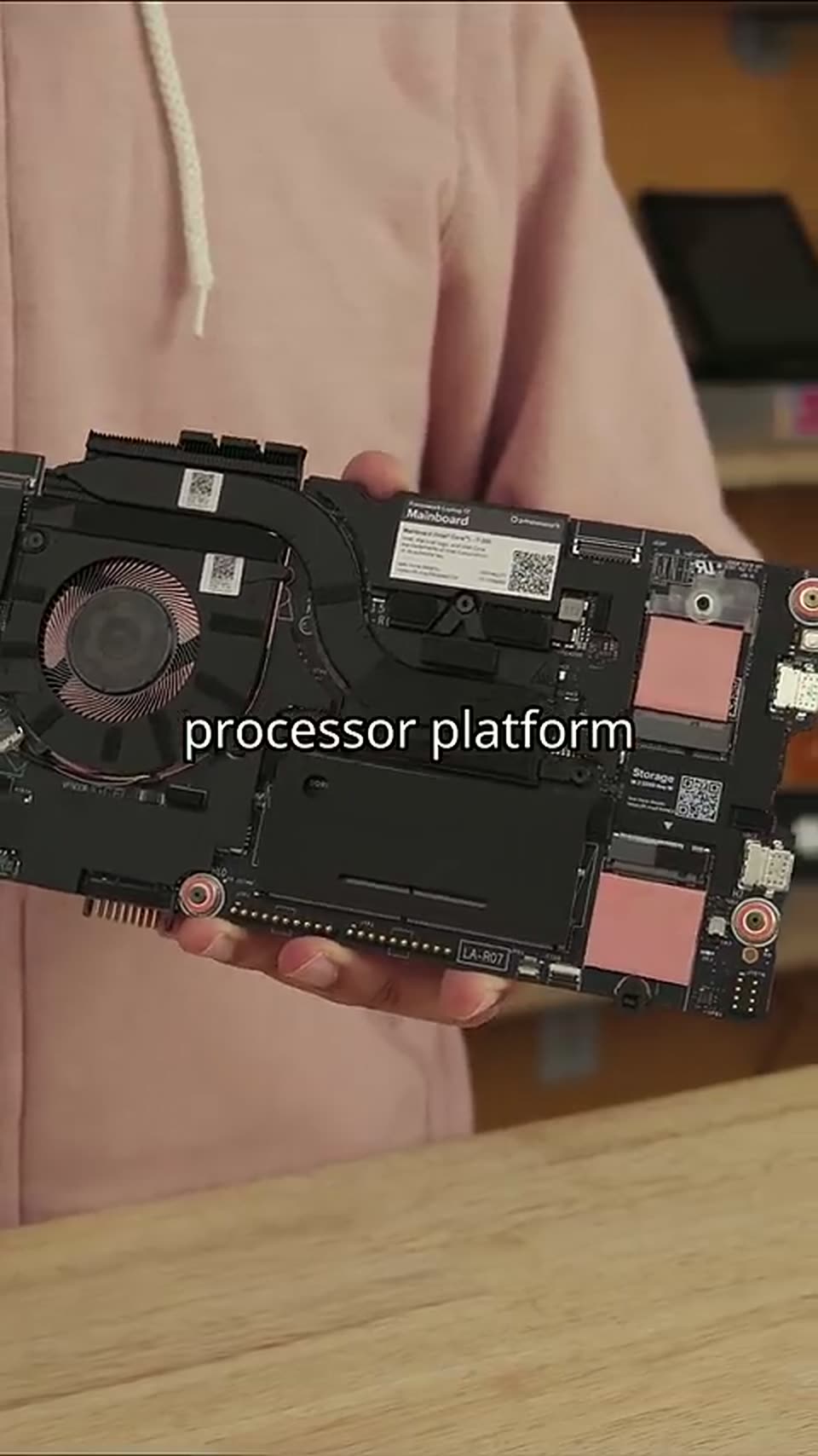
A person in a beige hoodie holds a laptop motherboard with two black fans and copper heat pipes, tilting it gently toward the camera. White centered captions dissolve in sequence over the board.
On-screen text: “with Intel's new”, “Core Series 3”, “processor platform”
Camera: Pan
A hand with rings plugs a black cable into the side port of a teal laptop on a wooden desk, a black fan unit at left and blurred shelves behind. The caption sits centered over the locked-off shot.
On-screen text: “processor platform”, “Thunderbolt 4”
Camera: Static
A man in a pink zip hoodie stands at a desk holding a pale laptop, rotating it to reveal the side ports. A white caption with black outline, “Wi-Fi 7”, sits centered on his chest against a warm wooden shelf background.
On-screen text: “Thunderbolt 4”, “Wi-Fi 7”
Camera: Static
A hand holds a green laptop, a finger pointing at a side USB-C port under the caption options for, then the shot dissolves to a glowing green fingerprint reader on the palm rest, captioned fingerprint reader.
On-screen text: “Wi-Fi7”, “options for”, “fingerprint reader”
Camera: Static
A dark laptop chassis is shown at a steep 3D angle against black. A cutaway in the palm rest exposes a green fingerprint reader module under a translucent cover, while the white label sits centered over it. The frame stays locked off.
On-screen text: “fingerprint reader”
Techniques: 3D mockup
Camera: Static
In near darkness, a tilted locked-off shot of an open laptop; the screen displays a lighthouse scene, the keyboard glows with backlight, and a hand rests near the trackpad. A centered caption reads “and backlit keyboard.”
On-screen text: “fingerprint reader”, “and backlit keyboard”
Camera: Static
A presenter in a peach hoodie holds a closed pink laptop and gestures behind a wooden counter, pastel devices stacked in front, product boxes on shelves behind. A hard cut lands on an olive laptop lid with a flower logo on black leather.
On-screen text: “and backlit keyboard”, “and for the first time”, “a pre-built configuration”, “that comes with Fedora”, “pre-installed”, “this”
Camera: Static
A closed champagne-gold laptop bearing a green gear logo lies on a dark stitched leather surface, viewed from above at a slight tilt with a blurred object in the foreground. White outlined caption text swaps in the center of the lid, phrase by phrase, in sync with the voiceover.
On-screen text: “pre-installed”, “this”, “is the computing”
Techniques: Kinetic type
Camera: Push in
A man in a black tee and glasses crouches in tall grass beside the open trunk of a white car, lifts a pale teal laptop panel from the ground and carries it toward the trunk. Handheld, slightly shaky framing; white outlined captions sit at lower center.
On-screen text: “is the computing”, “industry”, “we're working to create”, “one”, “where you can update”, “yourlaptop”, “part by part”
Camera: Push in
A person in a black shirt holds a closed olive-green laptop across their lap, the lid bearing a small gear logo. The locked-off frame stays still as centered captions swap from one phrase to the next.
On-screen text: “part by part”, “instead of needing”
Camera: Static
A man in a pink hoodie stands behind a desk with a closed pink laptop, gesturing with both hands as he speaks. White outlined captions swap across his chest in sync with his speech.
On-screen text: “instead of needing”, “to replace”, “the whole thing”
Camera: Static