1:21

Introducing Claude Dashboards and Claude Motion
Anthropic · AI · Oct 2026
Descript · Oct 2020 · 2:46 · AI-annotated
produced Sandwich · directed Claude Zeins
The video is built from short studio vignettes, flat color cards, and UI close-ups, cut rapidly to match a steady rhythmic feel. Its signature move is turning spoken words into highlighted transcript text, then animating highlights, strikethroughs, and timeline clips to explain the editing workflow.
Anthropic · AI · Oct 2026
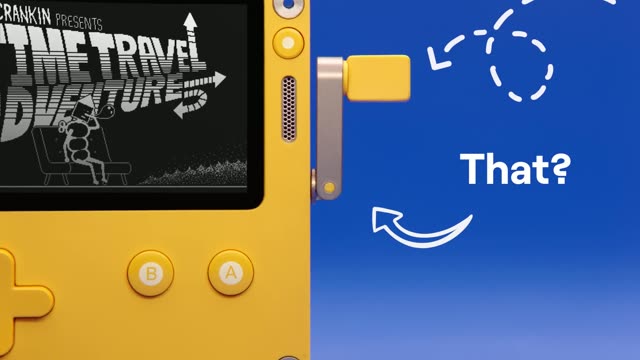
Playdate · Hardware · Jun 2021
A near-black frame opens a thin horizontal slit of dim blue light across the center, revealing the silhouette of a person in a yellow shirt seated at a desk with a lamp. The slit widens slightly as the clip ends.
Techniques: Masking
Camera: Static
A silhouetted figure sits at a desk with a lamp and a computer tower, centered in a dark room. A blue backlit glow behind them brightens gradually, lifting the silhouette out of the black.
Camera: Static
A man in a tan jacket and orange tie sits centered at a pale blue desk, laptop open before him, a white lamp and small props either side. He talks to the camera against a smooth blue gradient. Static, symmetrical framing.
Camera: Static
A 3D over-the-shoulder view of a laptop on a blue desk shows a video call with a Quarterly Earnings slide and a presenter tile; it cuts to two stylized 3D figures holding phones in a call.
Techniques: 3D mockup
Camera: Static
Split-screen: left, a woman in a black floral dress sits on a pink chair against a pink wall, holding a phone up in a video call; right, a hand holds a phone showing an older woman with gray hair mid-sentence. Both sides stay locked off.
Techniques: Split screen
Camera: Static
A green-haired woman in a striped sweater sits at a yellow desk, gesturing with both hands raised, then the scene cuts to an orange-haired woman in a yellow sweater reacting at a matching desk with a laptop.
Camera: Static
A woman in a pink textured top sits at a teal desk, gesturing with one hand as she talks toward a large monitor on the right. A teal lamp, vase and pen holder fill the left side against a solid teal backdrop.
Camera: Static
A man in a beige suit and orange tie stands against a blue backdrop above a meeting toolbar. The frame zooms into the Record button as a white-outlined cursor selects it and a red recording circle appears.
Techniques: UI zoom, Cursor demo
Camera: Static
A close-up of a recording bar with a cursor on the red record button cuts to a woman in a black-and-white dress seated on a stool, typing on a laptop beside a microphone, against a lavender wall with a faint sound wave.
Techniques: Cursor demo
Camera: Static
A green-haired woman in a striped sweater sits at a yellow desk, waves at the camera, then clasps her hands. A phone on a tripod films her while a laptop on the desk shows a green pea pod.
Camera: Static
A woman in a pink fuzzy top and statement necklace sits at a desk against a teal wall, talking toward a silver iMac whose back faces the camera. A teal lamp, a vase of dried stems and a pen cup sit on the desk to her left.
Camera: Static
A split screen shows a woman in a pink top seated at a teal desk with a white keyboard and mouse on the left, and a man in a beige suit, orange tie and round glasses against a blue backdrop on the right. Both face the camera and talk.
Techniques: Split screen
Camera: Static
A 2x2 split screen holds four locked-off shots of people in solid color studios, pink, purple, green and blue. Each sits with a laptop; two also have a microphone and a framed photo on a side table. They talk and shift slightly in place.
On-screen text: “P”
Techniques: Split screen
Camera: Static
A green-haired person in a striped sweater sits at a yellow desk of yellow props against a yellow wall, then the frame rushes into a radial-blur zoom on the face as large letters scale in.
On-screen text: “P”, “A”
Techniques: Speed ramp, Kinetic type
Camera: Push in
Five people sit in a row on colored chairs against diagonal stripes of pink, blue, yellow, teal and purple. They talk and gesture, turning toward one another. Static camera, even studio lighting.
Camera: Static
A large white word “Yup” sits centered on a solid pink field. The word then changes to “You”, with the first two letters in pink and the “u” in white, on a darker maroon field. The frame stays locked off.
On-screen text: “Yup”, “You”
Camera: Static
A solid blue background holds the white word “You” on the left in a locked-off shot. The word “do.” then appears to its right, completing the phrase “You do.”
On-screen text: “You”, “You do.”
Techniques: Kinetic type
Camera: Static
Side profile of a man in a beige blazer and glasses typing on a white laptop at a light blue desk against a solid blue backdrop, beside a matching lamp and pen cup. The large word “You” holds on screen as he types and lifts one hand.
On-screen text: “You”
Camera: Static
A flat white progress card with a blue bar reads Sending Message, 5 MB on a gray and black screen. It cuts to a low-angle view of a red-and-white telecom tower with white dishes against a blue, cloudy sky.
Camera: Static
A 3D satellite with two solar panels passes over a blue, cloud-marked Earth, then cuts to a man in a tan vest and white shirt on a grey stool in a plain studio, tapping a tablet.
Camera: Push in
A person in a brown sweater holds a tablet, tapping the screen to transition from an inbox view to a quarterly earnings presentation featuring bar charts, a donut chart, and a video call window.
On-screen text: “Quarterly Earnings”
Techniques: Cursor demo, UI zoom
Camera: Static
A man in a tan vest and light trousers sits on a low stool in a gray studio, head down, holding a tablet. The frame stays locked as a Quarterly Earnings title and percentage figures overlay the shot.
On-screen text: “Quarterly Earnings”, “10%”, “35%”, “29%”
Camera: Static
A man in a beige suit and orange tie sits at a light-blue desk, typing on a laptop and gesturing. The shot cuts to a close-up of his startled face as the caption “uh” appears to his left.
On-screen text: “uh”
Camera: Push in
A split screen shows two women in profile, one against pink and one against purple. Each turns toward the camera while speaking, with a small still caption held in frame.
On-screen text: “uh”
Techniques: Split screen
Camera: Static
A woman with dark wavy hair speaks in front of a teal chalkboard dense with physics formulas. White equations float as a translucent overlay across her face, drifting and swapping between frames.
Camera: Push in
A man in a tan blazer and orange tie sits behind a silver laptop at a desk, framed against a blue chalkboard with white physics equations. He opens his mouth in a surprised look, then breaks into a wide smile. Static medium shot.
Camera: Static
A green-haired woman in a multicolor striped sweater sits at a yellow desk, speaking to camera with one hand raised near her chin. The desk holds a mug, pen holders, and small props against a plain mustard backdrop.
Camera: Static
A woman in a pink tweed jacket and matching trousers sits centered against a teal circular backdrop, hands resting on her lap. The static medium shot holds for a beat, then the image fades to black.
Camera: Static
A silver iMac on a flat teal backdrop turns from a three-quarter angle to a straight-on view. Its blue screen holds the white descript logo, which scales up gently as the camera settles.
Techniques: 3D mockup
Camera: Static
A front-facing iMac mockup sits on a teal gradient background. Its blue screen shows the Descript logo, and the camera pushes in as the logo scales up, a white panel sliding in from the right edge.
Techniques: 3D mockup
Camera: Push in
The Descript app window rests on a macOS desktop. The window shrinks as the first transcript line scales up into a giant headline across the frame, then the next line and a short word follow, each filling the screen in sequence.
On-screen text: “It's a powerful new tool that makes editing easy.”, “So easy that you'll want to edit videos.”, “Nice.”
Techniques: Kinetic type
Camera: Pull out
A paragraph of black sans-serif text on white scrolls vertically. The center line, So easy that you'll want to edit videos., holds still while a blue rounded rectangle grows left to right, highlighting each word in sync with the voiceover.
On-screen text: “It's a powerful new tool that makes editing easy.”, “So easy that you'll want to edit videos.”, “Nice.”
Techniques: Kinetic type
Camera: Pan
A woman in a black floral dress sits against a pink backdrop beside a vintage microphone and framed photo. A cut reveals a man in a coral blazer at a pink desk as she leans in and rests her head on his shoulder.
On-screen text: “w tool that makes editing ea”, “I want to edit videos.”
Camera: Static
A man in a beige suit and round glasses sits at a blue desk, typing on a laptop, then lifts his head to look at the camera with a surprised expression. The set is monochrome blue with a desk lamp, pen holder and storage box.
Camera: Static
A woman in a pink textured top sits at a teal desk with an iMac and desk lamp, talking to camera. As she speaks, the word “Work?” pops in over her chest, then “Well,” slides in, both in huge white type.
On-screen text: “Work?”, “Well,”
Techniques: Kinetic type
Camera: Static
The single word “Well,” in large white bold sans-serif sits centered on a flat teal background. It slides slightly upward into place while the frame stays locked off.
On-screen text: “Well,”
Techniques: Kinetic type
Camera: Static
A video player window sits on a teal background, playing a clip of a green-haired woman holding a tray of plush creatures in a yellow room. The bottom control bar ticks the timecode forward as the playhead creeps along.
Camera: Pan
A flat blue field holds the word Audio in huge white bold sans at center, scaling in. Behind it, a dark blue waveform pulses, its tall peaks flattening into a thin band across the middle.
On-screen text: “Audio”
Techniques: Kinetic type
Camera: Static
A man in a beige suit and orange tie types on a silver laptop at a blue desk, lamp and plant beside it, against a flat blue backdrop. The frame stays locked off as a large word, Audio, scales in.
On-screen text: “Audio”
Techniques: Kinetic type
Camera: Static
Close-up of a silver laptop trackpad. A finger taps and swipes across the surface to demonstrate a gesture, while the remaining fingers rest curled at the right edge of the frame.
On-screen text: “400”, “H”
Camera: Pan
A hand cursor drags the Audio or Video.mp4 thumbnail from the media library into the central drop zone. The label Transcribing. scales in above a progress bar that fills to 49%.
Techniques: Cursor demo
Camera: Static
On a plain white background, the centered headline Transcribing sits above a horizontal file bar. The bar's striped progress track fills from 62% to 100% while the headline scales and grows an ellipsis. The frame stays locked-off.
On-screen text: “Transcribing”
Techniques: Kinetic type
Camera: Static
A white iMac in 3D perspective displays a video editor; its preview shows a green-haired person holding plush toys over an orange backdrop. The shot zooms into the transcript panel, where the title and the first welcome line sit in black text.
Techniques: 3D mockup, UI zoom
Camera: Push in
A document editor fills the frame with the heading “Creature Kawaii Unboxing” and a paragraph. A blue highlight slides across the words in time with the narration. The shot then pulls back, revealing the document as a panel over a yellow surface with a colorful object at the top.
Camera: Pull out
The app window settles into place, showing a video preview of a green-haired creator holding a pile of plush toys above a transcription panel. A blue highlight steps word by word across the caption line in sync with the audio.
Camera: Pull out
A woman in a pink blouse and statement necklace sits at a teal desk, framed by a lamp on the left and a monitor on the right. She puckers her lips into an exaggerated surprised face, hands clasped, as she reacts.
Camera: Static
A man in a tan suit and orange tie sits at a monochrome blue desk against a blue backdrop, staring at a laptop. In a locked-off medium shot his head tilts and his expression shifts to surprise as he reacts to the screen.
Camera: Static
A person with green hair sits centered at a yellow desk cluttered with a lamp, pen holder, plush toys and a lava lamp, smiling at the camera while working on a laptop. The static wide shot holds on the figure against a plain yellow backdrop.
Camera: Static
A black panel with a pulsing blue glow frames the word AUDIO in metallic silver letters at center. The frame is locked off on a dark background, the light radiating outward from the panel edges.
On-screen text: “AUDIO”
Camera: Static
On a plain off-white background, the word Text is typed out letter by letter in large black sans-serif, a thin vertical caret bar trailing the last letter. The word AUDIO holds on the same locked-off frame.
On-screen text: “AUDIO”, “Text|”
Techniques: Kinetic type
Camera: Static
A green-haired woman in a striped sweater sits at a yellow desk, typing on a laptop, then rests her head on her hand in a bored pose. The desk holds a lamp, mug, pen holder, and small figurines against a plain yellow backdrop.
Camera: Static
A yellow desk set with plush toys frames a laptop showing a video editing app; a striped sock blurs the left foreground. The camera stays locked while the app's subtitle list updates.
Camera: Static
A green-haired person in a striped sweater rests their chin on a hand, looking at a laptop on a yellow desk filled with a lamp, scissors, markers and a cat figurine. The locked-off shot holds on their pensive pose.
On-screen text: “control”, “option”, “command”, “command”, “option”
Camera: Static
Locked-off top-down close-up of a silver laptop keyboard and trackpad on a yellow surface. A hand performs a two-finger swipe on the trackpad, then slides to the right with motion blur.
Camera: Static
A two-person chat, Marla in purple and Mom in red, sits on a white field. A blue selection highlight spreads line by line across the messages while an I-beam cursor rides the trailing edge, stopping after the last line.
On-screen text: “control”, “option”, “command”, “command”, “option”
Techniques: Cursor demo
Camera: Static
Fingers tap a silver laptop keyboard in a top-down close-up on a yellow surface, then the scene cuts to a white chat window with a short conversation between two senders.
Camera: Static
A pale chat screen with a left column of contact names. The conversation pane scrolls up as new message lines blur into focus from the bottom, while Marla's opening message stays sharp at the top.
Techniques: Kinetic type
Camera: Static
Locked-off shots: a green-haired woman in a striped sweater smiles at the camera while typing on a laptop at a yellow desk, then a cut lands on a woman in a yellow fringed sweater holding a phone to her ear beside an iMac.
On-screen text: “-111111B”
Camera: Static
A woman in a pink textured blouse sits at a teal desk against a teal backdrop, speaking to camera with hands clasped. A teal desk lamp, a vase with greenery, a pen cup with scissors, and the back of a silver iMac frame her. Locked-off medium shot, no camera move.
Camera: Static
A woman with curly gray hair, in a black-and-white patterned top and gray cardigan, sits centered against a flat purple backdrop. She speaks directly to camera with raised eyebrows and an open-mouthed, surprised expression. The frame stays locked off on her upper body.
Camera: Static
A man in a beige suit, orange tie and round glasses sits at a blue desk with a laptop, a small lamp and a pen cup, gesturing over the keyboard as he speaks to camera against a solid blue backdrop.
Camera: Static
The word Text with a trailing vertical bar sits on a plain off-white background. A dithered pixel label REWIND 11 appears at the top left as the frame settles.
On-screen text: “Text|”, “REWIND 11”
Camera: Static
A light gray screen holds the word Text with a blinking cursor beneath a pixelated REWIND label. The frame glitches into dark static, the rewind mark flips to double arrows, and Text resolves into an outlined AUDIO inside a thin box.
On-screen text: “REWIND”, “Text”, “AUDIO”
Techniques: Kinetic type
Camera: Static
A black panel floats on a dark field, its edges radiating a pulsing blue glow. Centered inside, the word AUDIO sits in beveled metallic silver, bracketed by thin horizontal lines above and below. The frame is locked off and the text stays still.
On-screen text: “AUDIO”
Camera: Static
A laptop on a yellow desk shows the Descript app, locked off. The video preview plays a green-haired woman unboxing a plush, while the transcript below highlights its words one by one in blue, matching the voiceover.
Techniques: 3D mockup
Camera: Static
Locked-off medium shot of a green-haired person in a striped sweater at a yellow desk crowded with colorful desk toys and a laptop. They hold a small yellow figurine in one hand and tilt a magnifying glass toward it while speaking.
On-screen text: “Creature Kawaii Unboxing”
Camera: Static
Top-down view of a yellow desk. One hand holds a yellow plush toy with pink horns; the other holds a magnifying glass. The lens magnifies a round sticker showing a black horse head on a pink-purple gradient with 'Edition 7' and Japanese text. A white laptop sits at the left edge.
Camera: Static
A green-haired woman sits at a yellow desk, inspecting a small teapot through a magnifying glass beside an open laptop and colorful desk objects, as the word Overdub fades in large across the frame.
On-screen text: “Overdub”
Techniques: Kinetic type
Camera: Static
A hand taps the laptop keyboard, then the view cuts to a document where the phrase “super rare first edition” is highlighted in gray and a black tooltip labeled Overdub slides in above it.
Camera: Static
Top-down shot of two hands typing on a white laptop keyboard on a yellow desk, with a phone and a cup of tea framing the edges. The screen shows a web page featuring a cat photo.
Camera: Static
A dark input pill types 'seventh edition' with a blinking caret next to a blue Overdub button. The pill vanishes, a green check mark pops below the title, and the struck-through phrase in the body is replaced by the new text.
Camera: Static
A fingertip presses a key on a white keyboard, then the shot cuts to a document editor view titled 'Creature Kawaii Unboxing'; a blue selection highlight shifts from the word 'is' to 'creature' in the paragraph.
Techniques: Cursor demo
Camera: Static
A woman in a pink textured blouse and beaded necklace sits centered against a teal backdrop, eyes lowered. Fine white particles drift across the frame as her expression shifts.
Techniques: Particles
Camera: Static
A woman with dark hair, a pink fringed top and a beaded necklace speaks to camera, centered in a locked-off medium shot. She holds a wide-eyed, open-mouthed expression against a static starry nebula backdrop.
Camera: Static
A man in a beige blazer, orange tie and glasses sits at a blue desk typing on a laptop. A lamp, pen cup, small plant and stapler sit on the desk against a plain blue backdrop. The camera is locked off.
On-screen text: “400”
Camera: Static
A woman in a pink fuzzy top sits at a teal desk, smiling as she looks at a monitor, then the shot cuts to the monitor's screen showing a Mac desktop with a leaf wallpaper.
Camera: Static
A macOS desktop with a green leaf wallpaper; the Descript menu bar popup expands to show camera, microphone, and audio settings above a blue Start recording button; the cursor glides to the button, then the shot cuts to a presenter in a suit and tie.
Techniques: Cursor demo
Camera: Push in
A man in a beige suit and orange tie speaks against a blue backdrop, then the shot cuts to a person with green hair cradling a pile of plush toys at a yellow desk beside a laptop.
Camera: Static
A woman with dark hair, round glasses and a black floral blouse drinks from a clear water bottle with a blue cap against a solid pink background. She tilts the bottle to her lips and glances upward, her other hand raised near her chest, in a static medium close-up.
Camera: Static
A woman in a pink fuzzy top sits at a teal desk, speaking toward an iMac whose back faces the camera. Her hand rests on a white mouse. A teal lamp, green vase, pen cup, stapler and tape dispenser line the desk against a flat teal backdrop.
Camera: Static
A browser window displays a CMS dashboard with a green sidebar and data cards. A cursor drifts across the interface, hovering over the Overview and Sales tabs. A small webcam feed of a woman sits in the lower left corner.
Techniques: Cursor demo
Camera: Static
A woman with dark hair in a pink textured top speaks directly to the camera against a solid teal background. She makes a wide-eyed, open-mouthed expression of exaggerated boredom at the end.
Camera: Static
A woman in a pink top sits at a turquoise desk, looking at a monitor showing a dashboard. She turns to the camera with a flat, unimpressed face, matching the deadpan voiceover.
Camera: Static
The phrase “Check it out” in bold white sans-serif sits centered on a flat mustard field, holding still for the duration of the shot.
On-screen text: “Check it out”
Camera: Static
A blurry monitor showing a document pulls into focus and reframes into a tight crop of the page, where the CMS Update heading sits above a paragraph with the word everyone highlighted in blue beside the name Anna.
On-screen text: “Check it out”
Techniques: UI zoom
Camera: Push in
A document editor view titled CMS Update with body copy; the word everyone, then we're, gets highlighted in blue in sync with the voiceover. A formatting toolbar sits above the text, and a dashboard strip is partly visible at the top.
Camera: Static
Close-up of a writing interface with a top toolbar above a draft titled CMS Update. A wrench tool opens a dropdown menu of editing options, and a hand cursor moves in to hover over the Remove filler words row.
Techniques: Cursor demo
Camera: Static
Centered lowercase words “um” then “uh” appear in sequence, each pierced by a horizontal color bar, while the split background shifts from dark blue and black to purple and blue.
On-screen text: “um”, “uh”
Techniques: Kinetic type
Camera: Static
Filler words, 'kind', 'like', and 'or', flash in hard cuts, each crossed by a horizontal strikethrough bar. The split-color background flips between purple and yellow-black panels, and the letters change color per word.
On-screen text: “kind”, “like”, “or”
Techniques: Kinetic type
Camera: Static
A man in a beige suit and round glasses makes a wide ooh face against a blue backdrop. White lowercase words hoooh, ya and la pop in around his head, each struck through by a pink diagonal line.
On-screen text: “hoooh”, “ya”, “la”
Techniques: Kinetic type
Camera: Static
A woman with short curly gray hair sits centered against a plain purple backdrop, smiling and speaking toward the camera. A retro silver microphone on a black stand stands to her left, with a framed photo at the lower left edge.
Camera: Static
Overhead close-up of a hand resting on a white keyboard against a teal surface. The index finger presses the tab key, then the caps lock key, in a slow, deliberate motion while captions sit below.
On-screen text: “CMS Update”, “Anna”, “Hey everyone, we're pushing a big update”, “today to our CMS, otherwise known as a”, “uh content management system.”
Camera: Static
A white card holds the title CMS Update above a transcript paragraph, with an orange Anna label at left. A blue rounded highlight slides word by word across the lines in sync with the voiceover, while filler words stay gray and struck through.
On-screen text: “CMS Update”, “Anna”, “Hey everyone, uh, we're pushing a big update today to our, um CMS, otherwise known as a uh, content management system.”
Camera: Static
A woman in a pink top sits at a teal desk, hands raised and mouth open as she speaks, in a locked-off medium shot with a lamp on the left and a silver monitor on the right.
On-screen text: “CMS Update”, “Anna”, “Hey everyone, we're pushing a big update”, “today to our CMS, otherwise known as a”, “content management system.”
Camera: Static
A woman with curly gray hair and a black-and-white patterned top talks to the camera against a purple backdrop, gesturing with her right hand. A retro microphone on a stand sits to her left beside a pink-framed photo.
Camera: Static
A woman in a black floral dress sits on a pink chair against a pink studio wall, laptop on her lap, talking to camera with a small hand gesture. A pink side table beside her holds a stand microphone and a framed dog photo.
Camera: Static
A man in a beige suit and orange tie sits at a desk behind a silver laptop, smiling and talking. A flat blue backdrop frames a pale blue lamp on the left and a pen cup with scissors. The camera stays locked off on the medium shot.
On-screen text: “NO”
Camera: Static
A woman in a black floral dress sits on a pink chair typing on a laptop against a pink wall, then the shot cuts to a close-up of the interface with a cursor over a pink Publish button.
Techniques: Cursor demo, UI zoom
Camera: Static
Close-up of a white panel with a blue Publish button. A black cursor hovers over the button and clicks it, the label switching to a circular loading spinner. A timeline on the right reads 00:06.
Techniques: Cursor demo
Camera: Static
A flat browser window on a pink field holds the Descript podcast page, opening blurred and snapping into sharp focus. The page lists the title “Mistakes the horse made Podcast” with red and purple character labels and body text.
Camera: Push in
A woman with curly gray hair in a black and white patterned dress sits in profile on a purple chair, typing on a silver laptop. A vintage microphone and a pink-framed tablet sit on a small purple table beside her against a lavender backdrop. She glances at the screen.
Camera: Static
A white laptop on a teal backdrop displays the white descript logo on a blue screen, then the camera zooms into the display to reveal the editing interface and a timeline of colored tracks.
Techniques: 3D mockup, UI zoom
Camera: Pull out
A close-up of a video editor's interface zooms into the timeline. The multi-track layout shows a purple title clip, magenta and blue audio clips, a row of transcription words, and video thumbnails, with the playhead at one second.
Techniques: UI zoom
Camera: Push in
A light audio-editing timeline displays gray waveforms inside rounded clip blocks. Green labels “nondestructive” and “editing” sit above the blocks while the playhead marker moves right and a 0.7s region highlights with a code icon.
On-screen text: “nondestructive”, “editing”
Camera: Static
Locked-off view of an audio timeline: a magenta track, a purple Midsection clip and a blue Swell clip sit above a gray waveform. A blue playhead line glides left to right while orange multitrack and editing labels point to the clips.
On-screen text: “multitrack”, “editing”
Camera: Static
A light editing timeline holds three clips named finely, tuned and edits above gray waveforms. A black time pill and a block label tick from 1.3s to 1.5s while a gray progress bar stays fixed at the left edge.
Camera: Static
A green-haired woman in a striped sweater talks to camera from a yellow desk, a closed laptop in front of her, flanked by colorful props such as an orange mug, a pink pen holder and a yellow cat figurine. Locked-off medium shot.
On-screen text: “finely”, “tuned”, “edits”, “1.5s”
Camera: Static
A screen recording of a video editor. The preview shows a yellow desk with a laptop and plush toy, overlaid by the white word Titles, which scales up from the center. The right panel lists cue properties with keyframe size sliders.
On-screen text: “Titles”
Techniques: Kinetic type
Camera: Static
A woman in a floral dress sits against a pink background, speaking directly to the camera. A vintage microphone and a framed portrait rest on a small table to her right.
Camera: Static
A flat white timeline diagram shows two purple labels, volume and automation, over a gray line with two keyframe dots. A four-arrow move cursor grabs the right dot and drags it down, tilting the line.
Techniques: Cursor demo
Camera: Static
A white audio editor shows a gray waveform under blue callouts for loudness and normalization. A black tooltip with arrows counts the dB value from +5.4 to +6.8 as the view pans right to reveal a Share button and cloud icon.
On-screen text: “loudness”, “normalization”, “+5.4dB”, “+6.8dB”
Camera: Pull out
A white export dialog with tabs and rows of app tiles fills the frame. The view pushes in on the Export timeline section while a black cursor moves down to hover the Final Cut Pro tile.
Techniques: UI zoom, Cursor demo
Camera: Static
A woman with curly gray hair and a black-and-white patterned top sits before a solid purple backdrop, gesturing with her right hand as she speaks. A retro microphone on a stand stands at left, and a pink photo frame peeks in at the lower-left corner.
Camera: Static
A collaborative document shows a chat between Jenny and Linda under a black formatting toolbar. The selected lines turn from blue to yellow highlight, then the view pans right as the chat slides out and a comment card from Jenny P. settles in the center.
Techniques: Cursor demo, UI zoom
Camera: Pan
Five people appear in diagonal colored panels, pink, blue, teal, purple and yellow, each reacting with open mouths and furrowed brows. The collage holds still as they all exclaim in unison.
Techniques: Split screen
Camera: Static
A woman in a black floral dress sits on a pink stool against a pink seamless set, a vintage microphone and a framed dog photo on a small pink table to her right. She lifts her gaze upward as the shot holds on a locked-off frame.
On-screen text: “N”, “1”, “福”
Camera: Static
A hand wearing gold and silver rings holds a white computer mouse in the lower left of a flat teal background, sliding it slightly up and to the right.
On-screen text: “1”, “福”
Camera: Static
A white recording panel lists microphone options above a blue Start recording button, set over a soft green leaf background. A cursor glides in from the lower left and comes to rest on the button.
Techniques: Cursor demo
Camera: Static
A man in a beige suit, orange tie and round glasses sits at a desk against a flat blue wall, speaking while looking down at a silver laptop. A blue desk lamp and a cup of pens and scissors sit beside him; he raises a hand to gesture.
Camera: Static
An older woman in a black-and-white dress sits on a purple chair, typing on a laptop and speaking into a microphone on a side table. A dark audio waveform animates horizontally across the lavender backdrop behind her, pulsing with her voice.
Camera: Static
Over-the-shoulder shot of a person in a striped sweater typing on a laptop that shows a video call with a green-haired person and a chat thread, set on a yellow desk with plush toys. The call timer ticks and the green-haired person opens her mouth to react.
Camera: Static
A woman with green hair and a striped sweater sits at a yellow desk, arms crossed, frowning at an open laptop. Static medium shot with a desk lamp and stationery in the foreground.
On-screen text: “二”
Camera: Static
A hand taps a MacBook trackpad on a yellow desk, then the screen shows a chat thread where Mom calls Marla to dinner and Marla says she is doing a thing, ending on a line about a rare first edition creation.
Camera: Static
A transcript editor view shows speaker names Marla and Mom in orange and magenta beside dialogue lines, several lines highlighted in light blue. A text caret moves from the first highlighted line to the end of the last.
Techniques: Cursor demo
Camera: Static
Tight close-up of the right side of a MacBook keyboard on a yellow surface. Fingers tap the delete and plus keys in a steady rhythm, the hand blurring with motion at the frame edge.
Camera: Static
A white transcript interface fills the frame. Speaker labels Marla (orange) and Mom (magenta) sit left of light-blue text bubbles, an audio waveform under the last line. The bubbles and waveform then give way to a continuous block of plain transcript text.
Camera: Static
A woman with dark hair, round glasses and a black floral sheer blouse sits centered against a flat pink backdrop, speaking to camera. A vintage silver microphone on a stand stands at her right, a laptop edge at the frame's right. Static medium shot.
Camera: Static
A man in a beige suit and orange tie sits behind a silver laptop on a light blue desk, talking to camera against a flat blue backdrop. The desk holds a blue lamp, a pen cup with scissors, a small plant, a stapler and a blue box.
Camera: Static
A person with green hair and a multicolor striped sweater sits at a yellow desk against a yellow backdrop, speaking and gesturing with one raised hand. A closed laptop and colorful desk props frame the lower edge in a static medium shot.
Camera: Static
Five vertical panels show a different person each against a solid colored background, blue, purple, teal, pink and yellow. They talk and gesture to camera; the center woman holds a beaded necklace, the left man sits behind a laptop.
Techniques: Split screen
Camera: Static
The Descript logo holds centered on a plain white background, a blue striped square icon to the left of a black lowercase wordmark, with no motion across the shot.
Camera: Static