1:24
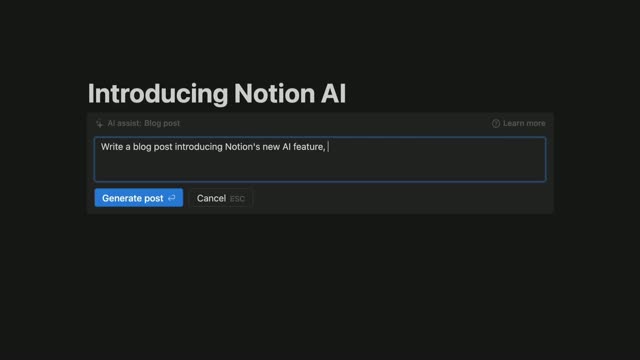

Introducing Notion AI
Notion · Productivity · Nov 2022
Cursor · Apr 2026 · 1:30 · AI-annotated
The video alternates between two founders talking to camera in a warm library and tight screen captures of the Cursor interface, cutting on the voiceover sentence beats. Pacing is steady and conversational, with the talking head set as the anchor and the UI shots as quick illustrative inserts, closing on the animated Cursor lockup.
Notion · Productivity · Nov 2022
ZoomInfo · Oct 2026
Resend · Developer tools · Mar 2026
Two men sit at a wooden desk before bookshelves; the red-haired man in gray speaks and gestures while the bearded man in maroon listens beside an open laptop. White name captions fade in below. A cut tightens to the speaker, then returns to the two-shot.
On-screen text: “Sualeh Asif”, “Co-Founder”, “Michael Truell”, “Co-Founder”
Camera: Static
Over-the-shoulder shot of a person in a maroon shirt typing on a laptop at a wooden table. The screen stays in focus, showing a code editor with a left sidebar and a blank white canvas, while the blurred shoulder and hand frame the foreground.
Camera: Static
A desktop app window shows a left sidebar of agent items beside a document with a summary and testing list. A cursor rests over the document body, then moves to the window controls in the top-right corner.
Techniques: Cursor demo
Camera: Static
A split product screen holds an agent chat panel on the left and a code diff panel on the right. The top-right control hovers, swapping its ready label for a hide-panel tooltip with a keyboard shortcut.
Camera: Static
A light interface shows a model-selection dropdown; a cursor hovers down the list, and a detail card slides in on the right for each highlighted model. The framing tightens onto the list as the selection lands on GPT-5.4.
Techniques: Cursor demo, UI zoom
Camera: Push in
Two men sit at a wooden desk before a wall of bookshelves, a silver laptop open between them. The red-haired man talks and taps the table, then the cut tightens to the bespectacled man, who leans in and points at the screen as his companion watches.
Camera: Static
A wide shot of a developer workspace interface zooms in on a chat panel, then reframes onto a code diff. A cursor hovers over a commit button.
Techniques: UI zoom, Cursor demo
Camera: Push in
A light code editor shows a file list and syntax-highlighted code. A cursor clicks the dark Commit & Create PR button at the top right, which turns gray and reads Creating PR...
Techniques: Cursor demo
Camera: Static
Two men sit at a wooden table before a wall of bookshelves. The man in the maroon sweater gestures toward an open laptop while the red-haired man in a gray sweater listens with hands clasped.
Camera: Static
A light-themed IDE shows a chat summary pane on the left and a TypeScript file on the right. The code view scrolls up from line 59 to the top of the file as a mouse cursor moves, illustrating the agent navigating the source.
Techniques: Cursor demo
Camera: Static
Two men sit at a wooden desk before a wall of bookshelves. The man on the left gestures with open palms while talking; the red-haired man on the right listens with hands clasped. An open laptop faces the speaker, and a warm lamp glows top right.
Camera: Static
A two-pane app interface fills the frame: a navigation sidebar on the left and a long testing report with checkmarks and code on the right. A cursor hovers over and clicks the Move to Local button at the bottom of the report.
Techniques: Cursor demo
Camera: Static
A three-panel coding app fills the frame; a cursor right-clicks a sidebar entry to open a context menu, then hovers the Move to submenu and picks Cloud, after which the view settles on the diff panel.
Techniques: UI zoom, Cursor demo
Camera: Static
A dark-haired man with glasses sits at a wooden table beside a red-haired man, talking and gesturing in front of a bookshelf. The frame cuts to a wider shot as he types on a MacBook while the other man watches the screen.
Camera: Pan
A light-themed desktop app screen: a left sidebar lists agent sessions while the main pane shows a long migration document with headings and numbered steps. A mouse cursor hovers over the sidebar list and drifts slightly downward.
Techniques: Cursor demo
Camera: Static
A two-panel agent app shows a task list on the left and a detail view on the right. The cursor clicks down the sidebar, swapping the right panel between three task briefs with video cards and checklists.
Techniques: Cursor demo
Camera: Static
A light-themed application window fills the frame. A left sidebar lists agent tasks under grouped headers, with a cursor resting on one entry. The main panel shows a vertical activity log of steps such as 'Redo it' and 'Recording started', ending with an input field at the bottom.
Camera: Static
The product interface dissolves into a library room where two men sit at a wooden desk. The red-haired man in gray talks and gestures while the bearded man in maroon listens. A laptop rests on the desk; the static camera reframes from a close-up to a two-shot.
Camera: Static
A prompt field sits above a model selector. The cursor opens the dropdown list and hovers across entries while a detail card on the right updates to describe the model under the cursor.
Techniques: Cursor demo
Camera: Static
Two men sit at a wooden table before floor-to-ceiling bookshelves, an open silver laptop on the table. The red-haired man in a gray sweater talks to camera, gesturing with both hands; the bearded man in maroon listens. Cuts alternate between a tight close-up and a wide two-shot.
Camera: Pan
On a pale gray field, the black hexagon mark shrinks and slides left as the CURSOR wordmark fades in beside it, the two settling into a centered lockup.
On-screen text: “CURSOR”
Techniques: Kinetic type
Camera: Static
The CURSOR wordmark logo holds centered on a black background, static and locked off for the full duration of the clip.
Camera: Static