1:57
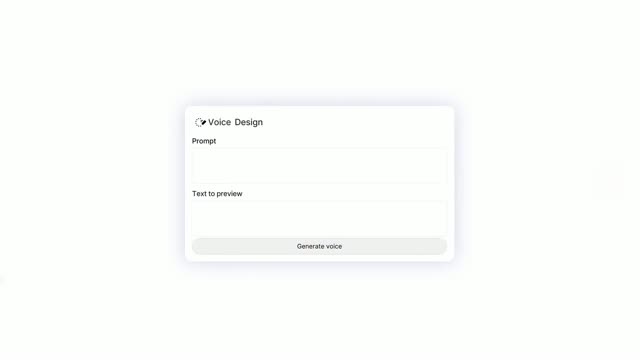

Introducing ElevenLabs Conversational Agents
ElevenLabs · AI · Dec 2024
ClickUp · Dec 2025 · 0:59 · AI-annotated
The video is built as a three-act launch: a fast-cut problem montage of self-drawing tangled lines and app icons, a product reveal that tumbles white UI cards into one converging 3D stack, and a benefit montage of rotating words and radial phone rings. Pacing runs near 11 cuts per minute, with signature moves of hand-drawn line wipes, word-swap headlines, and card stacks that fan and settle on soft pastel gradients.
ElevenLabs · AI · Dec 2024
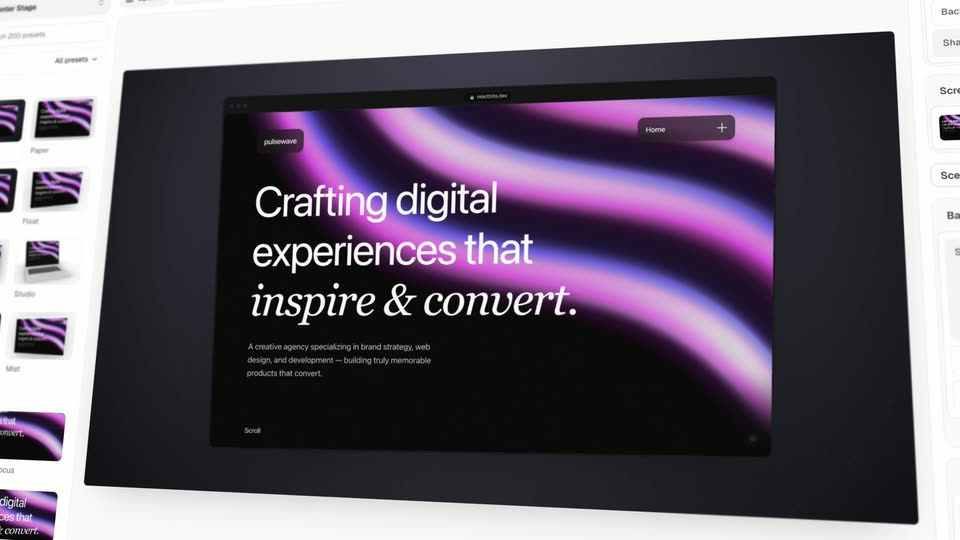
React Bits · Developer tools · Oct 2026
Astra · Sep 2026
A gray “Work Sprawl” title on a white background turns bold black as a gray subline fades in below. A flowchart of pink boxes and arrows assembles around the title while the camera slowly pushes in, ending on a pink “Productivity VANISHES” box.
On-screen text: “Work Sprawl”, “is killing us.”
Techniques: Kinetic type
Camera: Push in
A thick black line with a round dot at its tip advances rightward across a white field marked by faint pink horizontal rules. The gray ClickUp logo stays fixed in the bottom right corner.
On-screen text: “ClickUp”
Camera: Static
On a pale pink background, a black thread runs across the frame and multiplies into a tangle of thin lines linking a growing cluster of app icons with red badges on the right, while the headline scales in word by word on the left.
On-screen text: “Too many apps...”
Techniques: Kinetic type
Camera: Pan
A tangled web of app icons linked by black squiggly lines fills a pale pink field, with the caption “Too many apps...” in large black type. The web and caption slide off to the left through a dark lens-shaped wipe, leaving an empty white frame.
On-screen text: “Too many apps...”, “ClickUp”
Techniques: Kinetic type, Masking
Camera: Pan
White headline 'Too many AI tools...' slides in left over a dark purple gradient. A hand-drawn white line draws itself in loose loops across the frame, and white badges with AI tool marks (blue sparkle, red asterisk, OpenAI knot) pop up along it. ClickUp wordmark sits faintly bottom right.
On-screen text: “Too many AI tools...”, “ClickUp”
Techniques: Kinetic type
Camera: Pull out
On a starry purple gradient, a white line tangles into a maze dotted with circular AI-tool icons and small chat-bubble questions. The view pans right as the headline slides in and a bold center line pops in.
On-screen text: “Too many AI tools...”, “Context is lost.”
Techniques: Kinetic type
Camera: Pan
On a speckled white card, the tilted headline 'Work sprawl kills human productivity' scales up, then the word 'human' swaps to 'AI' as a black line arcs across. The frame cuts to a pale blue card holding the centered line 'It's time to kill sprawl'.
On-screen text: “Work sprawl kills”, “human productivity”, “AI productivity”, “It's time to kill sprawl”
Techniques: Kinetic type
Camera: Push in
A black headline reads “It’s time to kill sprawl” on a pale blue gradient, a thin curved line trailing from the last letter. The word “sprawl” then shatters into fragments that scatter rightward. The ClickUp logo sits in the corner.
On-screen text: “It's time to kill sprawl”
Techniques: Kinetic type
Camera: Static
On a soft pastel gradient, the black word Meet scales in, then the ClickUp wordmark with its gradient chevron and a dark 4.0 badge appears. The indigo phrase The first slides in centered.
On-screen text: “It's time to kill sprawl”, “Meet”, “ClickUp”, “4.0”, “The first”
Techniques: Kinetic type
Camera: Static
On a pale off-white field, the phrase The first slides in centered in dark navy, then gives way to Converged in soft lavender, then AI Workspace slides in with a brief motion blur. The gray ClickUp mark sits fixed in the lower right corner.
On-screen text: “The first”, “Converged”, “AI Workspace”
Techniques: Kinetic type
Camera: Static
A soft blue-purple gradient fills the frame with the dark navy headline AI Workspace centered; it slides out as a tilted 3D spread of app screens, a dark sidebar and colorful icons fades in.
On-screen text: “AI Workspace”, “ClickUp”
Techniques: Kinetic type, 3D mockup
Camera: Static
A locked-off 3D perspective of floating ClickUp panels arranged diagonally on white: a profile card, a dark home nav bar, an inbox, and a marketing list with a team roster. A large headline scales in over the still composition.
On-screen text: “Built to”, “ClickUp”
Techniques: 3D mockup, Kinetic type
Camera: Static
On a plain white background, 'Built to' assembles in the center and scales up, then crossfades into the larger 'kill Sprawl'. A small ClickUp logo holds the bottom-right corner throughout.
On-screen text: “Built to”, “kill Sprawl”
Techniques: Kinetic type
Camera: Static
A white Chat card, then a Calendar card, tumble with motion blur across a purple-to-orange gradient. The ClickUp logo stays fixed in the bottom right corner.
On-screen text: “kill Sprawl-”
Techniques: 3D mockup
Camera: Pull out
White UI cards for Calendar and Teams Hub float on a grainy magenta-to-orange gradient and scroll vertically with motion blur. The ClickUp wordmark sits pinned in the bottom-right corner.
On-screen text: “ClickUp”
Camera: Static
A stack of white ClickUp cards cycles vertically on a purple-to-orange gradient: Teams Hub, Brain, and My Team views slide up and out as the next card slides in from below. The ClickUp logo sits in the lower right.
Camera: Push in
A white chat card titled Brain with a petal logo and a 'Create an agent' bubble scales up and sharpens on a pink-to-orange gradient, while the ClickUp wordmark sits in the lower right corner.
On-screen text: “ClickUp”
Camera: Pull out
A tight crop on a white chat card zooms out quickly with motion blur, revealing a grid of rounded app cards such as Calendar, Forms and Docs over a pink-to-orange gradient.
On-screen text: “ClickUp”
Techniques: UI zoom
Camera: Pull out
A grid of rounded app interface cards (Calendar, Brain, Dashboards, Whiteboards, Forms, Tasks, Chat, Docs) drifts slowly upward over a purple-to-orange gradient, soft shadows beneath each card. The ClickUp logo sits fixed in the bottom right corner.
On-screen text: “ClickUp”
Camera: Push in
A flat grid of white interface cards on a vivid pink-and-blue gradient converges into a floating 3D stack of the same panels, settling into an isometric pile over a soft blue field. The ClickUp wordmark stays fixed in the bottom-right corner.
On-screen text: “ClickUp”
Techniques: 3D mockup
Camera: Push in
A 3D isometric stack of white task cards on a pale blue gradient; the top cards lift apart in a fan, then settle back down into the pile.
On-screen text: “ClickUp”
Techniques: 3D mockup
Camera: Pan
A 3D stack of white cards with colored edges rests on a pale lavender gradient, the top card showing a Projects checklist. The top card flips over to reveal the ClickUp logo and wordmark, while a gray ClickUp logo sits in the bottom-right corner.
On-screen text: “ClickUp”
Techniques: 3D mockup
Camera: Pan
A white folder icon with the ClickUp mark hovers over a small, tilted 3D mockup of the app against a blue-to-orange gradient. The mockup scales up to fill the frame as the folder icon lifts away, and the headline AI Workspace fades in above it.
On-screen text: “AI Workspace”
Techniques: 3D mockup
Camera: Push in
A 3D-tilted ClickUp inbox interface floats over a magenta-to-orange gradient, the white headline AI Workspace set above it. The camera pushes in, cropping the headline so the interface fills the frame. The ClickUp logo sits in the lower right corner.
On-screen text: “AI Workspace”
Techniques: 3D mockup, UI zoom
Camera: Pan
A grainy magenta-to-orange gradient fills the frame as the white text “Designed with” scales in at center, then shifts to “pixel precision” at top left while a tilted ClickUp interface mockup sharpens into 3D perspective below, linked by a thin dashed line.
On-screen text: “Designed with”, “pixel precision”
Techniques: Kinetic type, 3D mockup
Camera: Push in
A dark indigo headline, “Convergence unlocks”, slides into the center of a pale white and lavender gradient, sharpening from a soft blur. The gray ClickUp logo rests still in the lower right corner.
On-screen text: “Convergence unlocks”
Techniques: Kinetic type
Camera: Static
Soft lavender-to-white gradient. 'Convergence unlocks' slides in, then 'Maximum' anchors a cycling column of words (productivity, visibility, performance, context, collaboration) that scale and fade. A blue caret bar lands beside the final word 'Experience'; the ClickUp logo holds in the corner.
On-screen text: “Convergence unlocks”, “Maximum performance”, “Experience”
Techniques: Kinetic type
Camera: Push in
A white circle centered on a soft blue field reads Experience, then contracts to the hole of a blue and gray donut chart while the text swaps to A New Era of. The ClickUp logo stays in the lower right.
On-screen text: “Experience”, “A New Era of”
Techniques: Kinetic type, Morph
Camera: Pull out
A donut chart with gray, light blue and blue segments rotates slowly on a pale gradient background. The bold black headline fades in at its center, while the gray ClickUp logo stays fixed in the bottom right corner.
On-screen text: “ClickUp”, “A New Era of Productivity”
Camera: Pan
A white four-pointed rounded star holds the black headline at center. Behind it, soft gradient blobs in blue, purple, pink and orange drift and rotate slowly. The star tilts gently between frames while the text stays fixed. A gray ClickUp logo sits in the bottom right corner.
On-screen text: “A New Era of AI”
Camera: Static
Phone screens with app UIs form a slowly rotating radial ring around a central hexagon, the background shifting from pink and orange to white. The center headline changes from 'Craft & Quality' to 'AI' and 'Convergence,' then the screens blur and recede.
On-screen text: “A New Era of”, “Craft & Quality”, “AI”, “Convergence”
Techniques: 3D mockup, Kinetic type, Speed ramp
Camera: Pull out
Dark 3D blade shapes burst radially outward from the center of a white field, framing the static black headline. A green-bordered white UI card then slides in from the left edge.
On-screen text: “A New Era of”
Techniques: Parallax
Camera: Push in
A fan of 3D app-interface cards tilts in perspective on a white ground, the black headline 'A New Era of' held in the center. The fan then turns to a fresh set of cards under a pink-to-blue gradient as the gray ClickUp wordmark scales into the middle.
On-screen text: “A New Era of”, “ClickUp”
Techniques: 3D mockup
Camera: Pull out
The ClickUp logo lockup sits centered on a soft pink-to-blue gradient; the tagline “Stop the Sprawl” scales in beneath it while a tilted phone mockup on the right swaps its app list for a “4.0” badge.
On-screen text: “Stop the Sprawl”
Techniques: 3D mockup, Kinetic type
Camera: Static
Centered on a soft pink-to-blue gradient, the ClickUp logo pairs a gradient chevron icon with a black 4.0 badge. The tagline Stop the Sprawl scales out beneath it, giving way to the static line Experience Convergence today, with a small ClickUp watermark in the corner.
On-screen text: “Stop the Sprawl”, “Experience Convergence today”
Camera: Static