3:06
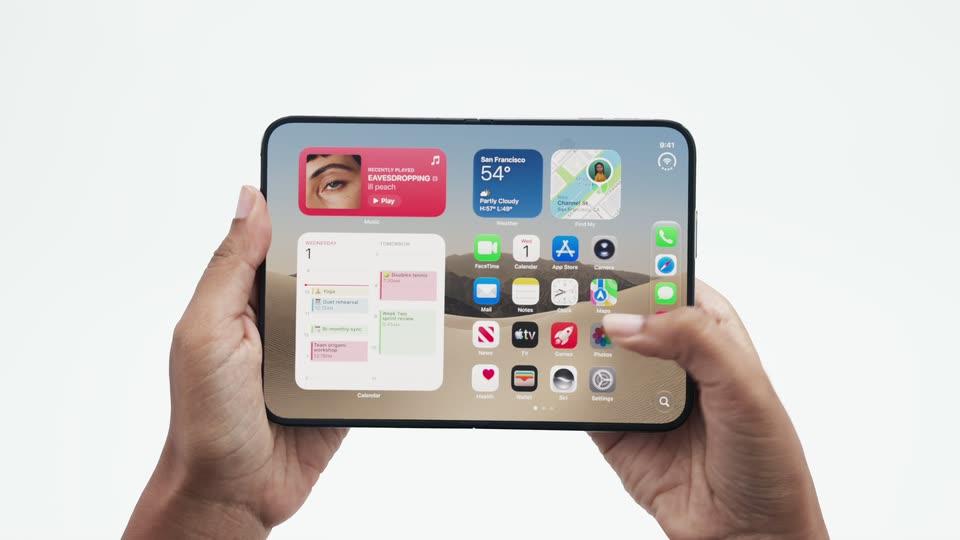

Introducing the new iPhone Duo
Apple · Hardware · Sep 2026
Cal.com · Aug 2022 · 1:18 · AI-annotated
The video is built as a single feature story: a typed headline and visitor clips open on the white grid, the Cal.com wordmark appears, then a long demo of the Teams feature runs through dark UI panels on a pale field, closed by a benefit line and the logo. Pacing is slow with very few cuts, and the signature moves are word by word typed text, dashed connector lines and a white cursor that drives every interface.
Apple · Hardware · Sep 2026
Shopify · Business software · Dec 2024
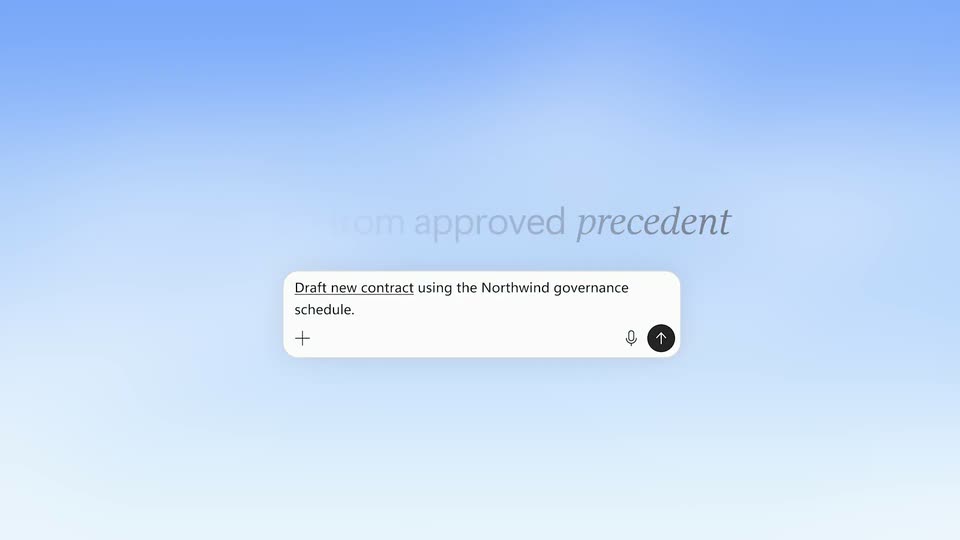
Microsoft · AI · Oct 2026
A white grid of square cells. A dark navy headline types in word by word on the left, then a video card of a man with a phone fills the bottom cell with changing captions, and a woman in a car fades into the top cell as the headline dims.
On-screen text: “In teams we work better. Faster.”, “Some of your website visitors”, “just want to get in touch”, “with your company.”, “Others”
Techniques: Kinetic type
Camera: Static
Two clips of people using phones sit on a light grid background with captions. They slide to the top corners as the Cal.com wordmark fades in, and dashed lines branch down to two circular clips of team members.
On-screen text: “Others”, “already know who exactly”, “they want to talk to.”, “When your visitors talk”, “Cal.com”, “to the right person,”, “you get better results faster.”, “With Cal.com's Teams”
Techniques: Split screen, Masking
Camera: Static
A white diagram with dashed arrows links two call clips and two avatars to the Cal.com wordmark, then opens to reveal the Teams members panel.
On-screen text: “Cal.com”, “With Cal.com's Teams”
Camera: Pan
A dark Cal.com settings panel slides in from the left with a fading echo layer, settling on the Team Members page. A white cursor drifts toward the Add team member button. A white caption box at the bottom shows the line word by word.
On-screen text: “With Cal.com's Teams”, “you can add your co-workers”
Techniques: Parallax, Cursor demo
Camera: Push in
A dark team-members screen. A cursor clicks Add team member, a modal opens over a blurred background, the cursor types Mandy, picks the result and hits Invite, adding Mandy to the list. The view then zooms out to the full app window before a new dark panel slides in from the right.
On-screen text: “you can add your coworkers”, “to the booking page.”, “with the booking page”, “Visitors can now choose”, “who they want to talk to.”, “Let's say you run a gym”
Techniques: Cursor demo, UI zoom
Camera: Pull out
A dark booking card for Lula Gym sits centered on a pale lavender field, listing three personal-training sessions with time and 1-on-1 tags. A white cursor drifts in and hovers near the header while a caption bar at the bottom cycles through phrases.
On-screen text: “Let's say you run a gym”, “and offer personal trainings.”, “With Teams you can add all of the trainers”
Techniques: Cursor demo
Camera: Static
A dark booking page crossfades from a session list into a 3x2 grid of trainer cards, each with a circular photo, name and short bio. The view zooms into the cards, then pulls back, as a white cursor hovers at the top right. Bottom captions narrate the feature.
On-screen text: “With Teams you can add all of the trainers”, “to your booking page -”, “a short description of each one.”
Techniques: UI zoom
Camera: Static
A dark gym-booking interface mockup settles into focus on a light gray field, showing a six-card trainer grid under the Lula Gym logo. A white cursor moves onto the Mandy card, revealing a right arrow, while a caption bar sits at the bottom.
On-screen text: “Your clients can directly book a session”
Techniques: Cursor demo
Camera: Static
A dark booking page for Lula Gym shows a kettlebell logo and six trainer cards with avatars; the whole screen blurs to a plain dark panel as a white cursor hovers, while a white caption strip at the bottom reads “Your clients can directly book a session”.
On-screen text: “Your clients can directly book a session”
Techniques: Cursor demo
Camera: Static
A dark booking card sits on a light gray field, showing a trainer profile beside a July 2022 calendar. A cursor hovers the dates, a time-slot panel slides in from the right, the cursor taps 11:30 am, and the whole card slides off to the left.
On-screen text: “Your clients can directly book a session”, “with the trainer they relate to most.”
Techniques: Cursor demo
Camera: Pan
A dark booking panel on a light gray field fades in its logo, title and two team cards, then widens to add a third card for Annie Fitzpatrick. A white cursor moves to her card, highlighting it with a border and arrow, then the panel dims.
On-screen text: “Or Annie joins your team”, “who is an expert in marketing.”, “Every visitor with a specific interest in Marketing”
Techniques: Cursor demo
Camera: Static
A dark scheduling card on a light gray background fills in: an avatar, name and meeting details fade into the left panel while a July 2022 calendar sits on the right, and a white cursor glides to hover a date. A caption line swaps at the bottom.
On-screen text: “Every visitor with a specific interest in Marketing”, “can book a meeting right with her.”
Techniques: Cursor demo
Camera: Static
A dark booking panel with profile, calendar and time slots sits on gray. A cursor clicks the 10:00 am slot, which turns white. The caption 'can book a meeting right with her.' holds, then the panel fades to an empty dark card.
On-screen text: “can book a meeting right with her.”
Techniques: Cursor demo
Camera: Static
A dark navy card showing a circular headshot of a smiling woman and the line You're booked! with a green check fades in at center on a light gray field, holds, then fades out.
Camera: Static
A plain off-white frame holds a light gray rounded rectangle that slides up from the bottom center, its top edge and corners entering view over half a second.
Camera: Static
A white grid of thin gray lines holds a few light and dark gray rounded blocks. The dark navy headline “More relevant meetings.” appears at left, then “Less overhead.” drops in below it. A light gray panel wipes in from the left edge to cover the frame.
On-screen text: “More relevant meetings.”, “Less overhead.”
Techniques: Kinetic type, Masking
Camera: Static
On a pale lavender field, dark gray capsule shapes pop in one by one, arranging into an arc, a ring and a C-shaped link, with lighter gray capsules filling the gaps.
Camera: Static
On a pale blue field, the Cal.com wordmark reveals in under a second: an oversized 'Ca' scales to size while 'l.com' fades in staggered, framed by thin guide lines and three small capsules above. The centered lockup then holds static for the rest of the clip.
On-screen text: “Cal.com”
Techniques: Kinetic type
Camera: Static