1:30

Introducing Webflow Campaigns – Launch While It Still Matters
Webflow · Design · Oct 2026
Altair Health · Nov 2026 · 3:18 · AI-annotated · YC Fall 2026
The video is built as five numbered feature chapters, each opening with a bold condensed headline card and cutting between locked-off UI demos, odometer stat counters, and short punchline cards. Its style is defined by a near-black navy field, glitch-slice text reveals, 3D-tilted interface shots, and a steady driving pulse at about 16 cuts per minute, closing on a starfield constellation logo reveal.
Webflow · Design · Oct 2026
YugaByte · Oct 2026
Talos · Industrials · Oct 2026
A locked-off shot of a desk holding two monitors that run a claims-management interface. The left screen shows a denied claim detail, the right a search table, with a keyboard, mouse, phone and sticky notes in front.
On-screen text: “00:00.5”, “00:01.2”
Camera: Static
A green-tinted desk set holds two monitors running claims software, the left showing a red DENIED banner. A keyboard and headset phone sit in front. A digital timer reads 00:01.2 in the top corner while a caption sits at the bottom, all locked off.
On-screen text: “00:01.2”, “Their AI denied your claim in 1.2 seconds.”
Camera: Static
A black frame holds still with no motion. The small white word HOLDING and the timecode 00:47:25 sit locked in place, low in the frame, for the full half second.
On-screen text: “HOLDING”, “00:47:25”
Camera: Static
A static wide shot of an empty office cubicle. The monitor shows a split screen: a ticket form on the left and a dark HOLDING panel with a timer ticking up on the right. A white caption fades in at the bottom.
On-screen text: “You've been on hold for 47 minutes to ask why.”
Camera: Static
A flat grid of red DENIED claim cards, each with a name and amount, fills the dark frame. The grid dims as three centered white headlines fade in in turn, then the whole scene fades to black.
On-screen text: “85% of denials are preventable.”, “What if you could catch them first?”, “The same AI that denies your claims.”
Techniques: Kinetic type
Camera: Static
A dark navy field with a soft radial glow at the center. The headline “Now working for” in white and “you.” in orange fade in at the center, then hold still on a locked-off frame.
On-screen text: “Now working for”, “you.”
Techniques: Kinetic type
Camera: Static
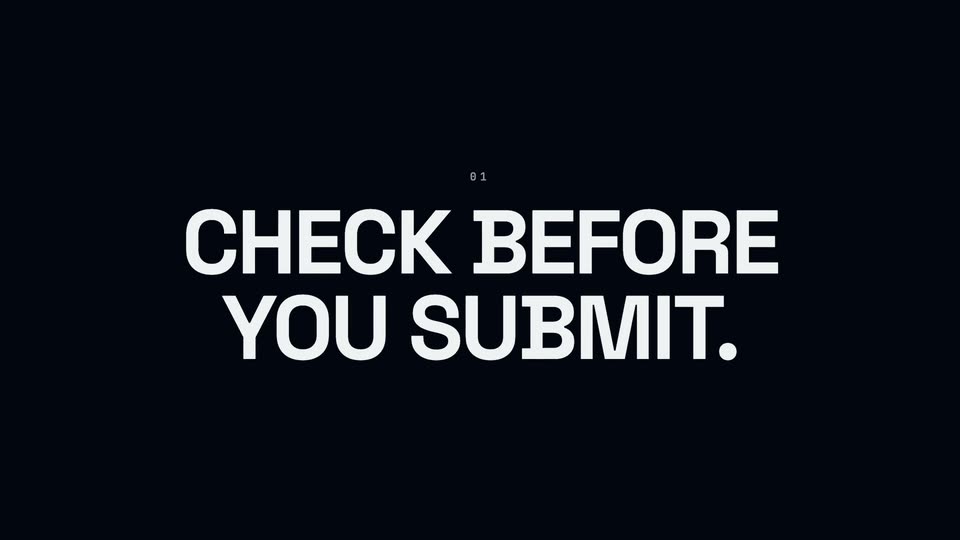
A near-black title card: a small letter-spaced 01 sits above a two-line white headline that fades up from dim to full brightness and holds on a locked frame.
On-screen text: “Now working for”, “you.”, “01”, “CHECK BEFORE”, “YOU SUBMIT.”
Techniques: Kinetic type
Camera: Static
The Altair dashboard holds full frame, then the view reframes onto the left sidebar as the cursor moves to the Claim Batches row. The right side opens to white, where a large two-line headline stays locked off.
On-screen text: “CHECK BEFORE YOU SUBMIT.”
Techniques: UI zoom, Cursor demo
Camera: Push in
A near-black frame holds the bold white headline DROP THE FILE. centered, which reveals with a brief horizontal offset before settling, above the smaller gray line Altair handles the rest. Locked-off, no camera move.
On-screen text: “DROP THE FILE.”, “Altair handles the rest.”
Techniques: Kinetic type
Camera: Static
A Batches screen resolves from a blurred zoom into a clean view, then a cursor glides to the Upload Batch button in the top right corner and hovers over it.
Techniques: UI zoom, Cursor demo
Camera: Pan
A dimmed Batches screen sits behind a centered Upload Claim Batch modal that scales up from small and blurred to full size and sharp. The modal holds a batch name field, two dropdowns, and a file drop zone above a grayed upload button.
Techniques: UI zoom
Camera: Pan
A white bold headline reads on black, then a smaller white line and an orange line drop in beneath it. The stage tilts into a 3D perspective of the Alhair Batches screen, which settles flat, showing a sidebar, a search bar, and a small purple orb at the lower right.
On-screen text: “CROSS-CHECKING.”, “Hundreds of rules”, “in seconds.”
Techniques: Kinetic type, 3D mockup
Camera: Static
A light Batches dashboard fills the frame, locked off. A single batch row under April 2026 carries a Processing badge and a progress bar that fills from 28% to 54% with the label Scrubbing 27 claims. A small dot pulses in a ring at the bottom right.
On-screen text: “CROSS-CHECKING”, “Hundreds of rules”, “in seconds.”
Camera: Static
A dark navy card with three columns split by thin vertical rules. Large numerals roll up in an odometer fashion: white 27 over CLAIMS, green 13 over CLEAN, red 14 over TO FIX. Small letter-spaced labels sit beneath each figure, and a small Altair wordmark with the caption Claim Botches stays locked in place.
On-screen text: “Altair”, “Claim Botches”, “27”, “CLAIMS”, “13”, “CLEAN”, “14”, “TO FIX”
Techniques: Kinetic type
Camera: Static
A light claims dashboard sits inside a dark window frame, sidebar on the left and a review panel in the center. The camera pushes in on the interface, cropping the edges to focus on the batch details.
Techniques: UI zoom
Camera: Push in
On a near-black field, the white headline YOU SIGN OFF. fades up from black and holds, centered, with a small gray caption On every fix. beneath it. A small Altair wordmark slides in as the sign-off.
On-screen text: “YOU SIGN OFF.”, “On every fix.”
Camera: Static
The Altair edit review lists flagged claims with yellow warning notes; the cursor scrolls down to the decision panel, then the screen tilts into 3D perspective on a dark backdrop and zooms into the green 'I'll correct this' button as the 'YOU SIGN OFF.' headline appears.
On-screen text: “YOU SIGN OFF.”, “On every fix.”
Techniques: Cursor demo, 3D mockup, UI zoom
Camera: Push in
A green headline, BATCH READY., sits centered on a near-black field. It enters with slight motion blur, holds steady, then the frame cuts to black.
On-screen text: “BATCH READY.”
Techniques: Kinetic type
Camera: Static
A dark navy card shows an orange line, 14 ISSUES CAUGHT., over a white two-line statement, BEFORE THEY BECAME DENIALS. The block fades in, then holds static on a locked-off frame.
On-screen text: “14 ISSUES CAUGHT.”, “BEFORE THEY BECAME”, “DENIALS.”
Camera: Static
A near-black background holds a small “02” above a centered two-line headline “WHEN A DENIAL LANDS.” The text fades from dim to full white on a locked-off frame.
On-screen text: “02”, “WHEN A DENIAL”, “LANDS.”
Camera: Static
A light billing dashboard opens on a payments table. The cursor moves down, clicks a row, and the row expands to reveal the denial reason as the frame zooms in. A large static headline reads WHEN A DENIAL LANDS.
On-screen text: “02”, “WHEN A DENIAL LANDS.”
Techniques: Cursor demo, UI zoom
Camera: Push in
Dark navy background. The white headline RESADS THE WHY. resolves from a vertical-stripe mask into solid type, centered above a small red monospaced caption CO-50 • MEDICAL NECESSITY. The frame stays locked off.
On-screen text: “READS THE WHY.”, “CO-50 • MEDICAL NECESSITY”
Techniques: Masking
Camera: Static
A light claims table fills the frame, rows pairing patient names, payers and dollar amounts with status pills and action buttons. The view zooms into an expanded row to expose a multi-line reason note, while a large headline sits still over the list.
On-screen text: “READS THE WHY.”
Techniques: UI zoom
Camera: Pan
A close-up of a claims review table fills the frame, listing payers, denial codes, amounts, status tags and action buttons row by row. A mouse cursor rests at the lower right beside a small circular control, moving slightly.
Techniques: Cursor demo
Camera: Static
A claims review table occupies the left side as a chat panel opens on the right. A cursor moves into the chat input and types a question about a denied claim, while conversation rows remain visible above.
Techniques: Cursor demo
Camera: Static
A dark navy screen holds a centered white headline, PULLS THE POLICY., above a smaller gray subline, Straight from the payer. The frame stays locked with no motion across the clip.
On-screen text: “PULLS THE POLICY.”, “Straight from the payer.”
Camera: Static
Locked-off close-up of a chat interface under a static headline. The status line cycles from 'Thinking together' to 'Reading the fine print' as the search box flips from spinner to green check, then a result row and a ticking tool count fill in.
On-screen text: “PULLS THE POLICY.”, “Straight from the payer.”
Camera: Static
On a near-black background, a blinking caret types “Not a coding error.” centered, then “Documentation gap.” on the line below. A brown highlight bar sweeps in behind the second line and the caret disappears. Locked-off frame.
On-screen text: “Not a coding error.”, “Documentation gap.”
Techniques: Kinetic type
Camera: Static
A cursor selects Payer Intel in the left rail, then the frame zooms into the Aetna policy document header while the cursor drifts down the policy history. A static caption sits over the shot.
On-screen text: “Not a coding error.”, “Documentation gap.”
Techniques: UI zoom, Cursor demo
Camera: Pan
A messaging app thread fills the frame. A header line and a dark right-aligned bubble both read the query about a denied claim, while a paragraph of body text with two highlighted codes sits below. The view stays static as a cursor rests at the lower left.
Camera: Static
Two left-aligned lines sit on a near-black field. The red line and gray line fade from dim to full red and white, hold briefly, then fade out to black.
On-screen text: “EVERY DENIAL ANSWERED.”, “POLICY ATTACHED.”
Camera: Static
A dark navy field holds the white headline ALTAIR LEARNS. with a tiny 03 above it. The type carries a soft offset shadow that flattens into solid white, then holds on a locked frame.
On-screen text: “03”, “ALTAIR LEARNS.”
Camera: Static
A tilted 3D view of the Altair interface shows a document list and a chat panel. The camera zooms into the center document, a cursor glides to the Prior Auth item in the sidebar, and the Aetna policy page fills the frame.
Techniques: 3D mockup, UI zoom, Cursor demo
Camera: Push in
A plain dark navy frame. The bold white word REMEMBERS holds center, then THE PATTERN. appears beneath it, and a small red monospace line AETNA · CPT 17110 · DX L82.1 fades in below. The frame stays locked off.
On-screen text: “REMEMBERS”, “THE PATTERN.”, “AETNA · CPT 17110 · DX L82.1”
Techniques: Kinetic type
Camera: Static
A denial-pattern list in the Altair Memory view. The frame tightens onto the rows, then a cursor hovers the Aetna row and it expands to reveal root cause and recommended fix text.
Techniques: UI zoom, Cursor demo
Camera: Push in
A dark navy card holds the bold white headline TURNS IT INTO A RULE., which settles in from a brief horizontal offset, above a small letter-spaced orange line NOW IN YOUR SCRUB. on a plain background.
On-screen text: “TURNS IT INTO A RULE.”, “NOW IN YOUR SCRUB.”
Techniques: Kinetic type
Camera: Static
A light Altair Memory list zooms in from the full app to the expanded Aetna denial row, with a cursor resting on the panel. The static captions 'TURNS IT INTO A RULE.' and 'NOW IN YOUR SCRUB.' remain locked in frame.
On-screen text: “TURNS IT INTO A RULE.”, “NOW IN YOUR SCRUB.”
Techniques: UI zoom
Camera: Push in
A list of payer denial rows, one expanded with guidance text, then the view reframes onto a stack of guidance cards. A dark border highlights the medical-necessity card while the cursor moves to its Activate toggle.
Techniques: UI zoom, Cursor demo
Camera: Pan
Bold white sans-serif text reads “SO DENIALS NEVER REPEAT.” centered on a near-black background. The last word begins as a red outline, then the line blurs and fades as a second orange line, “CAUGHT ONCE.”, emerges from the defocus behind it.
On-screen text: “SO DENIALS NEVER REPEAT.”, “CAUGHT ONCE.”
Techniques: Kinetic type
Camera: Static
On a near-black field, the orange line CAUGHT ONCE. holds center while the white line CAUGHT FOREVER. fades in directly beneath it, the two lines settling into a static centered lockup.
On-screen text: “CAUGHT ONCE.”, “CAUGHT FOREVER.”
Techniques: Kinetic type
Camera: Static
On a flat dark navy field, a small light index reads 04 above a bold headline that brightens from near-black to white and then holds still. The frame stays locked off with no camera move.
On-screen text: “CAUGHT ONCE.”, “CAUGHT FOREVER.”, “04”, “PRIOR AUTHS, HANDLED.”
Camera: Static
A plain off-white card darkens to medium gray as a two-line white tagline fades in at the top center, held on a locked-off frame.
On-screen text: “04”, “PRIOR AUTHS, HANDLED.”, “Reads the policy.”, “So you don't have to.”
Camera: Static
Dark navy background with a white bold headline at top and a small letter-spaced monospace line beneath it. A patient chart card with gray placeholder rows appears on the left, and a thin line extends right to a policy card that fades in.
On-screen text: “Reads the policy.”, “So you don't have to.”, “AETNA • PVI.104.AN • IN SECONDS”
Camera: Static
A desktop app shows a prior authorization workspace with a left navigation, a criteria-check panel, and a patient policy PDF on the right. A cursor moves to the Check Criteria button and hovers over it while two static captions appear.
On-screen text: “Reads the policy.”, “So you don't have to.”
Techniques: Cursor demo
Camera: Static
The flat background inverts from light gray to dark gray in a single step, and the white headline Reviews like a clinician. appears centered on the frame.
On-screen text: “Reviews like a clinician.”
Camera: Static
Static white headline and gray subtitle sit above a glowing blue POLICY node. Thin lines fan out to eleven dots labeled 01 to 11, each dot turning green in left-to-right sequence as its line draws in.
On-screen text: “Reviews like a clinician.”, “EVERY REQUIREMENT · MAPPED TO THE PATIENT CHART”, “87”
Camera: Static
The Altair Clinical Evaluation view fills the frame. In the middle column, evaluation gates flip to green Pass badges in sequence while the list auto-scrolls beside a patient chart PDF. The panel then reflows to 11 of 11 gates met, opening a white area on the right.
On-screen text: “Reviews like a clinician.”, “EVERY REQUIREMENT· MAPPED TO THE PATIENT CHART”
Camera: Static
A dark Altair prior-authorization screen lists clinical evaluation gates, then a white panel slides in from the right edge to show those gates as a branching flowchart with yes and no paths.
Techniques: Masking
Camera: Static
A close-up of a clinical evaluation list and a green-and-red decision flowchart slowly pulls back, reframing to reveal the full Altair application window with its left sidebar, set in slight 3D perspective on a dark background.
Techniques: UI zoom, 3D mockup
Camera: Push in
On a near-black background, the white headline Compliance. holds center as the green line Without the headache. fades in beneath it. A small gray monospace caption then types out 11 OF 11 CRITERIA MET before the frame fades to black.
On-screen text: “Compliance.”, “Without the headache.”, “11 OF 11 CRITERIA MET”
Techniques: Kinetic type
Camera: Static
A near-black card holds the headline KNOW YOUR BUSINESS. in large white bold sans, with a tiny 05 above it. The line opens with a horizontal slice glitch that snaps into a clean, static lockup.
On-screen text: “05”, “KNOW YOUR BUSINESS.”
Techniques: Kinetic type
Camera: Static
A plain light gray background holds the white headline at the upper left. The line fades in from a soft blur to full opacity over the short clip.
On-screen text: “Know your revenue.”
Techniques: Kinetic type
Camera: Static
White headline sits top center on a near-black field. A large counter rolls up from $0 to $53,700, two small pills fade in beneath it, then five colored horizontal bars extend left to right with dollar values at the right edge.
On-screen text: “Know your revenue.”, “$53,700”, “NEXT 30 DAYS”, “HIGH CONFIDENCE”
Techniques: Kinetic type
Camera: Static
A wide view of the Altair analytics dashboard on a dark backdrop zooms in to reframe on the Open Account Receivable card, its metric tiles, aging bars and needs-action rows, then settles on that single card above the Per Payer table.
On-screen text: “Know your revenue.”
Techniques: UI zoom
Camera: Push in
A light dashboard panel for open account receivable, with two projected total cards, a colored aging bar chart, and two needs-action rows; a cursor glides in from the right to the Review button on the stale denials row.
Techniques: Cursor demo
Camera: Static
A flat dashboard view pairs a dimmed receivable summary on the left with a white claims table on the right. The table scrolls down through pink DENIED rows as a cursor moves down the list.
Techniques: Cursor demo
Camera: Static
A plain light gray field holds the single word “Know” in light gray bold sans at the upper left, which fades in from nothing over the short clip.
On-screen text: “Know”
Techniques: Kinetic type
Camera: Static
On a dark navy background, the white headline assembles letter by letter above a gray subtitle. Three payer rows slide up beneath it, each with a colored progress bar and a percentage that counts up.
On-screen text: “Know your payers.”, “Understand what you're owed.”
Techniques: Kinetic type
Camera: Static
A billing dashboard cross-dissolves from a full-app layout into a close-up of the Per Payer table. The Blue Cross Blue Shield row is expanded, showing an AR aging bucket list and outcome pills, then the frame drifts down to reveal the remaining payer rows.
Techniques: UI zoom
Camera: Push in
A per-payer financial table scrolls upward inside a fixed card frame. The title row and column headers slide into view, then rows of dollar amounts, percentages, and confidence badges scroll past, ending on a sub-table with a red 55 DENIED badge.
Camera: Static
On a dark navy background, white text types out letter by letter with a blinking cursor, spelling “Altair secured” in the upper center. Locked-off frame, no camera move.
On-screen text: “Altair secured”
Techniques: Kinetic type
Camera: Static
On a near-black background, the white headline 'Altair secured' sits above a large green dollar figure that counts up from $19,998 to $20,000 with a soft glow. A gray subline fades in, then a 'TOP RULES APPLIED' list reveals three rows with green amounts.
On-screen text: “Altair secured”, “$20,000”, “THIS MONTH · 903 DENIALS CAUGHT”, “- TOP RULES APPLIED -”, “Aetna 97140 modifier 59”, “$5.7K”, “UHC prior auth required”, “$4.6K”, “BCBS 20610 L7/RT modifier”, “$3.1K”
Techniques: Kinetic type
Camera: Static
The Altair analytics dashboard floats in a 3D tilt on black, a payer table above a Claim Outcomes card with a green donut chart and red denial bars. The frame eases in toward the card, ending on the purple banner at the bottom.
Techniques: 3D mockup, UI zoom
Camera: Push in
A Claim Outcomes dashboard card eases up into frame while a stats strip above it slides out of view; the card's green, amber and red donut, legend and denial bars fade in from a slight offset, then the frame holds.
Techniques: UI zoom
Camera: Push in
A light-gray 'Altair Revenue' panel crossfades in, showing two green stat cards above a 'Top Performing Scrub Rules' list. A highlight moves to the Aetna row, which expands to reveal a detail line and a claims-fixed count.
Camera: Static
On a dark navy background, the white line “Run your practice.” sits centered and static. Below it, the line “We’ll watch the money.” fades in, the word “money” in orange with a soft glow.
On-screen text: “Run your practice.”, “We'll watch the money.”
Camera: Static
A near-black navy field with faint star dots and a soft radial vignette. A white line, “They built AI to say no.”, fades in at center, holds, then fades out to black.
On-screen text: “They built AI to say no.”
Techniques: Kinetic type
Camera: Static
The line “We built AI to fight back.” fades in on a dark starfield, white with “fight back.” in glowing orange, then fades out. Dots and lines draw into a glowing constellation mark, the Altair wordmark appears beside it, the URL fades in below, and the lockup holds until fade to black.
On-screen text: “We built AI to fight back.”, “ALTAIR-HEALTH.COM”
Camera: Static