1:32


Introducing Icons
Airbnb · Consumer · May 2024
Webflow · Apr 2023 · 1:51 · AI-annotated
The video alternates between a presenter in a bright office, 3D camera flights through floating editor panels in a black void, and screen recordings of the editor building a calendar site. Its signature moves are rack-focus 3D panel glides, shallow depth of field, and quick comedic live-action cutaways that punctuate each feature demo.
Airbnb · Consumer · May 2024
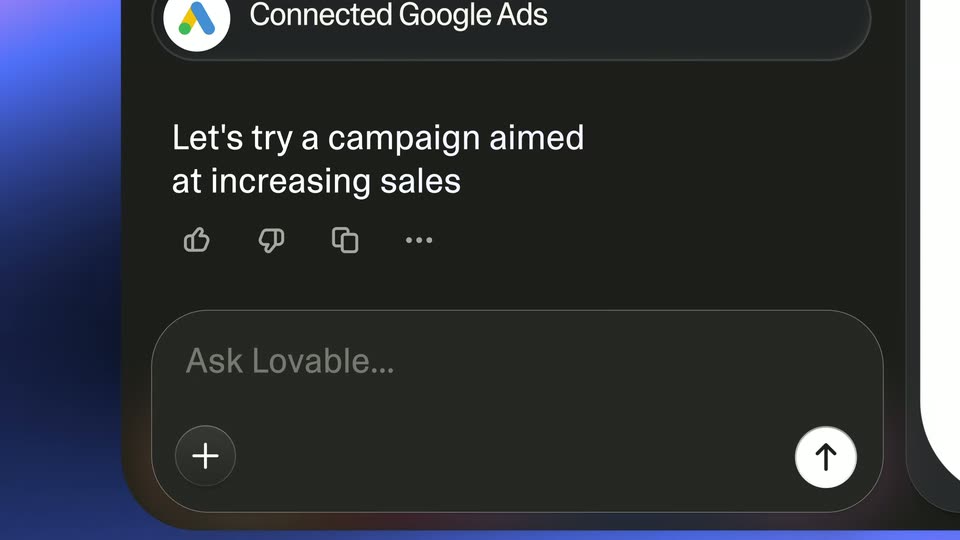
Lovable · Developer tools · Oct 2026
Slack · Productivity · Sep 2023
A dark settings panel floats in 3D perspective at a steep tilt, edges blurred by shallow focus. The camera glides down the list, sharp focus traveling from padding values to typography fields, while faint panels drift in the background.
Techniques: 3D mockup, Parallax
Camera: Pull out
A tilted monitor in 3D perspective displays a design tool open on a Dropbox Sign webpage mockup, with a bold headline and a photo of two men holding a tablet. The camera orbits the screen as floating UI panels shift at different depths, edges blurred.
Techniques: 3D mockup, Parallax
Camera: Pull out
A man in a black sweater sits at a wooden desk, facing the camera and gesturing with both hands as he speaks. Behind him, white shelves hold books and small potted plants. A white lamp stands at left, the perforated back of a monitor at right.
Camera: Static
A dark settings panel floats at a 3D angle with shallow focus, a blurred shoulder at left and more panels behind. A dropdown of unit options highlights downward from percent to VW while the camera tracks slowly, keeping the panel sharp.
Techniques: 3D mockup, Parallax
Camera: Pan
A 3D perspective of the Webflow editor floats in black space. The design canvas with a lifestyle photo and headline sits left while flex, shadow and color panels drift in layered depth. The camera dollies forward, racking focus from blurred foreground panels to the sharp middle ones.
Techniques: 3D mockup, Parallax
Camera: Pan
A dark Export Code panel with CSS sits in the foreground over a Dropbox Sign page mockup. Focus slowly racks from the soft code window to sharp, leaving the page headline and a video of a man blurred behind.
Camera: Pull out
A man in a black sweater sits at a wooden desk in front of a bookshelf, speaking to camera. He gestures with his right hand, raising a finger and tapping it as he explains. A white lamp and a monitor stand on the desk.
Camera: Static
A web design tool fills the screen, its canvas showing a heading and a grid of colorful feature cards. The cursor clicks the plus icon, the left panel switches to an Add menu, the cursor hovers Div Block and Heading, then the view zooms into the cards.
Techniques: Cursor demo, UI zoom
Camera: Push in
A web editor shows a dark layers panel left and a grid of gradient feature cards on a white canvas. A cursor drags an H3 Heading element from the panel into the selected card, ghosted heading labels trailing the pointer, then drops it above the body text.
Techniques: Cursor demo
Camera: Static
A design editor shows a grid of feature cards on the left and a style panel on the right. A cursor clicks the typography size field and types a smaller value, shrinking the Checker heading on the canvas, then selects the heading text.
Techniques: Cursor demo
Camera: Static
A screen recording of a design editor displays a six-card feature grid; a cursor selects the Checker card while the right panel toggles between spacing and animation controls. The canvas then reframes to a calendar view with a purple waitlist button.
Techniques: Cursor demo, UI zoom
Camera: Static
A screen recording of the editor shows a calendar mockup on the canvas while the right panel lists its move effect and timing. The cursor drags the Y position slider, and the calendar image slides downward across the canvas.
Techniques: Cursor demo
Camera: Pan
A design tool interface fills the frame, with a layers panel left and an actions panel right. The central canvas previews a calendar webpage; the cursor rests on the play control as the headline, button and calendar mockup fade and settle into place.
Techniques: Cursor demo
Camera: Static
A grid of feature cards on white under a bold heading, each pairing a gradient illustration of calendar and swatch mockups with a title and short copy. The tilted, glowing cards ease flat as their text cross-fades into place.
On-screen text: “Features for every need”, “Daily Digest”, “Confusion is over. Daily Digest makes your calendar easy to use so you know exactly what's next.”, “AI Assistant”, “No writing required. AI will take care of your rescheduling messages.”, “Checker”, “Checker will find & resolve every conflict, whatever orbit you're on.”
Techniques: 3D mockup
Camera: Static
A man in a black long-sleeve shirt sits at a wooden desk, gesturing with open palms as he speaks to camera. Behind him a white bookshelf holds books and small plants; a white lamp sits left and a monitor back right. Static medium shot.
Camera: Static
The Webflow Designer interface lies flat in 3D perspective on a black void. A low camera rises to reveal the canvas, showing the heading “A calendar for space travel,” color swatches and calendar cards.
Techniques: 3D mockup
Camera: Static
The Webflow Designer shows a selected card, a CSS Preview panel, and a properties panel. As the padding value cycles 20px, 32px, 16px, the green badges, highlighted CSS values, and padding diagram update in sync while the card resizes. A cursor hovers near the Spacing section.
On-screen text: “A calendar for space travel”
Techniques: Cursor demo
Camera: Static
A dimmed landing page mockup for a space travel calendar sits behind an Export Code dialog. The dialog opens with a loading spinner, then fills with syntax highlighted HTML code. A warning line and a blue Prepare ZIP button sit at the bottom.
Camera: Static
A design tool canvas displays a landing page titled “A calendar for space travel”. The frame zooms to the top toolbar, a cursor clicks Publish, and a dropdown opens with two publish destinations.
Techniques: UI zoom, Cursor demo
Camera: Push in
A woman sits at a round wooden desk behind a closed laptop, pointing at it with both index fingers, then opening her hands to gesture. Bookshelves and a desk lamp fill the background in a locked-off medium shot.
Camera: Static
A website editor screen shows an open publish dialog; the cursor clicks the blue publish button, which shows a spinner then turns green. It cuts to a man in a black sweater speaking at a desk in front of bookshelves.
Techniques: Cursor demo
Camera: Static
A man in a black sweater sits at a wooden desk in front of a bookshelf, speaking to the camera and gesturing with his hands. A white lamp on the left and the back of a perforated monitor on the right frame the shot.
Camera: Static
A browser window of the calendar landing page fades in from white on a black background. The hero headline, body copy, purple CTA button and two app screenshots resolve to full color, with a soft purple glow behind the screenshots.
On-screen text: “getcalendarapp.com”
Camera: Static
A dark world map shows blue dots with pulsing rings at data-center sites; a soft blue glow travels from the US across Europe to Asia, then cuts to a man in a black sweater at a wooden desk in front of bookshelves, speaking to camera.
Techniques: Light sweep
Camera: Static
A man in a black sweater sits at a wooden desk before a white bookshelf, speaking to the camera and gesturing with both hands. A white lamp stands on the left, the perforated back of a monitor on the right, in a static medium shot.
Camera: Static
A dark image settings panel sits left with a cursor over a field dropdown; a grid of six feature cards with gray placeholder images and captions fills the right, the first outlined in blue. The cursor moves to the Feature image option.
Techniques: Cursor demo
Camera: Static
A dark Image Settings panel anchors the left edge while a grid of six feature cards, each pairing a gradient illustration with a bold title and caption, fills the rest of the screen. A cursor hovers over the Select button.
Camera: Static
A design tool screen displays a website mockup with a purple waitlist button. A dark side panel lists team members and their editing status, then the Editing dropdown opens to show options such as Request design control and Create a page branch.
Techniques: Cursor demo
Camera: Static
A man in a black sweater sits at a light wooden desk, speaking to camera and gesturing with both hands. A white bookshelf with books and small plants fills the background; a white lamp stands left and the back of a perforated metal monitor sits right.
Camera: Static
A bearded man in a cream sweater sits at a round wooden table with a laptop, its lid facing the camera. He raises a pen and points upward while talking, then lowers his hand. White bookshelves fill the background and an out-of-focus head sits in the right foreground.
Camera: Static
A man in a black sweater sits at a wooden desk, speaking to camera and gesturing with both hands. Behind him a white bookshelf holds books and small plants; a white lamp stands left and the perforated back of a silver monitor stands right.
Camera: Static
A white Site access table lists team members with avatars and roles. A cursor clicks the three-dot menu on one row, a dropdown opens with role options, and the role updates to Can design.
Techniques: Cursor demo
Camera: Static
A man in a black sweater sits at a wooden desk, gesturing with both hands as he speaks to camera. A white bookshelf with books and plants fills the background; a white lamp and the back of a monitor flank the frame.
Camera: Static
A Webflow editor sits in 3D perspective, its canvas showing a “A calendar for space travel” page, while property, color and code panels float around it. The camera pushes in, reframing onto the main canvas as the side panels drift past.
Techniques: 3D mockup, Parallax, UI zoom
Camera: Static
A design editor shows a landing page for a space-travel calendar, its bold headline and a tilted 3D calendar mockup centered in the canvas between layer and property panels. The shot holds as a locked, static frame.
On-screen text: “A calendar for space travel”
Techniques: 3D mockup
Camera: Static
A man in a black sweater sits at a wooden desk before white bookshelves, gesturing with both hands as he speaks to the camera. The framing stays locked off while a small static caption holds the tagline.
On-screen text: “A calendar for space travel”
Camera: Static
A bearded man in a cream sweater sits at a round wooden table behind a closed laptop, glancing to the side and speaking. White bookshelves full of binders, books and a lamp fill the background.
Camera: Static
A woman with long blonde hair sits at a round wooden desk in a home office, smiling as she looks at an open laptop. A brass lamp stands to her left and floor-to-ceiling bookshelves fill the background. The camera holds a static medium shot.
Camera: Static
Black screen, centered gray webflow wordmark fades in from black, the closing logo reveal.
On-screen text: “webflow”
Camera: Static
The webflow wordmark sits centered on a black background, fading in from a soft blur to crisp white with a gentle glow, then fading out to black in the second half of the clip.
On-screen text: “webflow”
Camera: Static