0:35

Viral SaaS Product Launch Video Idea | Commas Webinar
Commas · Sep 2026
Superhuman · Feb 2021 · 1:14 · AI-annotated
A cinematic product film built as alternating beats: thin white type cards over black, then 3D device mockups floating over blurred natural landscapes, then live nature footage as transitions. The pacing is fast (around 144 bpm, ~27 cuts per minute) with short locked-off holds on the type cards and slow pushes on the devices, and the signature move is the word-by-word or fade-in caption that lands over a still or drifting shot.
Commas · Sep 2026
Finary · Finance · Sep 2026
Superhuman · Productivity · Jan 2024
A near-black frame with a faint rippled texture. The phrase “What would you do” fades in at center in thin white type, scaling up slightly as the words appear. The camera stays locked off.
On-screen text: “What would you do”
Techniques: Kinetic type
Camera: Static
A near-black beach at dusk brightens to reveal wet sand, waves and jagged mountains under a pink-purple sky. Centered white text reads “with an extra 2 hours”, then “every day?”, then “SUPERHUMAN”.
On-screen text: “with an extra 2 hours”, “every day?”, “SUPERHUMAN”
Techniques: Kinetic type
Camera: Pan
The camera pushes in as a closed laptop on a wet, reflective shore at dusk lifts open, its screen glowing white to reveal an email list. Purple mountains and a pink sky frame the device.
Techniques: 3D mockup
Camera: Push in
A laptop sits in 3D perspective against a blurred purple backdrop, locked-off. On its screen an email thread plays out: a draft reply types itself out, then a small toast slides up at the bottom left corner.
Techniques: 3D mockup
Camera: Push in
A silver laptop sits angled in 3D perspective against a blurred purple sunset. Its screen shows an email inbox topped by a flamingo photo, with a Marked as Done toast and UNDO button at the lower left. The frame holds static.
Techniques: 3D mockup
Camera: Static
On a black background, a single word fades in from dim gray to bright white at the center of the frame. The frame is locked off and the word holds still for the rest of the clip.
On-screen text: “Powerful”
Camera: Static
A white phone floats at a diagonal angle over a blurred teal backdrop, its screen showing an email thread about a team outing. The view reframes to the reply field, where a suggested message and a date chip appear beside the Reply All button.
On-screen text: “Powerful”
Techniques: 3D mockup, UI zoom
Camera: Static
The word “Beautiful” in white sans-serif sits centered on a black background. It fades in from dim to full brightness over the first half, then holds still on a locked-off frame.
On-screen text: “Beautiful”
Techniques: Kinetic type
Camera: Static
A tilted phone mockup in 3D perspective shows a messaging inbox with contact names and a calendar invite. The backdrop shifts from a pale teal gradient to a deep purple while the device holds its angle.
On-screen text: “Beautiful”
Techniques: 3D mockup
Camera: Static
The phrase Blazingly Fast fades in from dim gray to white, centered on a plain black background, in a locked-off frame.
On-screen text: “Blazingly Fast”
Techniques: Kinetic type
Camera: Static
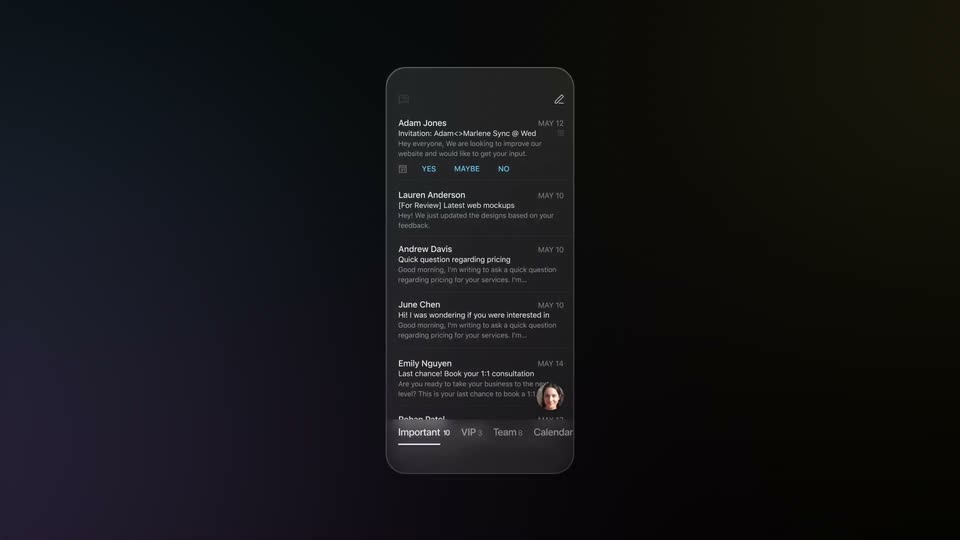
A phone screen tilted in 3D perspective displays an email inbox with three message previews and a yes maybe no button. The device rotates slowly against a blurred purple and orange sunset backdrop.
Techniques: 3D mockup
Camera: Static
A 3D phone mockup tilts from a steep angle to face-on over a blurred dusk desert. The email app switches from a Quick Ask list to a compose view with keyboard, then to a reply where a message types itself out.
Techniques: 3D mockup
Camera: Static
A smartphone in 3D perspective, tilted against a blurred dusk landscape, shows a reply email with a profile header and a typed message ending in a blinking cursor. The device rotates slightly while the camera holds steady.
Techniques: 3D mockup
Camera: Static
A dark 3D iPhone tilts and rotates in perspective, its screen showing a message thread, while a large outlined '100' strokes itself in around the device beneath 'Faster than' and beside 'ms', then the number fades out.
On-screen text: “Faster than”, “100”, “ms”
Techniques: Kinetic type, 3D mockup
Camera: Static
Macro close-up of a dark laptop keyboard in near darkness. A large thin white 10 overlay scales and fades out while the command key lights up with a purple glow and a small caption appears beneath it.
On-screen text: “10”, “command”, “option”
Techniques: Kinetic type
Camera: Push in
A dark keyboard fills the frame in close-up; the command key glows with a purple outline beside a faintly lit K key. The shot then reframes to a tighter angled view of the M key and the command symbol.
Camera: Push in
A MacBook Pro fades in from black against a dark backdrop, angled in 3D perspective. Its screen shows an email thread with a Superhuman command menu open, listing keyboard shortcuts for Send, Send Later and Remind Me.
Techniques: 3D mockup
Camera: Pull out
A laptop screen in 3D perspective shows a dark messaging app. The command field types the words letter by letter, and the dropdown menu switches from send options to a list of time suggestions.
Techniques: 3D mockup, Cursor demo
Camera: Static
A tilted 3D email client shows a Send later popup with 9am tokyo typed in, then the screen blurs as a magenta caption and a white line appear over it.
On-screen text: “Scheduled: Friday February 12th, 7:00PM”, “send an invite!”
Techniques: 3D mockup, Kinetic type
Camera: Static
A static close-up of a dark interface panel showing a scheduled event in pink text, with a white caption below it.
On-screen text: “I send an invite!”
Camera: Static
A dark MacBook Pro mockup on a black background shows the Superhuman inbox: a message list with one highlighted email on the left, a contact profile panel on the right. The laptop rotates from a flat front view to a three-quarter angle while the screen content stays still.
Techniques: 3D mockup
Camera: Pull out
A dark bird glides across a grey, cloud-filled sky above jagged snow-covered mountain peaks. It travels from the right side of the frame toward the left, wings spread, against the vast alpine backdrop.
Camera: Static
A defocused waterfall pours between snow-covered rocks, the frame locked off. The white headline Powerful Automations sits centered over the water, motionless.
On-screen text: “Powerful Automations”
Camera: Static
A light blue phone hovers at an angle before a blurred waterfall. A dark quick-nav menu with navigation rows fades in over the email inbox on its screen, the camera pushes in, and a static headline holds over the shot.
On-screen text: “Powerful Automations”
Techniques: 3D mockup, UI zoom
Camera: Push in
A light-blue phone floats at an angle over a blurred backdrop, its screen showing an email thread. The camera pushes in as a suggestion banner appears, the To field updates Allie to BCC, and a reply snippet types itself.
Techniques: 3D mockup, UI zoom
Camera: Push in
A white smartphone floats against a soft blurred background. Its screen slides horizontally from a light email thread into a dark Snippets list showing two saved reply templates.
Techniques: 3D mockup
Camera: Static
A white smartphone mockup displays a dark interface against a blurred, light blue background. The screen content slides horizontally from right to left, transitioning from a snippets list to a replies view.
Techniques: 3D mockup
Camera: Static
A white iPhone mockup sits in 3D perspective over a blurred blue-gray backdrop. On its screen an email reply shows a sender row and a To field, while the body text fades in, ending on a blue “calendar” link with a blinking text caret.
Techniques: 3D mockup
Camera: Static
Top-down aerial view of a snow-blanketed pine forest, a pale road winding across the middle of the frame. The camera glides slowly forward over the white treetops, the canopy filling the screen.
Camera: Push in
A locked-off top-down drone shot frames a winding road through a dense forest. The snow-covered winter canopy transitions into green summer foliage over half a second, a fast seasonal change.
Camera: Push in
A top-down aerial view of a dirt road crossing dense green forest cuts to a close-up of a deer with antlers gazing upward among the trees.
Camera: Push in
A stag with large antlers walks left to right across a golden grassy meadow, backed by a dense wall of green forest. A thin white caption holds centered over the treeline for the duration of the shot.
On-screen text: “Follow up on time”
Camera: Push in
A phone held against a blurred field shows a dark inbox; a 'Remind me' dialog with toggles pops up, then the view reframes to a two-pane layout listing Mail, Twitter and LinkedIn sources.
On-screen text: “Follow up on time”
Techniques: UI zoom
Camera: Pull out
A dark inbox interface floats in 3D perspective, tilted and rotating as the camera pushes in. The view flattens to a front-on tablet screen showing a tabbed inbox list with two highlighted message rows.
Techniques: 3D mockup, UI zoom
Camera: Pan
A dark tablet screen sits tilted in 3D against black, showing an email inbox with tab labels and two message rows, the first highlighted by a purple bar. The camera drifts slowly to the right.
Techniques: 3D mockup
Camera: Static
A laptop screen in 3D perspective shows a dark mail app against black. The Team tab underlines as the message list crossfades, sender names and subject lines blending into new rows, then settling into a stable inbox.
Techniques: 3D mockup, Morph
Camera: Static
A slot canyon of orange and violet rock frames a teal sky as the camera glides forward. The headline 'Win back time for what matters' builds word by word across the center in thin white type.
On-screen text: “Win back time for what matters”
Techniques: Kinetic type
Camera: Push in
A small robin with an orange breast perches on a thin bare branch against a soft, blurred amber background. White text spans the center of the frame, scaling up as it settles into place.
On-screen text: “Win back time for what matters”
Techniques: Kinetic type
Camera: Static
A red fox stands in snow, lit by warm sunlight against a soft blue background, while a white caption scales in across the middle of the frame.
On-screen text: “Win back time for what matters”
Camera: Static
A locked-off shot of a vermilion torii gate standing in a still lake, forested hills and a soft cloudy sky behind. The white tagline across the middle dissolves away, the leftmost words fading first.
On-screen text: “time for what matters”
Camera: Static
A macro shot of a cat with a butterfly on its nose cuts to a star-filled night sky over a snow-capped peak. The caption 'time-for what matters' holds on the right, static across both shots.
On-screen text: “time-for what matters”
Camera: Static
A neon-pink building facade cuts to a carved stone arch framing a sunlit hillside city. The brief two-shot lands with the closing line.
Camera: Static
A smartphone in landscape orientation displays a video of a mountain range under a blue sky. The device is centered against a dark background, with the screen content framed by the phone's bezel.
Techniques: 3D mockup
Camera: Static
A wide aerial view of a misty mountain valley under a blue sky with scattered clouds. The camera drifts slowly forward as the valley fog thins, revealing the forested floor and a winding river.
Camera: Static
A two-diamond gradient line logo, pink to cyan, fades in at center on a black field, holds, then fades to black. The URL fades in below in small letter-spaced caps and fades out with the mark.
On-screen text: “SUPERHUMAN.COM”
Camera: Static