1:14
Introducing Superhuman
Superhuman · Productivity · Feb 2021
Superhuman · Jan 2024 · 1:36 · AI-annotated
Dark gradient stage with floating frosted-glass UI panels framed by a tracing light border, cut on a slow 92 bpm pulse with one headline card per feature. Signature moves are the word-by-word blur-in type, the glowing border sweep, and the 3D phone and canyon renders that punctuate the flat interface shots.
Superhuman · Productivity · Feb 2021
Apple · Hardware · Sep 2026
ForecourtIQ · Mar 2026
A flat email client window slides up onto a dark background, its inbox list populating row by row from top to bottom. The panel settles centered, then a bright white flash sweeps across the frame, blurring the interface.
Techniques: Light sweep
Camera: Pan
A thin glowing rectangle traces itself around the center of a dark gradient backdrop, a bright pulse running along its edges, while the headline sharpens from a soft blur in the middle.
On-screen text: “Welcome to Superhuman”
Techniques: Light sweep
Camera: Static
A dark email inbox fills the frame under a static Welcome to Superhuman caption. The list scrolls, a meeting card scales up at center, and the right profile panel switches from Emily Nguyen to Rohan Patel.
On-screen text: “Welcome to Superhuman”
Techniques: UI zoom
Camera: Pull out
Centered on a dark gradient, a rounded card shows an email inbox that scrolls upward. A row of three circular icons, a pink clock, a gold star and a blue envelope, settles at the top of the list.
Camera: Static
A dark blue-to-black gradient fills the frame while centered white text builds word by word, starting with 'Yes,' and completing to 'Yes, the fastest'. The frame stays locked off throughout.
On-screen text: “Yes, the fastest”
Techniques: Kinetic type
Camera: Static
A rounded phone-shaped inbox view fades in at center on a near-black background, listing emails with sender names, subjects and dates above a bottom tab bar. The list holds still after the entrance.
Camera: Static
A dark rounded interface panel sits centered on black. A bright light sweeps along the top edge, tracing the border and casting a purple glow on the left side as the outline forms. Locked-off frame.
Techniques: Light sweep
Camera: Static
A dark purple settings panel lists two email accounts under an Accounts header. A bright glint travels around the panel's border while the rows highlight in sequence and checkmarks appear beside each address.
Techniques: Light sweep
Camera: Static
A dark account list panel slides up and out of frame as an inbox list panel rises into view from below. A glowing white border traces around the new panel while its email rows fade in.
Techniques: Light sweep
Camera: Static
A frosted-glass email inbox card sits centered on a dark background, listing messages and a June Chen contact panel. A large out-of-focus word “Unlock” fades in at the upper left. The frame stays locked off.
On-screen text: “Unlock”
Camera: Static
A dark, locked-off frame centers a white headline that scales into focus above a flat email inbox mockup. The highlighted row in the list jumps from Perry White to Priya Sharma, and the right contact card updates to match.
On-screen text: “Unlock your team's full potential”
Techniques: Kinetic type
Camera: Static
White headline scales and slides left until only “potential” is visible at the frame edge. A dim inbox list is replaced by a centered compose window with the one-line prompt “New Website” and a rocket emoji, while a contact card slides in from the left.
On-screen text: “Unlock your team's full potential”
Techniques: Kinetic type
Camera: Static
A centered email composer card on a near-black background, locked off. A one-line prompt types into the gradient-bordered draft field, then the field shows Writing... while the full email body types itself out.
On-screen text: “Unlock your team's full potential”
Techniques: Kinetic type
Camera: Static
A dark email draft window with a thin gradient border drifts slowly to the right across a near-black backdrop, and a second identical window slides in from the left edge.
Camera: Pan
A message panel with body copy slides out to the left on a dark background. The headline “Respond faster” blurs in on the left while a “Split Inbox” card with corner brackets appears on the right.
On-screen text: “Respond faster”
Techniques: Kinetic type
Camera: Static
A dark inbox settings panel on the right lists rows for VIP, Team, Calendar, News and Split Inbox, each with a blue checkbox. The rows slide to new positions and the list scrolls down while the white headline “Respond faster” stays fixed on the left.
On-screen text: “Respond faster”
Camera: Static
A dark email inbox panel slides up into the right half of the frame, its rows fading in beneath a tab bar, while the headline “Respond faster” holds static in white on the left.
On-screen text: “Respond faster”
Camera: Static
A glowing white line traces the outline of a phone on a dark gradient background, and a dim email inbox list fades in inside it. The headline Focus on what rests blurred at the lower left.
On-screen text: “Focus on what”
Camera: Static
A tilted 3D phone mockup of an email inbox list floats in dark space, then drifts up and fades while the white headline below it blurs in and fades out.
On-screen text: “Focus on what matters most”
Techniques: 3D mockup, Kinetic type
Camera: Pull out
A dark New Message window sits centered under the headline. A short command is typed in the body, opening a three-row autocomplete list of saved phrases. Picking one fills the subject and body of the email, then the view crossfades into a different message thread.
On-screen text: “Automate phrases and emails”
Camera: Pull out
Below a white heading, an email card and a glowing command menu appear, then the menu morphs into a Remind me panel. A time list highlights tomorrow, then 2d is typed and the list filters to in 2 days. The panel slides right to exit.
On-screen text: “Always follow up on time”
Techniques: Light sweep, Morph
Camera: Static
A dark teal-to-purple gradient holds a flat follow-up rule card on the left that morphs into a calendar view with a white outline, while the headline slides in from the right with motion blur. The outgoing line fades at the top left as the new line locks in center-right.
On-screen text: “s follow up on time”, “See your day”
Techniques: Kinetic type, Morph
Camera: Static
A dark-mode calendar day view for Tue, May 11 sits in a glowing rounded card on the left, with the white headline “See your day” on the right. Both carry motion blur as they fade out to black.
On-screen text: “See your day”
Camera: Static
A dark week calendar grid fades in on the left as the headline “Your week” sharpens on the right. The frame then reframes downward, sliding an event detail card for a lunch meeting into view below the grid.
On-screen text: “Your week”
Techniques: UI zoom
Camera: Pan
The view settles on a dark email thread titled Lunch with Perry as the Superhuman command bar opens and create even is typed, revealing a Create Event option. A blurred Create calendar events headline hovers above the window.
On-screen text: “Create calendar events”
Techniques: UI zoom, Cursor demo
Camera: Pan
Under a fixed white headline, a dark email mockup shows a command palette typing create event over a thread and contact card. The interface then slides left, panning across the layout to land on a weekly calendar where the new event block appears.
On-screen text: “Create calendar events”
Techniques: UI zoom
Camera: Push in
A dark calendar card for Lunch with Perry sits left of center as a command palette slides up beneath it, highlighting Add Google Meet Link and inserting a meet URL into the card. On the right, the headline In just a few taps types in word by word.
On-screen text: “In just a few taps”
Techniques: Kinetic type
Camera: Static
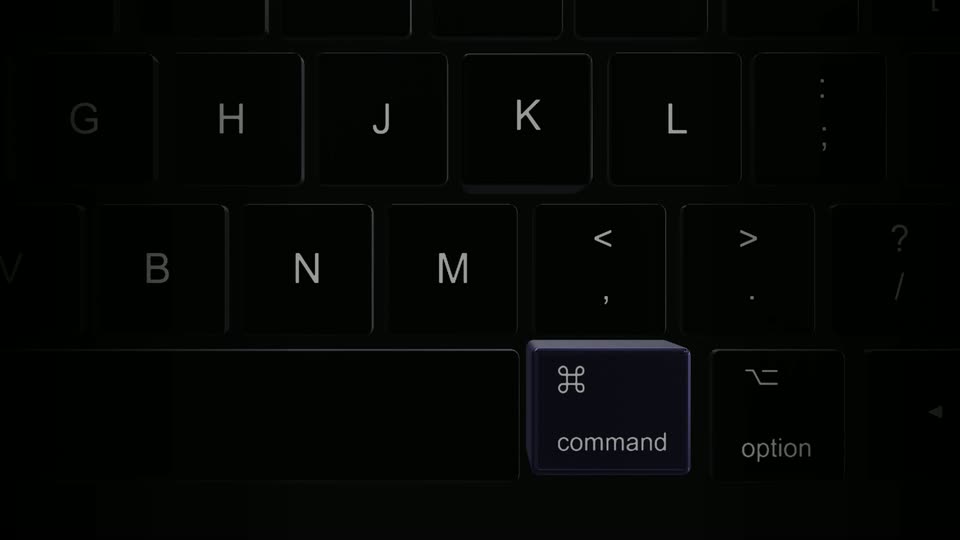
A dimmed email app shows a command menu with link options over a calendar card, the headline “In just a few taps” on the right. The menu closes, the inbox brightens to full view, and a purple E key pops in at the bottom center.
On-screen text: “In just a few taps”
Camera: Pan
The email inbox window, with its tab bar and a contact card on the right, fades out to reveal a canyon photograph behind it. A bright light beam sweeps across the top edge as the interface dissolves.
Techniques: Light sweep
Camera: Static
An email interface mockup floats in 3D perspective, its window filled with a canyon photo. A bright white outline glows around the frame, then a dark panel wipes in from the left, dimming the interface to a thin sliver of light on the right.
Techniques: 3D mockup
Camera: Pull out
A phone mockup glows into view on a dark background, showing an email inbox list. A purple check button pops in at the top, then the list scrolls as a command menu of 'go to' shortcuts slides up over it.
Techniques: 3D mockup
Camera: Static
A dark gradient background holds centered white text. The line Get 4 hours back every week resolves from a blur and holds, then gives way to Eliminate email anxiety, each word settling into focus. Locked-off frame.
On-screen text: “Get 4 hours back every week”, “Eliminate email anxiety”
Techniques: Kinetic type
Camera: Static
A dark gradient background holds two centered lines. The phrase 'Eliminate email anxiety' blurs and exits to the right while 'Regain focus' sharpens into view, with 'focus' resolving last. Locked-off frame, quick crossfade.
On-screen text: “Eliminate email anxiety”, “Regain focus”
Techniques: Kinetic type
Camera: Static
On a dark teal-to-purple gradient, white centered text cycles through benefit phrases. 'Regain focus' fades in, then 'Increase productivity' blurs in from the left, holds steady, and blurs out as the next phrase begins.
On-screen text: “Regain focus”, “Increase productivity”
Techniques: Kinetic type
Camera: Static
A dark blue-to-purple gradient holds the centered URL SUPERHUMAN.COM in thin white caps. The text opens blurred and sharpens into focus, then a soft white glow flares behind the letters and fades out.
On-screen text: “SUPERHUMAN.COM”
Camera: Static