1:26
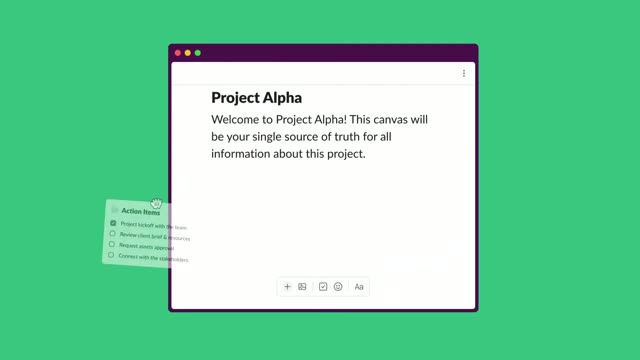

Introducing canvas | A new surface to share and organize knowledge | Slack
Slack · Productivity · Nov 2023
Stripe · Jun 2021 · 0:32
The video answers a scrolling feed of customer tweets with three tight feature demos, each introduced by a short white headline over a shifting gradient. Signature moves are slide-up card entrances, character-by-character code typing, and hue-shifting diagonal backdrops that keep the pace brisk at a steady mid-tempo.
Slack · Productivity · Nov 2023
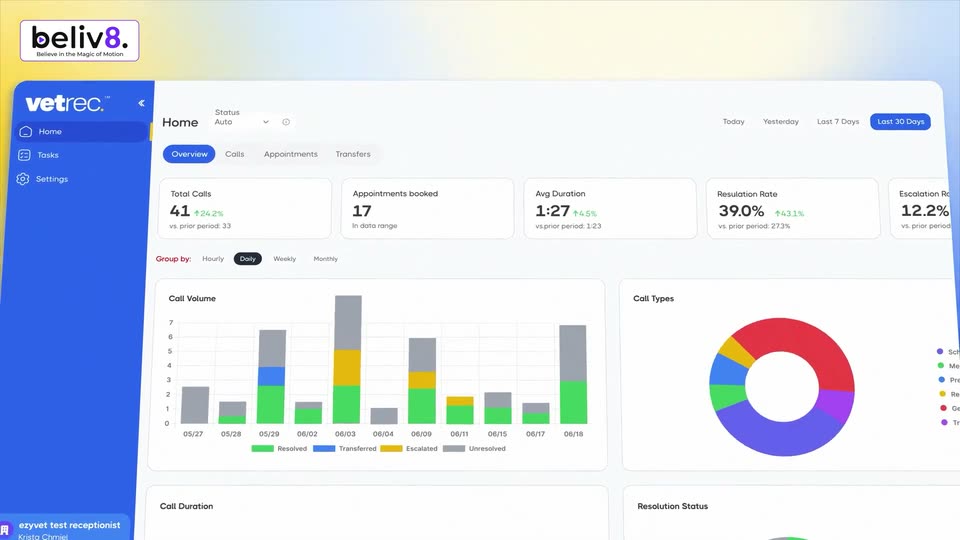
VetRec · Sep 2026
Notion · Productivity · Sep 2025
Three white Twitter cards slide up and fade in sequentially against a colorful gradient background. The cards stack vertically, revealing a conversation thread.
Camera: Pan
A vertical feed of rounded tweet cards scrolls upward over a soft blue-to-orange gradient. Each card holds an avatar, a name, and a request about VAT or sales tax. The scroll comes to rest on two cards, where a row of emojis pops in after the last line.
Camera: Push in
Two Twitter posts slide up and out of frame as a dark code editor window slides up from the bottom to reveal a code snippet.
On-screen text: “Get started in minutes”
Camera: Pan
A dark code panel types a Stripe curl command character by character under a white headline on a colorful gradient. At the end, the panel slides up and left, shrinking as a tax jurisdiction dashboard table slides in.
On-screen text: “Get started in minutes”, “See tax jurisdictions to register”
Techniques: Cursor demo
Camera: Static
A white rounded panel listing tax registrations sits on a purple gradient, the white headline Know where to register centered above. The table rows and section headers dissolve from a doubled ghost into a clean, static layout over the first second.
On-screen text: “Know where to register”
Camera: Static
A tax registration dashboard sits on a purple gradient. A modal card slides in over it, cycling from an overview form to a green checkmark confirmation. The headline 'Know where to register' stays fixed above.
On-screen text: “Know where to register”
Camera: Static
Under the headline Know where to register, a white panel lists enabled and potential tax registrations on a purple-orange gradient, with a dark toast confirming a new registration. The panel wipes left to reveal a checkout screen with card fields and a green pay button.
On-screen text: “Know where to register”
Techniques: Masking
Camera: Static
A Stripe checkout fills in automatically: the card form on the right completes email, number and name while the invoice sits on the left. The view zooms into the billing address as city and ZIP are typed, the state auto-fills, then the frame blurs out.
Techniques: UI zoom
Camera: Push in
A checkout summary with Subtotal, Add promotion code, Sales Tax and Total due starts blurred, then snaps into focus as the background shifts from gray to a purple-red gradient. The still headline “on your Stripe transactions” and the URL stripe.com/tax hold locked to frame.
On-screen text: “on your Stripe transactions”, “stripe.com/tax”
Camera: Static
A purple-to-orange gradient background holds a centered white headline. It cuts to the stripe wordmark, a pie icon and the word Tax, with the URL stripe.com/tax beneath, while the gradient's dividing line curves into a hill.
On-screen text: “Automate taxes on your Stripe transactions”, “stripe.com/tax”
Camera: Static
A soft gradient of purple, pink, orange and yellow drifts slowly behind a centered Stripe Tax lockup: the stripe wordmark, a thin vertical divider, a purple circle with a pink wedge, and the word Tax, with the URL stripe.com/tax below. The text stays fixed while the colors shift.
On-screen text: “stripe.com/tax”
Camera: Static