1:45
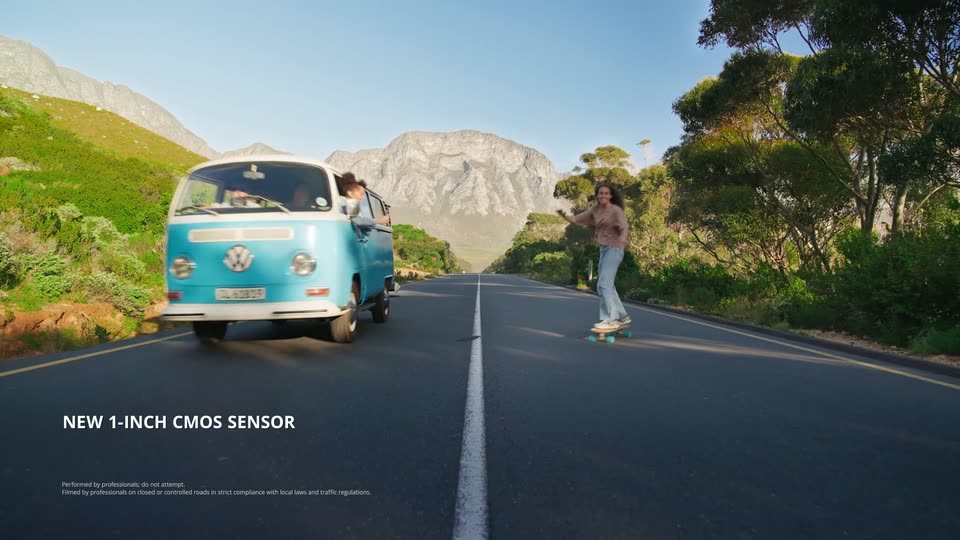

DJI Osmo Pocket 4 is here—redefining what a pocket camera can do.
DJI · Hardware · Apr 2026
Stripe · Nov 2021 · 0:51 · AI-annotated
The video alternates abstract fields of drifting translucent panels with clean 3D renders of the card reader, each beat carried by a single caption line under a continuous voiceover. Signature moves are slow-drift panel clusters, blur-in and blur-out transitions, and camera pulls that resolve into repeating grids and the brand wordmark.
DJI · Hardware · Apr 2026
Apple · Hardware · Sep 2026
Apple · Hardware · Sep 2026
Translucent rounded rectangles in pink, purple and blue drift slowly across a tilted grid on a pale background. A dark caption bar with white text appears along the bottom.
On-screen text: “Building the right in-person payments experience requires both:”
Techniques: Parallax
Camera: Pull out
Translucent rounded panels in pink, purple, and blue float in layered vertical columns, drifting slowly with depth. A dark caption bar holds the line at the bottom.
On-screen text: “Building the right in-person payments experience requires both:”
Techniques: Parallax
Camera: Pull out
Blurred diagonal brushstrokes in pink, violet and blue drift slowly across a pale background. Two subtitle lines appear one after another at the bottom center, carrying the voiceover about in-person payments.
On-screen text: “Building the right in-person payments experience requires both:”, “great software and great hardware.”
Camera: Static
Translucent blue and purple rounded panels blur in from the edges and settle into a neat 3D stack of layered slabs on a soft white-to-cyan gradient. The stack tilts in perspective at center frame while a caption holds at the bottom.
On-screen text: “great software and great hardware.”
Techniques: Morph
Camera: Pull out
A white card reader floats on a soft blue-to-purple gradient, the view tilting from a three-quarter angle to top-down. The shot then reframes into a close-up of the device's side button. A dark caption bar with white text sits at the bottom.
On-screen text: “great software and great hardware.”, “That's why we designed Stripe Reader”, “an easy-to-use mobile card reader that accepts:”
Techniques: 3D mockup
Camera: Static
A white card reader floats at a diagonal against a soft pink-to-blue gradient, slowly rotating to reveal its card slot and side button. A dark caption bar with white text sits along the bottom edge.
On-screen text: “an easy-to-use mobile card reader that accepts:”
Techniques: 3D mockup
Camera: Static
A white card reader fills the frame in a tight 3D close-up, the camera drifting slowly across its surface to reveal the contactless icon and the chip slot. A caption bar holds steady at the bottom of the frame.
On-screen text: “an easy-to-use mobile card reader that accepts:”
Techniques: 3D mockup
Camera: Static
A white card reader floats in 3D on a light gray backdrop, angled toward the camera with a soft purple glow on its edge. A black card marked ROCKET RIDES and Jane D. Rocket slides into its slot while the caption chip, holds in a dark box at the bottom.
On-screen text: “an easy-to-use mobile card reader that accepts:”, “chip,”
Techniques: 3D mockup
Camera: Static
A black smartphone floats at an angle in front of a white card reader on a light gray background. On the phone screen, the Face ID icon resolves into a blue checkmark labeled Done. A dark gray pill caption reads contactless, at the bottom.
On-screen text: “contactless,”
Techniques: 3D mockup
Camera: Static
A white card reader floats above a black Stripe card in 3D on a light gray backdrop. The camera pushes in on the reader as the card slides aside, then the shot defocuses and blurs out. A caption reads “and swipe payments with end to end encryption.”
On-screen text: “and swipe payments with end to end encryption.”
Techniques: 3D mockup
Camera: Static
A glowing blue-and-pink chip on a gray circuit board fills the frame, then the camera pulls back, shrinking the chip to a small square at the board's center. White subtitle captions sit in a dark rounded bar at the bottom.
On-screen text: “and swipe payments with end to end encryption.”, “You can pair it with accessories for taking payments at your countertop”
Techniques: 3D mockup
Camera: Pull out
A glowing blue chip sits in a white device, then the camera pulls back to a white countertop where the square payment terminal's hinged flap lifts open, framed by coffee cups, a black notebook and a pen.
On-screen text: “You can pair it with accessories for taking payments at your countertop”, “and on the go.”
Techniques: 3D mockup
Camera: Pull out
A white card reader floats over a coffee cup and wooden sticks on a bright table, then mounts on the back of a gray tablet against a sunlit wall, showing two portable payment setups.
On-screen text: “and on the go.”
Techniques: 3D mockup
Camera: Static
A white square magnetic mount clamps onto the back of a dark gray tablet, rendered in 3D against a pale wall with soft window shadows. The product turns slowly in close-up while a caption line updates at the bottom.
On-screen text: “and on the go.”, “Or, you can even use our design file to 3D print your own accessories.”
Techniques: 3D mockup
Camera: Static
A white square card reader is attached to a gray tablet in 3D perspective. The camera pans around the device to show its side and connector.
On-screen text: “Or, you can even use our design file to 3D print your own accessories.”
Techniques: 3D mockup
Camera: Static
A white square device with a Wi-Fi mark floats at the center of a light gray space as colorful 3D printed accessories, a cyan scoop, a blue phone case, a blue stand, a magenta ramp, drift in around it, then the frame tightens on the group.
On-screen text: “Or, you can even use our design file to 3D print your own accessories.”
Techniques: 3D mockup
Camera: Push in
Translucent cyan, magenta and purple UI panels with code brackets and gear icons float and rotate in 3D perspective on a light background. The cluster splits into two groups, then the view zooms into the blue panels. A dark caption bar holds the text at the bottom.
On-screen text: “Stripe Reader works with Terminal's APIs and SDKs”, “to enable you to customize your in-person payments experience”
Techniques: 3D mockup, Parallax, UI zoom
Camera: Push in
A translucent cyan wireframe payment panel sits center stage among floating purple and magenta interface cards. The camera pulls back through the 3D space, spreading the panels into a wide field of depth.
On-screen text: “to enable you to customize your in-person payments experience”, “and deploy hardware at scale.”
Techniques: 3D mockup, Parallax
Camera: Pull out
A 3D grid of small white card-reader devices sits on a glossy blue-to-purple surface; the camera pulls back from a close, soft focus to reveal the full repeating pattern with glowing cyan lines linking the units. A caption bar runs along the bottom.
On-screen text: “to enable you to customize your in-person payments experience”, “and deploy hardware at scale.”, “And it's all seamlessly integrated with the rest of Stripe,”
Techniques: 3D mockup
Camera: Pull out
A flat grid of small pink, purple, and cyan squares on a pastel gradient condenses into a floating cluster of translucent rounded panels in 3D space. The shapes drift and overlap as the camera holds on the cluster.
On-screen text: “And it's all seamlessly integrated with the rest of Stripe,”, “so you can create a unified commerce solution,”
Techniques: Morph
Camera: Pull out
Clusters of small pink and blue squares drift on a white background, then the view pulls into a 3D corridor of floating interface panels and shapes. A horizontal blue light beam sweeps across the frame.
On-screen text: “so you can create a unified commerce solution,”, “for any kind of business.”
Techniques: Particles, 3D mockup, Parallax, Light sweep
Camera: Pull out
A swarm of small colored squares and shapes rushes through a white 3D tunnel, motion-blurred. The field collapses into the purple stripe wordmark, which scales in at center as radial blur streaks burst outward from it.
On-screen text: “stripe”
Techniques: Particles, Kinetic type, Speed ramp
Camera: Pull out
The blue lowercase stripe wordmark scales down from a soft oversized state to its locked size at center on a pale background, then the uppercase word READER fades in to its right, forming the product title.
On-screen text: “stripe”, “READER”
Techniques: Kinetic type
Camera: Static