2:03
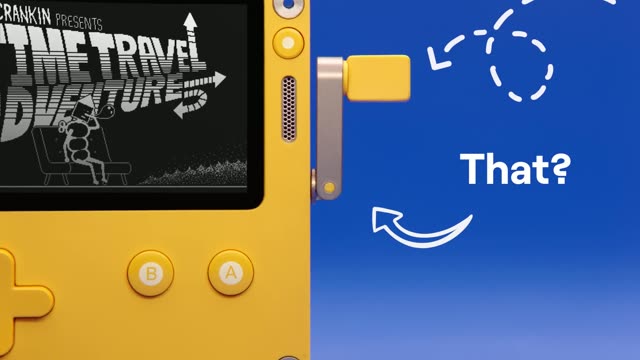

Say Hello to Playdate!!
Playdate · Hardware · Jun 2021
Spline · Apr 2025 · 0:26 · AI-annotated
The video chains short locked-off motion clips and flat UI mockups on black, cutting at roughly 38 cuts per minute to a 129 bpm beat. Signature moves are pixel text resolving from scattered blocks, RGB-split glitches, and grids of looping line icons that later reappear as library thumbnails inside the tool.
Playdate · Hardware · Jun 2021
Pika · AI · Oct 2026
Slack · Productivity · Sep 2023
On a black field, the pixelated wordmark ho.no. resolves from scattered colored pixels into solid blocks as it scales up, staying centered. Six line icons fade in around it and recolor from thin teal outlines to filled shapes.
On-screen text: “ho.no.”
Techniques: Kinetic type
Camera: Static
Nine neon line icons sit in a 3x3 grid on black. Each loops a small motion: pie slices rotate, chat bubbles drift, toggles slide, the compass spins, the envelope badge pops, the cloud shifts. The frame stays locked.
Camera: Static
A 3x3 grid of white line-art loops animates on black. Each cell runs its own geometric motion: rotating nested squares, a pill collapsing to a circle, orbiting dots, radiating lines, a wireframe ring, and shifting rounded rectangles.
Techniques: Split screen, Morph
Camera: Static
A dark sci-fi HUD fills the frame with glowing cyan and orange panels. A loading counter ticks upward, an ECG trace pulses inside the vitals box, and a wireframe cube rests in the scan panel, all set over a blurred duplicate of the same interface.
Camera: Static
A small white keyboard mockup is centered on a flat gray background. The keys drift to the right as their printed labels duplicate and overlap, with the green A key, pink S key and orange command key holding their colors.
Techniques: 3D mockup
Camera: Static
A flat grid of black and white widgets fills a gray background in a locked-off frame. The analog clock ticks, the compass needle spins, the OFF/ON toggle flips, and the music and to-do progress bars drift.
Camera: Static
A single line of white pixel monospace text sits centered on black, reading 'A new canvas for interactivity'. The word 'interactivity' is inverted inside a white block with a thin offset outline box. The frame holds still.
On-screen text: “A new canvas for interactivity”
Camera: Static
A single line of white pixel monospace text sits centered on a black background. The word interactivity is inverted, black on a white box, with a thin offset white outline around it. The frame is locked off and the text holds still.
On-screen text: “A new canvas for interactivity”
Camera: Static
An isometric gray grid holds a black wireframe cube with a stepped notch and a soft shadow, while a row of smaller wireframe cubes recedes to the upper right. Flat rounded buttons sit along the bottom edge.
Techniques: 3D mockup
Camera: Static
A vertical list of pixel-font labels on black scrolls upward while a fixed white highlight box inverts the text passing through it, moving from Vector to Interactions. The list then gives way to a row of gray chevron outlines with a small cursor at left.
On-screen text: “Realtime”, “Design”, “Vector”, “Transitions”, “Interactions”
Techniques: Kinetic type
Camera: Static
On a black field, a fan of white-outlined rounded rectangles with soft gray fills shifts and spreads apart, the middle panel tilting as a small cursor arrow drifts across the row.
Camera: Static
The word booleans in black pixel font sits centered on a light gray field while colorful geometric shapes, blue, red, orange and teal squares, circles and a hexagon, drift and rotate slowly with soft blue drop shadows.
On-screen text: “booleans”
Camera: Static
A white pixel word STATES scales on a black canvas, dragging a diagonal trail of ghosted copies. The design-tool interface then fills the frame around it, with a layers panel left, an export panel right, and a cursor resting on the canvas.
On-screen text: “STATES”, “booleans”
Techniques: Kinetic type
Camera: Static
Inside a motion design app, a black canvas holds the word STATES in blocky white letters. The text and its blurred rectangular trail tilt and scale in 3D while the app's layer and export panels frame the view.
On-screen text: “STATES”
Techniques: Kinetic type
Camera: Static
A dark design-tool canvas shows a grid of motion-design frames with a layers panel docked on the left. The view scales up toward the center, pushing the top row off-screen and enlarging the right-side STATES frame with its Motion and Design labels.
Techniques: UI zoom
Camera: Pan
A dark design-tool screen shows a grid of project thumbnails between a layers panel and an export panel. The grid scrolls up slightly while a cursor drifts to hover over a colorful icon tile.
Techniques: Cursor demo
Camera: Pan
A design tool canvas pulls back from a single arrow-grid artboard to reveal a grid of labeled thumbnails. The cursor hovers, then the Follow arrows artboard lights up with a purple selection border while the rest dim.
Techniques: UI zoom, Cursor demo
Camera: Pull out
A dark design-tool screen shows a grid of template thumbnails between a layers panel and an export panel. The canvas zooms out as the zoom readout drops from 36% to 14%, then the side panels dim while the grid stays centered.
Techniques: UI zoom
Camera: Static
A lowercase pixel wordmark “haño.” is centered on black. It flickers with an RGB-split glitch and displaced pixels, then resolves into a clean logotype with cream, teal, blue and magenta letters.
On-screen text: “haño.”
Camera: Static
A tiny pixelated multicolor square logo sits centered on black, then cuts to the small white pixel text “by spline” in the same position.
On-screen text: “by spline”
Camera: Static
A flat light-gray field holds the black monospace text spline.design dead center, locked still for the entire shot.
On-screen text: “spline.design”
Camera: Static
A small pixelated square of multicolor pixels at the center of a black frame smooths into a gradient circle, blue to pink with an orange sliver on the left, while the URL spline.design holds static below.
On-screen text: “spline.design”
Techniques: Morph
Camera: Static