1:13
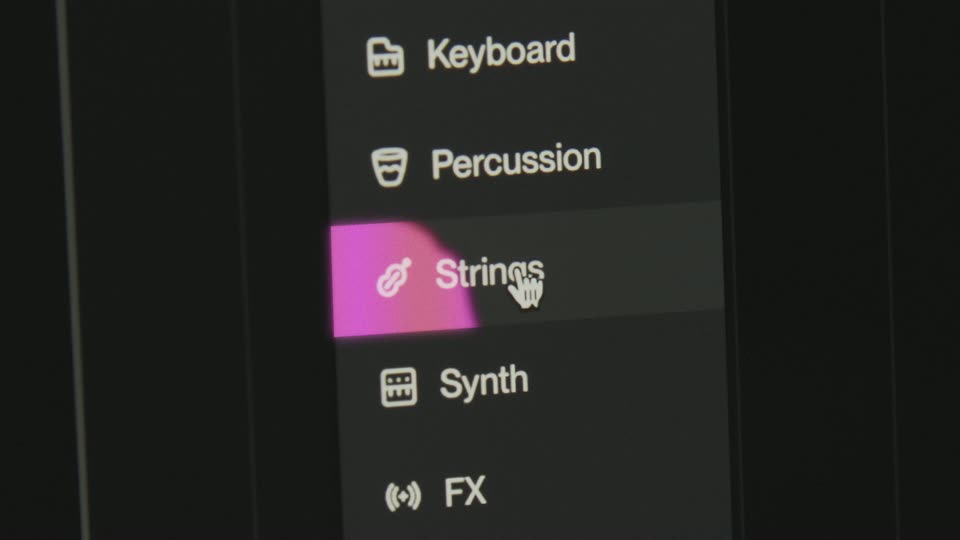

Suno Studio – The first-ever generative audio workstation
Suno · AI · Sep 2025
Rive · Sep 2026 · 0:52 · AI-annotated
The video names the product over a rotating glass polyhedron, then chains rapid editor screen captures that demo shaders, 3D models, masking and an AI shader agent, closing on the Rive mark. Keep cuts hard and fast on a black field, frame every capture with monospace HUD labels, and use RGB split glitch as the signature accent.
Suno · AI · Sep 2025
Rive · Design · Oct 2024
Rive · Design · Mar 2025
A rotating translucent 3D polyhedron spins at center on black while a large white GPUCANVAS title stays fixed across it. A starburst NEW badge pulses and shifts color from green to red above the word.
On-screen text: “GPUCANVAS”, “NEW”
Techniques: 3D mockup
Camera: Static
A faceted low-poly glass polyhedron in purple and pink rotates on black, its translucent faces passing over the large white GPUCANVAS title. A starburst NEW badge shifts color at the title's first letter, and small monospace HUD labels sit in the corners.
On-screen text: “NEW”, “GPUCANVAS”, “0.8.4800”
Techniques: 3D mockup
Camera: Pull out
A flat capture of a dark editor stage: a rose wireframe polyhedron rotates slowly behind a big white GPU CANVAS headline. A starburst NEW badge pulses over the letters while the side panels and asset list hold still.
On-screen text: “NEW”, “GPU CANVAS”
Techniques: 3D mockup
Camera: Pull out
Inside the Rive editor, a green 3D metaball blob morphs on the stage canvas, swelling into glossy spheres that fill the frame, while the black 3D SHADERS title stays still on the lime panel. The lightning icon morphs into a diamond, and small green dots speckle the blob.
On-screen text: “3D SHADERS”, “NEW”
Techniques: 3D mockup, Particles, Morph
Camera: Static
A screen recording of a 3D editor shows a left documentation panel, a center viewport where a colorful glass building gives way to a distorted sphere with yellow lettering, and a right properties panel, while a cursor moves across the viewport.
Techniques: 3D mockup, Cursor demo
Camera: Static
A dark engine editor holds a viewport with an animated poster: a red-haired 3D mermaid in a wobbling glass bubble, the yellow MERMAID title scaling up over a white FAMILY, ADVENTURE line. The right panel shows wave and rotation sliders; the camera stays locked off.
On-screen text: “MERMAID”, “FAMILY, ADVENTURE”
Techniques: Kinetic type
Camera: Static
A dark design-tool workspace fills the frame. A purple stage on the left holds a stylized orange aircraft inside a thin white HUD frame; wireframe UI cards on the right list missile specs. The stage resizes and the canvas drifts while the aircraft holds center.
Techniques: 3D mockup
Camera: Pan
Inside a dark editor window, a 3D viewport holds a translucent orange missile model wrapped in a holographic HUD. The model and its teal reticles rotate from a tilted three-quarter view to a flat side profile while grid panels and data bars frame it.
Techniques: 3D mockup
Camera: Static
Inside a dark design-tool stage, a vertical stack of numbered cards animates as horizontal leaderboard bars expand from selected cards, each carrying a small car icon and a player name, while a cursor moves over the list.
Techniques: Cursor demo
Camera: Static
Two image panels on black: a large square left shows a false-color shader with two glowing blobs over a curved horizon, its palette shifting from magenta to blue; a smaller right panel shows Earth at sunrise with three colored blobs. A large numeral 2 is locked on frame.
On-screen text: “2”
Techniques: Split screen
Camera: Static
A full 3D editor interface frames a dark canvas where a teal wireframe model carries a green callout box. The callout slides left and relabels, then the canvas fades to a light gray render of a black car on a platform.
Camera: Static
A car's infotainment screen is filmed at an angle, showing a top-down 3D model of a black sedan centered on a light dotted grid, framed by HUD readouts for speed, time, gear and ECO mode. The camera pulls back from a tight crop to the full display.
Techniques: 3D mockup
Camera: Pull out
A dark editor interface holds a checkerboard canvas where vertical orange stripes drift slowly left. A state machine bar at the bottom links Entry, Timeline 1, Any State and Exit, while a documentation panel fills the left edge.
Camera: Static
The product editor fills the frame, its dark red viewport holding an orange wireframe satellite that slowly rotates in 3D. Side panels list component properties and code, a state machine graph runs along the bottom, and a cursor hovers over the model. Locked-off screen capture.
Techniques: 3D mockup
Camera: Static
A dark HUD plays inside the Stage app window: cyan “BOOTING UP” title on top, red “TARGET LOCK” reticle and “INCOMING ATTACK” warning in the center, “CHARGE” and “SHIELD” bars below, small red and cyan blocks drifting and flickering; a mouse cursor hovers, frame locked-off.
Techniques: Particles
Camera: Static
A dark game HUD boots from black: the faint frame brightens, the magenta SOPHIA III title and cyan MODEL NORA MA-01 tag appear, then the ammo counter, boss list, and weapon selector light up. Two cursors hover over the dim central viewport showing a small table.
Techniques: Cursor demo, 3D mockup
Camera: Static
A Unity editor screen shows a white product viewer where black over-ear headphones rotate in 3D. As the model turns toward the camera, color swatches, a price and an add-to-bag button fade in below the product.
Techniques: 3D mockup
Camera: Static
Inside a Unity editor window, a flat product page for the Aurel One headphones holds a turning 3D headphone model; the title, price and Add to bag button stay static while the model rotates, showing 3D embedded in a 2D layout.
Techniques: 3D mockup
Camera: Static
A dark code editor pane with TypeScript sits left of a pink stage where a fluffy 3D bear head rotates in place, turning from its front face toward the back.
Camera: Static
A green card on a dark screen shows a rounded 'Pat Mode' title and a white 'Start' pill button, with a furry brown 3D creature in a white arch between them. A cursor drifts across the creature's face as its head tilts, while a settings panel sits at the right edge.
Techniques: Cursor demo
Camera: Static
A fuzzy brown creature with black eyes and stubby legs stands inside a white arch on a green field. Two white mouse cursors drift upward across its face while its body and tail line wiggle.
Camera: Static
A dark design tool with code on the left and a properties panel on the right. On the center black canvas, a glossy green 3D word morphs into a spiky blob, then into a heart, while the cursor picks a new object type from a dropdown in the panel.
Techniques: Cursor demo, Morph
Camera: Static
On the editor's black stage, two 3D hearts formed from green and white meta-balls rotate and shift as two cursors move over them, a small green lip shape hovers below. A code panel and a properties panel frame the stage.
Techniques: 3D mockup, Cursor demo
Camera: Static
A dark chat panel: the prompt 'make me a chromatic aberration shader' is typed into the input box, then the view scrolls up as the agent's reply streams in above. The input row keeps its Build, Opus 4.7 and Full dropdowns.
Camera: Static
A design tool screen frames a dark sci-fi HUD over a mountain landscape; the heading BOOTING UP scales gently while red and green pixel markers stay put, and a right-side panel lists a chromatic aberration script with a cursor near its strength field.
Camera: Static
A low-poly glass crystal with pink, gold and purple facets rotates slowly at center, drifting in front of the large white title GPU CANVAS, which carries an RGB-split glitch. Tiny monospace HUD labels and numbers frame the black background.
On-screen text: “EARLY ACCESS”, “GPU CANVAS”
Camera: Static
A dark design-tool interface frames a 3D football matchup in the center stage. Two glossy helmets, green and red, turn in perspective to reveal team crests while a cursor drifts across the canvas. Side panels list data fields and animation settings.
Techniques: 3D mockup, Cursor demo
Camera: Static
A close-up of a laptop screen shows a red-lit 3D stage with geometric floor lines and a small pink one-eyed robot at its center. A hand holding a glowing game controller rests out of focus in the foreground. The camera stays locked off.
Camera: Static
A dark editor window shows a red one-eyed character in two panels: a flat 2D sprite on a checkerboard at left and a glowing bloom-lit render at right. The character waves while a cursor glides across the right viewport.
Techniques: Cursor demo
Camera: Static
A tilted close-up of a monitor shows a game tool's viewport: a spiky-haired character stands on a pink road between red-and-white striped barriers, above a timeline of labeled clips. A second monitor blurs in the background.
Camera: Static
Locked-off view of the Rive editor. In the dark center canvas, a stick figure character shifts its stance as red-and-white striped barriers rotate up from the cracked ground.
Camera: Static
A dark Rive editor fills the frame, its stage showing circular icon designs with pointer, skull and star glyphs plus a black panel holding a rotating orange skull sphere. A cursor moves through the properties panel on the right.
Techniques: Cursor demo
Camera: Static
The state machine editor sits locked on screen, its central canvas looping a clip of dark blue ocean waves with white foam. A node tree fills the left panel while state nodes for Entry, Timeline 1 and Exit line the bottom bar.
Camera: Pan
A dark square tile holding a black R logo with a dot and grid motif fades in at center on black, then shrinks to a small white-outlined square icon.
Camera: Static
A black screen holds, then a single white capital letter R fades in at center and stays fixed for the rest of the clip.
On-screen text: “R”
Techniques: Kinetic type
Camera: Static