0:46
Responsive Layouts have landed
Rive · Design · Oct 2024
Rive · Mar 2025 · 1:36 · AI-annotated
The video is a beat-cut montage: a black wordmark and promise cards open it, then a relentless run of one-line feature titles, each paired with a tight UI demo, closing on the logo. Signature moves are hard cuts on the beat, locked-off title cards framed by monospace HUD labels, and a single orange accent held against near-black.
Rive · Design · Oct 2024
Rive · Design · Sep 2026
ElevenLabs · AI · Sep 2025
On black, a faint code block and a small dash hold the frame, then the RIVE wordmark fades in center with two tiny monospace captions, state machine upper-left and driver design below. The frame stays locked and still.
On-screen text: “RIVE”, “state machine”, “driver design”
Techniques: Kinetic type
Camera: Static
A white wordmark reading RIVE is centered on a black field and held static for the full shot, with no motion or camera move.
On-screen text: “RIVE”
Camera: Static
On black, a gray R logo tile fades in at center, then resolves into a cluster of white line icons (play, layout grid, cross) while small uppercase labels fade in at the four corners.
On-screen text: “REALTIME”, “1080P 60FPS”, “INTERACTIVE”, “VECTOR”, “ENGINE”
Camera: Static
A black frame holds a fixed border of small white labels while the center element cycles: a 3x3 grid of dark icons, then a white R mark, then the headline. The headline sits static once it lands, with the R mark and a lightning bolt flanking it.
On-screen text: “REALTIME”, “EXP / / DEV”, “VISUAL FRAMEWORK FOR UI”, “INTERACTIVE”, “VECTOR”, “ENGINE”, “RIVE FOR PRODUCT UI”
Techniques: Masking
Camera: Static
A black title card holds the headline RIVE FOR in orange above PRODUCT UI in large white block letters, with a small white layout icon to the left. Thin white micro-text and tiny icons line the edges of the frame.
On-screen text: “RIVE FOR”, “PRODUCT UI”
Camera: Static
Black title card: orange 'RIVE FOR' sits above a large white 'PRODUCT UI' with a layout icon, framed by tiny monospace HUD labels. A hard cut swaps it for a second card: orange 'A NEW WAY TO' over gray 'DESIGN, BUILD, AND SHIP USER INTERFACES'. All text is static, locked-off.
On-screen text: “RIVE FOR”, “PRODUCT UI”, “A NEW WAY TO”, “DESIGN, BUILD, AND SHIP”, “USER INTERFACES”
Camera: Static
A black title card holds centered copy: an orange line, two large white lines, and a smaller gray line. The text stays locked off while a dark rounded 3D slab tilts into view at the end.
On-screen text: “A NEW WAY TO”, “DESIGN, BUILD, AND SHIP”, “USER INTERFACES”, “FOR APPS, PRODUCTS, WEBSITES, AND GAMES”
Techniques: 3D mockup
Camera: Static
A close-up of a car's curved dashboard screen fades in from black. The bright display shows a top-view car icon, a circular Rive-Mix gauge and an ECO label, while a static headline overlays the frame.
On-screen text: “A NEW WAY TO”, “DESIGN, BUILD, AND SHIP”, “USER INTERFACES”, “FOR APPS, PRODUCTS, WEBSITES, AND GAMES”
Camera: Push in
Top-down view of a white concept car centered on a light gray screen. A blue progress ring draws around it as 'STARTING UP...' appears above and a percentage counts up below. A dark toolbar with tabs and a step flow sits at the bottom, a cursor hovers over it.
Techniques: 3D mockup, Kinetic type
Camera: Static
A two-line headline sits centered on a black background: “A MODERN PIPELINE FOR” in light gray above “PRODUCTION-READY UI”, the first two words in orange. The text fades in, holds, then fades out.
On-screen text: “A MODERN PIPELINE FOR”, “PRODUCTION-READY UI”
Camera: Static
Split view on a gray desktop: a glossy black helmet on the left ignites red visor lines and a small counter, while a node editor window on the right builds the matching red HUD graphic in its viewport.
Techniques: Split screen
Camera: Static
A black frame holds, then the white all-caps headline BUILT FOR INTERACTIVITY appears centered and stays locked in place for the rest of the clip.
On-screen text: “BUILT FOR INTERACTIVITY”
Camera: Static
Locked-off close-up of a dark touchscreen seat-heater menu. A finger taps the stacked heat-level buttons, and the seat icon highlights amber as the wavy heat lines increase, while plus, minus and 24°C controls sit at the edges.
On-screen text: “BUILT FOR INTERACTIVITY”
Techniques: Cursor demo
Camera: Static
On a black background, a centered white title with two small subtitle lines and thin teal side bars fades in, then is replaced by a flat wireframe hexagon ringed by teal triangles, a yellow inner hexagon, and a cursor hovering at its center.
On-screen text: “STATE-DRIVEN DESIGN”, “HEX // WEAPON SELECTOR”, “ASSAULT PROTOTYPE”
Techniques: Cursor demo
Camera: Pull out
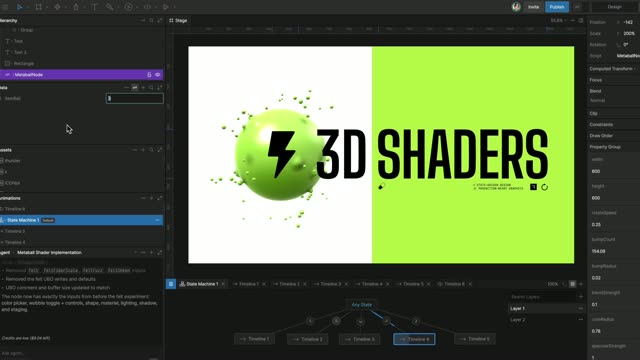
A black hexagon selector fills the frame, teal triangles ring a yellow hexagon under a cursor. The view pulls back to show it as a mockup in a dark design tool, icon swatches left, node graph below; the cursor selects a yellow lightning hexagon.
Techniques: UI zoom
Camera: Pull out
Black frame with centered white text. RESPONSIVE is already set while LAYOUT fades in from dim to full white, then the line holds static.
On-screen text: “RESPONSIVE LAYOUT”
Techniques: Kinetic type
Camera: Static
A white 3D bull head and green menu buttons sit on a dark canvas inside a blue selection frame with a red Main Menu callout. The frame narrows and the elements reflow, demonstrating a responsive layout.
On-screen text: “RESPONSIVE LAYOUT”
Techniques: 3D mockup
Camera: Static
White uppercase text N-SLICING sits centered on a plain black background, locked off and static for the full clip.
On-screen text: “MULTIPLAYER”, “N-SLICING”
Camera: Static
A flat design-tool view on a gray panel inside dark bars. Two pill cards sit side by side, the left a 3x3 grid of media icons, the right a yellow card titled Club classics by Charli xcx over a grid of green squares. Blue selection handles and dimension tags frame the pair, and the selected group scales up between the two marks.
On-screen text: “N-SLICING”
Camera: Static
A dark warning popup with an orange J.A.R.V.I.S header and a close X slides horizontally inside a thin blue selection frame. White body copy reports a critical suit error above an orange ENTER REPAIR ROOM button.
Camera: Static
A dark editor window frames a white hexagonal car HUD mockup. The speed, time and orange chevrons slide outward as the panel expands, and a J.A.R.V.I.S error alert with a repair-room button slides in.
Camera: Static
A black background holds the single word SCROLLING in white type, centered and static for the full clip.
On-screen text: “SCROLLING”
Camera: Static
A flat game save menu on a dark brown field. A column of white cards with orange skull icons and percentages scrolls up between two static rows of white bones. To the right, a red flame with a skull face and a brown bone scroll the same way.
Camera: Static
A white title card holds on a black background: the words DATA BINDING sit centered and locked off for the full duration, no motion or camera move.
On-screen text: “DATA BINDING”
Camera: Static
A dark health dashboard sits left of a VM control panel on black. Step and heart-rate values tick up as the slider marker jumps to the red end, and the bar chart gains bars while the right panel fields update.
Techniques: Split screen
Camera: Static
On a black background, the white uppercase headline TEAMS AND COLLABORATION reveals from left to right, settling as a centered line.
On-screen text: “TEAMS AND COLLABORATION”
Techniques: Kinetic type
Camera: Static
A still TEAMS AND COLLABORATION headline heads a dark rigging tool where two fighter characters are rigged with white bone lines; name tags Laura, Robert, Michael slide and scale as the view zooms in on the panels.
On-screen text: “TEAMS AND COLLABORATION”
Techniques: UI zoom
Camera: Push in
A black screen holds the white headline PRISTINE VECTOR GRAPHICS, centered and locked off. A second line, FOR ANY PLATFORM, appears beneath it and the pair holds to the end of the clip.
On-screen text: “PRISTINE VECTOR GRAPHICS”, “FOR ANY PLATFORM”
Camera: Static
A locked-off dark motion-tool interface: a holographic wireframe suit stands in the center canvas, its white chest reactor glowing while orange energy filaments flicker across the torso, with small data panels flanking the figure. A static headline overlays the shot.
On-screen text: “PRISTINE VECTOR GRAPHICS”, “FOR ANY PLATFORM”
Camera: Static
A monitor on a stand displays a holographic wireframe of an armored suit with amber HUD panels, set in a dark sci-fi bay. Engine editor panels fill the right edge of the frame.
On-screen text: “→ Suit_Boot_up”
Techniques: 3D mockup
Camera: Static
A black background displays the white text 'MEGA FAST' centered in the frame. The text 'CUSTOM RENDERER' appears directly below it.
On-screen text: “MEGA FAST”, “CUSTOM RENDERER”
Techniques: Kinetic type
Camera: Static
A grid of dark interface panels scrolls steadily across the frame, each showing a wireframe humanoid suit with a glowing chest core, orange warning banners, repair progress bars, and hand cursors hovering over controls.
On-screen text: “MEGA FAST”, “CUSTOM RENDERER”
Techniques: Cursor demo
Camera: Pan
A black screen holds the white headline RUN RIVE ANYWHERE WITH centered. A second line, OUR OPEN-SOURCE RUNTIMES, appears just below it, and both lines hold static for the rest of the shot.
On-screen text: “RUN RIVE ANYWHERE WITH”, “OUR OPEN-SOURCE RUNTIMES”
Techniques: Kinetic type
Camera: Static
A red smartwatch rendered in 3D perspective dominates the right of the frame, its face crossfading from an analog clock to a heart-rate display reading 92 BPM. A yellow and a white watch float smaller in the background left against a pale gray backdrop.
On-screen text: “RUN RIVE ANYWHERE WITH”, “OUR OPEN-SOURCE RUNTIMES”
Techniques: 3D mockup, Morph
Camera: Static
Close-up of a round smartwatch on a wrist with a green strap. A finger swipes the dark watch face, switching the display from a heart rate readout of 92 BPM to a calories view with a bar graph and 194 CAL.
Techniques: Cursor demo
Camera: Static
A watch-face design tool fills the frame, its central circular preview cycling complications. An orange heart icon and a heart-rate readout crossfade into a red calorie bar chart, the left icon column swapping to match.
Camera: Static
Two lines of white text appear in the center of a black background and hold static.
On-screen text: “RENDER INTERACTIVE”, “2D GRAPHICS ON 3D OBJECTS”
Camera: Static
A black induction cooktop rests on a white marble counter with a steel pot and glowing pink heating rings, a wooden board holding garlic and a chili in the foreground. The frame stays locked off.
On-screen text: “RENDER INTERACTIVE”, “2D GRAPHICS ON 3D OBJECTS”
Techniques: 3D mockup
Camera: Static
A black induction cooktop with glowing pink and purple burner rings and a stainless steel pot sits on a marble counter, a recipe panel lit at the front; the camera pushes in as the temperature readout climbs.
Techniques: 3D mockup
Camera: Static
A low-angle close-up of a black smart cooktop, its glowing pink and red burner rings blurred in the background. A curved display panel shows the Apple Cider Chicken recipe with an ingredient list and a timer, the text held static in a locked-off frame.
Techniques: 3D mockup
Camera: Static
Centered on a black background, the uppercase tagline ANIMATE ANYTHING holds in place; ANYTHING starts in dim gray and brightens to white over the shot.
On-screen text: “ANIMATE ANYTHING”
Techniques: Kinetic type
Camera: Static
A fighting game character select screen: ten fighter portraits in a two-row grid fade in between two large character busts, while marquees of player names scroll along the top and bottom above a KENJI VS KAIDEN banner.
Camera: Static
A fighting-game character select screen. A two-row grid of fighter portraits sits center, flanked by large painted busts of a red-headbanded man and a short-haired woman. A countdown ticks 30 to 29 above the title; KENJI and KAIDEN face off under a VS mark below.
Camera: Static
A fighting game character select screen on a purple background. Two large fighter portraits flank a ten-slot grid with the 1P and 2P boxes highlighted in teal and magenta. An orange VS sits above the names while a countdown ticks from 29 to 28 and edge tickers scroll.
Camera: Static
A fighting game character select screen on a purple world-map backdrop. Two large portraits flank a grid of ten selectable faces, a countdown number sits under the orange PLAYER SELECT header, and a KENJI VS CAHIRA banner runs along the bottom.
Camera: Static
A fighting game character select screen: a 2x5 portrait grid with the first pick locked on Kenji, while the second pick jumps from Axel to Gerald, swapping the right side portrait, the bottom name, and the scrolling name ticker.
Camera: Static
A black title card holds the white uppercase line “MESHES AND BONES” centered in the frame. The text sits still on a locked-off shot, no motion or camera move.
On-screen text: “MESHES AND BONES”
Camera: Static
A split view shows a 2D boxer illustration with white bone lines on the left and the same torso in a node editor on the right, where a deform mesh of dots and lines overlays the chest. The rig animates slightly as the gloves shift.
On-screen text: “MESHES AND BONES”
Techniques: Split screen
Camera: Static
The word JOYSTICKS in white all-caps geometric sans holds centered on a solid black background, static and locked-off for the entire shot.
On-screen text: “JOYSTICKS”
Camera: Static
A dark animation-tool window frames a glossy pink bomb character with a striped straw in its center viewport. A cursor drags a small joystick control, tilting the straw and rotating the face inside the body as the model responds.
Techniques: Cursor demo
Camera: Static
A white technical sans title, VECTOR FEATHERING, holds centered on a flat black background for the whole shot. The frame is locked off with no camera move and the type stays still.
On-screen text: “VECTOR FEATHERING”
Camera: Static
A dark audio plugin interface displays four panels with metallic knobs and green level meters. A cursor moves across the screen as the analyzer graph updates and the knobs rotate.
On-screen text: “VECTOR FEATHERING”
Techniques: Cursor demo
Camera: Static
A glowing neon Apple logo in magenta and blue sits centered on a near-black background, its soft halo rippling as two white cursor arrows drift across the lower frame.
Camera: Static
A phone mockup on a light background shows the Tickets app. A Justice London Live ticket card slides and snaps into a stacked list, resolving overlapping text into a ticket stub with time, date, ID and barcode.
Techniques: Cursor demo
Camera: Static
A dark car dashboard interface animates inside a blurred design tool: tire pressure drops to 20 PSI with a red warning, the compass swings from N to NE, and the G-force gauge climbs to 1.9G.
Camera: Static
Centered white text on black reads RASTER GRAPHICS, then cuts to AND MORE..., each line carrying a glitchy offset echo. The frame stays locked and the text holds still.
On-screen text: “RASTER GRAPHICS”, “AND MORE...”
Camera: Static
A curved display in 3D perspective against a dark background shows a London weather forecast with an hourly timeline, edges soft in focus, the frame locked on the screen.
On-screen text: “AND MORE...”
Techniques: 3D mockup
Camera: Static
A dark design-tool workspace shows a state-machine graph below and a live preview above. In the preview, a weather forecast header and a row of hourly weather tiles with icons and temperatures fade into place.
Camera: Static
A black screen holds centered white text reading ANIMATED, VARIABLE, DYNAMIC TEXT, then cuts to FOR RUNTIME WITH FULL SUPPORT FOR ANY LANGUAGE.
On-screen text: “ANIMATED, VARIABLE,”, “DYNAMIC TEXT”, “FOR RUNTIME WITH FULL”, “SUPPORT FOR ANY LANGUAGE”
Camera: Static
A dark design-tool canvas shows a selected row of three rounded buttons. Their labels scramble through letters and settle on KNOPPEN, BRATEL COME and MENUKAART while blue dimension guides frame the selection and a cursor appears.
Techniques: Kinetic type, Cursor demo
Camera: Static
A solid black frame holds the white text VIBRANT COMMUNITY centered and static for the full duration. No motion, no camera move, no other elements.
On-screen text: “VIBRANT COMMUNITY”
Camera: Static
A dense grid of project cards, each with a thumbnail, username and tag, scrolls vertically to reveal new rows of illustrations and UI mockups.
On-screen text: “VIBRANT COMMUNITY”
Camera: Pan
A centered white stack on black: two taglines flank a crossed-swords logo, with a four-point star above and a small gear spinning below. A white square bearing a black R mark then scales in, dimming the text behind it.
On-screen text: “PRODUCTION-READY GRAPHICS”, “EMPOWER DESIGNERS”, “SLASH DEV TIMES”, “*STATE-DRIVEN DESIGN”
Camera: Static
A small white square holding a black R mark sits centered on a black field, holds steady, then fades to black.
Camera: Static