1:30

Introducing Cursor 3
Cursor · Developer tools · Apr 2026
Resend · Mar 2026 · 3:31 · AI-annotated
The video alternates between locked-off studio shots of the presenter and locked-off screen recordings of the dark editor, with the presenter shrinking into a rounded lower-left inset during the demos. Each feature is introduced in a short talking-head beat and then shown in one continuous screen take, keeping the pace steady at about five cuts per minute.
Cursor · Developer tools · Apr 2026
Rive · Design · Sep 2026
Rive · Design · Mar 2025
A man in a cream sweater sits centered, speaking into a studio microphone on a boom arm, gesturing with both hands. Behind him, dark wooden shelves hold books, plants and small objects; a leafy plant frames the left, a lamp and keyboard the right. Static medium shot.
Camera: Pull out
A dark email-template editor fills the frame, its cursor tapping the left toolbar to pop open component menus while the right panel flips between Layout and Text settings. A small talking-head video of a man at a microphone sits in the lower-left corner.
Techniques: Cursor demo
Camera: Static
A man in a white sweatshirt sits at a studio microphone, gesturing with both hands while speaking. Wooden shelves behind him hold plants, books, a vintage computer, and small objects against a dark wall. The medium shot stays static throughout.
Camera: Push in
Locked-off screen recording of a dark email template editor. The cursor types in the body, triggers a slash menu, then opens a block menu from the left toolbar. A presenter's webcam feed in a rounded frame sits in the lower-left corner.
Techniques: Cursor demo
Camera: Static
A dark email-builder window fills the frame; a cursor opens the left menu and clicks 2 columns, then 3 columns, dropping dashed column boxes onto the white canvas while the right panel updates. A small talking-head video of a man at a mic fades in at the bottom left.
Techniques: Cursor demo
Camera: Static
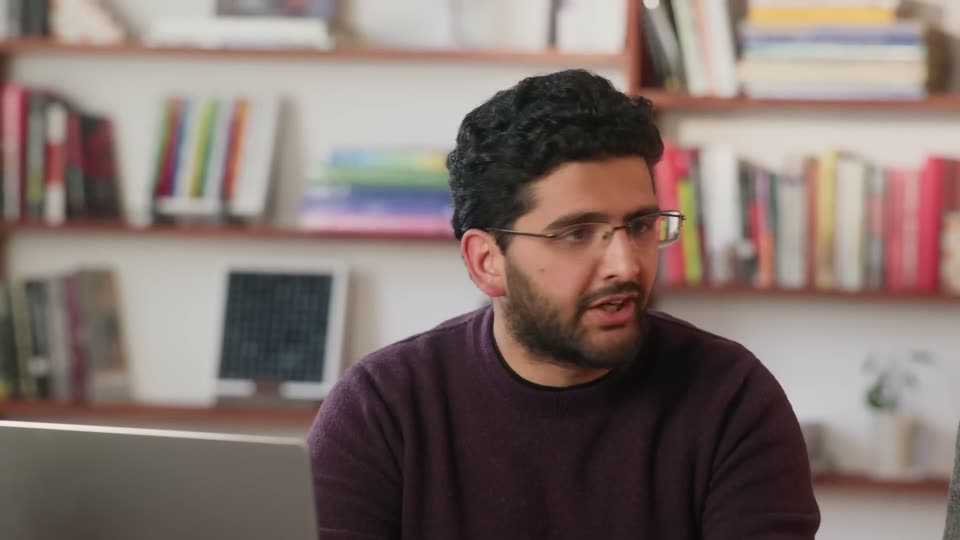
A man in a white sweater sits before a studio microphone, gesturing with both hands as he speaks. He is centered in a locked-off medium shot against a wall of wooden shelves holding books, plants and small objects.
Camera: Static
A screen recording of an email template editor shows a cursor pasting a tweet; a grey box with the X logo appears and a 'Paste as' menu offers 'Embed post' and 'URL'. A video inset of a man at a microphone sits in the lower-left corner.
Techniques: Cursor demo
Camera: Static
In a locked-off view of an email builder, a pasted Twitter post opens an embed settings modal as the background dims. The cursor checks the dark mode box, the preview flips to dark, then moves to the close button; a presenter speaks in a small corner webcam.
Techniques: Cursor demo
Camera: Static
A template editor screen shows a Twitter post preview card with an embedded video and a dark properties panel on the right. A small webcam feed of a man speaking into a microphone sits at the lower left, gesturing as he talks. A cursor hovers at the card's right edge.
Techniques: Cursor demo
Camera: Static
A man in a white sweater speaks into a studio microphone against a lit bookshelf. The frame then fills with the product's email editor, the white canvas and right-hand text panel, while the man shrinks into a small rounded inset at the lower left.
Techniques: Split screen
Camera: Static
An email template editor fills the screen, dark formatting panel on the right. The view zooms into the canvas as a block-type command dropdown pops up mid-frame, while a small inset of the host at a mic sits bottom left.
Techniques: UI zoom, Cursor demo
Camera: Push in
A man in a white sweater sits centered before a studio microphone, gesturing with both hands as he talks. Behind him, wooden shelves hold books, plants and small objects. The frame stays locked off on this medium shot throughout.
Camera: Static
A locked-off view of an email template editor shows a 'Top Picks' layout with a cassette player card. A cursor glides across the template, then to the left toolbar, clicking the code tab to open an HTML panel. A bearded presenter speaks in a small inset at lower left.
Techniques: Cursor demo
Camera: Static
A split interface shows an HTML code editor on the left with a small talking-head video overlaid in the corner, and an email template preview on the right titled Top Picks with a cassette player card. A cursor hovers over the code pane.
Techniques: Cursor demo
Camera: Static
A dimmed interface shows a centered 'Enable code editing' modal; a cursor types the confirmation text and clicks the red button, which shows loading dots. A presenter at a microphone appears in a small video inset at the lower left.
Techniques: Cursor demo
Camera: Static
Split view of an email builder: a dark HTML code editor on the left, a white email preview on the right, with the presenter's webcam feed in a lower-left inset. The code list scrolls between sections while the cursor moves to the editor toolbar and clicks a format icon.
Techniques: Split screen, Cursor demo
Camera: Static
A dark email editor shows a Switch to writing mode dialog. The cursor types CONVERT TO WRITING into the confirm field and clicks the red button; the screen fades to a light template view. A man at a microphone appears in a small inset at the bottom left.
Techniques: Cursor demo
Camera: Static
A man in a white sweater sits at a desk, speaking into a boom-mounted studio microphone and gesturing with both hands. He is framed in a medium shot against wooden shelves holding books, plants and a vintage computer; the cut tightens to a closer shot near the end.
Camera: Static
A bearded man in a white sweater sits at a desk speaking into a large studio microphone, bookshelves and plants behind him. The shot cuts to the Resend wordmark centered on a black background.
On-screen text: “Resend”
Camera: Static
The white Resend wordmark holds centered on a near-black field, with faint diagonal lines crossing the lower third. The frame is locked off and the logo stays still throughout the clip.
On-screen text: “Resend”
Camera: Static